పరిచయం
This manual provides detailed instructions for setting up and using your MOFii Wireless Keyboard and Mouse Combo. Designed for comfort and efficiency, this combo offers a reliable 2.4GHz wireless connection, making it ideal for various computing tasks.
The MOFii Wireless Keyboard and Mouse Combo features a stylish multi-color design and is compatible with Windows XP/Vista/7/8/10 or later operating systems. It is also compatible with laptops, desktops, PCs, and notebooks. Please note that it is not fully compatible with Mac systems.
సెటప్ సూచనలు
- బ్యాటరీలను వ్యవస్థాపించండి: Open the battery compartment on the underside of both the keyboard and the mouse. Insert the required batteries (typically AA for keyboard, AAA for mouse, not included) ensuring correct polarity.
- USB రిసీవర్ను గుర్తించండి: The single USB receiver for both the keyboard and mouse is typically stored in the battery compartment of the mouse for convenience. Carefully remove it.
- USB రిసీవర్ని కనెక్ట్ చేయండి: Plug the USB receiver into an available USB port on your computer (PC, laptop, desktop, or notebook).
- పవర్ ఆన్: కీబోర్డ్ మరియు మౌస్ను వాటి సంబంధిత పవర్ స్విచ్లను ఉపయోగించి ఆన్ చేయండి (సాధారణంగా దిగువ భాగంలో ఉంటాయి).
- ఆటోమేటిక్ కనెక్షన్: The keyboard and mouse should automatically connect to your computer within a few seconds. No additional software installation is required.
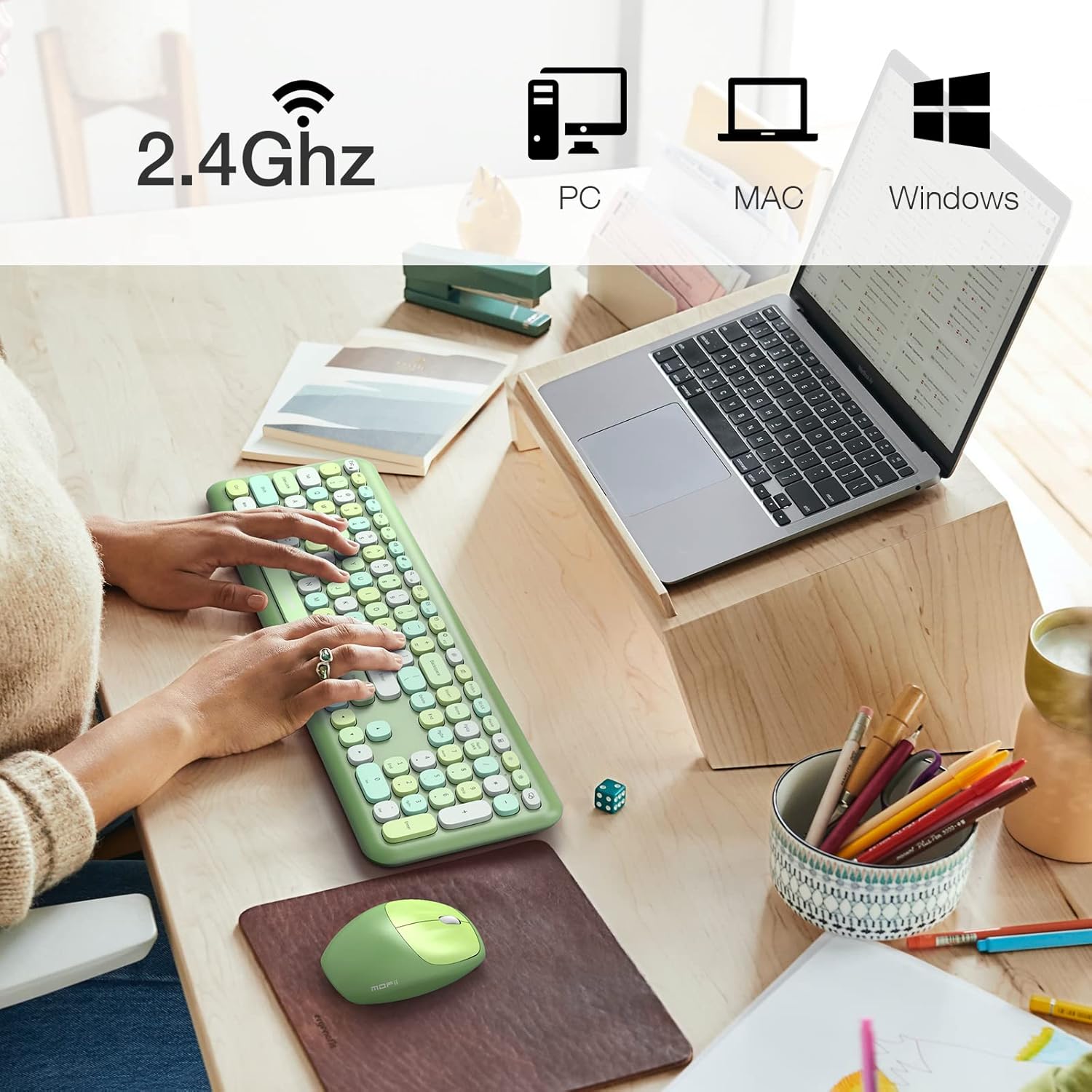
Image: The MOFii wireless mouse showing its battery compartment, where the USB receiver is stored, and indicating a 10-meter wireless range.
ఆపరేటింగ్ సూచనలు
కీబోర్డ్ వినియోగం:
- టైపింగ్: The full-size keyboard provides a comfortable typing experience with responsive keys.
- ఫంక్షన్ కీలు (Fn కాంబినేషన్లు): Utilize the 'Fn' key in combination with other keys for various shortcuts. For exampలే:
| కీ కలయిక | ఫంక్షన్ |
|---|---|
| Fn + Esc | కంప్యూటర్ను లాక్ చేయండి |
| Fn + F1 | మునుపటి ట్రాక్ |
| Fn + F2 | మీడియాను ప్లే/పాజ్ చేయండి |
| Fn + F3 | తదుపరి ట్రాక్ |
| Fn + F4 | ఆడియోను మ్యూట్ చేయండి |
| Fn + F5 | వాల్యూమ్ డౌన్ |
| Fn + F6 | వాల్యూమ్ అప్ |
| Fn + F7 | తెరవండి Web బ్రౌజర్ |
| Fn + F8 | శోధన |
| Fn + F9 | ఈమెయిల్ క్లయింట్ తెరవండి |
| Fn + F10 | ఇష్టమైనవి తెరవండి |
| Fn + F12 | సెట్టింగ్లను తెరవండి |

Image: A visual representation of the MOFii keyboard highlighting the 'Fn' key and its various shortcut combinations for enhanced productivity.
మౌస్ వినియోగం:
- Clicking and Scrolling: The mouse provides precise tracking and quiet clicks for comfortable navigation.
- ఆటోమేటిక్ పవర్ సేవింగ్: To conserve battery life, the mouse will automatically enter sleep mode after 15 minutes of inactivity. Press any button to wake it up instantly.

Image: The MOFii wireless mouse, emphasizing its quiet click feature, suitable for environments where minimal noise is desired.

Image: A diagram showing the automatic power-saving features of the MOFii wireless mouse, transitioning from active use to auto-sleep and reactivation.
నిర్వహణ
- శుభ్రపరచడం: Use a soft, dry cloth to clean the surfaces of the keyboard and mouse. For deeper cleaning, a slightly damp తేలికపాటి సబ్బు ఉన్న వస్త్రాన్ని ఉపయోగించవచ్చు, తద్వారా పరికరాల్లోకి ద్రవం ప్రవేశించదు.
- బ్యాటరీ భర్తీ: When the devices become unresponsive or performance degrades, replace the batteries. Refer to the 'Setup Instructions' for battery compartment location.
- నిల్వ: When not in use for extended periods, turn off the devices and store them in a cool, dry place. Consider removing batteries if storing for several months.
ట్రబుల్షూటింగ్
- కనెక్షన్ లేదు:
- USB రిసీవర్ పనిచేసే USB పోర్ట్కి సురక్షితంగా ప్లగ్ చేయబడిందని నిర్ధారించుకోండి.
- కీబోర్డ్ మరియు మౌస్ రెండింటిలోనూ బ్యాటరీలు సరిగ్గా ఇన్స్టాల్ చేయబడ్డాయో లేదో మరియు తగినంత ఛార్జ్ కలిగి ఉన్నాయో లేదో తనిఖీ చేయండి.
- రెండు పరికరాలు పవర్ ఆన్ చేయబడి ఉన్నాయని నిర్ధారించుకోండి.
- USB రిసీవర్ని వేరే USB పోర్ట్కి ప్లగ్ చేసి ప్రయత్నించండి.
- లాగ్ లేదా అడపాదడపా కనెక్షన్:
- కీబోర్డ్ మరియు మౌస్ను USB రిసీవర్కు దగ్గరగా తరలించండి.
- జోక్యం కలిగించే ఇతర వైర్లెస్ పరికరాల (ఉదా. Wi-Fi రౌటర్లు, కార్డ్లెస్ ఫోన్లు) దగ్గర రిసీవర్ను ఉంచకుండా ఉండండి.
- పరికరాలు మరియు రిసీవర్ మధ్య పెద్ద లోహ వస్తువులు లేవని నిర్ధారించుకోండి.
- మౌస్ కర్సర్ దూకుతుంది లేదా తప్పుగా ఉంది:
- మౌస్ కింద ఉన్న ఆప్టికల్ సెన్సార్ను శుభ్రం చేయండి.
- మౌస్ను శుభ్రమైన, ప్రతిబింబించని ఉపరితలంపై లేదా మౌస్ ప్యాడ్లో ఉపయోగించండి.
- స్పందించని కీలు:
- బ్యాటరీ స్థాయిలను తనిఖీ చేయండి మరియు అవసరమైతే భర్తీ చేయండి.
- కీబోర్డ్ ఆన్ చేయబడి, కనెక్ట్ చేయబడిందని నిర్ధారించుకోండి.
- మీ కంప్యూటర్ని పునఃప్రారంభించండి.
స్పెసిఫికేషన్లు
- బ్రాండ్: MOFII
- మోడల్: B09BFBCQWF
- రంగు: Green Mixed
- కనెక్టివిటీ టెక్నాలజీ: 2.4GHz USB వైర్లెస్
- ప్రత్యేక ఫీచర్: Cute Design, Automatic Power Saving
- అనుకూల పరికరాలు: Laptop, Personal Computer, Tablet (Windows XP/Vista/7/8/10 or later; not fully compatible with Mac System)
- ప్యాకేజీ కొలతలు: 17.52 x 5.63 x 2.83 అంగుళాలు
- వస్తువు బరువు: 1.89 పౌండ్లు
- మౌస్ DPI: 1200
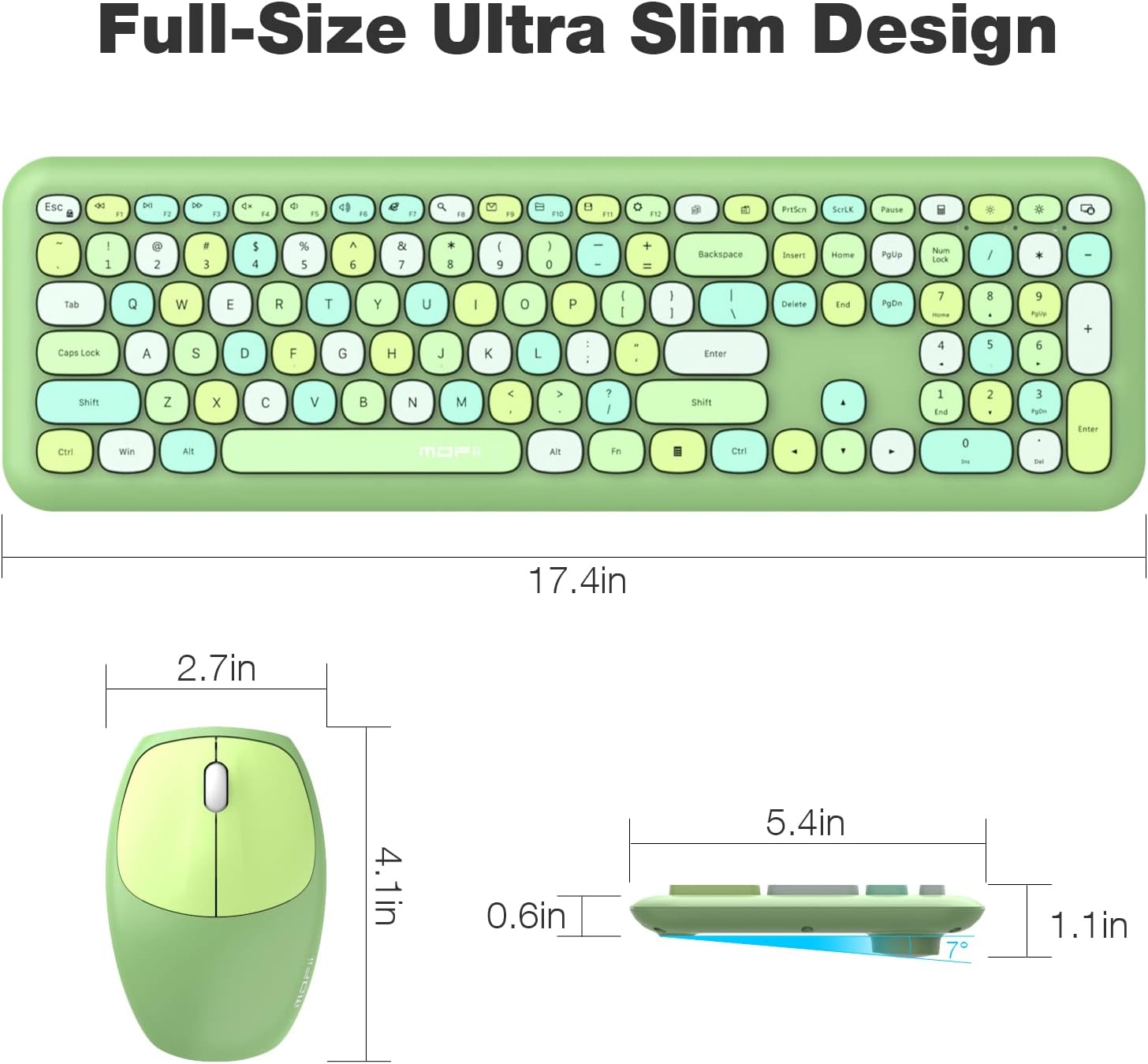
Image: Detailed dimensions of the MOFii wireless keyboard and mouse, illustrating their compact and ergonomic design.
వారంటీ మరియు మద్దతు
For warranty information and customer support, please refer to the documentation included with your product packaging or visit the official MOFII webసైట్. ఏవైనా వారంటీ క్లెయిమ్లకు కొనుగోలు రుజువుగా మీ కొనుగోలు రసీదును ఉంచండి.
If you encounter any issues not covered in this manual, please contact MOFii customer service for assistance.


