1. పరిచయం
The DataLocker AlphaCam W is a high-definition video conferencing camera designed for clear and reliable communication. It provides crisp images with vivid color detail and a smooth video frame rate, making it ideal for video conferences and web-based education. This manual provides essential instructions for setting up, operating, and maintaining your AlphaCam W.
2. ప్యాకేజీ విషయాలు
- DataLocker AlphaCam W Video Conferencing Camera
- USB Cable (integrated or separate, for connection)
- వినియోగదారు మాన్యువల్ (ఈ పత్రం)
3. సెటప్
The AlphaCam W is designed for easy setup without the need for additional software or drivers. Simply connect it to your computer via USB.
3.1 కెమెరాను కనెక్ట్ చేస్తోంది
- కెమెరాను అన్ప్యాక్ చేయండి: Carefully remove the AlphaCam W from its packaging.
- కెమెరాను ఉంచండి: The AlphaCam W features a versatile clip that allows it to be securely mounted on top of your monitor or laptop screen. Alternatively, it can be placed on a flat desktop surface.
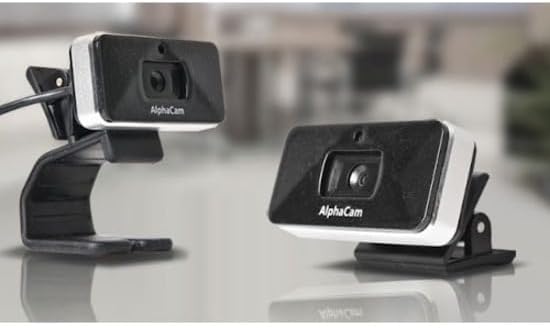
Image: The AlphaCam W can be clipped onto a monitor or placed on a flat surface.
- కంప్యూటర్కు కనెక్ట్ చేయండి: Plug the USB cable from the AlphaCam W into an available USB 2.0 port on your computer.
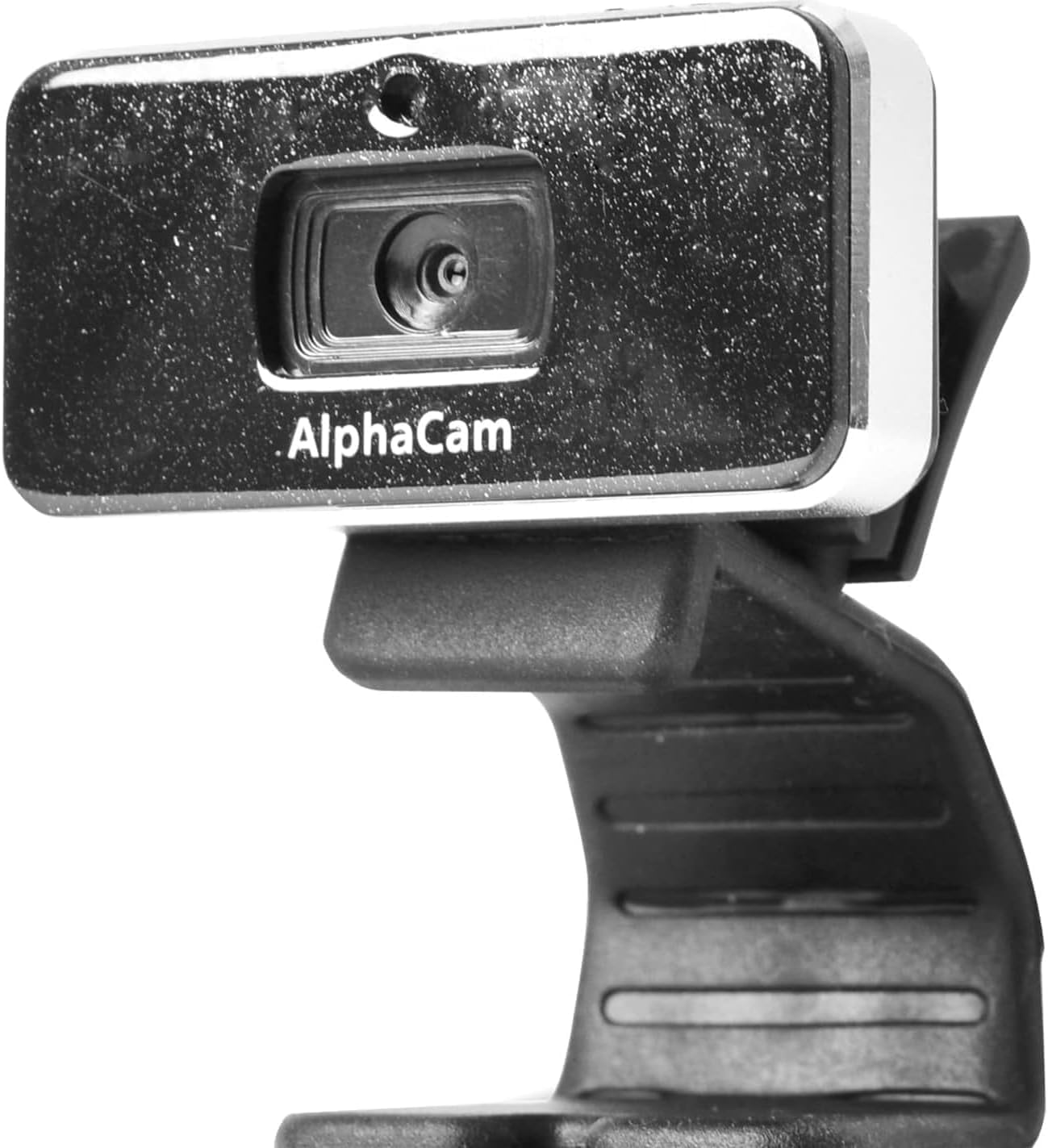
చిత్రం: ముందు భాగం view of the DataLocker AlphaCam W camera.
- స్వయంచాలక గుర్తింపు: Your computer should automatically detect and install the necessary drivers for the camera. This process typically takes a few moments.
4. ఆపరేటింగ్ సూచనలు
Once connected, the AlphaCam W is ready for use with your preferred video conferencing or streaming applications.
4.1 అప్లికేషన్లతో ఉపయోగించడం
- Select Camera: Open your video conferencing software (e.g., Zoom, Microsoft Teams, Google Meet, Skype). Navigate to the video settings or preferences within the application.
- Choose AlphaCam W: From the list of available cameras, select "DataLocker AlphaCam W" (or similar name) as your video input device.
- Start Video: Activate your video feed within the application. The AlphaCam W will begin transmitting high-definition video at up to 1280 x 720 resolution and 30 frames per second.
4.2 ముఖ్యమైన పరిగణనలు
- Microphone-Free Design: The AlphaCam W does not include an integrated microphone. This design choice helps prevent potential data leaks and eliminates conflicts with existing computer or headset microphones. You will need to use a separate microphone for audio input during calls.
- లైటింగ్: For optimal video quality, ensure adequate lighting in your environment. Avoid strong backlighting that can silhouette your image.
5. నిర్వహణ
To ensure the longevity and optimal performance of your AlphaCam W, follow these simple maintenance guidelines:
- లెన్స్ శుభ్రపరచడం: కెమెరా లెన్స్ను మృదువైన, మెత్తటి బట్టతో సున్నితంగా తుడవండి. మొండి మరకల కోసం, కొద్దిగా dampen the cloth with water or a lens cleaning solution. Avoid abrasive materials or harsh chemicals.
- శరీరాన్ని శుభ్రపరచడం: కెమెరా బాడీని శుభ్రం చేయడానికి మృదువైన, పొడి వస్త్రాన్ని ఉపయోగించండి.
- నిల్వ: When not in use, store the camera in a clean, dry place away from extreme temperatures and direct sunlight.
- చుక్కలను నివారించండి: Handle the camera with care to prevent damage from drops or impacts.
6. ట్రబుల్షూటింగ్
If you encounter issues with your AlphaCam W, refer to the following troubleshooting tips:
6.1 No Image or Camera Not Detected
- USB కనెక్షన్ను తనిఖీ చేయండి: Ensure the USB cable is securely plugged into both the camera and your computer. Try a different USB port.
- కంప్యూటర్ పునఃప్రారంభించండి: కొన్నిసార్లు ఒక సాధారణ పునఃప్రారంభం గుర్తింపు సమస్యలను పరిష్కరించగలదు.
- పరికర నిర్వాహికి (విండోస్) / సిస్టమ్ సమాచారం (మాకోస్) తనిఖీ చేయండి: Verify that the camera is listed under imaging devices or USB devices. If there's an error, try updating or reinstalling drivers (though typically not required for this plug-and-play device).
- మరొక కంప్యూటర్ను ప్రయత్నించండి: If possible, test the camera on another computer to determine if the issue is with the camera or your original computer.
6.2 పేలవమైన చిత్ర నాణ్యత
- క్లీన్ లెన్స్: Ensure the camera lens is clean and free of dust or smudges.
- లైటింగ్ పరిస్థితులు: Improve the lighting in your environment. Ensure light sources are in front of you, not behind.
- అప్లికేషన్ సెట్టింగ్లు: Check the video settings within your conferencing application. Ensure the resolution is set to the highest available (e.g., 720p).
- ఇంటర్నెట్ కనెక్షన్: A poor internet connection can sometimes degrade video quality during live streams.
6.3 Camera Freezes or Disconnects
- USB Port Power: Ensure the USB port is providing sufficient power. Try connecting directly to a port on your computer rather than a USB hub.
- కేబుల్ సమగ్రత: ఏదైనా నష్టం సంకేతాల కోసం USB కేబుల్ను తనిఖీ చేయండి.
- సాఫ్ట్వేర్ వైరుధ్యాలు: Close any other applications that might be using the camera or consuming significant system resources.
7. స్పెసిఫికేషన్లు
| ఫీచర్ | వివరాలు |
|---|---|
| మోడల్ సంఖ్య | WCAM1000-G |
| వీడియో రిజల్యూషన్ | Up to 1280 x 720 (HD) |
| ఫ్రేమ్ రేట్ | 30 fps వరకు |
| కనెక్టివిటీ | USB 2.0 |
| మైక్రోఫోన్ | Not included (Microphone-Free design) |
| రంగు | నలుపు |
| కొలతలు (LxWxH) | 4 x 2.75 x 5.62 అంగుళాలు |
| వస్తువు బరువు | 0.35 ఔన్సులు |
| హార్డ్వేర్ ప్లాట్ఫారమ్ | PC |
| ఫోటో సెన్సార్ టెక్నాలజీ | CMOS |
8. వారంటీ మరియు మద్దతు
For warranty information or technical support, please refer to the official DataLocker website or contact DataLocker customer service directly. Keep your purchase receipt as proof of purchase for warranty claims.
DataLocker Official Webసైట్: www.datalocker.com


