1. పరిచయం
Thank you for choosing the HAYLOU GT7 NEO Wireless Earbuds. These earbuds are designed to provide a high-quality audio experience with advanced features such as Bluetooth 5.2 connectivity, HD stereo sound, AI noise cancellation for clear calls, and a long battery life. This manual will guide you through the setup, operation, and maintenance of your new earbuds.

Image 1.1: HAYLOU GT7 NEO Wireless Earbuds and their charging case. The earbuds are black with a sleek design, and the charging case is compact and oval-shaped.
2. పెట్టెలో ఏముంది
ప్యాకేజీని తెరిచినప్పుడు, దయచేసి అన్ని భాగాలు ఉన్నాయని నిర్ధారించుకోండి:
- HAYLOU GT7 NEO Wireless Earbuds (Left and Right)
- ఛార్జింగ్ కేసు
- USB-C ఛార్జింగ్ కేబుల్
- చెవి కుషన్లు (S, M, L సైజులు)
- వినియోగదారు మాన్యువల్ (ఈ పత్రం)
3. సెటప్ మరియు మొదటి ఉపయోగం
3.1 ఇయర్బడ్లు మరియు కేస్ను ఛార్జ్ చేయడం
Before first use, fully charge the earbuds and the charging case. Connect the USB-C cable to the charging port on the case and to a power source. The indicator light on the case will show charging status.
- A full charge provides up to 6.5 hours of playtime for the earbuds and up to 22 hours with the charging case.
3.2 మీ పరికరంతో జత చేయడం
The HAYLOU GT7 NEO earbuds feature one-step auto pairing after the initial setup.
- మీ పరికరం యొక్క బ్లూటూత్ ఆన్ చేయబడిందని నిర్ధారించుకోండి.
- ఛార్జింగ్ కేస్ను తెరవండి. ఇయర్బడ్లు ఆటోమేటిక్గా జత చేసే మోడ్లోకి ప్రవేశిస్తాయి.
- On your device, search for Bluetooth devices and select "Haylou GT7" from the list.
- కనెక్ట్ అయిన తర్వాత, మీరు నిర్ధారణ టోన్ వింటారు.

Image 3.1: Illustration of the one-step auto-pairing process, showing the earbuds being taken out of the case and a smartphone displaying "Haylou GT7" in its Bluetooth device list.
The earbuds support dual host connection, allowing for stable connection and seamless switching between mono and twin modes.
4. ఆపరేషన్ మరియు నియంత్రణలు
The HAYLOU GT7 NEO earbuds feature smart touch controls for easy management of music playback, calls, and other functions.
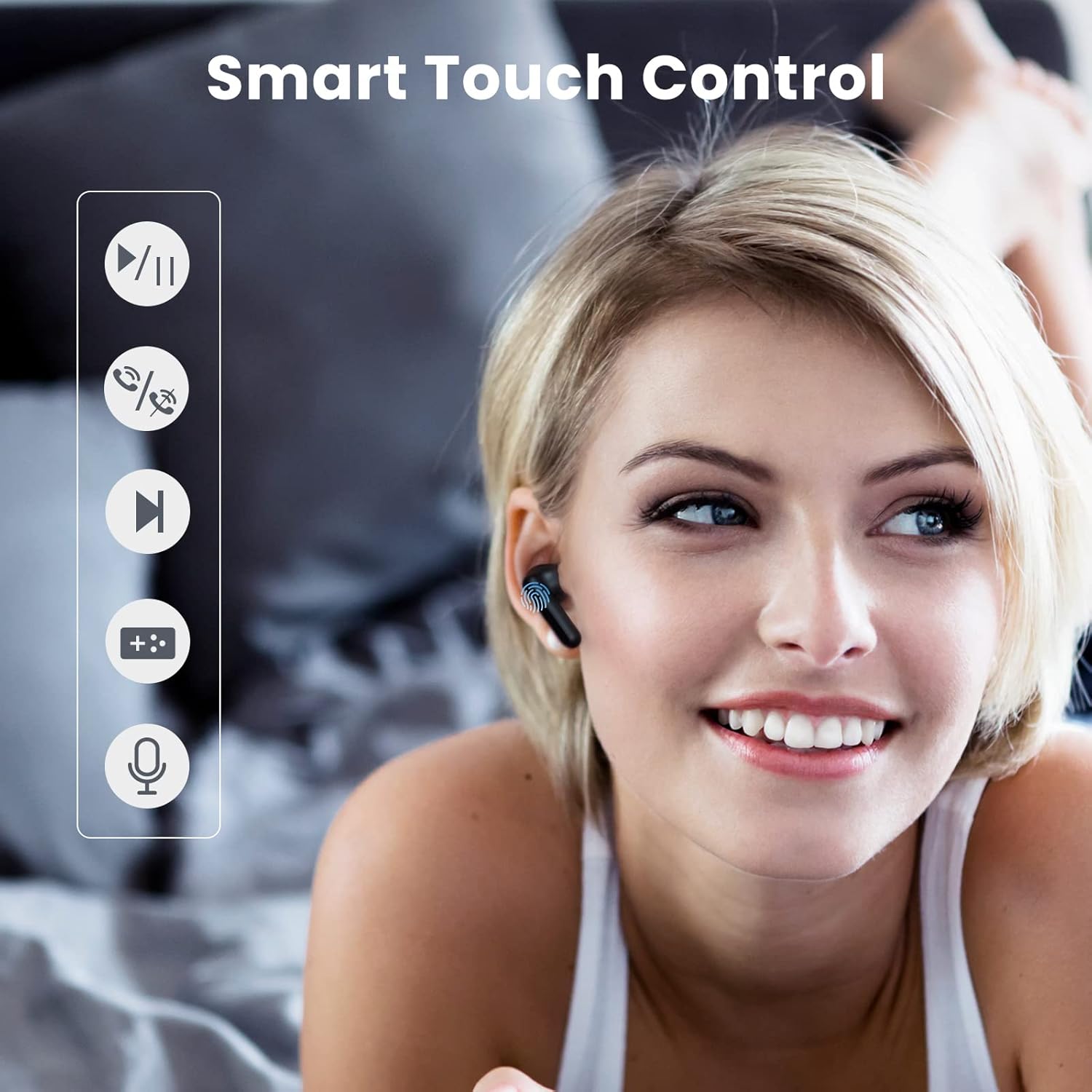
Image 4.1: Visual guide demonstrating the touch control functions on the earbuds, including play/pause, answer/hang up, next track, voice assistant, and low latency mode activation.
4.1 టచ్ కంట్రోల్ విధులు
| చర్య | ఫంక్షన్ |
|---|---|
| Tap the Earbud (any) Once | Play/Pause Music, Answer/Hang Up Call |
| Double Tap the Right Earbud | తదుపరి ట్రాక్ |
| Double Tap the Left Earbud | Turn On/Off 65ms Ultra-Low Latency Mode |
| Tap the Earbud (any) Three Times | వాయిస్ అసిస్టెంట్ని యాక్టివేట్ చేయండి |
| Tap the Earbud 1.5s | Turn On Earbuds |
| Tap the Earbud 4.5s | Turn Off Earbuds |
4.2 AI Noise Cancellation for Calls
The earbuds utilize a neural network noise reduction algorithm to effectively minimize environmental noise during calls, ensuring clearer conversations. This feature is automatically active during calls.

Image 4.2: Depiction of the AI Call Noise Cancellation, showing a person using the earbud in a noisy environment with a waveform illustrating noise reduction before and after processing.
4.3 Ultra-Low Latency Mode
For an optimized gaming experience, double-tap the left earbud to activate the 65ms ultra-low latency mode. This reduces audio delay, providing a more synchronized audio-visual experience.

Image 4.3: Visual representation of the ultra-low latency mode, showing earbuds connected to a smartphone displaying an intense gaming scene, emphasizing reduced audio lag.
5. నిర్వహణ మరియు సంరక్షణ
Proper maintenance ensures the longevity and optimal performance of your HAYLOU GT7 NEO earbuds.
- శుభ్రపరచడం: ఇయర్బడ్లు మరియు ఛార్జింగ్ కేస్ను మృదువైన, పొడి, మెత్తటి బట్టతో క్రమం తప్పకుండా శుభ్రం చేయండి. రాపిడి క్లీనర్లను లేదా ద్రావకాలను ఉపయోగించవద్దు.
- నిల్వ: ఉపయోగంలో లేనప్పుడు, ఇయర్బడ్లను రక్షించడానికి మరియు వాటిని ఛార్జ్లో ఉంచడానికి వాటి ఛార్జింగ్ కేసులో నిల్వ చేయండి.
- నీటి నిరోధకత: The earbuds are waterproof. However, avoid prolonged exposure to water and do not submerge them. Dry them thoroughly if they get wet.
- ఉష్ణోగ్రత: ఇయర్బడ్లను తీవ్రమైన ఉష్ణోగ్రతలకు (వేడి లేదా చలి) బహిర్గతం చేయవద్దు ఎందుకంటే ఇది బ్యాటరీ జీవితకాలం మరియు మొత్తం పనితీరును ప్రభావితం చేస్తుంది.
- చెవి చిట్కాలు: Clean the ear tips regularly to prevent wax buildup, which can affect sound quality. Replace ear tips if they become damaged or worn.
6. ట్రబుల్షూటింగ్
If you encounter issues with your HAYLOU GT7 NEO earbuds, please refer to the following common solutions:
6.1 కనెక్షన్ సమస్యలు
- ఇయర్బడ్లు జత కావడం లేదు: Ensure both earbuds are in the charging case, then take them out. Check if Bluetooth is enabled on your device. Try forgetting "Haylou GT7" in your device's Bluetooth settings and re-pairing.
- ఒకే ఒక ఇయర్బడ్ పనిచేస్తోంది: రెండు ఇయర్బడ్లను తిరిగి ఛార్జింగ్ కేసులో ఉంచండి, మూత మూసివేసి, కొన్ని సెకన్లు వేచి ఉండండి, ఆపై మూత తెరిచి వాటిని మళ్ళీ బయటకు తీయండి. ఇది తరచుగా వాటిని తిరిగి సమకాలీకరిస్తుంది.
- అడపాదడపా కనెక్షన్: Ensure there are no significant obstructions between the earbuds and your device. Keep the device within the 10-meter Bluetooth range.
6.2 ధ్వని సమస్యలు
- శబ్దం లేదు: మీ పరికరం మరియు ఇయర్బడ్లు రెండింటిలోనూ వాల్యూమ్ స్థాయిని తనిఖీ చేయండి. ఇయర్బడ్లు మీ పరికరానికి సరిగ్గా కనెక్ట్ అయ్యాయని నిర్ధారించుకోండి.
- తక్కువ వాల్యూమ్: Adjust the volume on your device. Ensure the ear tips are correctly seated in your ears to form a good seal. Clean any debris from the earbud speakers.
- పేలవమైన కాల్ నాణ్యత: Ensure the microphone is not obstructed. The AI noise cancellation should help, but extreme noise environments may still affect clarity.
6.3 ఛార్జింగ్ సమస్యలు
- ఇయర్బడ్లు ఛార్జ్ కావడం లేదు: Ensure the charging contacts on the earbuds and inside the case are clean and dry. Make sure the charging cable is securely connected to both the case and the power source.
- కేసు ఛార్జింగ్ కావడం లేదు: వేరే USB-C కేబుల్ మరియు పవర్ అడాప్టర్ని ప్రయత్నించండి.
7. ఉత్పత్తి లక్షణాలు
| ఫీచర్ | స్పెసిఫికేషన్ |
|---|---|
| మోడల్ పేరు | హేలౌ GT7 |
| కనెక్టివిటీ టెక్నాలజీ | వైర్లెస్ (బ్లూటూత్) |
| బ్లూటూత్ వెర్షన్ | 5.2 |
| బ్లూటూత్ రేంజ్ | 10 మీటర్లు |
| బ్యాటరీ లైఫ్ (ఇయర్బడ్స్) | దాదాపు 6.5 గంటలు (ఒకసారి ఛార్జ్ చేస్తే) |
| మొత్తం బ్యాటరీ జీవితకాలం (కేస్తో సహా) | 22 గంటల వరకు |
| ఛార్జింగ్ ఇంటర్ఫేస్ | USB-C |
| ఆడియో లాటెన్సీ | 65 Milliseconds (Ultra-Low Latency Mode) |
| నాయిస్ కంట్రోల్ | AI కాల్ నాయిస్ రద్దు |
| నియంత్రణ పద్ధతి | టచ్ |
| నీటి నిరోధక స్థాయి | జలనిరోధిత |
| వస్తువు బరువు | 1.41 ఔన్సులు (40 గ్రాములు) |
| ఉత్పత్తి కొలతలు | 1.46 x 0.67 x 0.59 అంగుళాలు |
| అనుకూల పరికరాలు | Android phones, iPhones, Laptops, Tablets |
8. వారంటీ మరియు మద్దతు
వారంటీ సమాచారం మరియు కస్టమర్ మద్దతు కోసం, దయచేసి అధికారిక HAYLOU ని చూడండి. webమీ సైట్లో లేదా మీ రిటైలర్ను సంప్రదించండి. వారంటీ క్లెయిమ్ల కోసం కొనుగోలు రుజువుగా మీ కొనుగోలు రసీదును ఉంచండి.
మరిన్ని సహాయం కోసం, మీరు సందర్శించవచ్చు అమెజాన్లో HAYLOU స్టోర్.


