1. పరిచయం
This manual provides comprehensive instructions for the setup, operation, maintenance, and troubleshooting of your BOMAKER Mini WiFi Projector 10''. Please read this manual thoroughly before using the projector to ensure proper operation and to maximize its lifespan. Keep this manual for future reference.
The BOMAKER Mini WiFi Projector 10'' is a portable 720P HD LCD projector designed for home cinema, gaming, and various multimedia applications. It features WiFi connectivity for smartphone mirroring, multiple input options including HDMI, USB, and AV, and supports projection sizes up to 300 inches.
2. ముఖ్యమైన భద్రతా సమాచారం
అగ్ని ప్రమాదం, విద్యుత్ షాక్ లేదా గాయాన్ని నివారించడానికి, ఎల్లప్పుడూ ఈ క్రింది భద్రతా జాగ్రత్తలను పాటించండి:
- వెంటిలేషన్ ఓపెనింగ్లను బ్లాక్ చేయవద్దు. ప్రొజెక్టర్ చుట్టూ తగినంత గాలి ప్రవాహాన్ని నిర్ధారించుకోండి.
- l ఉన్నప్పుడు ప్రొజెక్టర్ లెన్స్లోకి నేరుగా చూడకండిamp ఆన్లో ఉంది. ప్రకాశవంతమైన కాంతి కంటికి హాని కలిగించవచ్చు.
- విద్యుత్ షాక్ను నివారించడానికి ప్రొజెక్టర్ను వర్షం లేదా తేమకు గురిచేయవద్దు.
- ప్రొజెక్టర్తో సరఫరా చేయబడిన పవర్ అడాప్టర్ను మాత్రమే ఉపయోగించండి.
- ప్రొజెక్టర్ను స్థిరమైన, స్థాయి ఉపరితలంపై ఉంచండి.
- Unplug the projector from the power outlet during lightning storms or when unused for long periods.
- ఈ ఉత్పత్తిని మీరే రిపేర్ చేయడానికి ప్రయత్నించవద్దు. అన్ని సర్వీసింగ్లను అర్హత కలిగిన సేవా సిబ్బందికి సూచించండి.
3. ప్యాకేజీ విషయాలు
క్రింద జాబితా చేయబడిన అన్ని వస్తువులు మీ ప్యాకేజీలో చేర్చబడ్డాయని ధృవీకరించండి:
- 1 x BOMAKER Mini WiFi Projector
- 1 x రిమోట్ కంట్రోల్
- 1 x పవర్ అడాప్టర్
- 1 x HDMI కేబుల్
- 1 x AV కేబుల్
- 1 x వినియోగదారు మాన్యువల్
4. ఉత్పత్తి ముగిసిందిview
Familiarize yourself with the various parts and connections of your projector.

మూర్తి 4.1: ముందు view of the BOMAKER Mini WiFi Projector. This image shows the projector's lens, focus ring, and keystone correction dial, with a smartphone wirelessly connected and displaying content on its screen, illustrating the WiFi mirroring capability.
4.1. ఇన్పుట్/అవుట్పుట్ పోర్ట్లు
The projector features a variety of ports for connecting different devices.

మూర్తి 4.2: వెనుక view of the projector displaying its connectivity options. From left to right, the ports include AV, USB, Audio Out, VGA, HDMI, and Micro SD card slot, allowing for versatile device connections.
- AV పోర్ట్: Connect to older devices using the included AV cable.
- USB పోర్ట్: మీడియాను ప్లే చేయడానికి USB డ్రైవ్లను కనెక్ట్ చేయడానికి files.
- ఆడియో అవుట్: బాహ్య స్పీకర్లు లేదా హెడ్ఫోన్లను కనెక్ట్ చేయండి.
- VGA పోర్ట్: Connect to computers or laptops with a VGA output.
- HDMI పోర్ట్: Connect to devices like laptops, gaming consoles (PS4), TV sticks, etc.
- మైక్రో SD కార్డ్ స్లాట్: మీడియాను ప్లే చేయడానికి మైక్రో SD కార్డ్ను చొప్పించండి files.
5. సెటప్
5.1. ప్లేస్మెంట్
Choose a suitable location for your projector. For optimal viewing, place the projector on a flat, stable surface or mount it. The optimal projection distance is between 8.2 and 11.2 feet (2.5 to 3.4 meters) for a screen size of 30 to 300 inches.
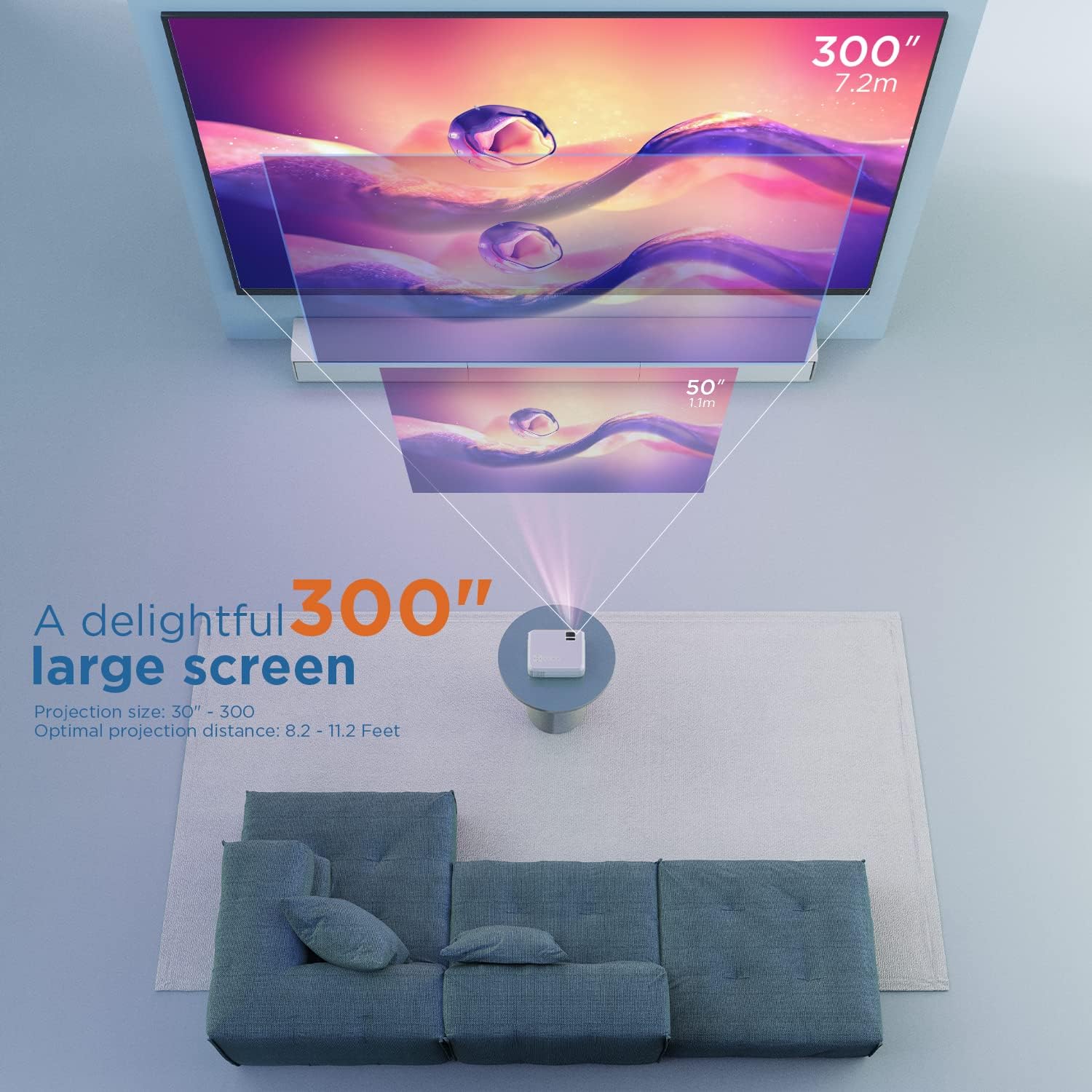
మూర్తి 5.1: Illustration of projection distances and corresponding screen sizes. The image demonstrates how varying the distance between the projector and the screen affects the projected image size, from 50 inches (1.1m) to 300 inches (7.2m).
5.2. పవర్ కనెక్షన్
- పవర్ అడాప్టర్ను ప్రొజెక్టర్ పవర్ ఇన్పుట్ పోర్ట్కు కనెక్ట్ చేయండి.
- పవర్ అడాప్టర్ను వాల్ అవుట్లెట్లోకి ప్లగ్ చేయండి.
- ప్రొజెక్టర్ లేదా రిమోట్ కంట్రోల్ ఆన్ చేయడానికి దానిలోని పవర్ బటన్ను నొక్కండి.
5.3. ఫోకస్ మరియు కీస్టోన్ కరెక్షన్
- దృష్టి: Rotate the focus ring on the projector lens until the image is clear and sharp.
- కీస్టోన్: If the projected image appears trapezoidal, adjust the keystone correction dial (usually located near the lens) until the image is rectangular.
6. ఆపరేటింగ్ సూచనలు
6.1. ప్రాథమిక ఆపరేషన్
- పవర్ ఆన్/ఆఫ్: ప్రొజెక్టర్ లేదా రిమోట్ కంట్రోల్లోని పవర్ బటన్ని నొక్కండి.
- ఇన్పుట్ సోర్స్ ఎంపిక: Use the "Source" button on the remote or projector to select the desired input (HDMI, AV, USB, Micro SD, WiFi).
- వాల్యూమ్ సర్దుబాటు: రిమోట్ కంట్రోల్లోని వాల్యూమ్ బటన్లను ఉపయోగించండి.
6.2. పరికరాలను కనెక్ట్ చేస్తోంది
The projector supports various connection methods:
6.2.1. HDMI కనెక్షన్
Connect your laptop, gaming console (PS4), TV stick (e.g., Roku, Fire TV), or other HDMI-enabled devices using an HDMI cable. Select "HDMI" as the input source.
6.2.2. USB/Micro SD Connection
Insert a USB drive or Micro SD card into the respective port. Select "USB" or "Micro SD" as the input source. The projector will display a menu to browse and play media files (photos, videos, music, text).
6.2.3. AV Connection
Use the included AV cable to connect to devices with AV output. Select "AV" as the input source.
6.2.4. WiFi Mirroring (Smartphone Connection)
The projector supports wireless screen mirroring from smartphones (iOS and Android).
- Select "WiFi" as the input source on the projector.
- Follow the on-screen instructions to connect your smartphone to the projector's WiFi network.
- Once connected, enable screen mirroring/casting feature on your smartphone (e.g., "Screen Mirroring" for iOS, "Smart View" or "Cast" for Android).
- అందుబాటులో ఉన్న పరికరాల జాబితా నుండి ప్రొజెక్టర్ను ఎంచుకోండి.
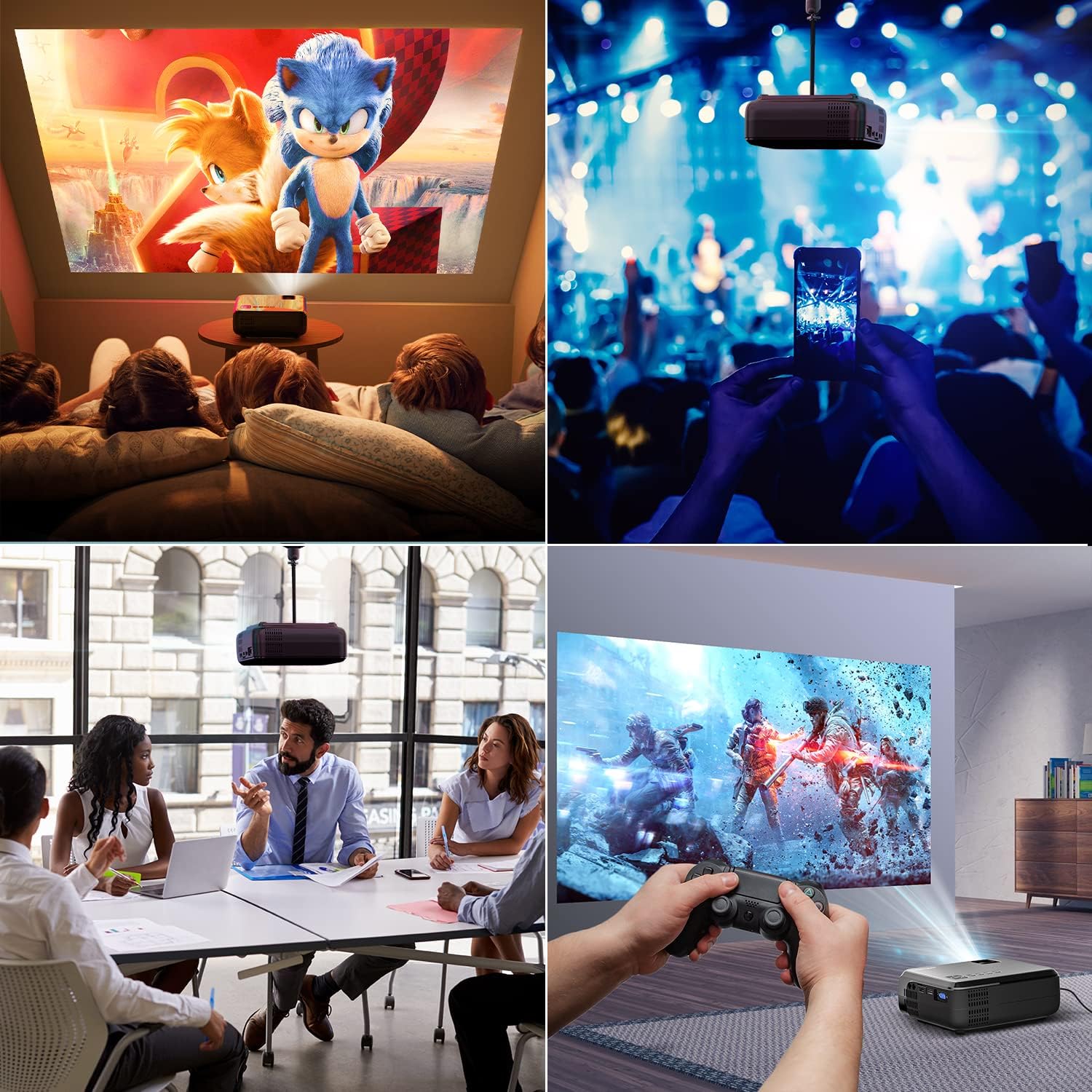
మూర్తి 6.1: This image displays a collage of the projector in different environments: a family watching a movie, a person using a smartphone to control the projector at a concert, a business meeting with a presentation, and a person playing video games. It highlights the versatility of the BOMAKER Mini WiFi Projector for entertainment and professional use.
6.3. Visual Experience
The projector delivers a native 720P HD resolution, ensuring clear and detailed images. It supports 1080P decoding and features a high brightness output for vibrant visuals.
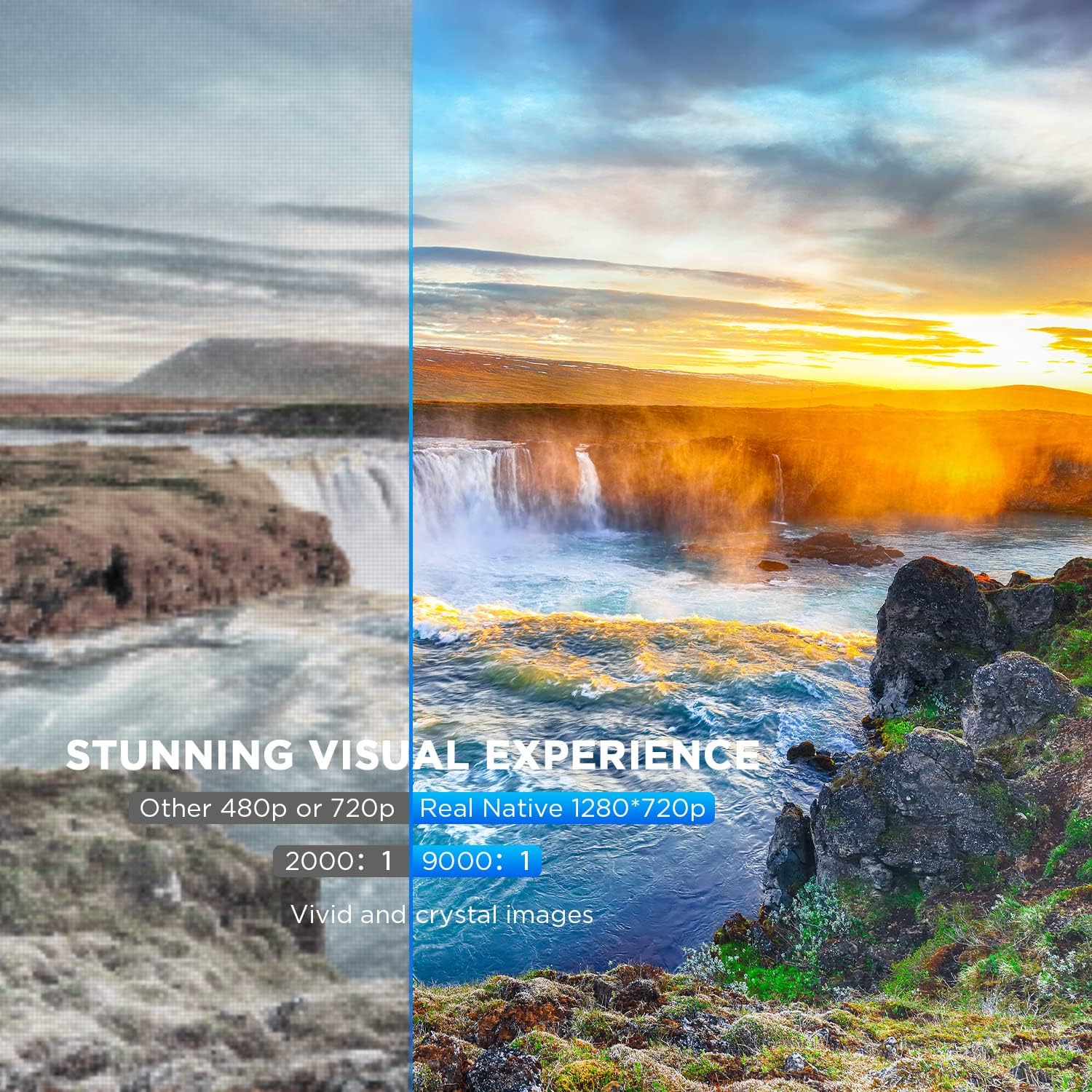
మూర్తి 6.2: A side-by-side comparison demonstrating the difference between standard 480p/720p projection and the projector's real native 1280x720p resolution. The native resolution side shows significantly sharper details and richer colors in a landscape image, emphasizing the "Stunning Visual Experience" and "Vivid and crystal images".

మూర్తి 6.3: This image illustrates the projector's "Crystal Clear Picture with Ultra-low Latency" feature, showing a vibrant, high-definition projection of a car racing scene on a large screen in a living room setting. The text highlights upgraded lens settings for a new visual experience with latency less than 30ms.
7. నిర్వహణ
7.1. లెన్స్ శుభ్రపరచడం
Use a soft, lint-free cloth specifically designed for cleaning optical lenses. Do not use abrasive cleaners or solvents. Gently wipe the lens to remove dust or smudges.
7.2. ప్రొజెక్టర్ బాడీని శుభ్రపరచడం
ప్రొజెక్టర్ యొక్క బాహ్య భాగాన్ని మృదువైన, పొడి వస్త్రంతో తుడవండి. మొండి ధూళి కోసం, కొద్దిగా damp cloth can be used, followed by a dry cloth. Ensure no liquid enters the ventilation openings.
7.3. నిల్వ
When not in use, store the projector in a cool, dry place, away from direct sunlight and extreme temperatures. Cover the lens with its cap to protect it from dust.
8. ట్రబుల్షూటింగ్
మీ ప్రొజెక్టర్తో మీకు సమస్యలు ఎదురైతే, ఈ క్రింది సాధారణ సమస్యలు మరియు పరిష్కారాలను చూడండి:
| సమస్య | సాధ్యమైన కారణం | పరిష్కారం |
|---|---|---|
| తెరపై చిత్రం లేదు | Power cable not connected; incorrect input source; device not powered on. | Check power connection; select correct input source; ensure connected device is on. |
| చిత్రం అస్పష్టంగా ఉంది | ఫోకస్ సర్దుబాటు చేయబడలేదు; ప్రొజెక్టర్ స్క్రీన్కు చాలా దగ్గరగా/దూరంగా ఉంది. | Adjust the focus ring; reposition the projector. |
| చిత్రం ట్రాపెజోయిడల్ గా ఉంది | Keystone correction not adjusted. | Adjust the keystone correction dial. |
| శబ్దం లేదు | Volume too low; external speakers not connected; audio settings on source device. | Increase volume; connect external speakers if needed; check audio output settings on source device. |
| WiFi mirroring issues | Incorrect WiFi connection; smartphone mirroring feature not activated. | Ensure correct WiFi network is selected; activate screen mirroring on your smartphone. |
9. స్పెసిఫికేషన్లు
| ఫీచర్ | వివరాలు |
|---|---|
| బ్రాండ్ | బోమేకర్ |
| మోడల్ సంఖ్య | Mini WiFi Projector 10'' |
| డిస్ప్లే రిజల్యూషన్ | Native 1280 x 720 (Supports 1080P decoding) |
| ప్రదర్శన రకం | LCD |
| కనెక్టివిటీ టెక్నాలజీ | HDMI, Wi-Fi |
| అనుకూల పరికరాలు | Smartphone, TV Stick, PS4, Laptop, USB Drive, Micro SD Card |
| ఉత్పత్తి కొలతలు | 22L x 17l x 9H సెంటీమీటర్లు |
| ఫారమ్ ఫ్యాక్టర్ | పోర్టబుల్ |
| సిఫార్సు చేసిన ఉపయోగాలు | హోమ్ సినిమా, గేమింగ్ |
| రంగు | తెలుపు |
10. వారంటీ మరియు మద్దతు
For warranty information or technical support, please refer to the documentation included with your purchase or contact BOMAKER customer service. Details regarding specific warranty periods and support channels are typically provided on the manufacturer's official webఉత్పత్తి స్థలంలో లేదా ఉత్పత్తి ప్యాకేజింగ్ లోపల.


