పరిచయం
This manual provides comprehensive instructions for the installation, operation, and maintenance of your NGTeco D500 Series Video Doorbell Camera. Please read this manual thoroughly before using the product to ensure proper functionality and safety. The NGTeco D500 Series offers 1080P HD video, two-way audio, motion detection, and night vision, enhancing your home security and convenience.
ప్యాకేజీ విషయాలు
Verify that all items listed below are included in your package. If any items are missing or damaged, please contact NGTeco customer support.

Image: Contents of the NGTeco D500 Series Video Doorbell package, including the doorbell unit, mounting hardware, USB charging cable, power adapter, and Quick Start Guide.
- NGTeco D500 Series Video Doorbell Camera
- వైర్లెస్ చిమ్
- మౌంటు బ్రాకెట్
- మౌంటు స్క్రూలు మరియు వాల్ యాంకర్లు
- USB ఛార్జింగ్ కేబుల్
- పవర్ అడాప్టర్
- త్వరిత ప్రారంభ గైడ్
- గమనిక: Two 18650 rechargeable batteries are required and are చేర్చబడలేదు ప్యాకేజీలో.
ఉత్పత్తి ముగిసిందిview
Familiarize yourself with the components of your NGTeco D500 Series Video Doorbell Camera.

Image: The NGTeco D500 Series Video Doorbell Camera, shown with its wireless chime and a smartphone displaying a live feed of a delivery person. This illustrates the complete system and its remote viewసామర్థ్యం.
ముఖ్య లక్షణాలు:
- 1080P HD Video & Night Vision: Provides clear video with a 120° view angle, allowing you to see visitors from head to toe, even in low light conditions.
- రెండు-మార్గం ఆడియో: Enables real-time communication with visitors at your door.
- మోషన్ డిటెక్షన్ హెచ్చరికలు: Sends instant notifications to your smartphone when motion is detected.
- వీడియో రికార్డింగ్: Automatically records video to an SD card (not included) or cloud storage (subscription may be required) upon motion detection or doorbell press.
- వైర్లెస్ చైమ్: Provides an audible alert inside your home when the doorbell is pressed.
- స్మార్ట్ హోమ్ అనుకూలత: Works with Amazon Alexa and Google Assistant for integrated control.
- వాతావరణ నిరోధక డిజైన్: Rated IP54 for outdoor use, suitable for various weather conditions.
సెటప్ మరియు ఇన్స్టాలేషన్
1. బ్యాటరీ ఇన్స్టాలేషన్
The NGTeco D500 Series requires two 18650 rechargeable batteries (not included). Ensure correct polarity when inserting the batteries.

చిత్రం: క్లోజప్ view of the doorbell's battery compartment, indicating the need for two alkaline batteries (not included).
2. App Download and Setup
- Download the "NGTeco Home" app from your smartphone's app store (iOS or Android).
- ఖాతా కోసం నమోదు చేసుకోండి లేదా మీకు ఇప్పటికే ఒకటి ఉంటే లాగిన్ అవ్వండి.
- Follow the in-app instructions to add your D500 Series Video Doorbell Camera. This typically involves scanning a QR code on the device and connecting it to your Wi-Fi network.
3. భౌతిక సంస్థాపన
Choose a suitable location near your front door. Use the provided mounting bracket, screws, and wall anchors to securely attach the doorbell to the wall. Ensure the camera has a clear view of your entrance.

Image: The NGTeco D500 Series Video Doorbell installed outdoors during rain, illustrating its waterproof design for reliable performance in various weather conditions.
4. చైమ్ సెటప్
Plug the wireless chime into any standard AC wall outlet inside your home. The chime will automatically pair with your doorbell. You can adjust the volume and ringtone settings through the NGTeco Home app.
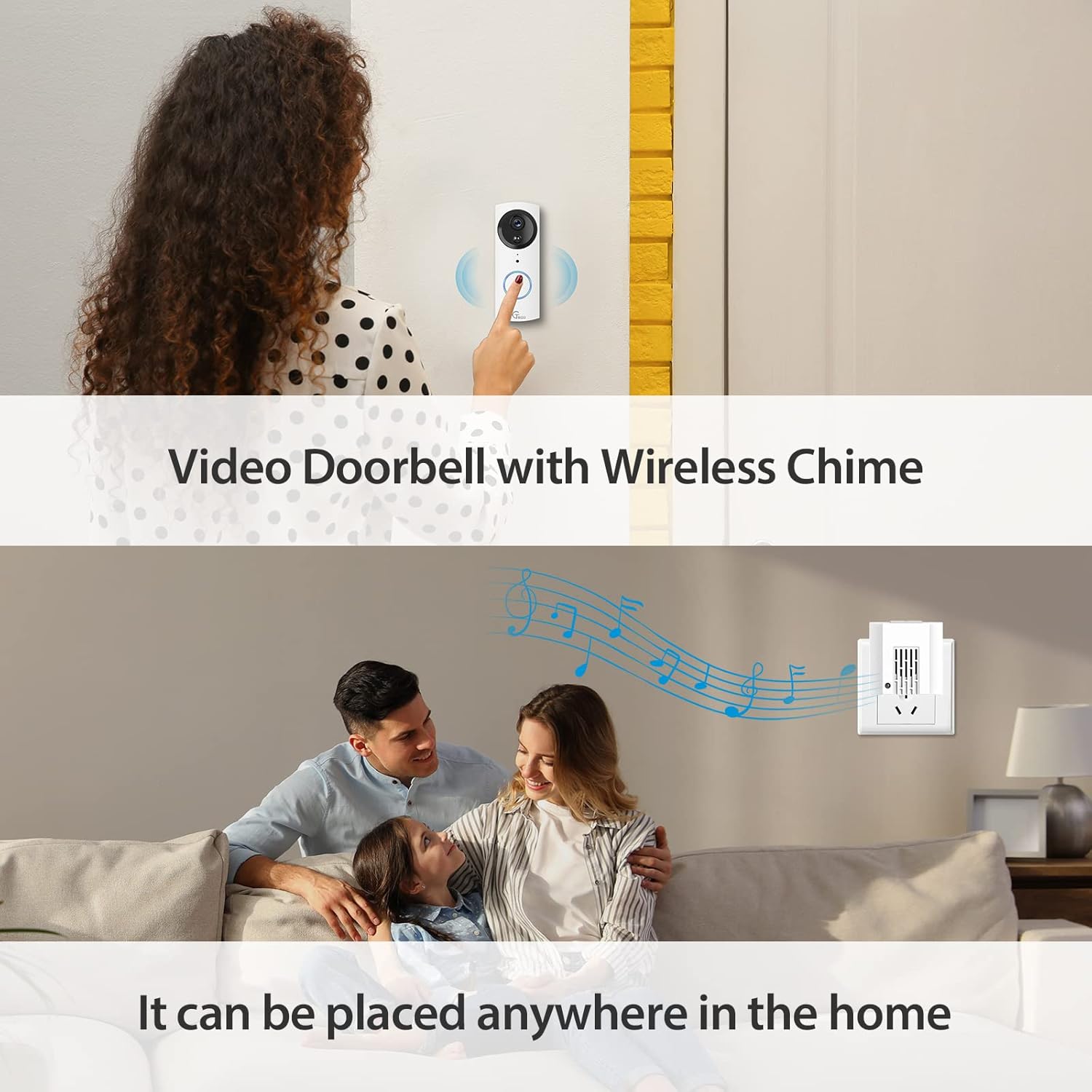
Image: An image showing the NGTeco D500 Series Video Doorbell installed at a door, with the wireless chime plugged into an indoor outlet, highlighting its flexible placement.
ఆపరేషన్
ప్రత్యక్షం View మరియు టూ-వే ఆడియో
Open the NGTeco Home app to access the live video feed from your doorbell. Use the microphone icon in the app to activate two-way audio and speak with visitors.

Image: A smartphone screen displaying the live video feed from the doorbell camera within the NGTeco Home app, showing a delivery person.

Image: An image illustrating the two-way audio feature, where a user communicates with a visitor at the door through their smartphone.
మోషన్ డిటెక్షన్ మరియు హెచ్చరికలు
The doorbell features PIR motion detection. When motion is detected, you will receive an instant notification on your phone, and the event will be recorded. Sensitivity settings can be adjusted in the app.
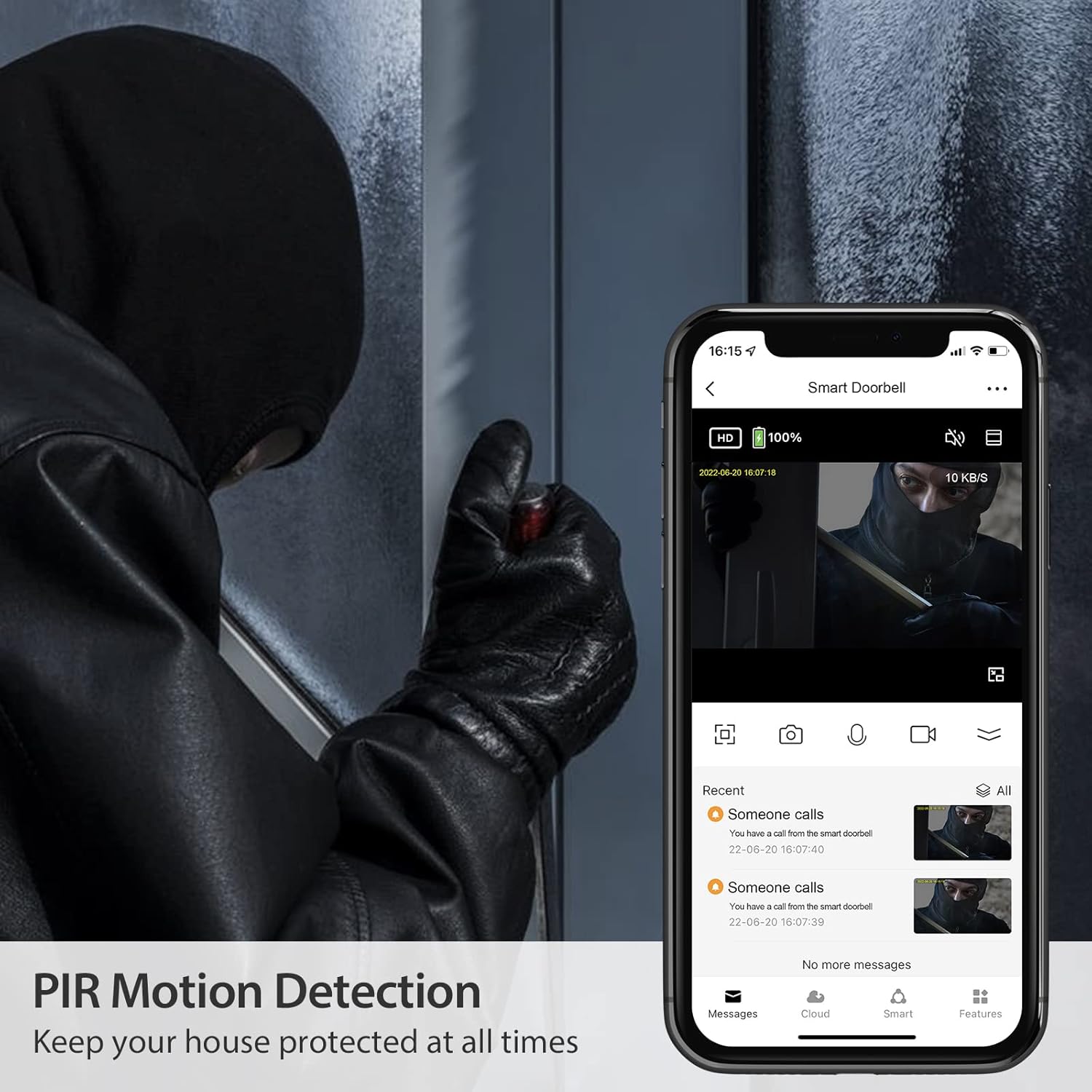
Image: An image depicting the doorbell's PIR motion detection in action, showing a person at the door and the corresponding alert on a smartphone, emphasizing security.
వీడియో రికార్డింగ్ మరియు ప్లేబ్యాక్
Recorded videos are stored on a local SD card (if installed) or in cloud storage (if subscribed). You can review past events through the playback function in the NGTeco Home app.

Image: A smartphone screen showing the video playback timeline within the NGTeco Home app, with thumbnails of recorded events.
స్మార్ట్ హోమ్ ఇంటిగ్రేషన్
The NGTeco D500 Series is compatible with Amazon Alexa and Google Assistant. Link your doorbell through the respective smart home apps to enable voice commands and view అనుకూల స్మార్ట్ డిస్ప్లేలలో ప్రత్యక్ష ఫీడ్లు.

Image: An image showing the doorbell integrated with a smart display, demonstrating its compatibility with Amazon Alexa and Google Assistant for voice control and viewing.
నిర్వహణ
బ్యాటరీ నిర్వహణ
Monitor the battery level through the NGTeco Home app. Recharge the 18650 batteries using the provided USB cable and power adapter when the battery indicator is low. Battery life varies based on usage and environmental factors.
క్లీనింగ్
Wipe the camera lens and doorbell surface with a soft, damp cloth to remove dust and smudges. Avoid using harsh chemicals or abrasive materials that could damage the device.
ట్రబుల్షూటింగ్
- డోర్బెల్ Wi-Fi కి కనెక్ట్ కావడం లేదు: మీ Wi-Fi నెట్వర్క్ 2.4GHz ఉందని నిర్ధారించుకోండి. డోర్బెల్ ఉన్న ప్రదేశంలో Wi-Fi సిగ్నల్ బలాన్ని తనిఖీ చేయండి. మీ రౌటర్ మరియు డోర్బెల్ను పునఃప్రారంభించండి.
- మోషన్ డిటెక్షన్ హెచ్చరికలు లేవు: Verify motion detection is enabled in the app settings. Adjust sensitivity levels. Ensure there are no obstructions blocking the sensor.
- వీడియో నాణ్యత బాగాలేదు: Check your Wi-Fi connection speed. Ensure the camera lens is clean.
- చైమ్ మోగడం లేదు: Confirm the chime is plugged in and powered on. Check chime settings in the app to ensure it's paired and enabled.
- రెండు-వైపుల ఆడియో సమస్యలు: Ensure your phone's microphone and speaker are enabled for the NGTeco Home app. Check the doorbell's microphone and speaker for obstructions.
For further assistance, refer to the "Warranty and Support" section.
స్పెసిఫికేషన్లు
| మోడల్ పేరు | D500 |
| వీడియో క్యాప్చర్ రిజల్యూషన్ | 1080p, 720p |
| శక్తి మూలం | Battery Powered (Requires two 18650 batteries, not included) |
| కనెక్టివిటీ టెక్నాలజీ | వైర్లెస్ (Wi-Fi) |
| కంట్రోలర్ రకం | అమెజాన్ అలెక్సా, గూగుల్ అసిస్టెంట్ |
| మౌంటు రకం | వాల్ మౌంట్ |
| అంతర్జాతీయ రక్షణ రేటింగ్ | IP54 |
| ప్రత్యేక లక్షణాలు | మోషన్ సెన్సార్, నైట్ విజన్ |
| వస్తువు బరువు | 12.6 ఔన్సులు |
| ప్యాకేజీ కొలతలు | 6.42 x 6.02 x 2.52 అంగుళాలు |
వారంటీ మరియు మద్దతు
NGTeco provides a one-year warranty for the D500 Series Video Doorbell Camera. We also offer lifelong free technical support in the USA.
For any support needs, please contact us:
- ఫోన్: (770) 800-2321
- గంటలు: సోమవారం నుండి శుక్రవారం వరకు, ఉదయం 6:00 నుండి సాయంత్రం 6:00 వరకు (EST)


