DAREU EK807G

DAREU EK807G Wireless TKL Mechanical Keyboard User Manual

Model: EK807G | Brand: DAREU

1. పరిచయం

This manual provides comprehensive instructions for the DAREU EK807G Wireless TKL Mechanical Keyboard. Designed for office use, this keyboard features an aluminum alloy panel, function keys, and stable 2.4G wireless connectivity, compatible with PC, Mac, and Windows systems. Please read this manual thoroughly to ensure proper use and longevity of your device.

పెట్టెలో ఏముంది

  • DAREU EK807G Wireless TKL Mechanical Keyboard
  • USB రిసీవర్ (2.4G)
  • కీకాప్ పుల్లర్
  • వినియోగదారు మాన్యువల్
DAREU EK807G Wireless TKL Mechanical Keyboard on a desk setup

Image 1.1: The DAREU EK807G Wireless TKL Mechanical Keyboard in a typical office setup.

2. సెటప్

2.1 Inserting Batteries and USB Receiver

The DAREU EK807G keyboard requires two AAA batteries (not included) for operation. The 2.4G USB receiver is conveniently stored within the keyboard's battery compartment.

  1. కీబోర్డ్ దిగువన బ్యాటరీ కంపార్ట్‌మెంట్ కవర్‌ను గుర్తించండి.
  2. Remove the cover to access the battery slots and the stored USB receiver.
  3. Carefully remove the 2.4G USB receiver from its storage slot.
  4. Insert two AAA batteries into the compartment, ensuring correct polarity (+/-).
  5. బ్యాటరీ కంపార్ట్‌మెంట్ కవర్‌ను భర్తీ చేయండి.
Underside of DAREU EK807G keyboard showing battery compartment and USB receiver

Image 2.1: The battery compartment and USB receiver storage on the keyboard's underside.

2.2 మీ పరికరానికి కనెక్ట్ అవుతోంది

The keyboard uses a 2.4G wireless connection for stable and reliable performance.

  1. Plug the 2.4G USB receiver into an available USB port on your computer, laptop, or tablet.
  2. Locate the ON/OFF switch on the upper side of the keyboard.
  3. స్విచ్‌ను "ఆన్" స్థానానికి స్లయిడ్ చేయండి.
  4. Your device should automatically detect and connect to the keyboard. No additional drivers are typically required.
DAREU EK807G keyboard overview with 2.4G wireless icon

Image 2.2: The keyboard features 2.4G wireless connectivity.

3. ఆపరేటింగ్ సూచనలు

3.1 Basic Typing and Ergonomics

The DAREU EK807G features a classic TKL (Tenkeyless) 87-key layout, providing a comfortable typing experience. The keyboard is designed with an ergonomic 5° optimum slope when the folding holder is used, preventing wrist strain during long typing sessions. Anti-slide pads ensure stability.

This model is equipped with DAREU Red Switches, known for their linear and quiet operation, making them suitable for office and study environments where minimal noise is preferred.
Close-up of DAREU Red Switches on the keyboard

Image 3.1: The DAREU EK807G features quiet Red Switches for comfortable typing.

3.2 Function (Fn) Key Shortcuts

The keyboard includes 12 hotkeys accessible via the Fn key, allowing for quick access to various functions.

  • Fn+F1: నా కంప్యూటర్
  • Fn+F2: హోమ్‌పేజీ
  • Fn+F3: ఇమెయిల్
  • Fn+F4: కాలిక్యులేటర్
  • Fn+F5: ఆపు (మీడియా)
  • Fn+F6: Last Song (Media)
  • Fn+F7: Play/Pause (Media)
  • Fn+F8: Next Song (Media)
  • Fn+F9: వాల్యూమ్ డౌన్
  • Fn+F10: వాల్యూమ్ అప్
  • Fn+F11: మ్యూట్ చేయండి
  • Fn+F12: Switch Left Win & Left Alt keys
Diagram showing Fn key combinations for shortcuts

Image 3.2: Shortcut keys activated by pressing the Fn key in combination with F1-F12.

3.3 Anti-Ghosting Technology

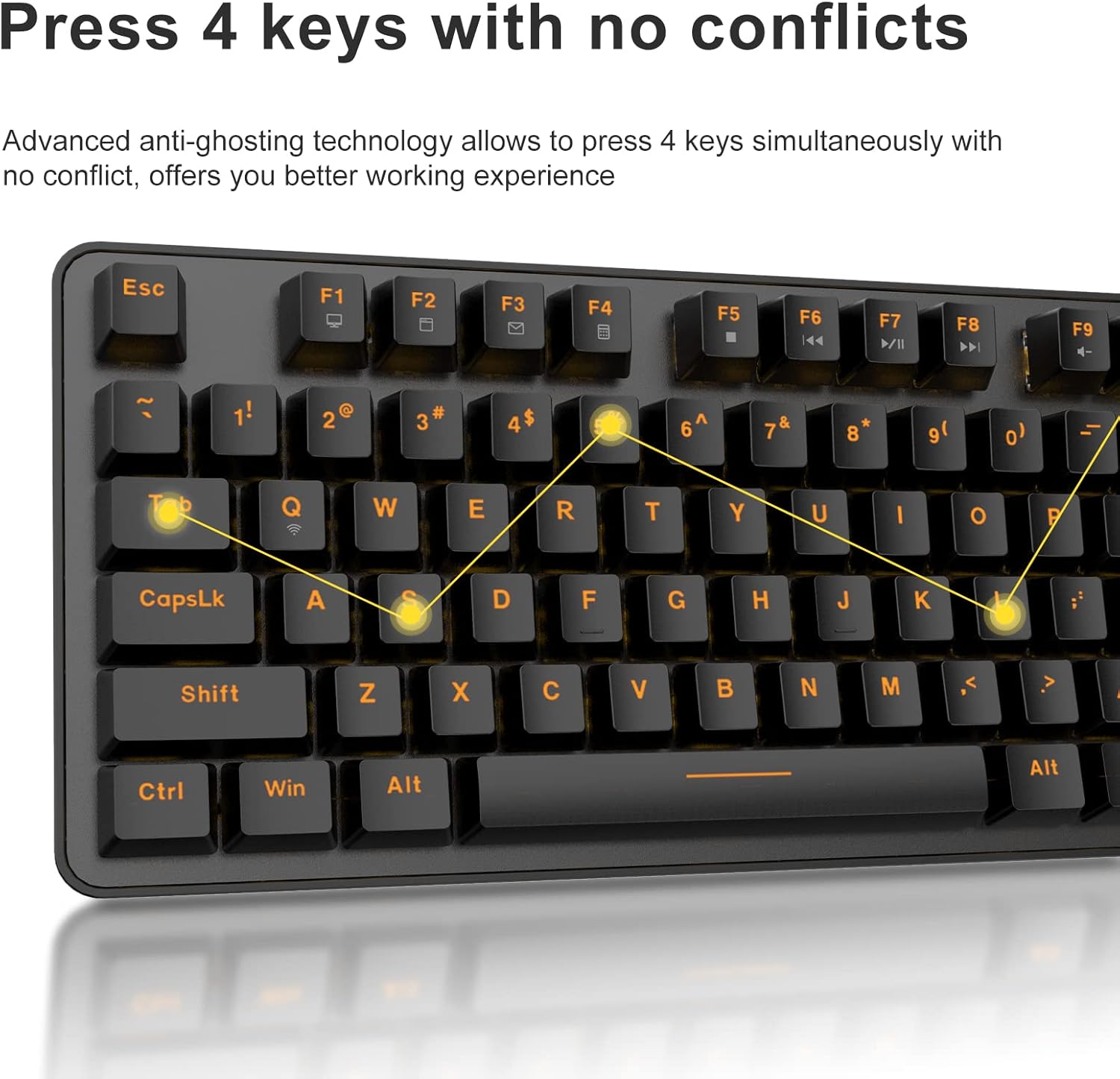
The DAREU EK807G features advanced anti-ghosting technology, allowing up to 6 keys to be pressed simultaneously without conflict. This ensures all your commands are registered accurately, improving efficiency.

Diagram illustrating anti-ghosting technology on the keyboard

Image 3.3: Anti-ghosting technology ensures multiple key presses are registered accurately.

3.4 Automatic Power Saving

To conserve battery life, the keyboard enters an automatic sleeping mode after 6 seconds of inactivity. To wake the keyboard, simply press any key. With this feature, the keyboard can last approximately 90 days of continuous use, and up to half a year between battery changes.

Image depicting long battery life and automatic sleep mode

Image 3.4: The keyboard features automatic power saving for extended battery life.

4. నిర్వహణ

4.1 కీబోర్డ్‌ను శుభ్రపరచడం

క్రమం తప్పకుండా శుభ్రపరచడం వల్ల కీబోర్డ్ పనితీరు మరియు రూపాన్ని కాపాడుకోవచ్చు.

  • సాధారణ శుభ్రపరచడం: కీబోర్డ్ ఉపరితలాన్ని తుడవడానికి మృదువైన, పొడి వస్త్రాన్ని ఉపయోగించండి. మొండి ధూళి కోసం, కొద్దిగా damp తేలికపాటి సబ్బు ఉన్న వస్త్రాన్ని ఉపయోగించవచ్చు, తద్వారా కీబోర్డ్‌లోకి ద్రవం ప్రవేశించదు.
  • కీక్యాప్ క్లీనింగ్: The DAREU EK807G features removable double-shot keycaps, which are resistant to fading and easy to clean. Use the included keycap puller to carefully remove keycaps. Clean them with a soft brush or a damp cloth. Ensure keycaps are completely dry before reattaching.
  • Aluminum Alloy Panel: The aluminum alloy panel is designed to be sweat-resistant and anti-rust. Wipe it with a soft cloth to keep it clean.

5. ట్రబుల్షూటింగ్

5.1 కనెక్టివిటీ సమస్యలు

  • కీబోర్డ్ స్పందించడం లేదు:
    • Ensure the keyboard's ON/OFF switch is in the "ON" position.
    • Check if the AAA batteries are correctly inserted and have sufficient charge. Replace if necessary.
    • Verify that the 2.4G USB receiver is securely plugged into a working USB port on your device. Try a different USB port.
    • మీ కంప్యూటర్ లేదా పరికరాన్ని పునఃప్రారంభించండి.
  • అడపాదడపా కనెక్షన్:
    • Ensure the keyboard is within the operating distance of 33 feet (10m) from the USB receiver.
    • Avoid placing the keyboard near strong electromagnetic interference sources (e.g., Wi-Fi routers, other wireless devices).

5.2 Key Functionality Issues

  • కీలు నమోదు కావడం లేదా తప్పుగా కనిపించడం లేదు:
    • While the keyboard has anti-ghosting for up to 6 keys, excessive simultaneous presses beyond this limit may not register.
    • Ensure keycaps are properly seated. If a key feels stuck, gently remove the keycap with the puller and reattach it.
    • Clean any debris under the keycaps (refer to Maintenance section).
  • Fn key shortcuts not working:
    • మీరు కోరుకున్న F-కీతో పాటు Fn కీని నొక్కినట్లు నిర్ధారించుకోండి.
    • If Fn + F12 (Switch L-Win & L-Alt) was accidentally activated, press it again to revert the key functions.

6. స్పెసిఫికేషన్లు

బ్రాండ్DAREU
మోడల్ సంఖ్యEK807G
కీబోర్డ్ వివరణMechanical (Red Switch)
కనెక్టివిటీ టెక్నాలజీ2.4G వైర్‌లెస్
ఆపరేటింగ్ దూరం33 అడుగుల (10మీ) వరకు
అనుకూల పరికరాలుLaptop, PC, Tablet (Mac, Windows, Chromebook)
శక్తి మూలం2 x AAA బ్యాటరీలు (చేర్చబడలేదు)
మెటీరియల్అల్యూమినియం మిశ్రమం ప్యానెల్
ఉత్పత్తి కొలతలు14.17"L x 5.31"W x 1.57"H (36.0 x 13.5 x 4.0 సెం.మీ)
వస్తువు బరువు1.65 పౌండ్లు (0.75 కిలోలు)
ప్రత్యేక లక్షణాలుErgonomic design, Hotkeys, Multimedia Keys, Anti-ghosting, Removable Double-shot Keycaps

7. వారంటీ మరియు మద్దతు

7.1 వారంటీ సేవ

DAREU provides a 180-day warranty service for the EK807G Wireless TKL Mechanical Keyboard from the date of purchase. This warranty covers manufacturing defects and issues arising from normal use.

7.2 కస్టమర్ మద్దతు

If you encounter any problems during the use of your DAREU keyboard, please contact DAREU customer support. Our team is available to assist you with troubleshooting, product inquiries, and warranty claims.

Please refer to the contact information provided on the product packaging or the official DAREU webఅత్యంత తాజా మద్దతు ఛానెల్‌ల కోసం సైట్.

సంబంధిత పత్రాలు - EK807G

ముందుగాview Dareu EK807G కీబోర్డ్ యూజర్ మాన్యువల్
Dareu EK807G కీబోర్డ్ కోసం యూజర్ మాన్యువల్, ఉత్పత్తిని వివరిస్తుంది viewలు, సెటప్ సూచనలు, కీ షార్ట్‌కట్‌లు, స్పెసిఫికేషన్‌లు మరియు FCC సమ్మతి సమాచారం.
ముందుగాview Dareu Z82 మెకానికల్ కీబోర్డ్ యూజర్ మాన్యువల్ మరియు గైడ్
Dareu Z82 మెకానికల్ కీబోర్డ్ కోసం సమగ్ర యూజర్ మాన్యువల్, వివరాల సెటప్, కనెక్టివిటీ ఎంపికలు (2.4G, బ్లూటూత్, వైర్డు), డ్రైవర్ ఇన్‌స్టాలేషన్ మరియు సరైన పనితీరు కోసం కీలక లక్షణాలు.
ముందుగాview DAREU EK75 Keyboard User Manual - Features and Specifications
User manual for the DAREU EK75 keyboard, covering its 'What's in the box' contents, physical and electrical specifications, product views, and detailed explanation of combination function keys and custom backlight settings.
ముందుగాview DAREU A87 Series Mechanical Keyboard User Manual
User manual for the DAREU A87 Series mechanical keyboard, covering basic information, product review, lighting modes, setup, installation, and driver usage.
ముందుగాview DAREU A87 Triple Mode Mechanical Keyboard User Manual
Comprehensive guide for the DAREU A87 Triple Mode Mechanical Keyboard, covering setup, connection methods, features, and switch replacement. Includes warranty information.
ముందుగాview Dareu H101X బ్లూటూత్ వైర్‌లెస్ గేమ్‌ప్యాడ్ యూజర్ మాన్యువల్
Dareu H101X బ్లూటూత్ వైర్‌లెస్ గేమ్‌ప్యాడ్ యూజర్ మాన్యువల్‌ను కనుగొనండి, ఇది PC, స్విచ్, iOS, Mac మరియు Android పరికరాల్లో కనెక్టివిటీ, ఫీచర్లు మరియు సెటప్ కోసం సమగ్ర సూచనలను అందిస్తుంది. ఆప్టిమైజ్ చేయబడిన గేమింగ్ అనుభవం కోసం దాని 6-యాక్సిస్ గైరోస్కోప్, టర్బో ఫంక్షన్ మరియు Xinput/Dinput మోడ్‌ల గురించి తెలుసుకోండి.