పరిచయం
Welcome to the MorePro HM08 Fitness Tracker user manual. This guide provides comprehensive instructions for setting up, operating, maintaining, and troubleshooting your new fitness tracker. The MorePro HM08 is designed to help you monitor your health and fitness activities, including heart rate, blood pressure, blood oxygen, sleep patterns, and daily activity tracking.

Figure 1: MorePro HM08 Fitness Tracker, showcasing దాని సొగసైన డిజైన్ మరియు శక్తివంతమైన ప్రదర్శన.
పెట్టెలో ఏముంది
ప్యాకేజీని తెరిచినప్పుడు, దయచేసి ఈ క్రింది అన్ని అంశాలు ఉన్నాయని నిర్ధారించుకోండి:
- Fitness tracker (MorePro HM08)
- ఛార్జింగ్ కేబుల్
- వినియోగదారు మాన్యువల్ (ఈ పత్రం)
సెటప్
1. ప్రారంభ ఛార్జింగ్
Before first use, fully charge your MorePro HM08 fitness tracker. Connect the provided charging cable to the charging contacts on the back of the device and plug the USB end into a compatible power source (e.g., computer USB port, USB wall adapter). A full charge typically takes approximately 2 hours.

Figure 2: Connecting the magnetic charging cable to the MorePro HM08 for power.
2. యాప్ ఇన్స్టాలేషన్ మరియు జత చేయడం
To unlock the full potential of your MorePro HM08, download and install the official MorePro app on your smartphone. The app is compatible with Android 5.0 & iOS 10 and above smartphones with Bluetooth 4.0. It is not compatible with PC, iPad, or Tablet devices.
- కోసం వెతకండి "MorePro" in your smartphone's app store (Google Play Store for Android or Apple App Store for iOS).
- యాప్ను డౌన్లోడ్ చేసి, ఇన్స్టాల్ చేయండి.
- Open the MorePro app and follow the on-screen instructions to create an account or log in.
- మీ స్మార్ట్ఫోన్లో బ్లూటూత్ని ప్రారంభించండి.
- Within the MorePro app, navigate to the device pairing section and select your HM08 tracker from the list of available devices.
- Confirm the pairing request on both your smartphone and the tracker if prompted.
3. వాచ్ ఫేస్లను అనుకూలీకరించడం
Personalize your MorePro HM08 by choosing from a wide array of watch faces available through the MorePro app. You can switch the UI style directly on the watch by twisting the button.
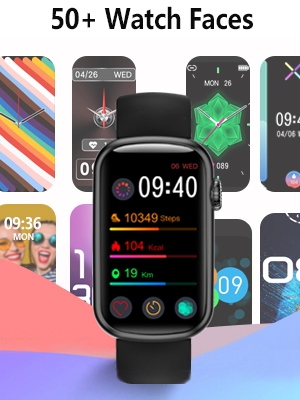
Figure 3: A selection of customizable watch faces for the MorePro HM08.
Operating Your MorePro HM08
The MorePro HM08 features a 1.47-inch large color screen with full touch functionality for easy navigation. Use the side button for additional control and UI style switching.
1. కార్యాచరణ ట్రాకింగ్
Your fitness tracker supports all-day activity tracking, automatically recognizing 7 popular activities including running, cycling, and swimming. It records steps, distance, and calories burned.
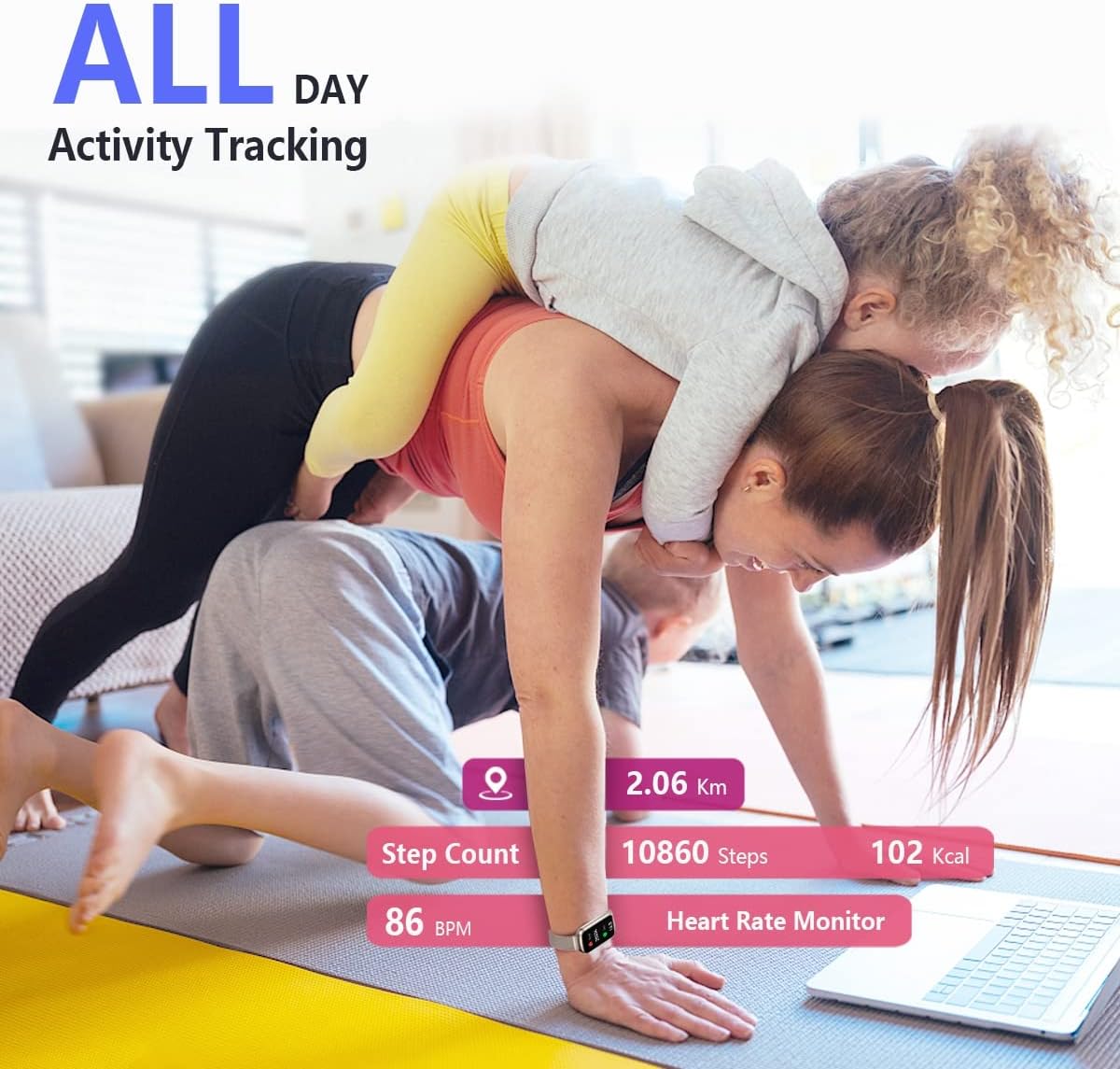
Figure 4: The MorePro HM08 tracking daily activities such as steps, calories, and distance.
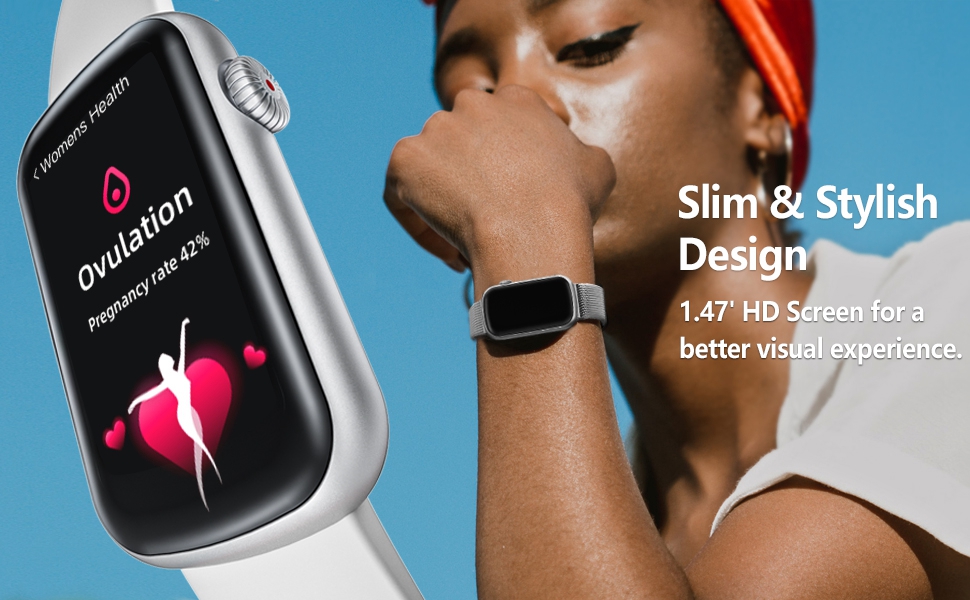
Figure 5: Detailed fitness and activity data, including calories burned, step count, tracking distance, and heart rate, viewable on the tracker and synced to the app.
2. ఆరోగ్య పర్యవేక్షణ
The MorePro HM08 provides comprehensive health monitoring features:
- హార్ట్ రేట్ మానిటర్: Automatically monitors your real-time heart rate 24/7.
- Blood Pressure Watch: Monitors your blood pressure to help you understand your body's state.
- Blood Oxygen Tracking: Monitors your blood oxygen saturation (SpO2) levels.
- నిద్ర ట్రాకింగ్: Automatically monitors your sleep and blood oxygen levels during the night, tracking sleep types to analyze sleep quality.
Note: This device is not intended to diagnose or treat any medical conditions. It provides information to help manage your well-being.

Figure 6: The MorePro HM08 offers 24-hour health tracking for heart rate, blood pressure, blood oxygen, and sleep.
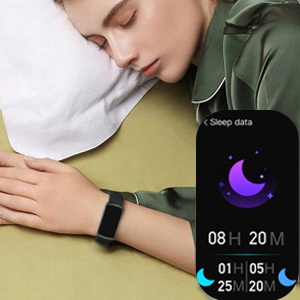
Figure 7: The MorePro HM08 provides detailed sleep data analysis.
3. స్మార్ట్ ఫీచర్లు
Enhance your daily life with these convenient smart features:
- సందేశ నోటిఫికేషన్లు: Receive notifications for calls and messages directly on your wrist.
- వాతావరణ సూచన: నిజ-సమయ వాతావరణ నవీకరణలను పొందండి.
- Drink and Sedentary Reminders: Stay hydrated and active with timely reminders.
- సంగీత నియంత్రణ: మీ కనెక్ట్ చేయబడిన స్మార్ట్ఫోన్లో మ్యూజిక్ ప్లేబ్యాక్ను నియంత్రించండి.
- Female Menstruation Period Reminder: Track and receive reminders for menstrual cycles.

Figure 8: The MorePro HM08 provides smart notifications directly on your wrist.
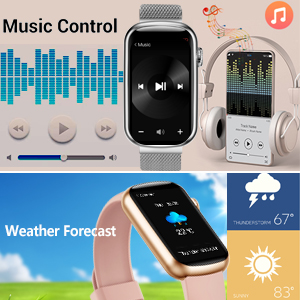
Figure 9: Music control and weather forecast displayed on the MorePro HM08.
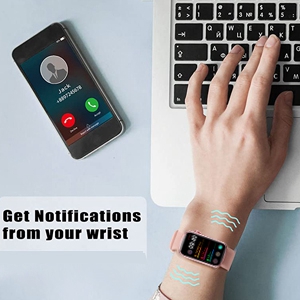
Figure 10: The MorePro HM08 vibrating to alert the user of incoming notifications.
4. ఉత్పత్తి ముగిసిందిview వీడియో
దృశ్యమానత కోసం ఈ అధికారిక వీడియోను చూడండిview of the MorePro HM08's features and functionalities.
Video 1: "MorePro, always take good care of your health." This video demonstrates various features of the MorePro HM08, including health monitoring, activity tracking, and smart notifications.
నిర్వహణ
1. జలనిరోధక రేటింగ్
The MorePro HM08 fitness watch is designed with an IP68 waterproof rating. This means it is resistant to dust and can withstand immersion in water up to 1.5 meters for up to 30 minutes. You do not need to worry when handwashing or in light rain. However, it is not recommended for hot showers, saunas, or diving, as steam and hot water can damage the seals.
2. శుభ్రపరచడం మరియు సంరక్షణ
To maintain your device, regularly clean the tracker and its band. Use a soft, damp cloth to wipe down the screen and body. Ensure the charging contacts are clean and dry before charging to prevent corrosion.
3. బ్యాటరీ లైఫ్
The MorePro HM08 offers a long battery life, providing up to 7-10 days of usage on a single charge, depending on usage patterns and feature activation. Regular charging as described in the "Setup" section will ensure optimal performance.
ట్రబుల్షూటింగ్
If you encounter issues with your MorePro HM08, please refer to the following common solutions:
- పరికరం ఆన్ కావడం/ఛార్జింగ్ కావడం లేదు: Ensure the charging cable is securely connected to both the tracker and the power source. Verify the power source is active. Allow the device to charge for at least 30 minutes before attempting to turn it on.
- జత చేయడం సమస్యలు:
- మీ స్మార్ట్ఫోన్లో బ్లూటూత్ ప్రారంభించబడిందని మరియు ట్రాకర్ పరిధిలో ఉందని నిర్ధారించుకోండి.
- Restart both your smartphone and the fitness tracker.
- Forget the device in your phone's Bluetooth settings and attempt to pair again through the MorePro app.
- Confirm your smartphone meets the compatibility requirements (Android 5.0+ or iOS 10+ with Bluetooth 4.0).
- తప్పు దశల గణన: Ensure the tracker is worn snugly on your wrist. Arm movements not associated with walking (e.g., crafting, typing) can sometimes be misinterpreted.
- Inaccurate Blood Oxygen (SpO2) Readings: While the device provides health information, it is not a medical device. For precise medical measurements, consult professional medical equipment. Ensure the tracker is worn correctly and the sensor is clean.
- తక్కువ బ్యాటరీ జీవితం:
- Frequent use of features like continuous heart rate monitoring, bright screen, and numerous notifications can reduce battery life.
- పరికరం ప్రతిసారీ పూర్తిగా ఛార్జ్ అయ్యిందని నిర్ధారించుకోండి.
- Reduce screen brightness or notification frequency if extended battery life is desired.
- కనిపించని నోటిఫికేషన్లు: Check app permissions on your smartphone to ensure the MorePro app has access to notifications. Verify that notifications are enabled within the MorePro app settings for specific applications.
If the issue persists, please refer to the official MorePro support channels or the full user manual available online.
స్పెసిఫికేషన్లు
| ఫీచర్ | వివరాలు |
|---|---|
| మోడల్ పేరు | HM08 |
| బ్రాండ్ | MorePro |
| స్క్రీన్ పరిమాణం | 1.47 అంగుళాలు |
| ఉత్పత్తి కొలతలు | 1 x 1 x 1 అంగుళాలు |
| వస్తువు బరువు | 3.2 ఔన్సులు |
| బ్యాటరీలు | 1 లిథియం అయాన్ బ్యాటరీ (చేర్చబడింది) |
| ఆపరేటింగ్ సిస్టమ్ | ఆండ్రాయిడ్, iOS |
| కనెక్టివిటీ టెక్నాలజీ | బ్లూటూత్ |
| వైర్లెస్ కమ్యూనికేషన్ స్టాండర్డ్ | బ్లూటూత్ |
| జలనిరోధిత రేటింగ్ | IP68 |
| ప్రత్యేక లక్షణాలు | Activity Tracker, Heart Rate Monitor, Blood Pressure Monitor, Sleep Monitor, Calorie Tracker, Oxymeter (SpO2), Pedometer, Distance Tracker, Notifications, Weather Forecast, Sedentary Reminder, Music Player, Daily Workout Memory |
వారంటీ మరియు మద్దతు
For warranty information and customer support, please refer to the official MorePro website or contact their customer service directly. The full user manual can also be accessed via the provided PDF link: MorePro HM08 User Manual PDF.


