1. పరిచయం
This manual provides essential instructions for the installation, operation, and maintenance of your Chieftec Scorpion 3 White ATX Case (Model GL-03W-OP). Please read this manual thoroughly before beginning assembly to ensure proper setup and to maximize the lifespan of your product.
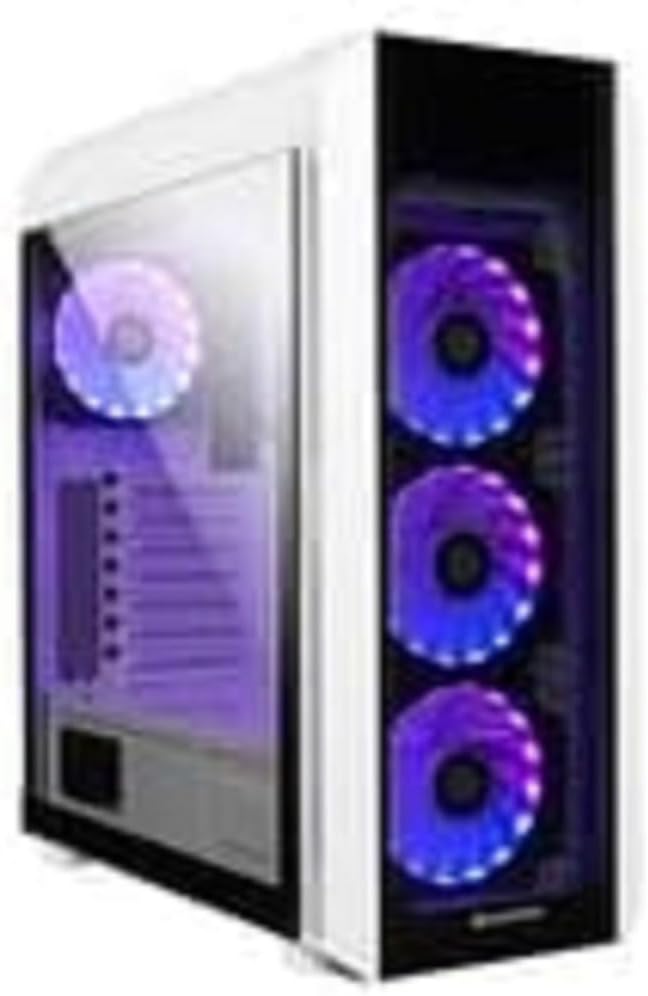
మూర్తి 1: The Chieftec Scorpion 3 White ATX Case, showcasing its white exterior, tempered glass side panel, and three front-mounted, illuminated cooling fans. A single illuminated fan is visible at the rear.
2. సెటప్ మరియు కాంపోనెంట్ ఇన్స్టాలేషన్
This section guides you through the process of installing your computer components into the Chieftec Scorpion 3 White ATX Case.
2.1. తయారీ
- Ensure you have all necessary components: motherboard, CPU, RAM, graphics card, storage drives, and power supply unit (PSU).
- Gather tools: Phillips head screwdriver, zip ties for cable management.
- Work on a clean, static-free surface. Consider using an anti-static wrist strap.
2.2. కేసును తెరవడం
- Carefully remove the side panels. Typically, the tempered glass side panel is secured with thumbscrews at the rear.
- Set the panels aside on a soft, non-abrasive surface to prevent scratches.
2.3. విద్యుత్ సరఫరా యూనిట్ (PSU) సంస్థాపన
- The Chieftec Scorpion 3 supports rear-mount PSUs.
- Slide the PSU into its designated bay at the bottom rear of the case.
- Secure the PSU with screws from the exterior rear of the case.
2.4. మదర్బోర్డు సంస్థాపన
- కేసు వెనుక భాగంలో ఉన్న కటౌట్లో I/O షీల్డ్ను ఇన్స్టాల్ చేయండి.
- Align your ATX motherboard with the pre-installed standoffs.
- Carefully place the motherboard onto the standoffs and secure it with screws.
2.5. స్టోరేజ్ డ్రైవ్ ఇన్స్టాలేషన్
- Locate the drive bays for 2.5" SSDs and 3.5" HDDs.
- Install your storage drives into the appropriate bays and secure them.
2.6. Graphics Card and Expansion Cards
- కేసు వెనుక నుండి అవసరమైన PCIe స్లాట్ కవర్లను తీసివేయండి.
- Insert your graphics card or other expansion cards into the motherboard's PCIe slots and secure them with screws.
2.7. కేబుల్ నిర్వహణ
- Route all cables (PSU, data, front panel) through the designated cutouts to the rear of the motherboard tray.
- Use zip ties or Velcro straps to bundle and secure cables for improved airflow and aesthetics.
2.8. కేసును మూసివేయడం
- అన్ని భాగాలు వ్యవస్థాపించబడి, కేబుల్లను నిర్వహించిన తర్వాత, సైడ్ ప్యానెల్లను తిరిగి అటాచ్ చేయండి.
- Secure the tempered glass panel with its thumbscrews.
3. కేసును నిర్వహించడం
The Chieftec Scorpion 3 White ATX Case provides the housing and cooling for your PC components. Its operation primarily involves the use of the front panel controls and integrated cooling system.
3.1. ఫ్రంట్ ప్యానెల్ నియంత్రణలు
- పవర్ బటన్: మీ కంప్యూటర్ను ఆన్ లేదా ఆఫ్ చేయడానికి నొక్కండి.
- రీసెట్ బటన్: మీ కంప్యూటర్ను పునఃప్రారంభించడానికి నొక్కండి.
- USB పోర్ట్లు: USB పరికరాలను కనెక్ట్ చేయండి.
- ఆడియో జాక్స్: హెడ్ఫోన్లు మరియు మైక్రోఫోన్లను కనెక్ట్ చేయండి.
3.2. శీతలీకరణ వ్యవస్థ
The case is equipped with multiple fan mounts and pre-installed 120mm fans to ensure optimal airflow.
- Ensure all fans are properly connected to your motherboard or a fan controller.
- Monitor system temperatures using software to ensure adequate cooling.
- The illuminated fans provide aesthetic appeal and can often be controlled via motherboard software for RGB lighting effects.
4. నిర్వహణ
Regular maintenance helps ensure optimal performance and longevity of your Chieftec Scorpion 3 White ATX Case and its components.
4.1. దుమ్ము శుభ్రపరచడం
- ఫ్రీక్వెన్సీ: Clean dust filters and interior components every 3-6 months, or more frequently in dusty environments.
- డస్ట్ ఫిల్టర్లు: The case features removable dust filters (e.g., top, front, bottom). Gently remove and clean them with water and mild soap, or use a vacuum cleaner. Ensure they are completely dry before reinstallation.
- అంతర్గత: Use compressed air to blow dust out of fans, heatsinks, and other components. Hold fan blades gently to prevent over-spinning.
4.2. బాహ్య క్లీనింగ్
- బాహ్య ఉపరితలాలను మృదువైన, డితో తుడవండిamp వస్త్రం. రాపిడి క్లీనర్లు లేదా ద్రావకాలను నివారించండి.
- టెంపర్డ్ గ్లాస్ ప్యానెల్ కోసం, స్ట్రీక్స్ నివారించడానికి గ్లాస్ క్లీనర్ మరియు మైక్రోఫైబర్ క్లాత్ ఉపయోగించండి.
5. ట్రబుల్షూటింగ్
This section addresses common issues you might encounter with your PC build within the Chieftec Scorpion 3 White ATX Case.
5.1. సిస్టమ్ ఆన్ కావడం లేదు
- విద్యుత్ కనెక్షన్లను తనిఖీ చేయండి: Ensure the PSU is switched on and all power cables (24-pin ATX, 8-pin CPU, PCIe power) are securely connected to the motherboard and components.
- ముందు ప్యానెల్ కనెక్టర్లు: Verify that the front panel power switch cable is correctly connected to the motherboard's front panel header. Refer to your motherboard manual for the correct pinout.
- PSU కార్యాచరణ: Test the PSU independently if possible, or try a known working PSU.
5.2. ఫ్యాన్లు తిరగడం లేదు లేదా RGB వెలిగించడం లేదు
- ఫ్యాన్ కనెక్షన్లు: Ensure all fan power cables are securely connected to the motherboard fan headers or a fan controller.
- RGB కనెక్షన్లు: If applicable, verify that RGB cables are connected to the correct RGB headers on the motherboard or a dedicated RGB controller.
- సాఫ్ట్వేర్ నియంత్రణ: Check your motherboard's BIOS/UEFI settings or dedicated fan/RGB control software for fan speed and lighting settings.
5.3. పేలవమైన గాలి ప్రవాహం లేదా అధిక ఉష్ణోగ్రతలు
- డస్ట్ బిల్డప్: నిర్వహణ విభాగంలో వివరించిన విధంగా దుమ్ము ఫిల్టర్లు మరియు అంతర్గత భాగాలను శుభ్రం చేయండి.
- అభిమానుల దిశ: Ensure fans are oriented correctly for optimal airflow (e.g., front fans as intake, rear/top fans as exhaust).
- కేబుల్ నిర్వహణ: Improve cable management to reduce obstructions to airflow.
6. స్పెసిఫికేషన్లు
Detailed technical specifications for the Chieftec Scorpion 3 White ATX Case (Model GL-03W-OP).
| ఫీచర్ | వివరాలు |
|---|---|
| బ్రాండ్ | చీఫ్టెక్ |
| సిరీస్ | Scorpion 3 White |
| మోడల్ సంఖ్య | GL-03W-OP |
| కేసు రకం | మిడ్ టవర్ |
| మదర్బోర్డు అనుకూలత | ATX |
| మెటీరియల్ | యాక్రిలోనిట్రైల్ బుటాడిన్ స్టైరీన్ (ABS) ప్లాస్టిక్ |
| రంగు | Black (Note: Product name indicates White, but specification lists Black. Please verify product color upon receipt.) |
| వస్తువు బరువు | 2.2 పౌండ్లు |
| ఉత్పత్తి కొలతలు (LxWxH) | 19.69 x 19.69 x 11.02 అంగుళాలు |
| విద్యుత్ సరఫరా మౌంటు రకం | వెనుక మౌంట్ |
| శీతలీకరణ పద్ధతి | గాలి |
| ఫ్యాన్ పరిమాణం | 120 Millimeters (pre-installed fans) |
Note: Specifications are subject to change without prior notice. Please refer to the manufacturer's official webఅత్యంత తాజా సమాచారం కోసం సైట్.
7. వారంటీ సమాచారం
Chieftec products are manufactured to high-quality standards. For specific warranty terms and conditions applicable to your Chieftec Scorpion 3 White ATX Case (Model GL-03W-OP), please refer to the warranty card included with your product or visit the official Chieftec webసైట్.
Typically, product warranties cover defects in materials and workmanship under normal use. Damage resulting from improper installation, accident, abuse, modification, or unauthorized repair is generally not covered.
8. కస్టమర్ మద్దతు
Should you encounter any issues or have questions regarding your Chieftec Scorpion 3 White ATX Case, please contact Chieftec customer support.
- ఆన్లైన్ మద్దతు: Visit the official Chieftec webతరచుగా అడిగే ప్రశ్నలు, డ్రైవర్ డౌన్లోడ్లు మరియు మద్దతు వనరుల కోసం సైట్.
- సంప్రదింపు సమాచారం: Refer to the product packaging or Chieftec's official webప్రాంతీయ సంప్రదింపు వివరాల కోసం సైట్ (ఫోన్, ఇమెయిల్).
When contacting support, please have your product model (GL-03W-OP) and purchase information readily available.


