1. పరిచయం
Thank you for choosing the Logitech G435 Lightspeed and Bluetooth Wireless Gaming Headset. This lightweight headset is designed to provide high-fidelity audio and clear communication across multiple gaming platforms and devices. This manual will guide you through the setup, operation, maintenance, and troubleshooting of your new headset.
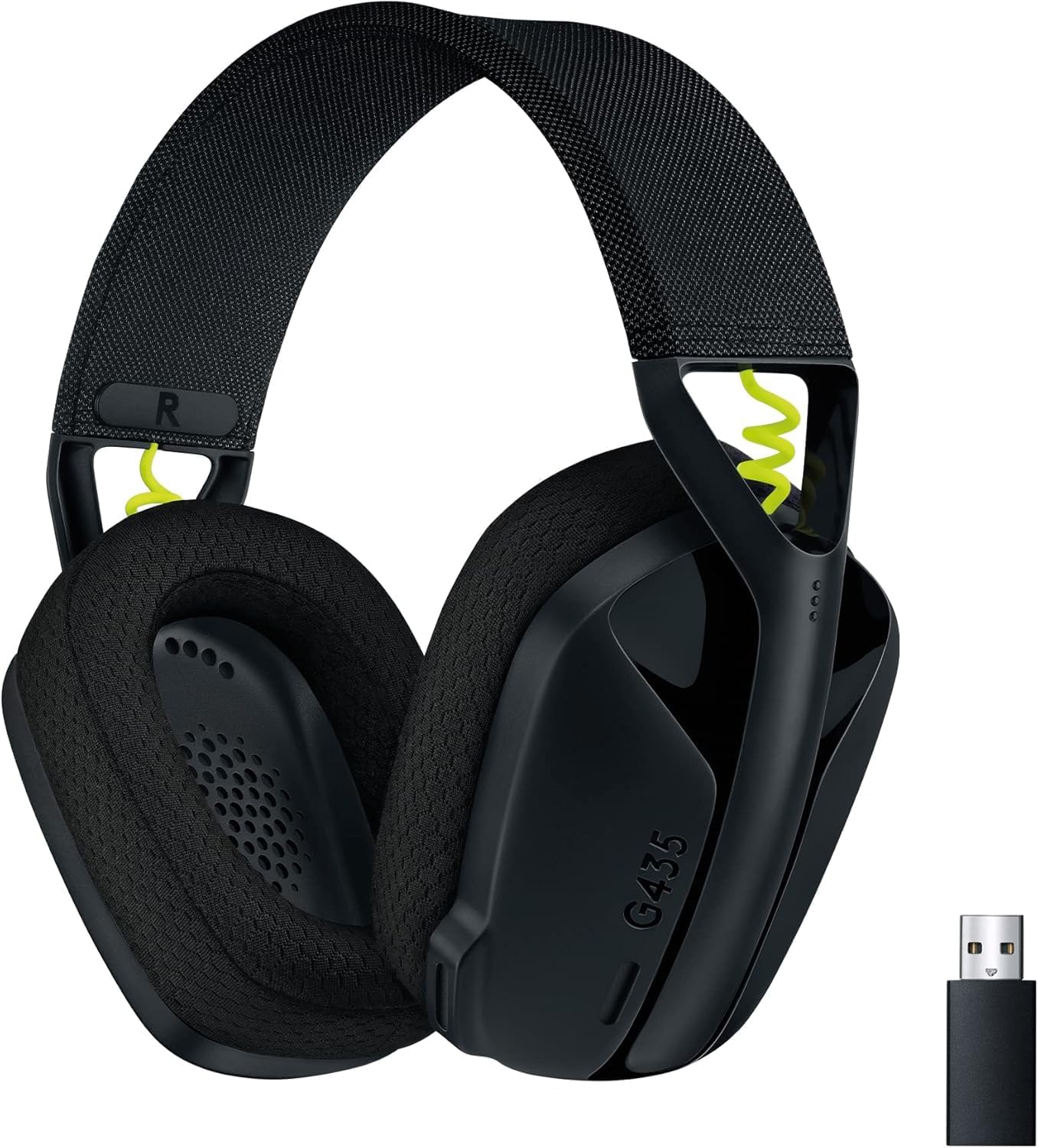
Figure 1: Logitech G435 Headset and USB Lightspeed Receiver
2 కీ ఫీచర్లు
- డ్యూయల్ వైర్లెస్ కనెక్టివిటీ: Connects via Lightspeed USB-A receiver for low-latency gaming or Bluetooth for mobile devices.
- హై-ఫిడిలిటీ ఆడియో: Features 40 mm audio drivers for balanced, immersive sound. Compatible with Dolby Atmos, Tempest 3D AudioTech, and Windows Sonic for surround sound experiences.
- Clear Voice Communication: Integrated dual beamforming microphones eliminate the need for a mic arm, reducing background noise for clear communication.
- తేలికపాటి డిజైన్: Weighs only 165 grams (5.8 oz) for extended comfort during long gaming sessions.
- సుదీర్ఘ బ్యాటరీ జీవితం: ఒక్కసారి ఛార్జ్ చేస్తే గరిష్టంగా 18 గంటలపాటు నిరంతరాయంగా ఉపయోగించుకోవచ్చు.
- Comfortable Ear Cushions: Designed with memory foam ear cushions for total comfort.
3. సెటప్
3.1 Lightspeed Wireless Connection (PC, PlayStation)
- Insert the Lightspeed USB-A receiver into a USB port on your PC or PlayStation console.
- Power on your G435 headset by pressing and holding the Power button for 3 seconds.
- The headset will automatically connect to the Lightspeed receiver. The status indicator light on the headset will turn cyan.

Figure 2: Lightspeed Wireless for Pro-Grade Connection
3.2 Bluetooth Connection (Smartphones, Nintendo Switch)
- With the headset powered on, press and hold the Power button and the Mute button simultaneously for 3 seconds to enter Bluetooth pairing mode. The status indicator light will blink blue.
- On your device (smartphone, Nintendo Switch), go to Bluetooth settings and select "G435" from the list of available devices.
- Once connected, the status indicator light on the headset will turn solid blue.
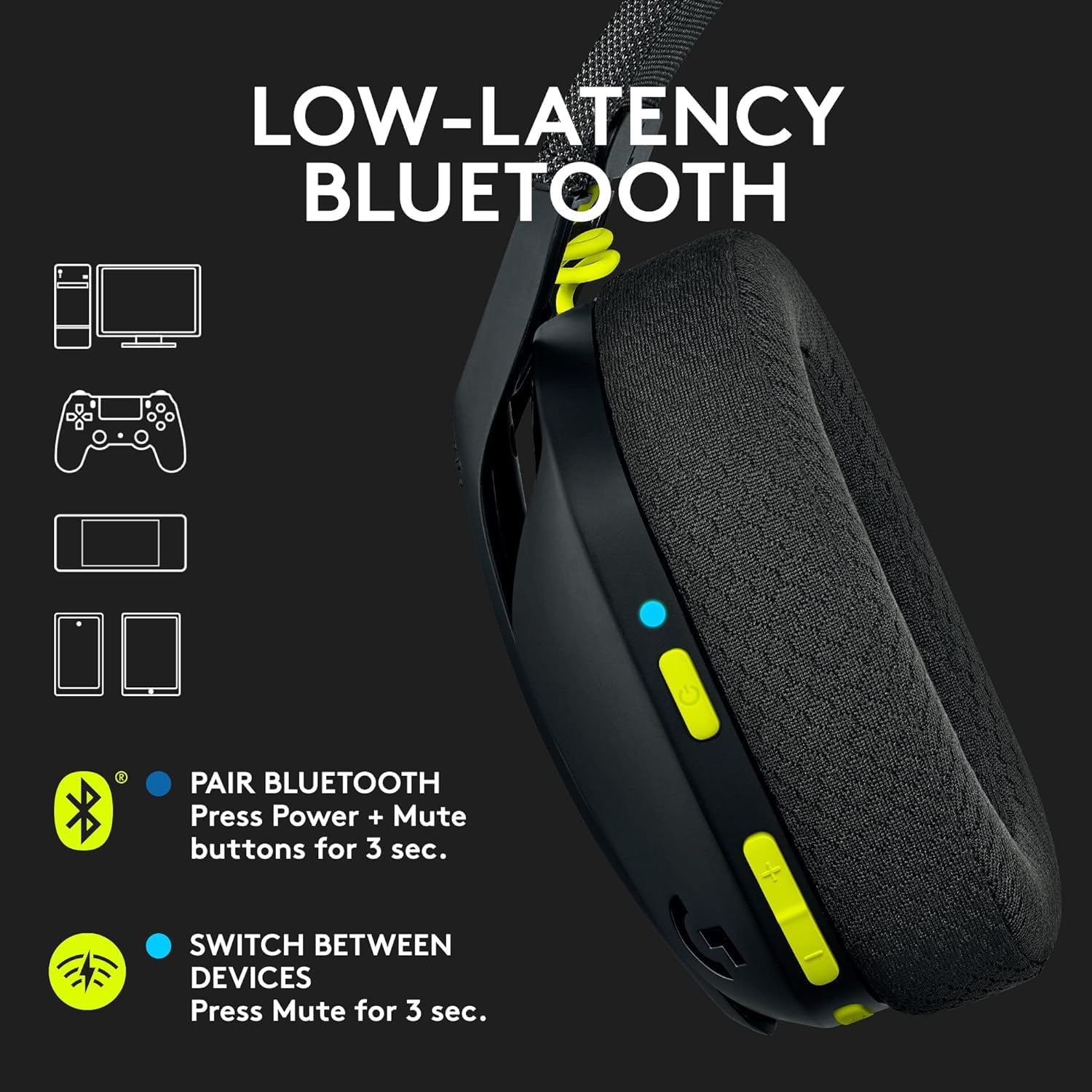
Figure 3: Low-Latency Bluetooth Connectivity
3.3 Switching Between Lightspeed and Bluetooth
To switch between Lightspeed and Bluetooth connections, press and hold the Mute button for 3 seconds. The status indicator light will change to reflect the active connection (cyan for Lightspeed, blue for Bluetooth).
4. ఆపరేటింగ్ సూచనలు
4.1 పవర్ ఆన్/ఆఫ్
- పవర్ ఆన్: పవర్ బటన్ను 3 సెకన్ల పాటు నొక్కి పట్టుకోండి.
- పవర్ ఆఫ్: పవర్ బటన్ను 3 సెకన్ల పాటు నొక్కి పట్టుకోండి.
4.2 వాల్యూమ్ నియంత్రణ
Use the volume rocker buttons located on the left earcup to adjust the audio output level.
4.3 మైక్రోఫోన్ మ్యూట్
Press the dedicated Mute button on the left earcup to mute or unmute the microphone. The status indicator light will change to indicate the microphone status.

Figure 4: Dual Beamforming Microphones
5. నిర్వహణ
5.1 శుభ్రపరచడం
- మృదువైన, పొడి గుడ్డతో హెడ్సెట్ను తుడవండి.
- ద్రవ క్లీనర్లు లేదా రాపిడి పదార్థాలను ఉపయోగించవద్దు.
- The memory foam ear cushions can be gently cleaned with a damp cloth and mild soap, then allowed to air dry completely.
5.2 బ్యాటరీ ఛార్జింగ్
To charge the headset, connect the included USB-C cable to the charging port on the headset and to a USB power source. The status indicator light will show charging status (red while charging, green when fully charged). A full charge provides up to 18 hours of battery life.
6. ట్రబుల్షూటింగ్
6.1 No Audio/Connectivity Issues
- హెడ్సెట్ ఆన్ చేయబడిందని మరియు పూర్తిగా ఛార్జ్ చేయబడిందని నిర్ధారించుకోండి.
- For Lightspeed connection, verify the USB-A receiver is securely plugged into the device and the headset's status indicator is cyan.
- For Bluetooth connection, ensure Bluetooth is enabled on your device and the headset is paired (status indicator blue). Try re-pairing if necessary.
- హెడ్సెట్ మరియు మీ కనెక్ట్ చేయబడిన పరికరం రెండింటిలోనూ వాల్యూమ్ స్థాయిలను తనిఖీ చేయండి.
- మీ సిస్టమ్ సెట్టింగ్లలో హెడ్సెట్ ఆడియో అవుట్పుట్ పరికరంగా ఎంచుకోబడిందని నిర్ధారించుకోండి.
6.2 మైక్రోఫోన్ పనిచేయడం లేదు
- Ensure the microphone is not muted (check the Mute button and status indicator).
- Verify the headset is selected as the input device in your system's audio settings.
- Check for any software updates for your device or headset drivers.
7. స్పెసిఫికేషన్లు
| మోడల్ పేరు | లాజిటెక్ G435 |
| అంశం మోడల్ సంఖ్య | 097855168252 |
| కనెక్టివిటీ | Lightspeed Wireless (USB-A), Bluetooth 5.0 |
| వైర్లెస్ రేంజ్ | 10 మీటర్ వరకు |
| ఆడియో డ్రైవర్లు | 40 mm డైనమిక్ డ్రైవర్లు |
| ఫ్రీక్వెన్సీ రెస్పాన్స్ | 20 హెర్ట్జ్ - 20 కిలోహెర్ట్జ్ |
| ఇంపెడెన్స్ | 45 Ohms (passive) |
| మైక్రోఫోన్ | Dual embedded beamforming microphones |
| బ్యాటరీ లైఫ్ | 18 గంటల వరకు |
| ఛార్జింగ్ పోర్ట్ | USB-C |
| బరువు | 165 గ్రాములు (5.8 ఔన్సులు) |
| కొలతలు | 6 x 3 x 7 అంగుళాలు |
| అనుకూల పరికరాలు | PC, Smartphones, PlayStation, Nintendo Switch |
8. అధికారిక ఉత్పత్తి వీడియోలు
వీడియో 1: ఒక ఓవర్view of the Logitech G435 Wireless Gaming Headset, highlighting its features and design.
9. వారంటీ మరియు మద్దతు
9.1 రిటర్న్ పాలసీ
This product is eligible for a 90-day refund/replacement return policy. Please refer to your purchase documentation for specific terms and conditions.
9.2 తయారీదారు మద్దతు
For technical support, warranty claims, or additional product information, please visit the official Logitech support website or contact their customer service. Specific warranty details are typically provided with your product packaging.


