1. పరిచయం
Thank you for choosing the DEKCO Wireless Outdoor Security Camera. This solar-powered 2K camera is designed to provide reliable and efficient home security with features like two-way audio, smart human detection, and clear night vision. This manual will guide you through the setup, operation, and maintenance of your new security system.

Image: Two DEKCO wireless outdoor security cameras, each with an attached solar panel, ready for installation.
2 కీ ఫీచర్లు
- 365-Day Non-Stop Solar Power: The integrated solar panel continuously charges the camera's battery, ensuring uninterrupted operation.
- 100% Wireless & Simple Setup: No complex wiring required, allowing for quick and flexible installation anywhere.
- 2K QHD వీడియో రిజల్యూషన్: స్పష్టమైన మరియు వివరణాత్మక foo ని సంగ్రహిస్తుందిtage for enhanced monitoring.
- స్మార్ట్ హ్యూమన్ డిటెక్షన్: Advanced technology distinguishes human shapes from other movements, reducing false alerts.
- రెండు-మార్గం ఆడియో: Communicate directly with visitors or deter intruders through the built-in speaker and microphone.
- క్లియర్ నైట్ విజన్: Provides visibility in low-light conditions, ensuring round-the-clock surveillance.
- IP65 వాతావరణ నిరోధక రేటింగ్: Designed to withstand various weather conditions, including rain, sleet, and snow.
- సౌకర్యవంతమైన నిల్వ ఎంపికలు: Supports both local Micro SD card storage (8-128GB) and optional cloud storage.

Image: A DEKCO security camera with its solar panel mounted on a wall, illustrating its continuous solar power capability.
3. సెటప్ గైడ్
3.1 ప్యాకేజీ విషయాలు
మీ ప్యాకేజీలో అన్ని భాగాలు ఉన్నాయని ధృవీకరించండి:
- DEKCO Wireless Outdoor Security Camera(s)
- సోలార్ ప్యానెల్(లు)
- Mounting Bracket(s) and Screws
- USB ఛార్జింగ్ కేబుల్
- వినియోగదారు మాన్యువల్ (ఈ పత్రం)
3.2 ప్రారంభ ఛార్జింగ్
Although solar-powered, it is recommended to fully charge the camera's internal battery using the provided USB cable before the first use. Connect the camera to a 5V USB power adapter (not included).
3.3 యాప్ డౌన్లోడ్ మరియు ఖాతా సృష్టి
Download the official DEKCO app from your smartphone's app store (iOS or Android). Follow the on-screen instructions to create an account and log in.
3.4 కెమెరా జత చేయడం
- Open the DEKCO app and tap 'Add Device' or the '+' icon.
- జాబితా నుండి మీ కెమెరా మోడల్ను ఎంచుకోండి.
- Follow the app's instructions to connect the camera to your 2.4GHz వై-ఫై నెట్వర్క్. (Note: This camera only supports 2.4GHz Wi-Fi. Refer to the Troubleshooting section if you have a 5GHz router.)
- మీ ఫోన్లో ప్రదర్శించబడే QR కోడ్ను కెమెరా లెన్స్తో స్కాన్ చేయండి.
- కనెక్ట్ అయిన తర్వాత, మీరు మీ కెమెరాకు పేరు పెట్టవచ్చు మరియు ప్రత్యక్ష ప్రసారం ప్రారంభించవచ్చు viewing.
3.5 కెమెరా మౌంటు
Choose a suitable location for mounting, ensuring the solar panel receives adequate direct sunlight throughout the day. The camera is designed for wall mounting.
- Mark the drilling spots using the mounting bracket as a template.
- అవసరమైతే రంధ్రాలు వేయండి మరియు వాల్ యాంకర్లను చొప్పించండి.
- మౌంటు బ్రాకెట్ను స్క్రూలతో గోడకు భద్రపరచండి.
- Attach the camera and solar panel to the bracket, adjusting the angle for optimal solar exposure and camera view.

Image: A DEKCO security camera with its solar panel securely mounted on a wooden wall, demonstrating a typical installation.
4. ఆపరేటింగ్ సూచనలు
4.1 ప్రత్యక్ష ప్రసారం View మరియు ప్లేబ్యాక్
Access the DEKCO app to view లైవ్ ఫూtagమీ కెమెరా నుండి e. మీరు కూడా తిరిగి పొందవచ్చుview recorded events from the history timeline.

Image: A visual comparison demonstrating the superior clarity of 2K QHD video, allowing for clear identification of details like a car's license plate.
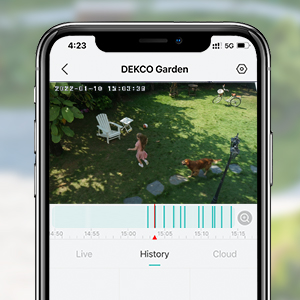
Image: A smartphone displaying the DEKCO app's interface, highlighting the video history timeline for reviewing past events.
4.2 టూ-వే ఆడియో
లైవ్లో మైక్రోఫోన్ చిహ్నాన్ని నొక్కండి view to speak through the camera's speaker. Tap the speaker icon to hear audio from the camera's surroundings.

Image: A smartphone screen showing the DEKCO app's two-way audio feature in use, with speech bubbles indicating communication.
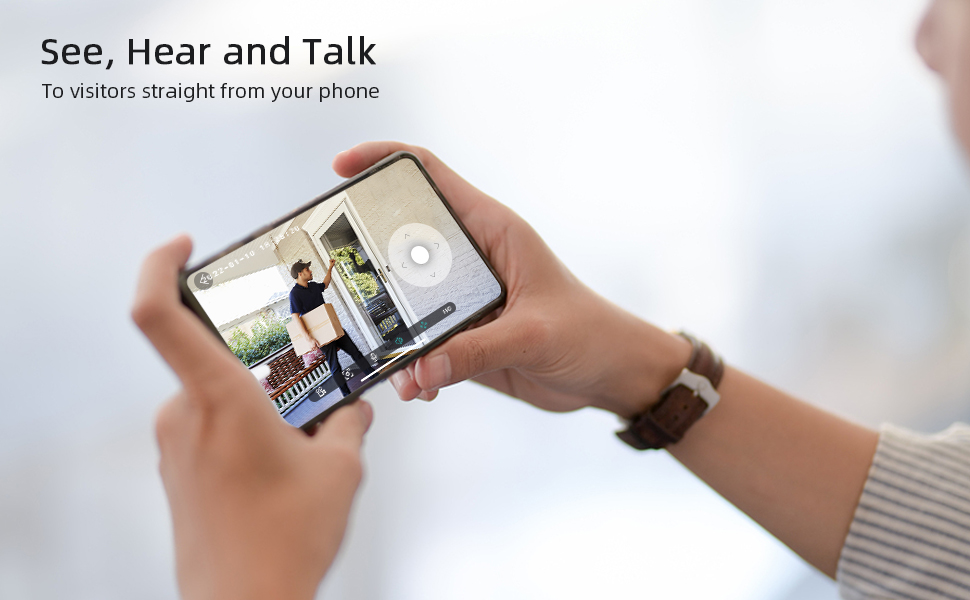
Image: A person holding a smartphone, viewing a live feed from their DEKCO camera showing a visitor at their door, demonstrating the 'See, Hear and Talk' feature.
4.3 Smart Human Detection & Notifications
The camera uses PIR (Passive Infrared) detection for motion sensing. Enable 'Human Detection' in the app settings to receive alerts only when a person is detected, minimizing notifications from pets or vehicles.

Image: A smartphone displaying a real-time notification from the DEKCO app, indicating human motion detection.
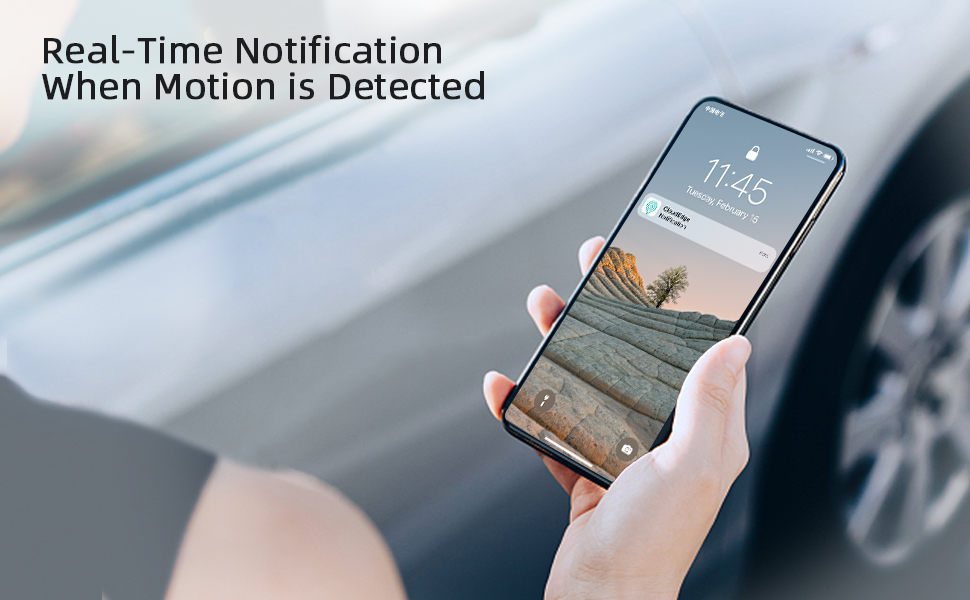
Image: A smartphone receiving a real-time notification, illustrating the camera's ability to alert users when motion is detected.
౪.౧.౧౦ నైట్ విజన్
The camera automatically switches to night vision mode in low-light conditions, providing clear black-and-white or color night vision footage depending on the model and settings.

Image: A split image demonstrating the camera's 2K clear night mode, comparing a daytime view with an infrared night view.
4.5 నిల్వ నిర్వహణ
The camera supports local storage via a Micro SD card (not included) and optional cloud storage. Insert a compatible Micro SD card (FAT32 format, Class 10, 8-128GB) into the camera's slot for local recording.

Image: A diagram illustrating the two types of storage available: no-fee local storage via an SD card and security cloud storage.
5. నిర్వహణ
5.1 సోలార్ ప్యానెల్ సామర్థ్యం
Ensure the solar panel is kept clean and free from obstructions (e.g., leaves, dirt) to maximize charging efficiency. Periodically wipe the panel with a soft, damp గుడ్డ.

Image: A DEKCO camera with its solar panel, emphasizing its non-stop power capability through solar charging and internal battery.
5.2 వాతావరణ నిరోధకత
The camera has an IP65 weatherproof rating, meaning it is protected against dust and water jets. While designed for outdoor use, avoid submerging the camera in water or exposing it to extreme pressure washing.
5.3 ఫర్మ్వేర్ నవీకరణలు
Regularly check the DEKCO app for available firmware updates. Keeping your camera's firmware up-to-date ensures optimal performance, security, and access to new features.
6. ట్రబుల్షూటింగ్
Q1: Does this solar camera support 5G Wi-Fi?
A1: This camera only supports 2.4GHz Wi-Fi, similar to most security cameras on the market. If you are using a 5GHz router at home, you can:
- కోసం వెతకండి tutorial videos on YouTube to learn how to split your router into 2.4GHz and 5GHz bands, then connect to the 2.4GHz network.
- Contact your network operator's phone service and ask them to split your router into 2.4GHz and 5GHz for you, then choose 2.4GHz to connect.
- You can contact DEKCO US local phone service for assistance with connecting your camera after network separation or for any other issues.
గమనిక: The 2.4GHz band has a longer transmission range, though slower speeds. The 5GHz band covers shorter distances but offers faster speeds. Considering that most DEKCO cameras are installed outdoors, often far from the router, 2.4GHz Wi-Fi is recommended for its sufficient speed and better range.
Q2: Why won't this security camera hook up to my internet?
A2:
- This camera only supports 2.4GHz Wi-Fi. Please refer to Q1 for solutions if you have a 5GHz router.
- You can contact DEKCO US local phone service for step-by-step assistance with connecting your camera.
Q3: Which kind of SD card should I use?
A3: To prevent issues such as SD cards not being recognized, it is recommended to use genuine micro SD cards (e.g., Kingston, SanDisk) that meet the following conditions:
- కార్డ్ సామర్థ్యం: 8-128GB.
- Read and write speed: స్థాయి 10.
- File ఆకృతి: FAT32.
If you prefer not to spend time choosing an SD card, please contact us directly for recommendations.
Q4: Why are there so many notifications?
A4: This camera features smart human detection. You can choose to detect human-only or human, cars, and animals with just one click in the app settings, as per your needs. Adjusting these settings will help reduce unwanted notifications.
7. స్పెసిఫికేషన్లు
| ఫీచర్ | స్పెసిఫికేషన్ |
|---|---|
| మోడల్ సంఖ్య | DC8L |
| వీడియో క్యాప్చర్ రిజల్యూషన్ | 2K |
| శక్తి మూలం | బ్యాటరీ పవర్డ్, సోలార్ |
| కనెక్టివిటీ టెక్నాలజీ | వైర్లెస్ (Wi-Fi) |
| Wi-Fi ఫ్రీక్వెన్సీ | 2.4 GHz మాత్రమే |
| మౌంటు రకం | వాల్ మౌంట్ |
| ఇండోర్/అవుట్డోర్ వినియోగం | అవుట్డోర్ |
| అంతర్జాతీయ రక్షణ రేటింగ్ | IP65 |
| ప్రత్యేక ఫీచర్ | Night Vision, Human Detection, Two-Way Audio |
| అనుకూల పరికరాలు | స్మార్ట్ఫోన్ (ఆండ్రాయిడ్) |
| అంశం కొలతలు L x W x H | 0.51 x 0.44 x 0.23 అంగుళాలు |
| వస్తువు బరువు | 3.08 పౌండ్లు |
| UPC | 679628534664 |
8. వారంటీ మరియు మద్దతు
DEKCO products come with a standard manufacturer's warranty. Please refer to the product packaging or the official DEKCO webనిర్దిష్ట వారంటీ నిబంధనలు మరియు షరతుల కోసం సైట్.
కస్టమర్ మద్దతు
For technical assistance, troubleshooting, or any product-related inquiries, you can contact DEKCO US local phone service. Contact details are typically available on the product packaging or the DEKCO official webసైట్.
For the latest information and support resources, please visit the official DEKCO webసైట్: DEKCO Official Store


