పరిచయం
This manual provides detailed instructions for the setup, operation, maintenance, and troubleshooting of your Pokitter Go Pro Mini Portable Projector. Please read this manual thoroughly before using the product to ensure proper functionality and to extend the lifespan of your device.
The Pokitter Go Pro is a compact and powerful portable projector featuring integrated Android TV 10.0, Google Assistant, 200 ANSI lumens brightness, 1080p Full HD resolution with 4K support, dual-band 2.4G/5G WiFi, and a maximum projection size of 120 inches. It is designed for versatile entertainment, offering a cinematic experience on the go.
ప్యాకేజీ విషయాలు
దయచేసి అన్ని అంశాలు ప్యాకేజీలో ఉన్నాయని ధృవీకరించండి:
- Pokitter Go Pro Mini Portable Projector
- రిమోట్ కంట్రోల్
- పవర్ అడాప్టర్
- వినియోగదారు మాన్యువల్ (ఈ పత్రం)
- పట్టీని తీసుకువెళ్లండి

Image: The Pokitter Go Pro Mini Portable Projector, highlighting its compact design and integrated handle for easy portability.
ఉత్పత్తి ముగిసిందిview
ముందు View
The front of the projector features the projection lens and ventilation grilles.
వెనుక View
The rear panel typically includes various ports for connectivity.
- HDMI పోర్ట్: For connecting external devices like laptops, gaming consoles, or Blu-ray players.
- USB పోర్ట్: For connecting USB drives for media playback or external peripherals.
- ఆడియో అవుట్పుట్ (3.5mm జాక్): బాహ్య స్పీకర్లు లేదా హెడ్ఫోన్లను కనెక్ట్ చేయడానికి.
- DC లో: పవర్ ఇన్పుట్ పోర్ట్.
టాప్ View
The top surface may include control buttons or indicators.
వైపు View
The sides often feature additional ventilation and a carrying handle.
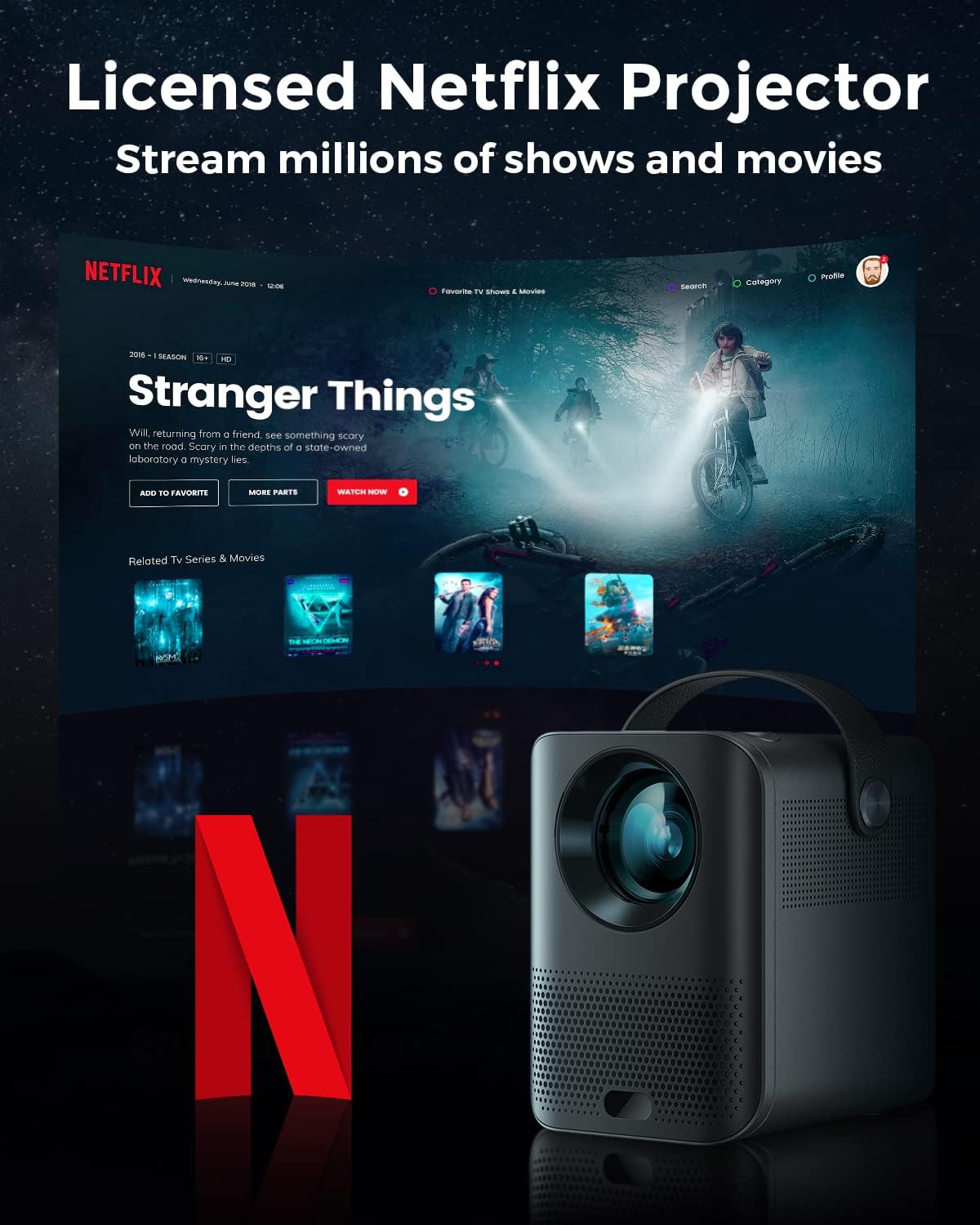
Image: The Pokitter Go Pro projector showcasing its integrated Netflix license and streaming capabilities.

Image: A size comparison of the Pokitter Go Pro projector with a smartphone, illustrating its mini and portable form factor.
సెటప్
1. పవర్ కనెక్షన్
- ప్రొజెక్టర్లోని DC ఇన్ పోర్ట్కు పవర్ అడాప్టర్ను కనెక్ట్ చేయండి.
- పవర్ అడాప్టర్ను వాల్ అవుట్లెట్లోకి ప్లగ్ చేయండి.
- పవర్ ఇండికేటర్ లైట్ ప్రకాశిస్తుంది.
2. ప్రారంభ పవర్ ఆన్
- పరికరాన్ని ఆన్ చేయడానికి ప్రొజెక్టర్ లేదా రిమోట్ కంట్రోల్లోని పవర్ బటన్ను నొక్కండి.
- Allow a few moments for the Android TV system to boot up.
3. దృష్టి సర్దుబాటు
Use the focus ring (if mechanical) or the remote control's focus buttons to achieve a clear image. The Pokitter Go Pro features automatic vertical keystone correction up to 40 degrees.

Image: Illustration of the automatic keystone correction feature, which adjusts the image for optimal viewing even when the projector is not perfectly aligned.
4. Screen Size Adjustment
Adjust the distance between the projector and the projection surface to achieve the desired screen size. The projector supports a screen size up to 120 inches.

Image: Guide for optimal projection distances to achieve screen sizes of 40, 80, and 120 inches.
5. నెట్వర్క్ కనెక్షన్ (వై-ఫై)
- Navigate to the Wi-Fi settings in the Android TV interface.
- జాబితా నుండి మీకు కావలసిన Wi-Fi నెట్వర్క్ను ఎంచుకోండి.
- ప్రాంప్ట్ చేయబడితే పాస్వర్డ్ను నమోదు చేయండి.
- The projector supports dual-band 2.4G and 5G Wi-Fi for stable and fast transmission.

Image: The Pokitter Go Pro projector demonstrating its 2.4/5GHz WiFi capabilities for seamless wireless screen casting from various devices.
ఆపరేటింగ్ సూచనలు
రిమోట్ కంట్రోల్ ఉపయోగించడం
The included remote control allows full navigation and control of the Android TV interface. Key functions include:
- పవర్ బటన్: ప్రొజెక్టర్ను ఆన్/ఆఫ్ చేస్తుంది.
- నావిగేషన్ ప్యాడ్: For moving through menus.
- సరే బటన్: ఎంపికలను నిర్ధారిస్తుంది.
- వెనుక బటన్: మునుపటి స్క్రీన్కి తిరిగి వస్తుంది.
- హోమ్ బటన్: ఆండ్రాయిడ్ టీవీ హోమ్ స్క్రీన్కు తిరిగి వస్తుంది.
- వాల్యూమ్ బటన్లు: ఆడియో వాల్యూమ్ను సర్దుబాటు చేస్తుంది.
- గూగుల్ అసిస్టెంట్ బటన్: వాయిస్ ఆదేశాలను సక్రియం చేస్తుంది.
ఆండ్రాయిడ్ టీవీ ఇంటర్ఫేస్
The Pokitter Go Pro runs on Android TV 10.0, providing access to a wide range of streaming applications such as Netflix, YouTube, Amazon Prime Video, and Disney+.
- యాప్ నావిగేషన్: Use the remote's navigation pad to select and open applications.
- కంటెంట్ స్ట్రీమింగ్: Log in to your streaming accounts to access content.
- Google అసిస్టెంట్: Press the Google Assistant button on the remote and speak your commands to search for content, control playback, or get information.

చిత్రం: ఒక ఓవర్view of the Pokitter Go Pro's key features, including its Android TV operating system, Google Assistant integration, and display capabilities.
Screen Mirroring (Chromecast Built-in)
The projector features built-in Chromecast for easy screen mirroring from compatible devices (smartphones, tablets, laptops).
- Ensure your device and the projector are connected to the same Wi-Fi network.
- Open a Chromecast-enabled app on your device (e.g., YouTube, Netflix).
- ప్రసారం చిహ్నాన్ని నొక్కండి (usually a rectangle with a Wi-Fi symbol) అనువర్తనం లోపల.
- Select your Pokitter Go Pro projector from the list of available devices.
- The content from your device will be mirrored or cast to the projector.

Image: Demonstrating the Chromecast built-in feature, allowing users to stream content from their smartphone to the projector's large display.
Connecting External Devices (HDMI/USB)
- HDMI: Connect an HDMI cable from your external device (e.g., laptop, game console) to the HDMI port on the projector. The projector will automatically switch to the HDMI input or you may need to select it from the input source menu.
- USB: Insert a USB flash drive into the USB port. The Android TV system will typically prompt you to open a file browser to access media fileడ్రైవ్లో లు.
నిర్వహణ
లెన్స్ శుభ్రపరచడం
ప్రొజెక్టర్ లెన్స్ను సున్నితంగా తుడవడానికి ఆప్టికల్ లెన్స్ల కోసం ప్రత్యేకంగా రూపొందించిన మృదువైన, లింట్-ఫ్రీ వస్త్రాన్ని ఉపయోగించండి. రాపిడి క్లీనర్లను లేదా అధిక శక్తిని ఉపయోగించవద్దు, ఎందుకంటే ఇది లెన్స్ను గీతలు పడే అవకాశం ఉంది.
ప్రొజెక్టర్ బాడీని శుభ్రపరచడం
Wipe the exterior of the projector with a soft, dry cloth. For stubborn stains, a slightly damp cloth can be used, followed by a dry cloth. Avoid getting liquids inside the projector.
వెంటిలేషన్
Ensure that the ventilation grilles are not blocked during operation to prevent overheating. The Pokitter Go Pro features a dust-proof design to maintain picture quality.

Image: An internal diagram of the Pokitter Go Pro, illustrating its dust-proof design for long-lasting, flawless picture quality.
నిల్వ
ఎక్కువసేపు ఉపయోగంలో లేనప్పుడు, ప్రొజెక్టర్ను చల్లని, పొడి ప్రదేశంలో, ప్రత్యక్ష సూర్యకాంతి మరియు తీవ్రమైన ఉష్ణోగ్రతలకు దూరంగా నిల్వ చేయండి. అసలు ప్యాకేజింగ్ లేదా రక్షణ కేసును ఉపయోగించమని సిఫార్సు చేయబడింది.
ట్రబుల్షూటింగ్
| సమస్య | సాధ్యమైన కారణం | పరిష్కారం |
|---|---|---|
| పవర్ లేదు | పవర్ కేబుల్ కనెక్ట్ కాలేదు; పవర్ అవుట్లెట్ లోపభూయిష్టంగా ఉంది. | పవర్ కేబుల్ సురక్షితంగా కనెక్ట్ చేయబడిందని నిర్ధారించుకోండి. వేరే పవర్ అవుట్లెట్ను ప్రయత్నించండి. |
| No Image / Blurry Image | Lens out of focus; Incorrect input source; Obstruction in projection path. | Adjust focus using the remote or focus ring. Select correct input source. Remove any obstructions. |
| సౌండ్ లేదు | Volume too low; Muted; External speakers not connected properly. | Increase volume. Unmute the projector. Check external speaker connections. |
| Wi-Fi కనెక్షన్ సమస్యలు | తప్పు పాస్వర్డ్; రూటర్ చాలా దూరంగా ఉంది; నెట్వర్క్ జోక్యం. | Wi-Fi పాస్వర్డ్ను ధృవీకరించండి. ప్రొజెక్టర్ను రౌటర్కు దగ్గరగా తరలించండి. రౌటర్ మరియు ప్రొజెక్టర్ను పునఃప్రారంభించండి. |
| రిమోట్ కంట్రోల్ పనిచేయడం లేదు | Dead batteries; Obstruction between remote and projector. | బ్యాటరీలను మార్చండి. ప్రొజెక్టర్ యొక్క IR రిసీవర్కు స్పష్టమైన దృశ్య రేఖ ఉండేలా చూసుకోండి. |
స్పెసిఫికేషన్లు
- మోడల్: F1A
- బ్రాండ్: పోకిటర్
- ప్రదర్శన సాంకేతికత: LED
- స్థానిక రిజల్యూషన్: 1920 x 1080 (పూర్తి HD)
- గరిష్ట మద్దతు ఉన్న రిజల్యూషన్: 3840 x 2160 (4K)
- ప్రకాశం: 200 ANSI ల్యూమెన్స్ వరకు
- ప్రొజెక్షన్ పరిమాణం: 120 అంగుళాల వరకు
- ఆపరేటింగ్ సిస్టమ్: ఆండ్రాయిడ్ టీవీ 10.0
- వాయిస్ అసిస్టెంట్: Google అసిస్టెంట్ అంతర్నిర్మిత
- వైర్లెస్ కనెక్టివిటీ: 2.4G/5G Dual-band Wi-Fi, Bluetooth 5.1
- కనెక్టివిటీ పోర్ట్స్: HDMI, USB, 3.5mm Audio Out, DC In
- స్పీకర్లు: Integrated (2x5W as per infographic)
- Average Lifespan (Light Source): 50,000 గంటలు
- ఫారమ్ ఫ్యాక్టర్: పోర్టబుల్
- మౌంటు రకం: టేబుల్ మౌంట్

Image: An illustration of the projector's internal speaker system, designed to provide true-to-life sound for a cinematic viewing అనుభవం.
వారంటీ మరియు మద్దతు
The Pokitter Go Pro Mini Portable Projector comes with a 2 సంవత్సరాల వారంటీ. For any questions or professional assistance regarding this product, please contact Pokitter customer support. We are committed to supporting our customers.
For the latest support information, FAQs, and contact details, please visit the official Pokitter webసైట్ లేదా మీ కొనుగోలుతో అందించిన సంప్రదింపు సమాచారాన్ని చూడండి.


