1. పరిచయం
This manual provides detailed instructions for the setup, operation, and maintenance of your KOORUI 27E6QCA 27-inch Curved QHD 180Hz Gaming Monitor. Please read this manual thoroughly before using the product to ensure proper functionality and to prevent damage.
2. ప్యాకేజీ విషయాలు
క్రింద జాబితా చేయబడిన అన్ని అంశాలు మీ ఉత్పత్తి ప్యాకేజీలో ఉన్నాయని నిర్ధారించుకోండి:
- 1 x KOORUI 27E6QCA Monitor
- 1 x పవర్ కేబుల్
- 1 x DisplayPort (DP) Cable
- 1 x వినియోగదారు మాన్యువల్
- 1 x పవర్ అడాప్టర్
- 1 x మానిటర్ స్టాండ్
- 1 x మానిటర్ బేస్

చిత్రం: ముందు భాగం view of the KOORUI 27E6QCA Curved Gaming Monitor, showcasing its 27-inch curved display and sleek design.
3. ఉత్పత్తి ముగిసిందిview
The KOORUI 27E6QCA is a 27-inch curved gaming monitor designed for an immersive visual experience. Key features include:
- ప్రదర్శన: 27-inch VA Panel with 1500R curvature.
- రిజల్యూషన్: QHD (2560x1440) for clear and detailed images.
- రిఫ్రెష్ రేట్: మృదువైన కదలిక కోసం 180Hz.
- ప్రతిస్పందన సమయం: 1ms (MPRT) to minimize motion blur.
- రంగు స్వరసప్తకం: 85% DCI-P3 for rich and accurate colors.
- అనుకూల సమకాలీకరణ: Compatible with Adaptive Sync technology to reduce screen tearing and stuttering.
- కంటి రక్షణ: Features like blue light filter and flicker-free technology for reduced eye strain.
- కనెక్టివిటీ: Multiple HDMI and DisplayPort inputs.
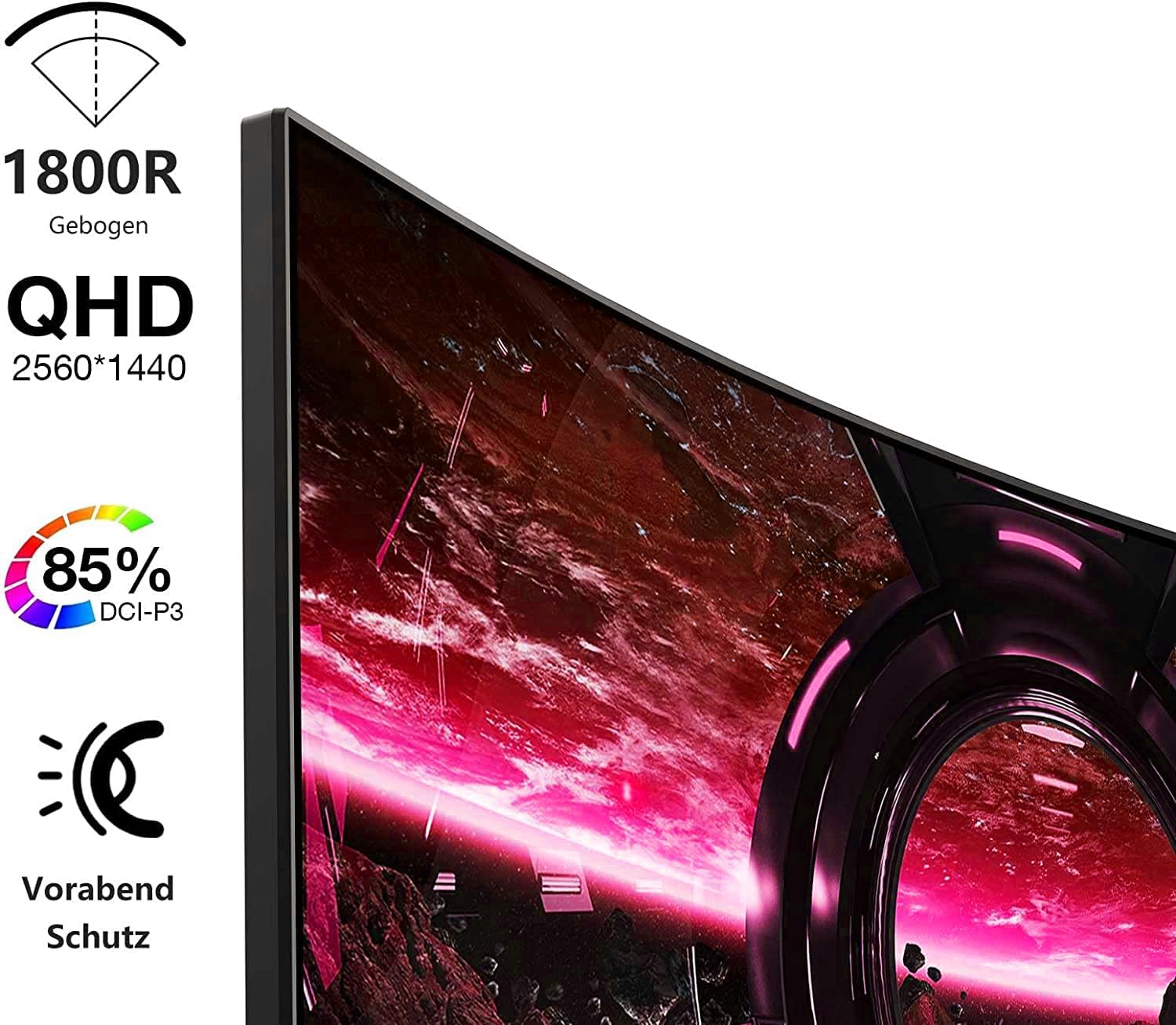
Image: Visual representation of the monitor's key features, including its 1500R curvature, QHD resolution (2560x1440), 85% DCI-P3 color coverage, and eye protection technology.
4. సెటప్ సూచనలు
4.1 స్టాండ్ను అసెంబుల్ చేయడం
- Carefully remove the monitor, stand, and base from the packaging.
- Attach the stand to the base, ensuring it clicks securely into place or is fastened with the provided screw.
- Attach the assembled stand to the back of the monitor. Ensure the connection is firm.

చిత్రం: వెనుక view of the KOORUI 27E6QCA monitor, showing the attachment point for the stand and the overall back panel design.
4.2 పరికరానికి కనెక్ట్ చేస్తోంది
The monitor supports HDMI and DisplayPort connections. Use the appropriate cable for your device.
- డిస్ప్లేపోర్ట్ (DP): Connect one end of the DP cable to the DisplayPort output on your computer's graphics card and the other end to the DisplayPort input on the monitor. This connection is recommended for achieving the full 180Hz refresh rate and QHD resolution.
- HDMI: Connect one end of an HDMI cable (version 1.4 or higher recommended) to the HDMI output on your device and the other end to one of the HDMI inputs on the monitor.
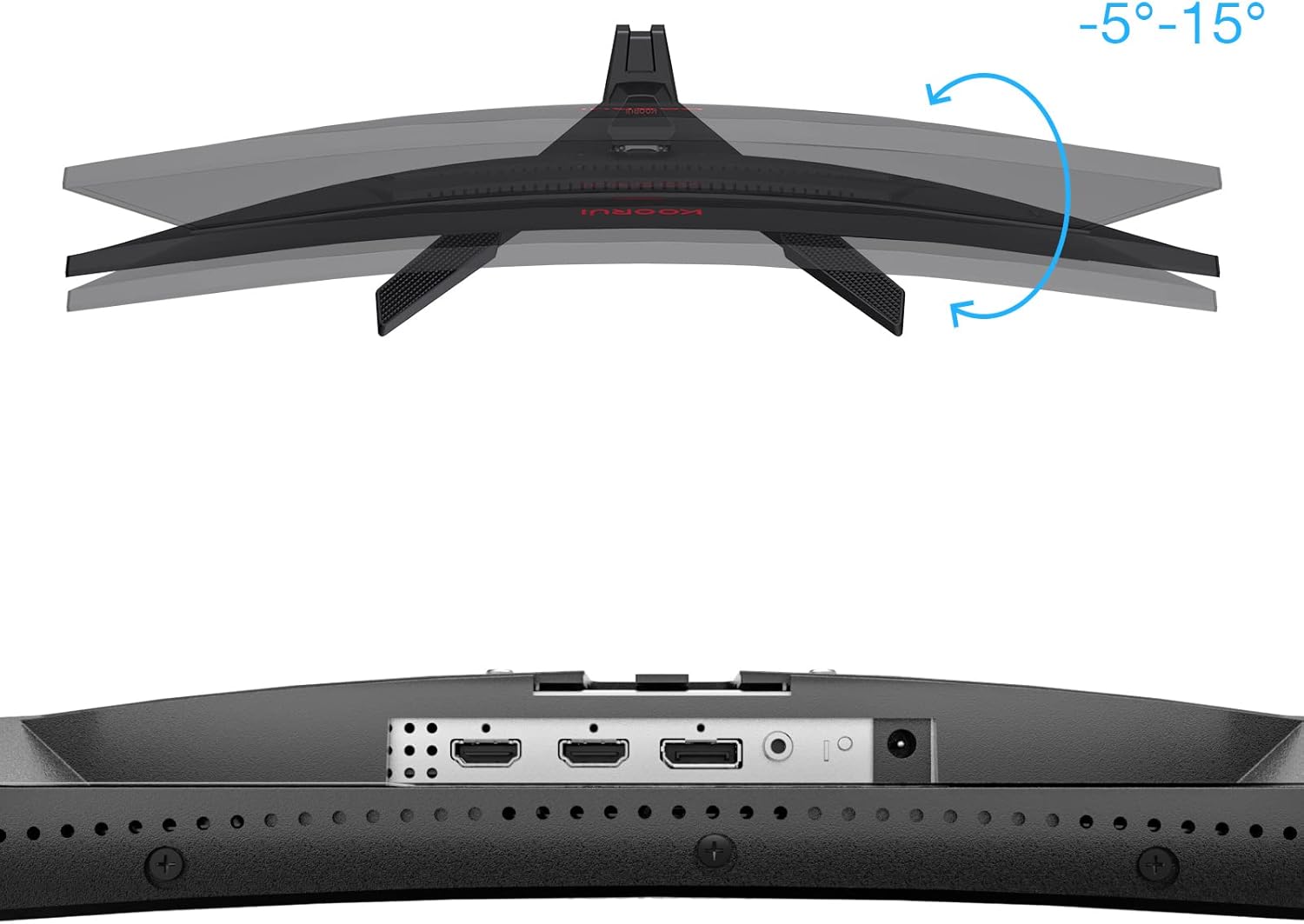
చిత్రం: క్లోజప్ view of the monitor's rear ports, including HDMI and DisplayPort inputs, along with an illustration of the monitor's tilt adjustment range (-5° to 15°).

Image: Diagram illustrating the monitor's compatibility with various devices such as PS5, Xbox, Laptops, and Nintendo Switch via its multiple connection interfaces.
4.3 పవర్ కనెక్షన్
- పవర్ అడాప్టర్ను మానిటర్ పవర్ ఇన్పుట్కు కనెక్ట్ చేయండి.
- Plug the power cable into the power adapter, then plug the other end of the power cable into a wall outlet.
5. ఆపరేటింగ్ సూచనలు
5.1 పవర్ ఆన్/ఆఫ్
- పవర్ ఆన్: Short press the multi-function joystick button located on the back of the monitor.
- పవర్ ఆఫ్: Long press the multi-function joystick button for a few seconds.
5.2 మెనూ నావిగేషన్
The monitor features a single multi-function joystick button for navigating the On-Screen Display (OSD) menu.
- OSD యాక్సెస్: Short press the joystick button when the monitor is on.
- నావిగేట్: Push the joystick left/right/up/down to move through menu options.
- నిర్ధారించండి: Press the joystick button to confirm a selection.
- తిరిగి: Push the joystick up to go back to the previous menu or exit the OSD.

Image: Diagram illustrating the functions of the multi-function joystick button on the rear of the monitor: long press for power off, short press for power on, push left for minus, push right for plus, push up for return, and press for confirm.
5.3 ప్రదర్శన సెట్టింగ్లు
Adjust various display settings through the OSD menu:
- ప్రకాశం/కాంట్రాస్ట్: Adjust image luminance and distinction.
- రంగు సెట్టింగ్లు: రంగు ఉష్ణోగ్రత, గామా మరియు సంతృప్తతను సవరించండి.
- చిత్ర మోడ్: Select from preset modes (e.g., Standard, Game, Movie, Text).
- గేమ్ సెట్టింగ్లు:
- అనుకూల సమకాలీకరణ: Enable this feature to synchronize the monitor's refresh rate with your graphics card, reducing screen tearing and stuttering. Ensure your graphics card supports Adaptive Sync.
- Response Time (Overdrive): Adjust for faster pixel response, reducing ghosting.
- గేమ్ మోడ్లు: Specific modes like RTS, FPS, Reticle, and Timer are available to optimize visuals for different game genres.
- ఇన్పుట్ మూలం: HDMI మరియు DisplayPort ఇన్పుట్ల మధ్య మాన్యువల్గా ఎంచుకోండి.
For optimal gaming performance, ensure your operating system's display settings are configured to the monitor's native resolution (2560x1440) and highest refresh rate (180Hz).
6. నిర్వహణ
సరైన నిర్వహణ మీ మానిటర్ యొక్క దీర్ఘాయువు మరియు పనితీరును నిర్ధారిస్తుంది.
- స్క్రీన్ క్లీనింగ్:
- శుభ్రపరిచే ముందు ఎల్లప్పుడూ మానిటర్ను పవర్ ఆఫ్ చేసి, పవర్ కేబుల్ను అన్ప్లగ్ చేయండి.
- కొద్దిగా మెత్తని, మెత్తని బట్టను ఉపయోగించండి dampనీరు లేదా ప్రత్యేకమైన స్క్రీన్ క్లీనర్తో.
- క్లీనర్ను నేరుగా స్క్రీన్పై పిచికారీ చేయవద్దు.
- రాపిడి క్లీనర్లు, ఆల్కహాల్ లేదా అమ్మోనియా ఆధారిత ద్రావణాలను ఉపయోగించడం మానుకోండి.
- సి ని శుభ్రపరచడంasing: మానిటర్ను తుడవడానికి మృదువైన, పొడి వస్త్రాన్ని ఉపయోగించండి casing.
- వెంటిలేషన్: మానిటర్ యొక్క వెంటిలేషన్ ఓపెనింగ్లు వేడెక్కకుండా నిరోధించడానికి మూసుకుపోకుండా చూసుకోండి.
7. ట్రబుల్షూటింగ్
మీ మానిటర్తో మీకు సమస్యలు ఎదురైతే, ఈ క్రింది సాధారణ ట్రబుల్షూటింగ్ దశలను చూడండి:
7.1 శక్తి లేదు
- పవర్ కేబుల్ మానిటర్ మరియు పవర్ అవుట్లెట్కి సురక్షితంగా కనెక్ట్ చేయబడిందని నిర్ధారించుకోండి.
- మరొక పరికరాన్ని ప్లగ్ చేయడం ద్వారా పవర్ అవుట్లెట్ పనిచేస్తుందని ధృవీకరించండి.
- పవర్ అడాప్టర్ సరిగ్గా కనెక్ట్ చేయబడిందో లేదో తనిఖీ చేయండి.
7.2 సిగ్నల్ లేదు / ఖాళీ స్క్రీన్
- Confirm that the video cable (DP or HDMI) is securely connected to both the monitor and your computer/device.
- మానిటర్ యొక్క OSD మెనూలో సరైన ఇన్పుట్ సోర్స్ ఎంచుకోబడిందని నిర్ధారించుకోండి.
- Check if your computer/device is powered on and not in sleep mode.
- అందుబాటులో ఉంటే వేరే వీడియో కేబుల్ లేదా పోర్ట్ని ప్రయత్నించండి.
7.3 Image Flickering or Tearing
- Enable Adaptive Sync in the monitor's OSD menu and ensure it is enabled in your graphics card settings.
- Verify that your graphics drivers are up to date.
- Check the refresh rate setting in your operating system's display settings. It should be set to 180Hz.
7.4 Ghosting or Motion Blur
- Adjust the "Response Time" or "Overdrive" setting in the OSD menu. Experiment with different levels to find the optimal balance.
- Ensure Adaptive Sync is enabled.
7.5 Incorrect Resolution or Refresh Rate
- Go to your operating system's display settings and set the resolution to 2560x1440 and the refresh rate to 180Hz.
- Ensure you are using a DisplayPort cable or an HDMI cable that supports these specifications.
8. స్పెసిఫికేషన్లు
| ఫీచర్ | స్పెసిఫికేషన్ |
|---|---|
| బ్రాండ్ | కూరుయ్ |
| మోడల్ సంఖ్య | 27E6QCA ద్వారా మరిన్ని |
| స్క్రీన్ పరిమాణం | 27 అంగుళాలు |
| ప్యానెల్ రకం | VA |
| వక్రత | 1500R |
| రిజల్యూషన్ | QHD (2560 x 1440 పిక్సెల్స్) |
| కారక నిష్పత్తి | 16:9 |
| రిఫ్రెష్ రేట్ | 180 Hz |
| ప్రతిస్పందన సమయం | 1 మిల్లీసెకన్ (MPRT) |
| రంగు స్వరసప్తకం | 85% DCI-P3 |
| కాంట్రాస్ట్ రేషియో | 2000:1 |
| కనెక్టివిటీ | HDMI (x1), DisplayPort (x1) |
| టిల్ట్ సర్దుబాటు | -5° నుండి 15° |
| విద్యుత్ వినియోగం | 78 వాట్ |
| కొలతలు (L x W x H) | 61.2 x 45.2 x 18.5 సెం.మీ |
| బరువు | 5.1 కిలోలు |
| ప్రత్యేక లక్షణాలు | Blue Light Filter, Curved, Flicker-Free, Adaptive Sync |

Image: Diagram showing the approximate dimensions of the KOORUI 27E6QCA monitor, including height (40cm), width (50cm), and depth (30cm).
9. వారంటీ మరియు మద్దతు
For warranty information and technical support, please refer to the warranty card included in your product package or visit the official KOORUI webవారంటీ క్లెయిమ్ల కోసం కొనుగోలు రుజువుగా మీ కొనుగోలు రసీదును ఉంచండి.


