1. పరిచయం
ధన్యవాదాలు, ధన్యవాదాలు.asing the OLIGHT Array 2 Pro Headlamp. This manual provides detailed instructions for the safe and effective use of your new headlamp. Please read this manual thoroughly before operation and retain it for future reference.
2. ఉత్పత్తి ముగిసిందిview
2.1 భాగాలు
The OLIGHT Array 2 Pro package includes the following items:
- Array 2 Pro Headlamp x 1
- Charging Cable x 1 (USB-C)
- వినియోగదారు మాన్యువల్ x 1

మూర్తి 2.1: ప్యాకేజీ కంటెంట్లు
2.2 ముఖ్య లక్షణాలు
- Higher Performance: Built-in high efficiency LEDs with a serious output of 1500 lumens, capable of vividly lighting up your immediate vicinity even in total darkness.
- బహుళ కాంతి ఎంపికలు: Offers white LED floodlight, combined floodlight and spotlight, or spotlight modes, as well as a red LED light mode for outstanding versatility.
- Effortless to Operate: Dual control system allows operation via the switch on top of the headlamp or by waving your hand over the sensor area.
- అత్యవసర సిగ్నలింగ్: Features an SOS mode for distress signaling or attracting attention.
- యూజర్ ఫ్రెండ్లీ డిజైన్: Adjustable, sweatproof, and removable headband. 60° tilting mount design for clear visibility.

Figure 2.2: High Performance Headlamp

Figure 2.3: Versatile Lighting Modes
3. సెటప్
3.1 ప్రారంభ ఛార్జింగ్
మొదటిసారి ఉపయోగించే ముందు, హెడ్ల్ను పూర్తిగా ఛార్జ్ చేయండిamp. The Array 2 Pro is equipped with a 3350mAh USB-C rechargeable battery pack.
- Locate the USB-C charging port on the battery pack at the rear of the headlamp.
- Connect the provided USB-C charging cable to the port and plug the other end into a compatible USB power source.
- The red indicator lights on the battery pack will illuminate sequentially to show charging status.
- అన్ని సూచిక లైట్లు ఘనంగా ఉన్నప్పుడు ఛార్జింగ్ పూర్తవుతుంది.

Figure 3.1: Battery Pack and Charging Port
3.2 హెడ్బ్యాండ్ను సర్దుబాటు చేయడం
The adjustable headband ensures a comfortable and secure fit for various head sizes.
- హెడ్ల్ ఉంచండిamp మీ తలపై.
- Adjust the elastic straps using the buckles until the headlamp feels snug but not too tight.
- The headband is sweatproof and removable for cleaning.

Figure 3.2: Tilting Mount Design
4. ఆపరేటింగ్ సూచనలు
4.1 Power Button Control
The single button on top of the headlamp controls all functions.

Figure 4.1: One Button Control
- ఆన్/ఆఫ్ చేయండి: Single click the button to turn the headlamp ఆన్ లేదా ఆఫ్.
- Change Modes (Floodlight, Red Light, Flood+Spotlight): Double-click the button to cycle through the main light modes.
- ప్రకాశాన్ని సర్దుబాటు చేయండి: When a mode is active, press and hold the button to cycle through brightness levels (Low, Medium, High). Release the button at your desired brightness.
- SOS మోడ్: Triple-click the button to activate SOS mode for emergency signaling.
- లాక్అవుట్ ఫంక్షన్: To prevent accidental activation, press and hold the button for approximately 2 seconds until the light briefly flashes, indicating it's locked. Repeat to unlock.
4.2 Smart Motion Sensor Control
The motion sensor allows for hands-free operation, ideal when your hands are occupied.
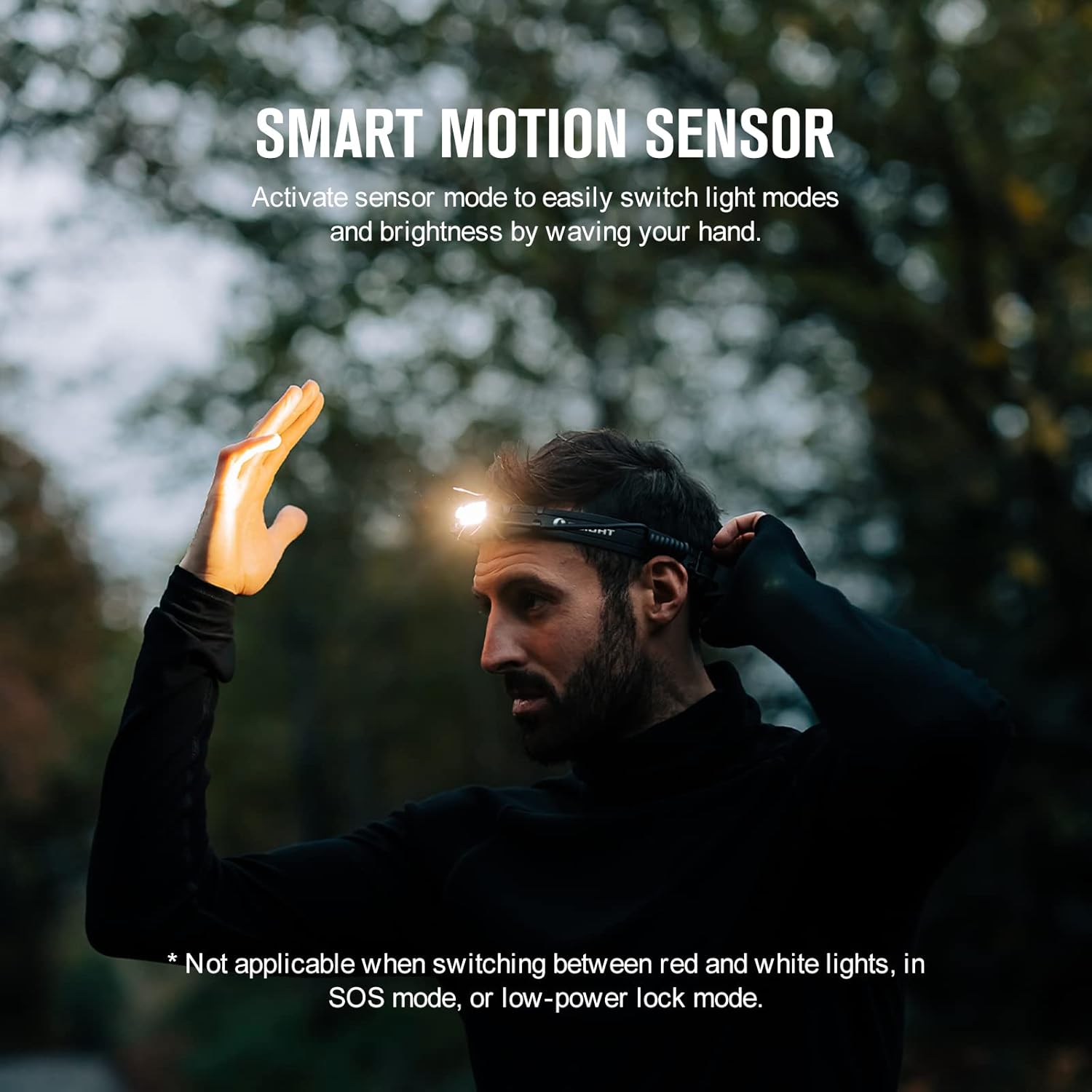
Figure 4.2: Smart Motion Sensor in Use
- సెన్సార్ మోడ్ను సక్రియం చేయండి: శీర్షికను నిర్ధారించుకోండిamp is on. Wave your hand over the sensor area in the front of the headlamp to switch light modes and/or brightness.
- గమనిక: Motion sensor control is not applicable when switching between red and white lights, in SOS mode, or low-power lock mode.
4.3 Light Mode Overview
The following table summarizes the available light modes and their approximate runtimes:

Figure 4.3: Light Mode and Runtime Table
5. నిర్వహణ
- శుభ్రపరచడం: The headband is removable and can be cleaned with mild soap and water. Ensure the headlamp unit is dry before reattaching the headband.
- బ్యాటరీ సంరక్షణ: To prolong battery life, avoid fully discharging the battery frequently. Recharge the headlamp regularly, especially if it will be stored for extended periods.
- నిల్వ: హెడ్ల్ను నిల్వ చేయండిamp ప్రత్యక్ష సూర్యకాంతి మరియు తీవ్రమైన ఉష్ణోగ్రతల నుండి దూరంగా చల్లని, పొడి ప్రదేశంలో.
- నీటి నిరోధకత: హెడ్ల్amp has an IPX4 water resistance rating, meaning it is resistant to splashing water from any direction. Do not submerge the headlamp.
6. ట్రబుల్షూటింగ్
| సమస్య | సాధ్యమైన కారణం | పరిష్కారం |
|---|---|---|
| హెడ్ల్amp ఆన్ చేయదు. | Low battery; Lockout mode activated. | Charge the battery; Press and hold the button for ~2 seconds to unlock. |
| కాంతి అవుట్పుట్ మసకగా లేదా అస్థిరంగా ఉంది. | Low battery; Headlamp వేడెక్కడం. | Recharge the battery; Allow the headlamp to cool down. Reduce brightness if operating in high temperatures. |
| మోషన్ సెన్సార్ స్పందించడం లేదు. | Not in compatible mode (e.g., red light, SOS, lockout); Obstruction of sensor. | హెడ్ల్ నిర్ధారించుకోండిamp is in a white light mode; Clear any obstructions from the sensor area. |
| Battery pack gets hot during prolonged use. | Normal operation at high output levels. | This is expected behavior for high-lumen devices. If discomfort occurs, reduce brightness or take breaks. |
7. స్పెసిఫికేషన్లు
| ఫీచర్ | వివరాలు |
|---|---|
| గరిష్ట అవుట్పుట్ | 1500 ల్యూమెన్స్ |
| గరిష్ట రన్టైమ్ | 27 hours (Low Floodlight Mode) |
| Max Throw | 150 మీటర్లు |
| శక్తి మూలం | Rechargeable Lithium Ion Battery (3350mAh) |
| కాంతి మూలం రకం | LED (White & Red) |
| మెటీరియల్ | అల్యూమినియం |
| నీటి నిరోధక స్థాయి | IPX4 (వాటర్ప్రూఫ్) |
| ఉత్పత్తి కొలతలు | 2.4"డి x 1.22"వా x 0.96"హ |
| వస్తువు బరువు | 4.76 ఔన్సులు |
8. వారంటీ & సపోర్ట్
OLIGHT provides a జీవితకాల వారంటీ for the Array 2 Pro Headlamp, ensuring quality and performance.
For additional support, detailed product information, or to explore other OLIGHT products, please visit the official OLIGHT store:
A digital version of this user manual is also available for download: వినియోగదారు మాన్యువల్ (PDF)


