1. పరిచయం
Thank you for choosing the SCOORNEST A9 Wireless Mini Security Camera. This manual provides essential information for the safe and effective use of your device. Please read it thoroughly before operation and retain it for future reference. This camera is designed for indoor surveillance, offering features such as 1080P video, motion detection, and mobile app connectivity.
2. ఉత్పత్తి ముగిసిందిview
2.1 ప్యాకేజీ విషయాలు
మీ ప్యాకేజీలో అన్ని అంశాలు ఉన్నాయని ధృవీకరించండి:
- 1 x SCOORNEST A9 Mini Camera
- 1 x మాగ్నెటిక్ బ్రాకెట్
- 1 x USB ఛార్జింగ్ కేబుల్
- 1 x వినియోగదారు మాన్యువల్

Image: The package includes one mini camera, one magnetic bracket, and one USB charging cable.
2.2 Camera Components and Features
The SCOORNEST A9 camera is a compact device with essential features for home security.

Image: The SCOORNEST A9 Mini Camera shown next to a smartphone displaying its live video feed.
ముఖ్య లక్షణాలు ఉన్నాయి:
- 1080P పూర్తి HD వీడియో: Provides clear and smooth video recording.
- చలన గుర్తింపు: Automatically detects movement and can trigger recording or alerts.
- వైఫై కనెక్టివిటీ: Connects to your 2.4GHz Wi-Fi network for remote viewing.
- Wireless Battery Operated: Allows flexible placement without constant power connection.
- రాత్రి దృష్టి: Enables monitoring in low-light conditions.
- లూప్ రికార్డింగ్: Supports Micro SD card storage up to 128GB (not included).

Image: Visual representation of the camera's main features: 1080P resolution, motion detection, WiFi connectivity, and wireless battery operation.
3. సెటప్ గైడ్
Follow these steps to set up your SCOORNEST A9 camera:
3.1 Download the Mobile App
- Scan the QR code provided in the quick start guide or search for "HDwifCamPro" in the Apple App Store (for iOS devices) or Google Play Store (for Android devices).
- మీ స్మార్ట్ఫోన్లో యాప్ను డౌన్లోడ్ చేసి, ఇన్స్టాల్ చేయండి.
3.2 Connect the Camera to Your Phone
- Ensure the camera is charged or connected to a power source using the USB cable.
- Power on the camera using the 'ON/OFF' button.
- Open the HDwifCamPro app and follow the on-screen instructions to add a new device. This typically involves connecting to the camera's direct Wi-Fi hotspot (usually starting with 'IPC-' or similar) in your phone's Wi-Fi settings, then returning to the app.
3.3 Connect to Home Wi-Fi
- Once connected to the camera's hotspot, the app will prompt you to connect the camera to your home 2.4GHz Wi-Fi network.
- Select your Wi-Fi network from the list and enter the password.
- The camera will then connect to your home Wi-Fi, allowing you to view live video remotely from anywhere.

Image: A visual guide illustrating the three-step process for connecting the camera: downloading the HDwifCamPro app, connecting the camera directly to the phone, and then connecting the camera to a 2.4GHz WiFi network for remote access.
4. ఆపరేటింగ్ సూచనలు
4.1 పవర్ ఆన్/ఆఫ్
Press and hold the 'ON/OFF' button to power the camera on or off. An indicator light will confirm the status.
4.2 ప్రత్యక్ష ప్రసారం View
Once the camera is connected to your Wi-Fi network, open the HDwifCamPro app to access the live video feed. You can monitor your space in real-time.

Image: A smartphone screen showing a clear and smooth 1080P resolution video feed of a modern living room, demonstrating the camera's video quality.
4.3 మోషన్ డిటెక్షన్
Enable motion detection in the app settings. When motion is detected, the camera can automatically start recording and send push notifications to your phone.

Image: A scene depicting motion detection, where a person is shown in a room, and a red alarm icon signifies that motion has been captured by the camera.
౪.౧.౧౦ నైట్ విజన్
The camera is equipped with night vision capabilities for monitoring in low-light or dark environments. This feature typically activates automatically or can be toggled in the app.

Image: A split image demonstrating the camera's day and night vision capabilities, showing a child sleeping in color during the day and in black and white with night vision enabled.
4.5 రికార్డింగ్ మరియు నిల్వ
Insert a Micro SD card (up to 128GB, not included) into the camera's slot for local storage. The camera supports loop recording, overwriting the oldest footagకార్డు నిండినప్పుడు.
4.6 Flexible Placement
The camera's wireless and compact design, along with the magnetic bracket, allows for versatile placement in various indoor settings.
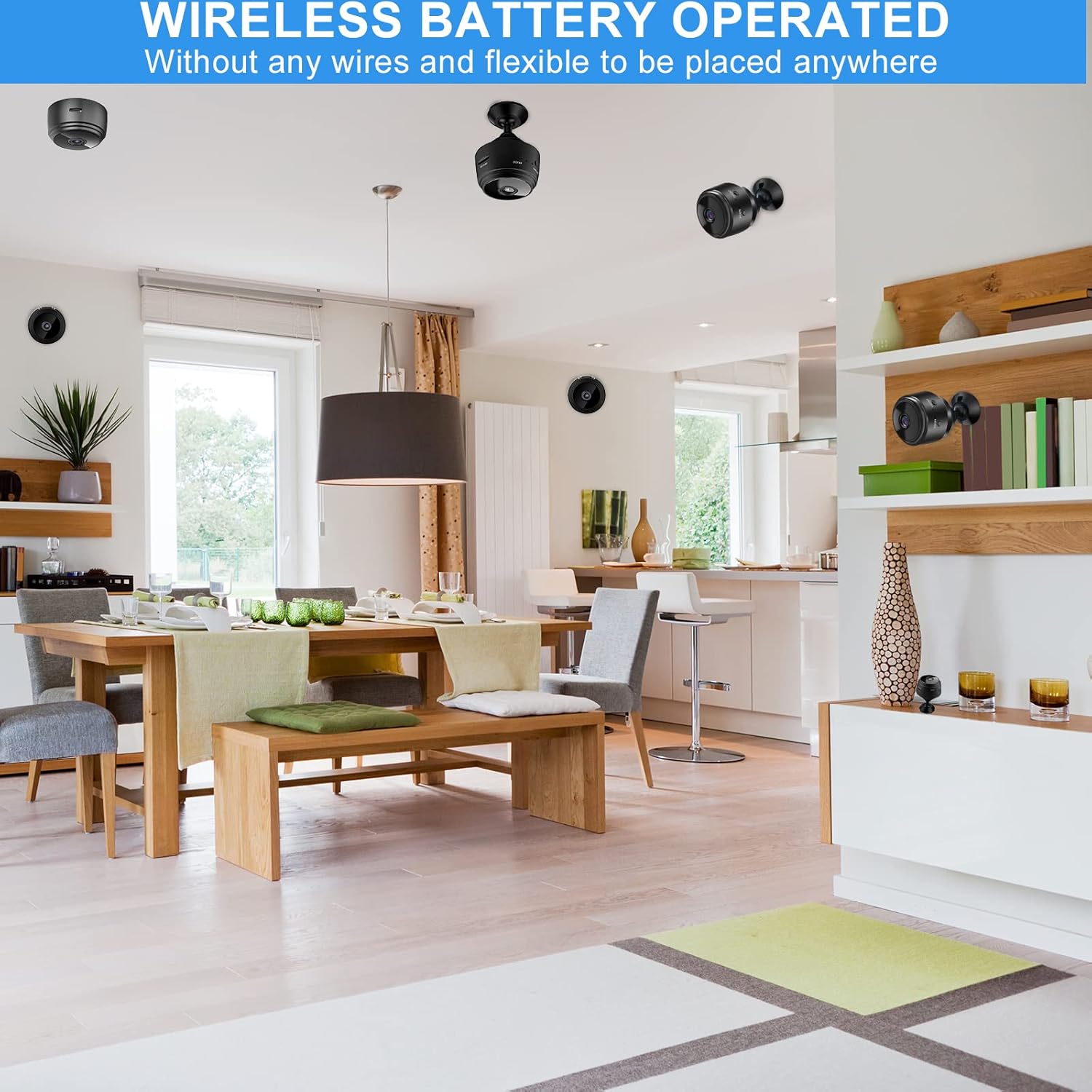
Image: Several mini cameras are shown discreetly placed in different areas of a home, highlighting their wireless and battery-operated nature for flexible installation.
4.7 Multi-Scenario Use
The SCOORNEST A9 camera is suitable for various indoor monitoring needs, including:
- గృహ భద్రత: Monitor entryways, living areas, or valuables.
- బేబీ మానిటరింగ్: Keep an eye on infants in their nursery.
- పెంపుడు జంతువుల పర్యవేక్షణ: Observe pets while away from home.
- వృద్ధుల సంరక్షణ: Provide surveillance for elderly family members.
- Office Security: Monitor small office spaces.

Image: A collage demonstrating the camera's versatility across multiple scenarios, including home, baby, car, pet, elderly care, and office environments.
5. నిర్వహణ
5.1 శుభ్రపరచడం
To clean the camera, gently wipe the lens and body with a soft, dry cloth. Avoid using harsh chemicals or abrasive materials that could damage the device.
5.2 బ్యాటరీ ఛార్జింగ్
Charge the camera using the provided USB cable and a standard 5V USB power adapter. A full charge typically takes a few hours. The indicator light will change to show charging status.
5.3 నిల్వ
ఎక్కువసేపు ఉపయోగంలో లేనప్పుడు, కెమెరాను చల్లని, పొడి ప్రదేశంలో నిల్వ చేయండి. బ్యాటరీ ఆరోగ్యాన్ని కాపాడుకోవడానికి పాక్షికంగా ఛార్జ్ చేయబడిందని నిర్ధారించుకోండి.
6. ట్రబుల్షూటింగ్
If you encounter issues with your SCOORNEST A9 camera, please refer to the following common problems and solutions:
- కెమెరా Wi-Fi కి కనెక్ట్ కావడం లేదు: Ensure your Wi-Fi network is 2.4GHz. Check the Wi-Fi password for accuracy. Restart both the camera and your router.
- No live video feed: Verify the camera is powered on and connected to your Wi-Fi. Check your phone's internet connection.
- మోషన్ డిటెక్షన్ పనిచేయడం లేదు: Ensure motion detection is enabled in the app settings. Check the sensitivity level.
- వీడియో నాణ్యత బాగాలేదు: Ensure the camera lens is clean. Check your Wi-Fi signal strength; a weak signal can affect video streaming quality.
- Battery life is short: Battery life can vary based on usage (e.g., continuous recording, frequent motion detection). Ensure the camera is fully charged before use. For continuous operation, keep it plugged into a power source.
సమస్యలు కొనసాగితే, దయచేసి సహాయం కోసం కస్టమర్ మద్దతును సంప్రదించండి.
7. స్పెసిఫికేషన్లు
| ఫీచర్ | స్పెసిఫికేషన్ |
|---|---|
| మోడల్ సంఖ్య | A9 |
| కొలతలు (L x W x H) | 1.69 x 1.69 x 0.87 అంగుళాలు |
| వస్తువు బరువు | 2.39 ఔన్సులు |
| వీడియో రిజల్యూషన్ | 1080P (2 MP) |
| ఫ్రేమ్ రేట్ | 30 fps |
| కనెక్టివిటీ | వైర్లెస్ (2.4GHz వైఫై) |
| శక్తి మూలం | బ్యాటరీ పవర్డ్ (300mAh) |
| ఇండోర్/అవుట్డోర్ వినియోగం | ఇండోర్ |
| నీటి నిరోధక స్థాయి | వాటర్ రెసిస్టెంట్ కాదు |
| నిల్వ | Supports Micro SD Card up to 128GB (not included) |
| కంట్రోలర్ రకం | Android (compatible with iOS via app) |
8. వారంటీ మరియు మద్దతు
SCOORNEST is committed to providing reliable products and customer satisfaction. This product comes with a ఒక సంవత్సరం వారంటీ from the date of purchase and lifetime after-sales service.
If you encounter any issues or have questions regarding your SCOORNEST A9 camera, please contact our customer support team. We aim to respond and resolve your concerns within 24 hours.
For support, please refer to the contact information provided with your purchase or on the official SCOORNEST webసైట్.


