పరిచయం
Thank you for choosing the OttLite Wellness Series Capture Clip-On LED Ring Light. This versatile lighting solution is designed to provide optimal illumination for various tasks, including computer work, reading, and content creation. Featuring OttLite's exclusive ClearSun LED technology, this light aims to reduce eyestrain and enhance color accuracy. This manual provides essential information for the safe and effective use of your new light.
ముఖ్యమైన భద్రతా సమాచారం
- Read all instructions before using this product to prevent injury or damage.
- Do not operate the light with a damaged cord or plug. If the light malfunctions, discontinue use immediately.
- This light is for indoor use only. Do not expose to water or high humidity.
- Do not attempt to disassemble or modify the light. There are no user-serviceable parts inside.
- Keep the light away from heat sources and direct sunlight to prevent overheating.
- Always unplug the light from the power source before cleaning or when not in use.
- Avoid looking directly into the LED light source for extended periods, as it may cause eye discomfort.
ప్యాకేజీ విషయాలు
- OttLite Wellness Series Capture Clip-On LED Ring Light
- USB పవర్ కేబుల్
Note: A USB power adapter is not included and must be supplied by the user.
సెటప్
- లైట్ని అన్ప్యాక్ చేయండి: ప్యాకేజింగ్ నుండి అన్ని భాగాలను జాగ్రత్తగా తొలగించండి.
- క్లిప్ను అటాచ్ చేయండి: Securely attach the spring-loaded clip to a stable surface such as a desk, shelf, or table edge. Ensure the clip has a firm grip to prevent the light from falling.
- పవర్ కనెక్ట్ చేయండి: Insert the small end of the USB power cable into the port on the light's base. Plug the larger end of the USB cable into a compatible USB power adapter (not included) or a computer's USB port.
- Activate Power Switch: Locate the small sliding switch near the USB port on the light's base. Slide it to the 'ON' position. The light will not operate if this switch is in the 'OFF' position, even when plugged in.
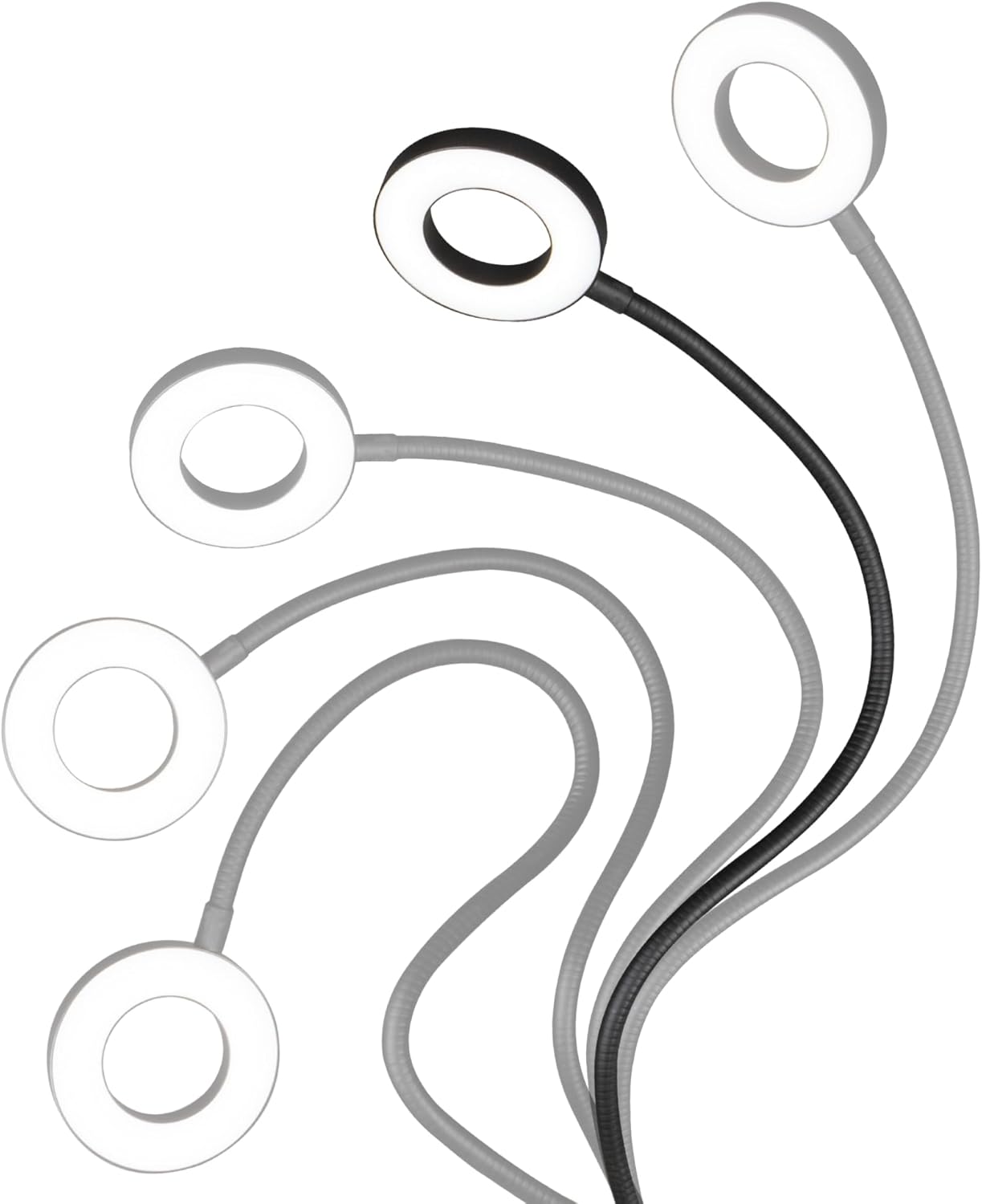
- కాంతిని ఉంచండి: Adjust the flexible gooseneck to direct the ring light to your desired position and height. The 21.25-inch flexible neck allows for precise light placement.

ఆపరేటింగ్ సూచనలు
The OttLite Capture Clip-On LED Ring Light features inline cord controls for easy adjustment of power, brightness, and color temperature.

- పవర్ ఆన్/ఆఫ్: నొక్కండి ఆన్/ఆఫ్ button (red power symbol) on the cord controls to turn the light on or off.
- ప్రకాశాన్ని సర్దుబాటు చేయండి: ఉపయోగించండి + మరియు - buttons to increase or decrease the brightness level. There are 10 levels of brightness available.
- రంగు మోడ్ని మార్చండి: నొక్కండి మోడ్ button (circular arrow symbol) to cycle through the three available color temperature modes: Warm White, Bright White, and Natural Daylight.


నిర్వహణ
- శుభ్రపరచడం: Ensure the light is unplugged before cleaning. Use a soft, dry cloth to wipe down the light and its components. Do not use abrasive cleaners, solvents, or harsh chemicals, as these can damage the finish or electrical components.
- నిల్వ: ఎక్కువసేపు ఉపయోగంలో లేనప్పుడు, లైట్ను చల్లని, పొడి ప్రదేశంలో, ప్రత్యక్ష సూర్యకాంతి మరియు తీవ్రమైన ఉష్ణోగ్రతలకు దూరంగా నిల్వ చేయండి.
- LED లు: The LED bulbs are integrated and not replaceable. They are designed for long-lasting performance.
ట్రబుల్షూటింగ్
| సమస్య | సాధ్యమైన కారణం | పరిష్కారం |
|---|---|---|
| లైట్ ఆన్ చేయదు. | 1. Power cable not securely connected. 2. USB power adapter not functioning. 3. Side power switch is OFF. | 1. Ensure USB cable is firmly plugged into both the light and the power source. 2. Try a different USB power adapter or USB port. 3. Locate the small sliding switch near the USB port on the light's base and ensure it is in the 'ON' position. |
| కాంతి మసకగా లేదా మిణుకుమిణుకుమంటుంది. | 1. Low power supply. 2. బ్రైట్నెస్ సెట్టింగ్ చాలా తక్కువగా ఉంది. | 1. Ensure the USB power source provides sufficient power. Try a different USB adapter. 2. Press the '+' button on the inline cord controls to increase brightness. |
| Cannot change color mode or brightness. | Inline controls are unresponsive. | Ensure the light is powered on and the side power switch is in the 'ON' position. If issues persist, unplug and re-plug the light to reset. |
స్పెసిఫికేషన్లు
- మోడల్: CSJ36G5W
- శక్తి మూలం: USB (Adapter not included)
- కాంతి రకం: LED
- రంగు ఉష్ణోగ్రత మోడ్లు: 3 (Warm White, Bright White, Natural Daylight)
- ప్రకాశం స్థాయిలు: 10
- Flexible Neck Length: సుమారు 21.25 అంగుళాలు
- రింగ్ లైట్ వ్యాసం: సుమారు 4.3 అంగుళాలు
- కలర్ రెండరింగ్ ఇండెక్స్ (CRI): 95+
- ఉత్పత్తి కొలతలు: 4.5 x 4.5 x 25 అంగుళాలు (అసెంబుల్ చేయబడింది)
- వస్తువు బరువు: 11.2 ఔన్సులు
- మెటీరియల్: మెటల్
వారంటీ మరియు మద్దతు
For warranty information and customer support, please refer to the documentation included with your purchase or visit the official OttLite webసైట్. ఏవైనా వారంటీ క్లెయిమ్ల కోసం మీ కొనుగోలు రుజువును ఉంచుకోండి.


