1. పరిచయం
Thank you for choosing the Benss BRBD06 Digital Radio. This portable multi-band receiver is designed to provide clear reception of FM, AM, and Shortwave (SW) broadcasts, featuring a digital display, alarm clock, and sleep timer functions. Its compact size and battery operation make it ideal for both indoor and outdoor use. Please read this manual thoroughly before operating the device to ensure proper use and to maximize its performance.
2 కీ ఫీచర్లు
- మల్టీ-బ్యాండ్ రిసెప్షన్: Supports FM (87-108MHz), AM (522-1620KHz), and Shortwave (3.00-21.85MHz) bands for a wide range of listening options.
- అధునాతన DSP చిప్: Ensures stable signal reception and effective noise filtering for clear audio.
- డిజిటల్ LCD డిస్ప్లే: Clear screen with backlight for easy viewing of frequency, time, and other settings.
- అలారం గడియారం ఫంక్షన్: Set an alarm to wake up to your favorite radio station.
- స్లీప్ టైమర్: Program the radio to automatically turn off after 10-90 minutes, perfect for falling asleep to music or talk radio.
- బ్యాటరీ ఆపరేటింగ్: Powered by 2 AA batteries (not included) for portability and emergency use.
- 3.5mm హెడ్ఫోన్ జాక్: ప్రైవేట్ వినడం కోసం.
- కాంపాక్ట్ మరియు పోర్టబుల్: Pocket-sized design (12.5 x 7 x 2 cm) for easy carrying.
- లాక్ ఫంక్షన్: ప్రమాదవశాత్తు బటన్ ప్రెస్లను నిరోధిస్తుంది.

చిత్రం: పైగాview of key features including AM/FM/SW radio, DSP, Sleep Timer, 3.5mm Earphone Jack, Alarm, and 2*AA Battery operation. The image also highlights the 360-degree rotatable antenna.
3. ఉత్పత్తి ముగిసిందిview
3.1. భాగాలు మరియు నియంత్రణలు

చిత్రం: ముందు భాగం view of the Benss BRBD06 Digital Radio, showing the speaker grille, LCD display, control buttons (Power, Band, Volume Up/Down, Scan/Sleep, M+/M-), and the extended telescopic antenna.

చిత్రం: వెనుక view of the Benss BRBD06 Digital Radio, highlighting the battery compartment cover and product information label.

చిత్రం: వైపు view of the Benss BRBD06 Digital Radio, showing the 3.5mm headphone jack and the DC 3V power input port.
3.2. కొలతలు
The Benss BRBD06 radio is designed for portability. Its approximate dimensions are:
- పొడవు: 12.5 సెం.మీ (4.9 అంగుళాలు)
- వెడల్పు: 7 సెం.మీ (2.8 అంగుళాలు)
- ఎత్తు: 2 సెం.మీ (0.8 అంగుళాలు)
- బరువు: 142 గ్రా (0.31 పౌండ్లు)

Image: The Benss BRBD06 radio shown with its dimensions: 12.2cm length, 7.3cm width, and 3cm height, illustrating its portable size.
4. సెటప్
4.1. బ్యాటరీ ఇన్స్టాలేషన్
The Benss BRBD06 radio operates on two (2) AA batteries (not included). For optimal performance and longevity, use high-quality alkaline batteries.
- రేడియో వెనుక బ్యాటరీ కంపార్ట్మెంట్ను గుర్తించండి.
- బ్యాటరీ కంపార్ట్మెంట్ కవర్ను తెరవడానికి దాన్ని క్రిందికి జారండి.
- కంపార్ట్మెంట్ లోపల సూచించిన విధంగా సరైన ధ్రువణత (+ మరియు -) ఉండేలా చూసుకోవడానికి రెండు AA బ్యాటరీలను చొప్పించండి.
- బ్యాటరీ కంపార్ట్మెంట్ కవర్ సురక్షితంగా క్లిక్ అయ్యే వరకు దాన్ని తిరిగి స్థానంలోకి జారడం ద్వారా దాన్ని మూసివేయండి.
గమనిక: Remove batteries if the radio will not be used for an extended period to prevent leakage and damage.

Image: A visual guide demonstrating the process of opening the battery compartment and inserting two AA batteries into the Benss BRBD06 radio.
5. ఆపరేటింగ్ సూచనలు
5.1. పవర్ ఆన్/ఆఫ్
నొక్కండి పవర్ బటన్ () located on the top right of the radio to turn it on or off.
5.2. Band Selection (FM/AM/SW)
నొక్కండి బ్యాండ్ బటన్ on the right side of the radio to cycle through FM, AM, and SW (Shortwave) bands.
- FM: 87-108 MHz
- AM: 522-1620 KHz
- SW: 3.00-21.85 MHz

Image: Illustration of the radio receiving signals across SW, FM, and AM bands.
5.3. Tuning Stations
There are two primary methods for tuning stations:
- మాన్యువల్ ట్యూనింగ్: ఉపయోగించండి V+ మరియు V- buttons to manually adjust the frequency up or down.
- Automatic Scan (One-Click Search): లాంగ్ ప్రెస్ ది స్కాన్ బటన్ for 3 seconds. The radio will automatically scan and save available stations.

Image: A visual guide demonstrating how to use the "SCAN" button for automatic station search.
5.4. వాల్యూమ్ సర్దుబాటు
ఉపయోగించండి M+ మరియు M- వాల్యూమ్ స్థాయిని పెంచడానికి లేదా తగ్గించడానికి బటన్లు.

Image: An illustration emphasizing the powerful volume capability of the radio.
5.5. Setting the Clock and Alarm
The radio features a 12H/24H time display with an LCD backlight.
- Refer to the specific instructions in the included quick start guide for detailed steps on setting the time and alarm, as button combinations may vary.
- To set the alarm, ensure the radio is off. Press and hold the అలారం బటన్ (if present, or a combination of buttons as per guide) to enter alarm setting mode.
- ఉపయోగించండి V+ మరియు V- గంట మరియు నిమిషాన్ని సర్దుబాటు చేయడానికి బటన్లు.
- నొక్కండి అలారం బటన్ మళ్లీ నిర్ధారించడానికి మరియు నిష్క్రమించడానికి.

Image: The radio's LCD screen displaying both 12-hour and 24-hour time formats, highlighting the optional clock display with backlight.
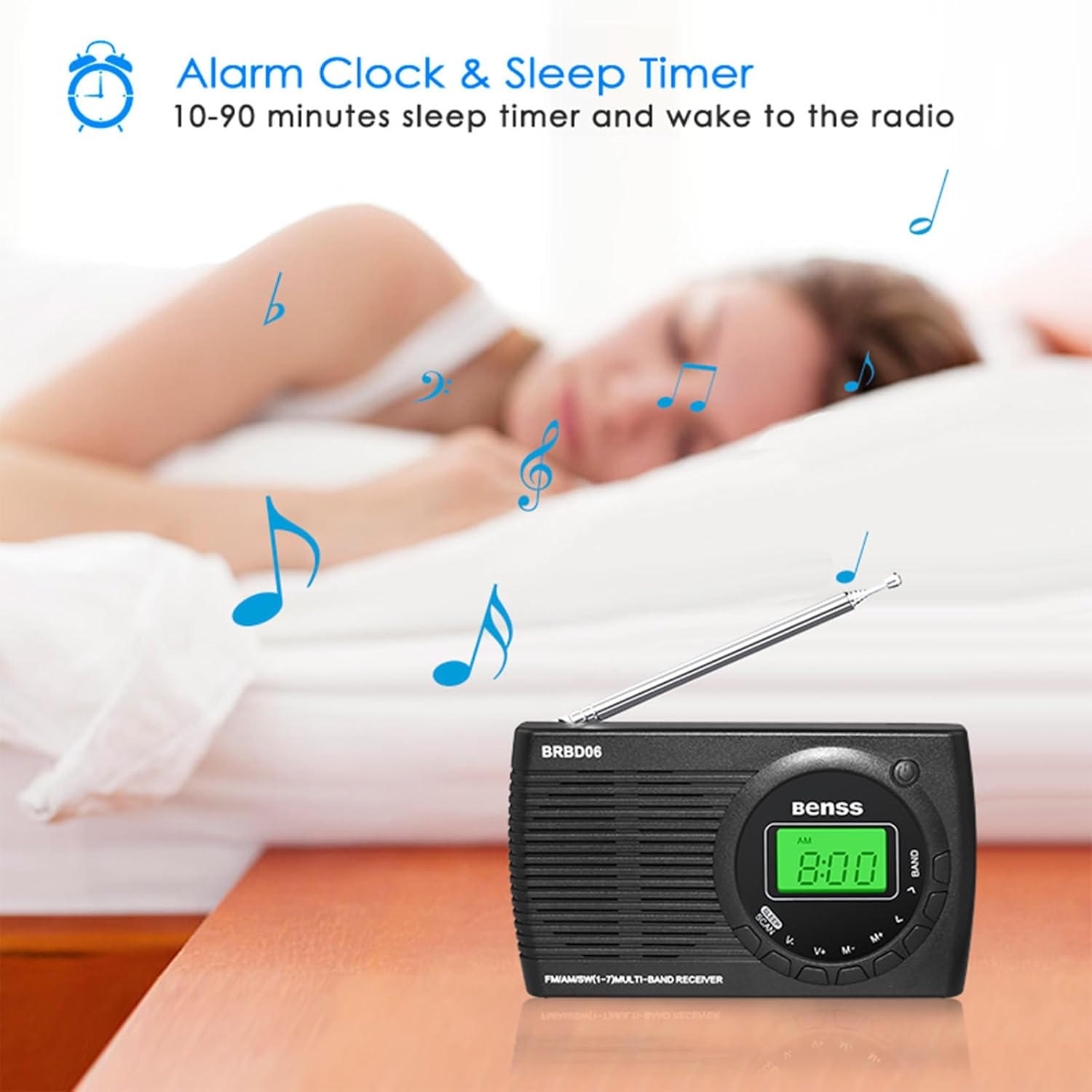
Image: The Benss BRBD06 radio on a bedside table, illustrating its alarm clock and sleep timer capabilities, allowing users to fall asleep or wake up to radio.
5.6. స్లీప్ టైమర్ ఫంక్షన్
The sleep timer allows the radio to automatically turn off after a set period (10-90 minutes).
- While the radio is on, short press the స్లీప్ బటన్ (often combined with SCAN).
- Each press will cycle through available sleep timer durations (e.g., 10, 20, 30, ..., 90 minutes).
- Select your desired duration. The radio will automatically turn off after this time.

Image: An illustration depicting the sleep timer function, showing the radio on a bedside table with a person sleeping in the background.
5.7. లాక్ ఫంక్షన్
To prevent accidental operation, the radio features a lock function. Refer to your quick start guide for the specific button combination to activate/deactivate the lock. Typically, it involves a long press of a designated button or a combination of buttons.
5.8. హెడ్ఫోన్లను ఉపయోగించడం
Connect any standard 3.5mm stereo headphones to the headphone jack located on the side of the radio for private listening. The internal speaker will automatically mute when headphones are connected.

Image: An illustration showing a person using headphones connected to the Benss BRBD06 radio via its 3.5mm headphone jack.
6. నిర్వహణ
- శుభ్రపరచడం: Wipe the radio with a soft, dry cloth. Do not use liquid cleaners or abrasive chemicals.
- నిల్వ: When not in use for extended periods, remove the batteries and store the radio in a cool, dry place away from direct sunlight and extreme temperatures.
- యాంటెన్నా సంరక్షణ: Handle the telescopic antenna gently. Avoid bending or forcing it, as this can cause damage.
- నీటి బహిర్గతం: This radio is not waterproof. Avoid exposure to water, rain, or high humidity.
7. ట్రబుల్షూటింగ్
| సమస్య | సాధ్యమైన కారణం | పరిష్కారం |
|---|---|---|
| రేడియో ఆన్ అవ్వదు. |
|
|
| పేలవమైన రిసెప్షన్/స్టాటిక్. |
|
|
| డిస్ప్లే మసకగా లేదా ఖాళీగా ఉంది. |
|
|
| అలారం మోగడం లేదు. |
|
|
8. స్పెసిఫికేషన్లు
| మోడల్ సంఖ్య | BRBD06 |
| బ్రాండ్ | బెన్స్ |
| ఉత్పత్తి కొలతలు | 12.5 x 7 x 2 సెం.మీ |
| బరువు | 142 గ్రా |
| శక్తి మూలం | 2 x AA బ్యాటరీలు (చేర్చబడలేదు) |
| ట్యూనర్ టెక్నాలజీ | DSP |
| రేడియో బ్యాండ్లకు మద్దతు ఉంది | FM (87-108MHz), AM (522-1620KHz), SW (3.00-21.85MHz) |
| కనెక్టివిటీ టెక్నాలజీ | Wi-Fi (Note: This refers to internal chip, not Wi-Fi radio functionality) |
| ప్రత్యేక ఫీచర్ | Portable, Alarm Clock, Sleep Timer, Headphone Jack |
| చేర్చబడిన భాగాలు | Radio unit, Stereo Headphones (as per product data) |
9. వారంటీ మరియు మద్దతు
Benss products are manufactured with quality and performance in mind. For information regarding warranty coverage, technical support, or service inquiries, please refer to the warranty card included with your product or visit the official Benss webసైట్. ఏవైనా వారంటీ క్లెయిమ్లకు కొనుగోలు రుజువుగా మీ కొనుగోలు రసీదును ఉంచండి.
మరింత సహాయం కోసం, మీరు ఉత్పత్తిని కొనుగోలు చేసిన రిటైలర్ను కూడా సంప్రదించవచ్చు.
