పరిచయం
The Amazon Echo Show 8 (3rd Gen) is a smart display designed to enhance your daily life with its HD touchscreen, spatial audio, and integrated smart home hub. This manual provides essential information for setting up, operating, maintaining, and troubleshooting your device.
ముఖ్య లక్షణాలు ఉన్నాయి:
- Immersive entertainment with spatial audio and an 8" HD touchscreen.
- Enhanced video calling with a 13 MP camera and noise reduction.
- Built-in smart home hub supporting Zigbee, Matter, and Thread.
- Adaptive Content for glanceable information and personalized experiences.
- Amazon Photos integration for a digital photo frame.
సెటప్
ఏమి చేర్చబడింది
- Echo Show 8 device
- Power adapter (30W) with cable (4.9 ft.)
- త్వరిత ప్రారంభ గైడ్
సిస్టమ్ అవసరాలు
The Echo Show 8 requires a WiFi connection. The Alexa app is compatible with Fire OS, Android, and iOS devices, and is also accessible via a web browser. Certain skills and services may require subscriptions or additional fees.
ప్రారంభ సెటప్
- Connect the power adapter to your Echo Show 8 and plug it into a power outlet.
- Follow the on-screen instructions to connect to your WiFi network.
- Log in with your Amazon account.
- Complete the setup process, including language selection and personal preferences.
The device supports Amazon WiFi simple setup for easy connection to your network.
Operating Your Echo Show 8
అలెక్సాతో వాయిస్ కంట్రోల్
Your Echo Show 8 is primarily controlled using your voice with Alexa. Simply say "Alexa" followed by your command or question. Alexa speaks English and Spanish.

మూర్తి 1: The Echo Show 8 displaying a music interface, indicating voice control capabilities. Users can control music, shows, and other functions using voice commands.
Entertainment and Media
Enjoy content from Prime Video, Netflix, Fire TV Channels, Amazon Music, Apple Music, and Spotify on the 8" HD display with spatial audio. Say "Alexa, play [content]" or "Alexa, stream [music service]."

మూర్తి 2: The Echo Show 8 showcasing a music playlist, highlighting its compatibility with various streaming services like Amazon Music, Spotify, Apple Music, Prime Video, Netflix, and Fire TV Channels.
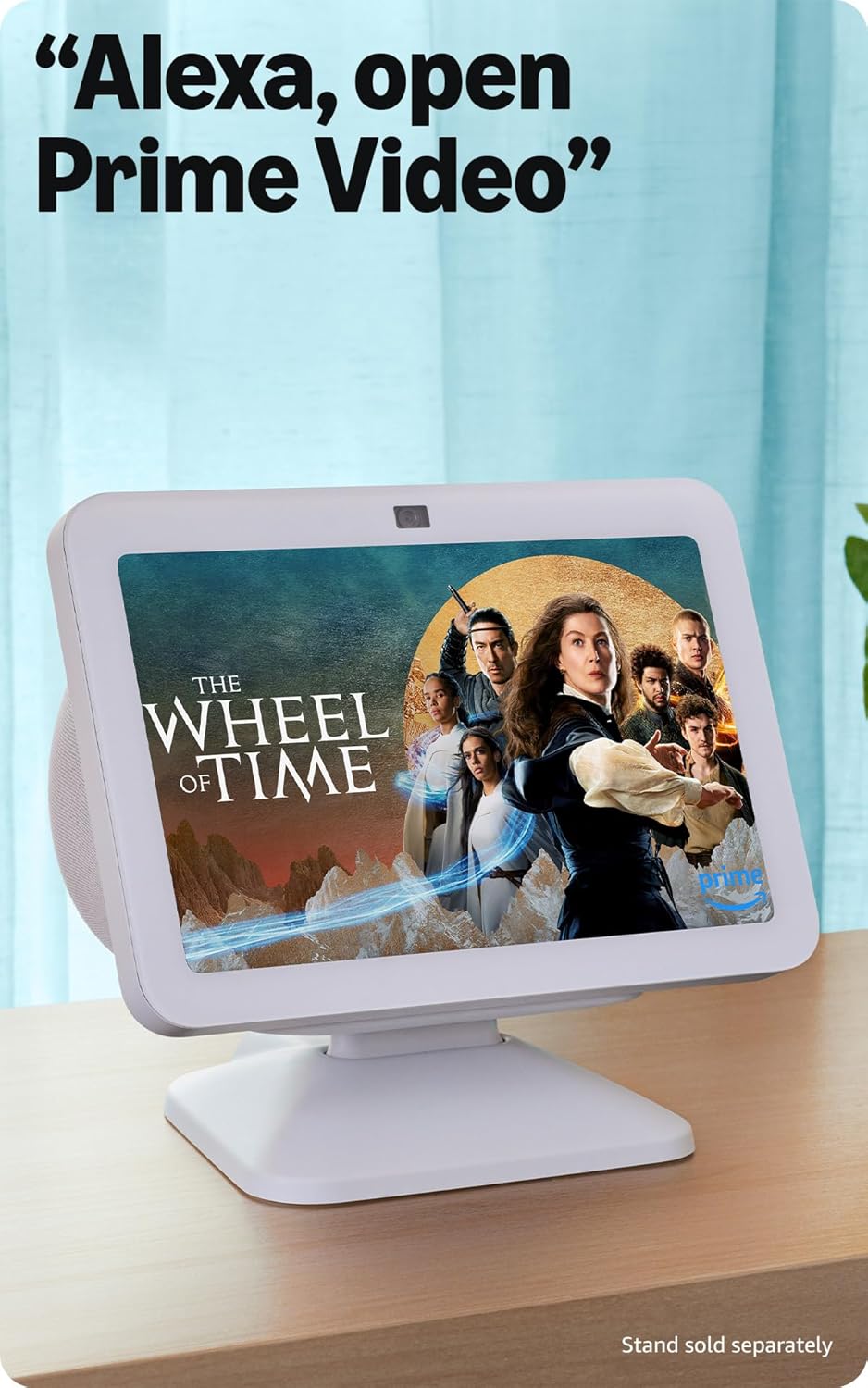
మూర్తి 3: The Echo Show 8 displaying a video from Prime Video, demonstrating its capability to stream content from various platforms.
స్మార్ట్ హోమ్ కంట్రోల్
The Echo Show 8 features a built-in smart home hub compatible with Zigbee, Matter, and Thread devices. You can pair and control smart cameras, lights, thermostats, and more using the display or your voice. Activate routines via motion detection.

మూర్తి 4: The Echo Show 8 showing a smart home control interface, allowing users to manage connected devices like thermostats and lights directly from the screen.
Video Calling and Communication
Make hands-free video calls using your voice. The 13 MP camera features auto-framing and noise reduction for clearer conversations. Use the Top Connections widget for quick calls.
ఫోటో ప్రదర్శన
Turn your Echo Show 8 into a digital photo frame with Amazon Photos. Adaptive color technology ensures your photos look great in any lighting condition. You can also invite family and friends to share photos to your device.
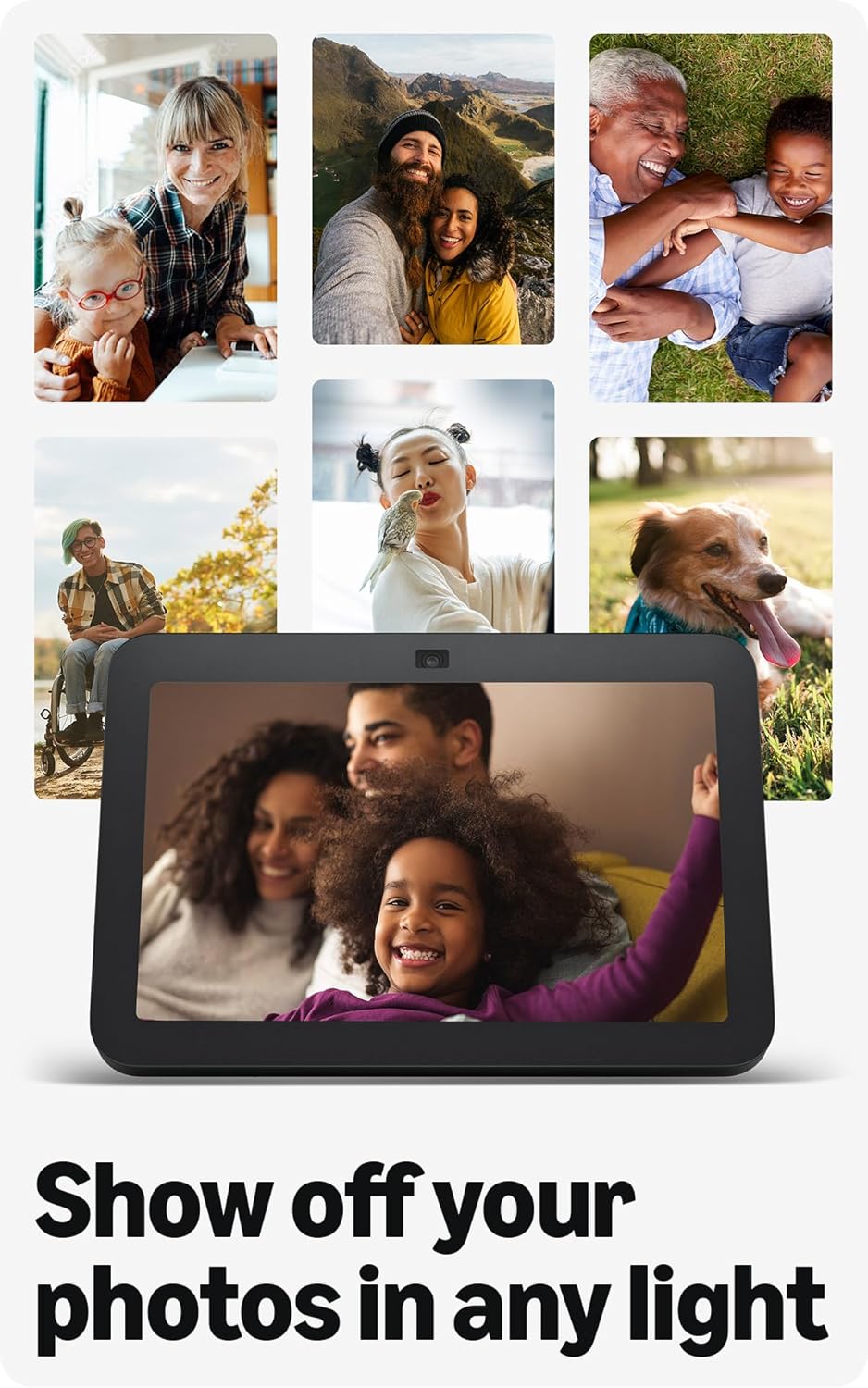
మూర్తి 5: The Echo Show 8 displaying a collection of personal photos, demonstrating its use as a digital photo frame with adaptive color technology.
అనుకూల కంటెంట్
Adaptive Content allows you to view glanceable information like calendars or reminders from a distance, and more detailed content when you are closer to the device. Shortcut icons on the home screen provide quick access to frequently used widgets.
నిర్వహణ
To ensure optimal performance and longevity of your Echo Show 8:
- శుభ్రపరచడం: Use a soft, lint-free cloth to clean the screen and device exterior. Avoid abrasive cleaners or sprays.
- ప్లేస్మెంట్: పరికరాన్ని ప్రత్యక్ష సూర్యకాంతి, ఉష్ణ వనరులు మరియు తేమ నుండి దూరంగా స్థిరమైన, చదునైన ఉపరితలంపై ఉంచండి.
- సాఫ్ట్వేర్ అప్డేట్లు: Ensure your device receives regular software security updates. These are typically automatic when connected to Wi-Fi.
ట్రబుల్షూటింగ్
If you encounter issues with your Echo Show 8, consider the following common solutions:
- శక్తి లేదు: పవర్ అడాప్టర్ పరికరం మరియు పనిచేసే పవర్ అవుట్లెట్ రెండింటికీ సురక్షితంగా కనెక్ట్ చేయబడిందని నిర్ధారించుకోండి.
- Wi-Fi కనెక్టివిటీ సమస్యలు: Check your router and internet connection. Try restarting both your router and the Echo Show 8. Ensure the device is within range of your Wi-Fi network.
- Alexa Not Responding: Verify that the microphone is not muted (check the microphone/camera off button). Speak clearly and ensure you are within hearing range of the device.
- స్క్రీన్ స్పందించడం లేదు: Try restarting the device by unplugging it for a few seconds and plugging it back in.
- కెమెరా సమస్యలు: Ensure the built-in camera shutter is open.

మూర్తి 6: ఒక క్లోజప్ view of the Echo Show 8's top edge, illustrating the camera lens and the physical camera shutter for privacy control.
For more detailed troubleshooting or persistent issues, refer to the Amazon Alexa app help section or the official Amazon support webసైట్.
స్పెసిఫికేషన్లు
| పరిమాణం | 7.9” x 5.5” x 4.2” (200 మిమీ x 139 మిమీ x 106 మిమీ) |
| బరువు | 36.6 oz (1034 గ్రాములు) |
| ప్రదర్శించు | 8.0” HD touch screen |
| కెమెరా | 13 MP centered camera with built-in shutter |
| వైఫై కనెక్టివిటీ | Dual-band WiFi (802.11a/b/g/n/ac) |
| స్మార్ట్ హోమ్ హబ్ | Zigbee + Matter + Thread Border Router |
| బ్లూటూత్ కనెక్టివిటీ | A2DP support for audio streaming, AVRCP for voice control of mobile devices |
| ఆడియో | 2 x 2” full range neodymium drivers with passive bass radiator |
| ప్రాసెసర్ | Octa-Core SoC with Amazon AZ2 Neural Network Engine |
| భాష | అలెక్సా ఇంగ్లీష్ మరియు స్పానిష్ మాట్లాడుతుంది |

మూర్తి 7: The Echo Show 8 with its physical dimensions clearly marked, illustrating its compact size.
గోప్యతా లక్షణాలు
Amazon Echo Show 8 is designed with multiple layers of privacy controls:
- వేక్ వర్డ్ టెక్నాలజీ: The device only begins listening after detecting the wake word ("Alexa").
- స్ట్రీమింగ్ సూచికలు: ఆడియో క్లౌడ్కి ప్రసారం అవుతున్నప్పుడు దృశ్య సూచికలు చూపుతాయి.
- Microphone/Camera Off Button: A physical button allows you to electronically disconnect the microphones and camera.
- Built-in Camera Shutter: A physical shutter allows you to cover the camera lens.
- వాయిస్ రికార్డింగ్ నిర్వహణ: సామర్థ్యం view మరియు మీ వాయిస్ రికార్డింగ్లను తొలగించండి.
For more information, visit the Alexa Privacy Hub.
యాక్సెసిబిలిటీ ఫీచర్లు
The Echo Show 8 includes various accessibility features to personalize Alexa to your abilities. These can be accessed via సెట్టింగ్లు → యాక్సెసిబిలిటీ మీ పరికరంలో.
- అలెక్సాకు నొక్కండి: Interact with Alexa via touch using on-screen tiles or a keyboard.
- అనుకూల శ్రవణం: అలెక్సా స్పందించే ముందు మాట్లాడటం ముగించడానికి ఎక్కువ సమయాన్ని అందిస్తుంది.
- ఇష్టపడే మాట్లాడే రేటు: Control Alexa's speaking speed.
- అలెక్సా క్యాప్షనింగ్, కాల్ క్యాప్షనింగ్, క్లోజ్డ్ క్యాప్షనింగ్: Text captions for supported content and calls.
- Show and Tell: Helps visually impaired users identify products by saying "Alexa, what am I holding."
- వాయిస్View స్క్రీన్ రీడర్: Provides audio feedback for visually impaired users.
- స్క్రీన్ మాగ్నిఫైయర్: జూమ్ ఇన్/అవుట్ చేసి స్క్రీన్ చుట్టూ ప్యాన్ చేయండి.
- సమీపంలో ఉన్నప్పుడు తెలియజేయండి: పరికరం దగ్గర గుర్తించినప్పుడు నోటిఫికేషన్ శబ్దాలను ప్లే చేస్తుంది.
- కిండిల్ బిగ్గరగా చదవండి: అలెక్సా కిండిల్ పుస్తకాలను బిగ్గరగా చదవగలదు.
- రియల్ టైమ్ టెక్స్ట్: Type live text during a video call.
- Additional settings include Color Inversion, Color Correction, and Request Sound.
వారంటీ మరియు మద్దతు
వారంటీ సమాచారం
The Echo Show 8 (3rd Gen) includes a 1-year limited warranty and service. An optional 1-year extended warranty is available for U.S. customers and sold separately. This device, being a Certified Refurbished Amazon device, comes with the same limited warranty as a new device.
కస్టమర్ మద్దతు
For further assistance, technical support, or warranty claims, please visit the official Amazon support website or contact Amazon customer service. You can also find helpful resources within the Alexa app.


