1. పరిచయం
Thank you for choosing the Ekrist 10800mAh Portable Charger. This manual provides essential information for the safe and efficient use of your power bank. Please read it thoroughly before operation and retain it for future reference.
This portable charger is designed to provide convenient power on the go for your USB-C compatible devices, featuring a built-in USB-C cable, additional USB-A and USB-C ports, and an LCD display for battery status.

Image 1.1: Ekrist Portable Charger in use with a smartphone.
2. ఉత్పత్తి ముగిసిందిview
2.1 ప్యాకేజీ విషయాలు
- Ekrist 10800mAh Portable Charger (Model HX90X1)
- USB-A నుండి USB-C ఛార్జింగ్ కేబుల్
- వినియోగదారు మాన్యువల్ (ఈ పత్రం)
2.2 లక్షణాలు
- 10800mAh అధిక సామర్థ్యం: చాలా స్మార్ట్ఫోన్లకు బహుళ ఛార్జీలను అందిస్తుంది.
- అంతర్నిర్మిత USB-C కేబుల్: Conveniently charge compatible devices without carrying an extra cable.
- 15W PD ఫాస్ట్ ఛార్జింగ్: Supports Power Delivery for rapid charging and recharging.
- LCD డిజిటల్ డిస్ప్లే: మిగిలిన బ్యాటరీ శాతం స్పష్టంగా చూపిస్తుందిtage.
- బహుళ-పరికర ఛార్జింగ్: Charge up to three devices simultaneously using the built-in USB-C cable, USB-A output, and USB-C input/output port.
- పాస్-త్రూ ఛార్జింగ్: మీ పరికరాలను ఛార్జ్ చేస్తున్నప్పుడు పవర్ బ్యాంక్ను రీఛార్జ్ చేయండి.
- కాంపాక్ట్ మరియు పోర్టబుల్ డిజైన్: Credit card-sized for easy carrying.
- బహుళ-రక్షణ భద్రతా వ్యవస్థ: Includes over-charge, over-voltage, over-current, short-circuit, and over-discharge protection.

చిత్రం 2.1: వివరణాత్మకమైనది view of the Ekrist Portable Charger's features and ports.
3. సెటప్
3.1 ప్రారంభ ఛార్జ్
Before first use, fully charge your Ekrist portable charger. This ensures optimal battery performance and accuracy of the LCD display.
- Connect the provided USB-A to USB-C cable to a compatible USB wall adapter (not included).
- Insert the USB-C end of the cable into the USB-C Input/Output port on the portable charger.
- The LCD display will show the charging progress, indicating 100% when fully charged. A full recharge typically takes less than 4 hours with a 5V-2A wall adapter.
4. ఆపరేటింగ్ సూచనలు
4.1 పోర్టబుల్ ఛార్జర్ను ఛార్జ్ చేయడం
పవర్ బ్యాంక్ను రీఛార్జ్ చేయడానికి:
- Use the provided USB-A to USB-C cable or any compatible USB-C cable.
- Connect the cable to the USB-C Input/Output port on the power bank and a power source (e.g., wall adapter, computer USB port).
- LCD డిస్ప్లే బ్యాటరీ శాతాన్ని చూపుతుందిtagఇ ఇంక్రీజ్asing as it charges.
4.2 మీ పరికరాలను ఛార్జ్ చేస్తోంది
The Ekrist portable charger offers multiple ways to charge your devices:
అంతర్నిర్మిత USB-C కేబుల్ ఉపయోగించి:
- దాని నిల్వ స్లాట్ నుండి అంతర్నిర్మిత USB-C కేబుల్ను బయటకు తీయండి.
- Connect the USB-C connector directly to your USB-C compatible device.
- The power bank will automatically begin charging your device. The LCD display will show the power bank's remaining charge.

Image 4.1: Charging a device using the built-in USB-C cable.
USB-A అవుట్పుట్ పోర్ట్ని ఉపయోగించడం:
- Connect your device's USB charging cable (USB-A end) to the USB-A Output port on the power bank.
- మీ కేబుల్ యొక్క మరొక చివరను మీ పరికరానికి కనెక్ట్ చేయండి.
- ఛార్జింగ్ స్వయంచాలకంగా ప్రారంభమవుతుంది.
Using the USB-C Input/Output Port:
- Connect your device's USB-C charging cable to the USB-C Input/Output port on the power bank.
- మీ కేబుల్ యొక్క మరొక చివరను మీ పరికరానికి కనెక్ట్ చేయండి.
- ఛార్జింగ్ స్వయంచాలకంగా ప్రారంభమవుతుంది.
4.3 బహుళ పరికరాలను ఛార్జ్ చేయడం
The power bank can charge up to three devices simultaneously using the built-in USB-C cable, the USB-A output port, and the USB-C input/output port.

Image 4.2: Charging multiple devices simultaneously.
4.4 పాస్-త్రూ ఛార్జింగ్
ఈ పవర్ బ్యాంక్ పాస్-త్రూ ఛార్జింగ్కు మద్దతు ఇస్తుంది, ఇది మీ పరికరాలను ఛార్జ్ చేస్తున్నప్పుడు పవర్ బ్యాంక్ను రీఛార్జ్ చేసుకోవడానికి మిమ్మల్ని అనుమతిస్తుంది.

Image 4.3: Pass-through charging in action.
4.5 ఎల్సిడి డిస్ప్లే
The integrated LCD display shows the remaining battery percentage of the power bank. This allows you to monitor the charge level and know when to recharge the unit.
5. నిర్వహణ
- శుభ్రపరచడం: పవర్ బ్యాంక్ ఉపరితలాన్ని శుభ్రం చేయడానికి మృదువైన, పొడి వస్త్రాన్ని ఉపయోగించండి. కఠినమైన రసాయనాలు లేదా రాపిడి పదార్థాలను ఉపయోగించకుండా ఉండండి.
- నిల్వ: పవర్ బ్యాంక్ను ప్రత్యక్ష సూర్యకాంతి, విపరీతమైన ఉష్ణోగ్రతలు మరియు తేమ నుండి దూరంగా చల్లని, పొడి ప్రదేశంలో నిల్వ చేయండి.
- బ్యాటరీ సంరక్షణ: బ్యాటరీ జీవితకాలాన్ని పొడిగించడానికి, పవర్ బ్యాంక్ను క్రమం తప్పకుండా ఉపయోగించకపోతే కనీసం మూడు నెలలకు ఒకసారి పూర్తిగా ఛార్జ్ చేయండి.
- చుక్కలను నివారించండి: పవర్ బ్యాంక్ను పడవేయవద్దు లేదా బలమైన ప్రభావాలకు గురిచేయవద్దు.
6. ట్రబుల్షూటింగ్
- పరికరం ఛార్జ్ చేయడం లేదు:
- పవర్ బ్యాంక్ తగినంత ఛార్జ్ కలిగి ఉందని నిర్ధారించుకోండి (LCD డిస్ప్లేను తనిఖీ చేయండి).
- Verify that the cable connections are secure.
- వేరే ఛార్జింగ్ కేబుల్ లేదా పోర్ట్ని ప్రయత్నించండి.
- Confirm your device is compatible with the power bank's output.
- పవర్ బ్యాంక్ రీఛార్జ్ కావడం లేదు:
- Ensure the charging cable is properly connected to a working power source.
- Try a different USB wall adapter or power source.
- Use the provided USB-A to USB-C cable for recharging.
- నెమ్మదిగా ఛార్జింగ్:
- మీ పరికరం మరియు కేబుల్ ఫాస్ట్ ఛార్జింగ్కు మద్దతు ఇస్తున్నాయని నిర్ధారించుకోండి.
- Avoid charging multiple devices simultaneously if faster charging for one device is critical.
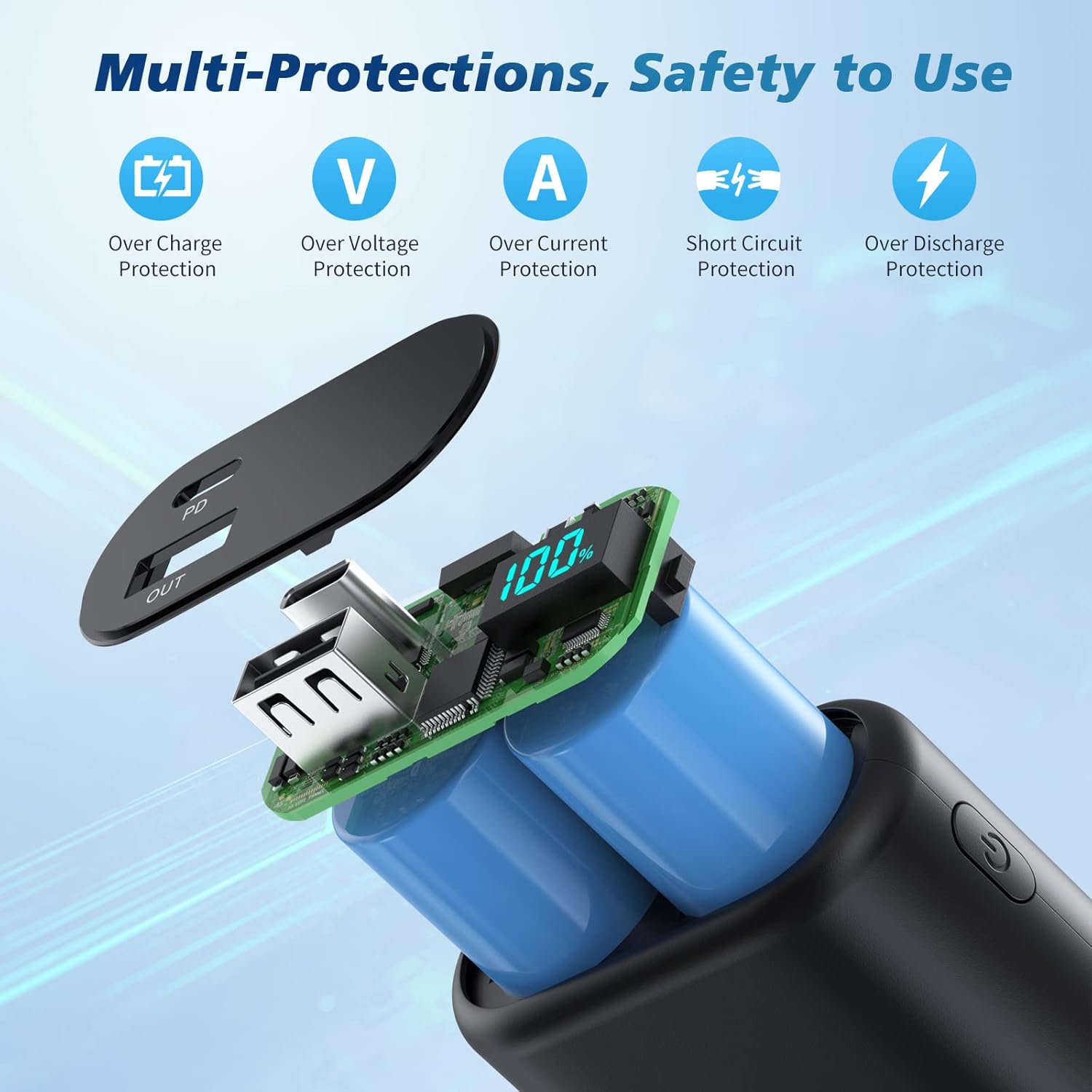
Image 6.1: Multi-protection features for safe operation.
7. స్పెసిఫికేషన్లు
| ఫీచర్ | స్పెసిఫికేషన్ |
|---|---|
| మోడల్ సంఖ్య | HX90X1 |
| బ్యాటరీ కెపాసిటీ | 10800mAh |
| USB-C ఇన్పుట్/అవుట్పుట్ | 5V/3A (15W PD) |
| అంతర్నిర్మిత USB-C కేబుల్ అవుట్పుట్ | 5V/3A |
| USB-A అవుట్పుట్ | 5V/2.1A |
| ఉత్పత్తి కొలతలు | 3.66 x 2.16 x 0.86 అంగుళాలు |
| వస్తువు బరువు | 6.8 ఔన్సులు |
| బ్యాటరీ రకం | లిథియం పాలిమర్ |
8. వారంటీ మరియు మద్దతు
Your Ekrist portable charger comes with a 90-రోజుల పూర్తి వాపసు విధానం మరియు ఎ 3-year worry-free replacement warranty.
If you encounter any issues or have questions regarding your product, please do not hesitate to contact our customer support team. We are committed to providing prompt assistance.
For support, please refer to the contact information provided on the product packaging or the official Ekrist webసైట్.