పరిచయం
This manual provides comprehensive instructions for setting up, operating, and maintaining your FANTECH MAXFIT81 Mechanical Keyboard. Please read this manual thoroughly before use to ensure optimal performance and longevity of your device.
పెట్టెలో ఏముంది
- FANTECH MAXFIT81 మెకానికల్ కీబోర్డ్
- రోటరీ ఎన్కోడర్ నాబ్
- Dual Stabilizer Mounts
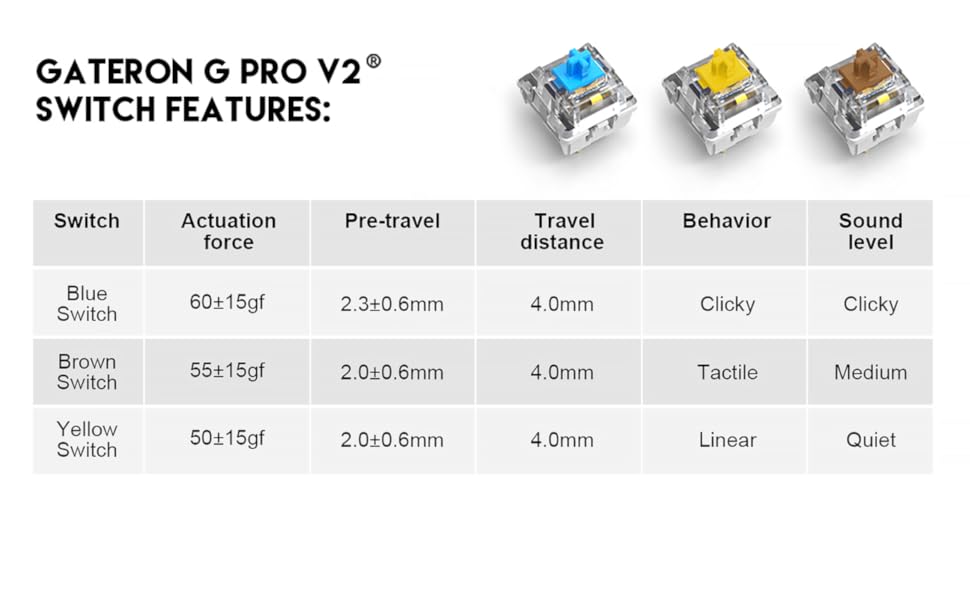
- Gateron Yellow Switches (pre-installed)
- PBT Keycaps (pre-installed)
- USB కేబుల్ (USB-C)
- కీకాప్ పుల్లర్
- South-facing PCB (integrated)
- Transparent Retro Case (integrated)

ఉత్పత్తి ముగిసిందిview
ముఖ్య లక్షణాలు:
- 75% Form Factor: ముఖ్యమైన కీలను నిలుపుకునే కాంపాక్ట్ డిజైన్.
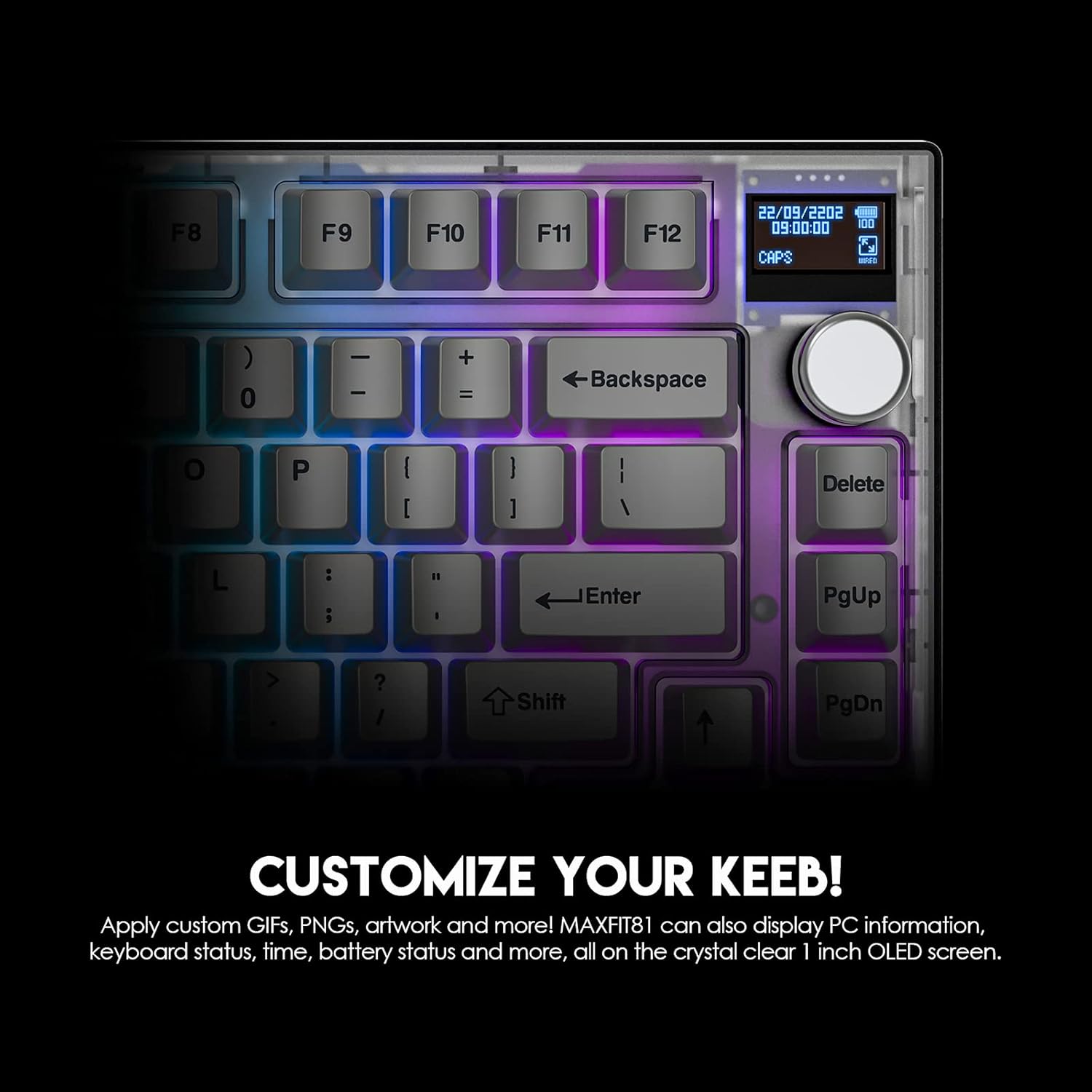
- Multi-Function Customizable OLED Display: Real-time information and personalization.
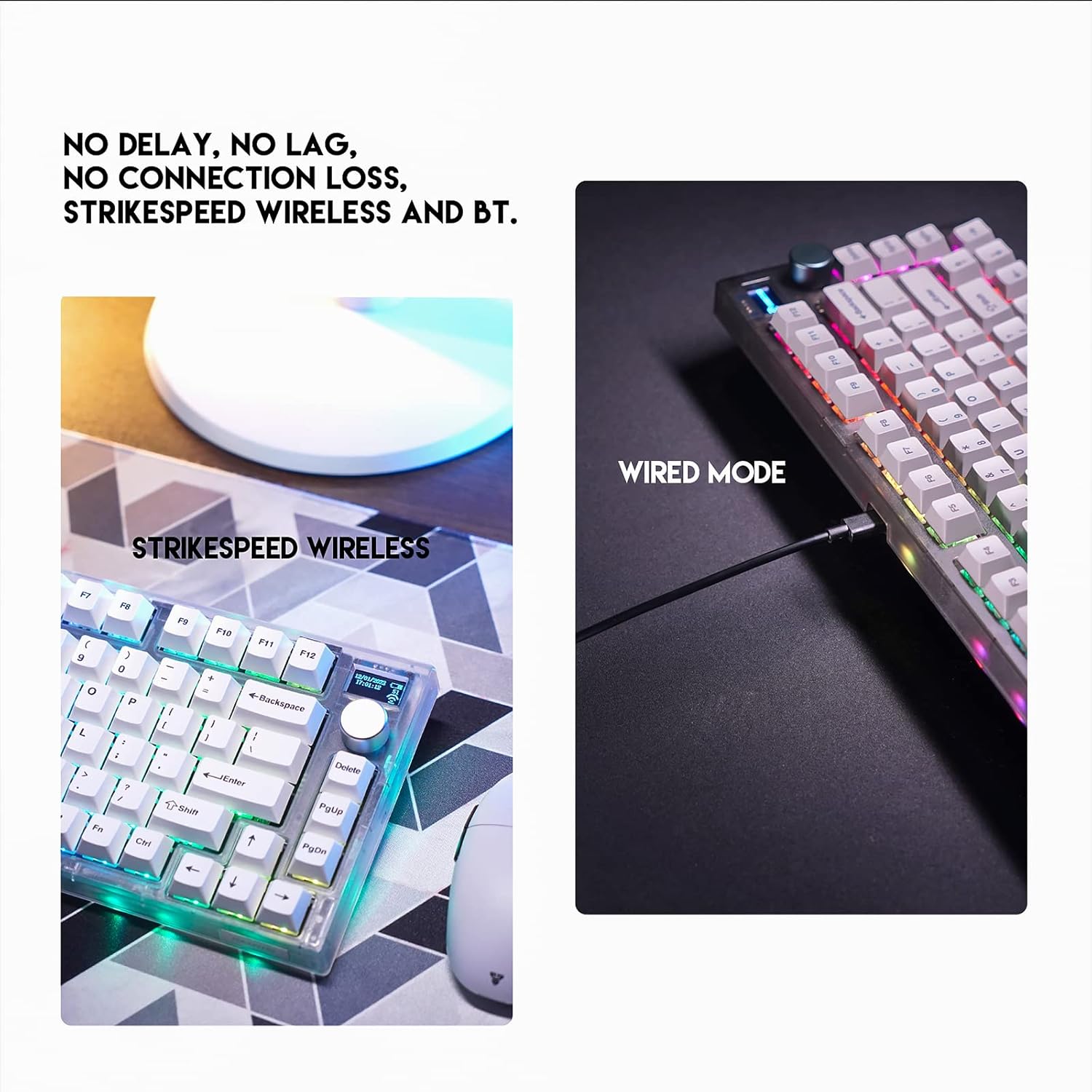
- Wireless (Bluetooth + Strikespeed Wireless) & Wired Connectivity: Versatile connection options.
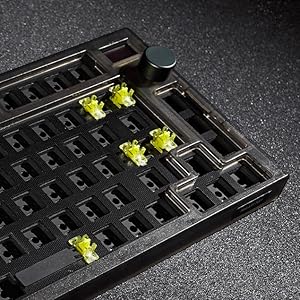
- Hot-swappable Switches: Easy replacement of mechanical switches.
- South Facing PCB: Enhanced compatibility with various keycap profiles.
- Rotary Encoder Knob: Programmable for various functions.
- Retro Frosted Transparent Case: Unique aesthetic design.


సెటప్
ప్రారంభ కనెక్షన్:
- వైర్డ్ మోడ్: Connect the provided USB-C cable to the keyboard and the other end to an available USB port on your computer. The keyboard will be automatically recognized.
- Strikespeed Wireless (2.4GHz): Insert the 2.4GHz USB receiver into an available USB port on your computer. Ensure the keyboard's mode switch is set to 2.4GHz. The keyboard should connect automatically.
- బ్లూటూత్ మోడ్: Set the keyboard's mode switch to Bluetooth. On your device, search for Bluetooth devices and select "MAXFIT81". Follow any on-screen prompts to complete pairing. The keyboard can connect to up to 5 devices via Bluetooth.
సాఫ్ట్వేర్ ఇన్స్టాలేషన్:
For full customization of RGB lighting, key assignments, macro scripts, and OLED display settings, download the FANTECH MAXFIT81 FROST Wireless software from the official FANTECH webసైట్ (www.fantechworld.com). The software is compatible with Windows 7 or newer operating systems.

ఆపరేటింగ్ సూచనలు
OLED Display Functions:
The 1-inch OLED screen can display various information including PC system data, keyboard status, time, and battery status. It also supports custom GIFs, PNGs, and artwork. Use the FANTECH software to configure display content.
Rotary Encoder Knob:
The programmable knob can be assigned to control volume, media playback, scrolling, or custom macros. Default function is volume control (rotate) and mute/unmute (press).
RGB లైటింగ్ నియంత్రణ:
The keyboard features customizable RGB backlighting. Lighting modes and effects can be adjusted via the FANTECH software or using keyboard shortcuts (refer to the software for specific key combinations).
నిర్వహణ
శుభ్రపరచడం:
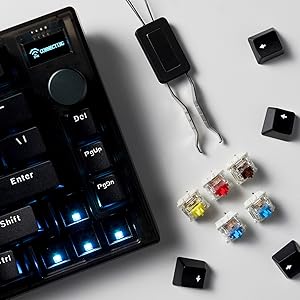
Regularly clean the keyboard with a soft, dry cloth. For deeper cleaning, use the provided keycap puller to remove keycaps and clean underneath with compressed air or a small brush. Avoid using harsh chemicals or abrasive materials.
స్విచ్ భర్తీ:
The MAXFIT81 features hot-swappable switches. To replace a switch, gently pull the keycap off using the keycap puller. Then, use a switch puller (not included, but commonly available) to carefully remove the switch. Align the pins of the new switch with the holes on the PCB and press firmly until it clicks into place. Ensure the switch is fully seated to avoid bent pins.
ట్రబుల్షూటింగ్
| సమస్య | సాధ్యమైన కారణం | పరిష్కారం |
|---|---|---|
| కీబోర్డ్ స్పందించడం లేదు (వైర్డు) | కేబుల్ కనెక్షన్ వదులుగా ఉంది, USB పోర్ట్ తప్పుగా ఉంది. | USB-C కేబుల్ సురక్షితంగా కనెక్ట్ చేయబడిందని నిర్ధారించుకోండి. వేరే USB పోర్ట్ లేదా కేబుల్ని ప్రయత్నించండి. |
| కీబోర్డ్ స్పందించడం లేదు (వైర్లెస్/బ్లూటూత్) | తక్కువ బ్యాటరీ, తప్పు మోడ్, జత చేసే సమస్య, రిసీవర్ జోక్యం. | Charge the keyboard. Ensure mode switch is correct (2.4GHz or BT). Re-pair the device. Move closer to the receiver or device. |
| నిర్దిష్ట కీలు పనిచేయడం లేదు | Faulty switch, bent switch pin, debris under keycap. | Remove keycap and inspect for debris. If hot-swappable, remove and re-insert switch, checking for bent pins. Replace faulty switch if necessary. |
| OLED display not working or showing incorrect info | Software issue, incorrect settings. | Ensure FANTECH software is installed and updated. Check display settings within the software. Restart the keyboard and software. |
| RGB లైటింగ్ పనిచేయడం లేదు | Software settings, keyboard shortcut conflict. | Adjust RGB settings in the FANTECH software. Check for any conflicting keyboard shortcuts. |
స్పెసిఫికేషన్లు
- ఉత్పత్తి పేరు: MAXFIT81 MK910 పరిచయం
- కీల సంఖ్య: 81 Keys + 1 Encoder
- స్విచ్ రకం: Mechanical (Gateron Pro V2 Yellow Switch - Linear)
- యాంటీ-గోస్టింగ్: అన్ని కీలు
- కనెక్షన్: Wired (USB-C), StrikeSpeed Wireless (2.4GHz), Bluetooth (Connect up to 5 Devices)
- బ్యాటరీ కెపాసిటీ: 4000mAh
- వైర్లెస్ దూరం: 10మీ వరకు
- బరువు: 1018గ్రా (సుమారు 2.24 పౌండ్లు)
- కొలతలు: 303.2(L) x 104.3(W) x 45(H) mm (approx. 11.94 x 4.1 x 1.77 inches)
- బ్యాటరీ లైఫ్: Up to 70 hours (RGB OFF), Up to 15 hours (RGB ON)
- అనుకూల పరికరాలు: PC
- కీబోర్డ్ బ్యాక్లైటింగ్: RGB
- శైలి: Retro Frosted Transparent Case
వారంటీ మరియు మద్దతు
For warranty information and technical support, please visit the official FANTECH webసైట్లో లేదా వారి కస్టమర్ సర్వీస్ను సంప్రదించండి. వారంటీ క్లెయిమ్ల కోసం కొనుగోలు రుజువుగా మీ కొనుగోలు రసీదును ఉంచండి.
భద్రతా సమాచారం: The software only supports Windows 7 or newer.


