పరిచయం
This manual provides detailed instructions for the setup, operation, maintenance, and troubleshooting of your AWOW AK41 Mini PC. Please read this manual thoroughly before using the device to ensure optimal performance and longevity.
ప్యాకేజీ విషయాలు
ప్యాకేజీలో అన్ని అంశాలు ఉన్నాయని నిర్ధారించుకోండి:
- AWOW AK41 Mini PC
- పవర్ అడాప్టర్
- HDMI కేబుల్
- వెసా మౌంట్
- వినియోగదారు మాన్యువల్ (ఈ పత్రం)
సెటప్
1. పెరిఫెరల్స్ కనెక్ట్ చేయడం
Before powering on your Mini PC, connect all necessary peripherals:
- మానిటర్: Connect your monitor(s) to the HDMI ports or the Type-C port using appropriate cables. The AK41 supports up to three 4K@60Hz displays.
- కీబోర్డ్ మరియు మౌస్: Connect your USB keyboard and mouse to the available USB 2.0 or USB 3.0 ports.
- నెట్వర్క్: For a wired connection, connect an Ethernet cable to the RJ45 1000M LAN port. For wireless, ensure your Wi-Fi network is available.
- ఆడియో: Connect speakers or headphones to the 3.5mm Audio Jack port if needed.

చిత్రం 1: వెనుక మరియు వైపు view of the AWOW AK41 Mini PC showing available ports including HDMI, USB, Ethernet, and Power In.
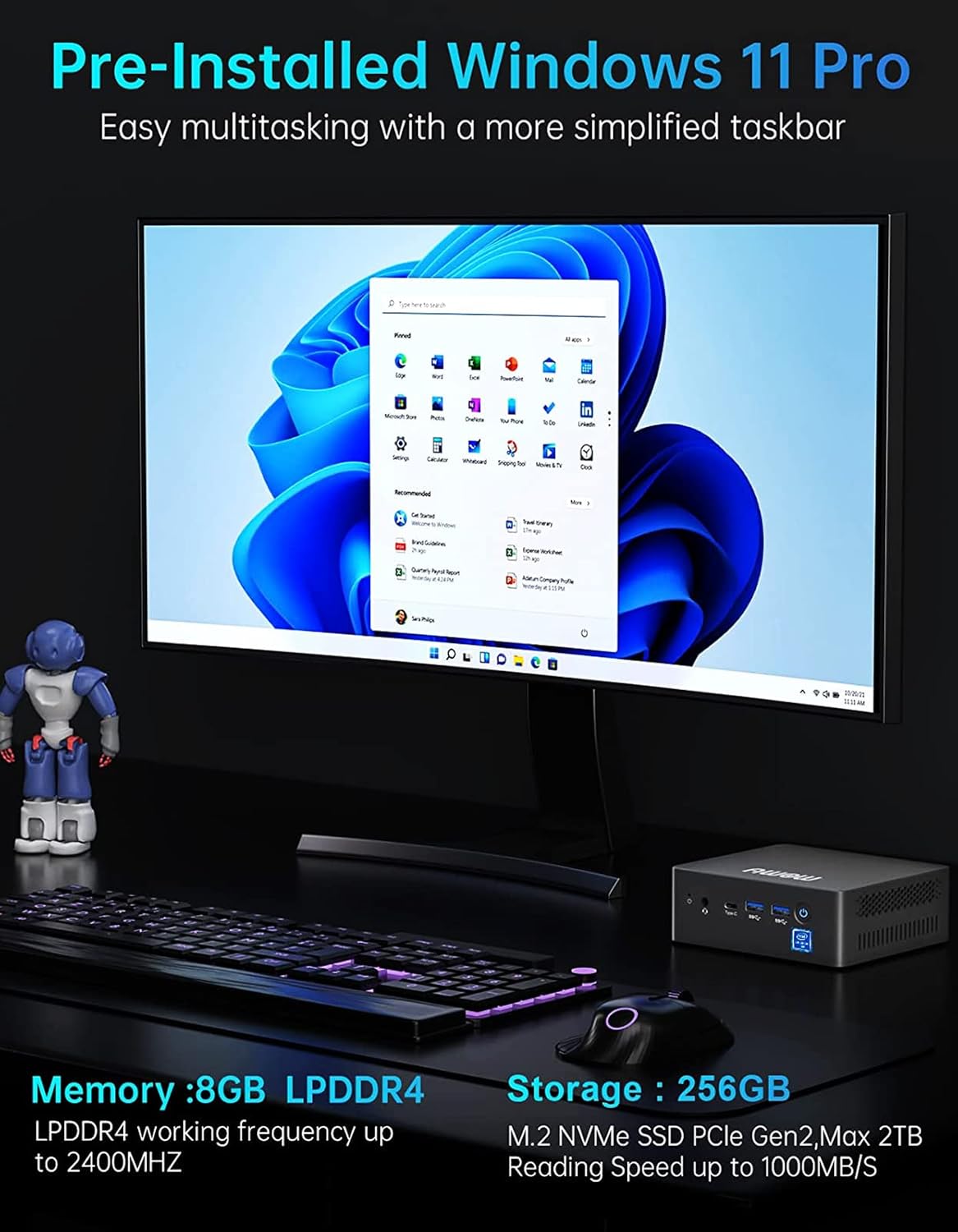
Figure 2: The AWOW AK41 Mini PC connected to three external monitors, demonstrating its triple display capability for multitasking.
2. పవర్ కనెక్షన్
Connect the power adapter to the DC Jack port on the Mini PC, then plug the adapter into a power outlet.
3. ప్రారంభ బూట్-అప్
Press the power button located on the front of the Mini PC. The device will power on, and the operating system (Windows 11 Pro) will begin to load. Follow the on-screen instructions for initial Windows setup if this is your first use.
ఆపరేటింగ్ సూచనలు
1 ఆపరేటింగ్ సిస్టమ్
Your AWOW AK41 Mini PC comes pre-installed with Windows 11 Pro. Familiarize yourself with the Windows 11 interface for efficient operation.

Figure 3: The AWOW AK41 Mini PC set up on a desk, connected to a monitor displaying the Windows 11 Pro operating system.
2 కనెక్టివిటీ
- Wi-Fi: The Mini PC supports dual-band 2.4G/5G Wi-Fi. To connect, navigate to the network settings in Windows 11, select your desired Wi-Fi network, and enter the password.
- ఈథర్నెట్: For a stable wired connection, ensure an Ethernet cable is connected to the RJ45 port and your router/modem.
- బ్లూటూత్: The device includes BT 4.2. To pair Bluetooth devices, go to Bluetooth & devices settings in Windows 11.
- USB పోర్ట్లు: Utilize the 2x USB 3.0 and 2x USB 2.0 ports for connecting various USB devices such as external drives, printers, or other peripherals.
- టైప్-సి పోర్ట్: The full-function Type-C port supports data transfer, video output, and power delivery.

Figure 4: Illustrates the AWOW Mini PC providing strong network support via 2.4G/5G dual-band Wi-Fi and wired Gigabit Ethernet, enabling seamless content streaming.
3. నిల్వ విస్తరణ
The AWOW AK41 Mini PC offers flexible storage expansion options:
- M.2 SSD: The built-in 128GB NVMe SSD can be expanded up to 2TB with an M.2 SATA SSD 2280 or M.2 NVMe 2280 SSD (not included).
- 2.5-inch SSD/HDD: You can add a 2.5-inch SATA SSD or HDD up to 2TB (not included) for additional storage.

చిత్రం 5: పేలిన view of the AWOW AK41 Mini PC, highlighting the internal 8GB LPDDR4 RAM and 128GB M.2 NVMe SSD, along with options to add a 2.5-inch SSD/HDD or an M.2 SATA SSD for storage expansion.
నిర్వహణ
1. హీట్ డిస్సిపేషన్
The Mini PC features a built-in fan for efficient heat dissipation. To ensure optimal cooling:
- Ensure the ventilation openings are not obstructed.
- బాగా వెంటిలేషన్ ఉన్న ప్రదేశంలో పరికరాన్ని ఆపరేట్ చేయండి.
- కంప్రెస్డ్ ఎయిర్ ఉపయోగించి వెంట్లలోని దుమ్మును క్రమం తప్పకుండా శుభ్రం చేయండి.

చిత్రం 6: అంతర్గత view of the AWOW AK41 Mini PC highlighting the turbine blade cooling fan design for super heat dissipation and lower noise levels.
2. సాధారణ సంరక్షణ
- Keep the device away from liquids and excessive dust.
- పరికరాన్ని తీవ్రమైన ఉష్ణోగ్రతలకు బహిర్గతం చేయకుండా ఉండండి.
- Use a soft, dry cloth for cleaning the exterior.
ట్రబుల్షూటింగ్
If you encounter issues with your AWOW AK41 Mini PC, refer to the following common solutions:
- శక్తి లేదు: పవర్ అడాప్టర్ మినీ PC మరియు పనిచేసే పవర్ అవుట్లెట్ రెండింటికీ సురక్షితంగా కనెక్ట్ చేయబడిందని నిర్ధారించుకోండి. అవసరమైతే వేరే అవుట్లెట్ను ప్రయత్నించండి.
- ప్రదర్శన లేదు: Verify that the HDMI or Type-C cable is correctly connected to both the Mini PC and the monitor. Ensure the monitor is powered on and set to the correct input source.
- పరిధీయ గుర్తించబడలేదు: Check USB connections. Try connecting the peripheral to a different USB port. Ensure drivers are installed if required by the peripheral.
- నెమ్మదిగా పనితీరు: Close unnecessary applications. Check for background processes consuming resources. Ensure adequate ventilation to prevent overheating.
- నెట్వర్క్ కనెక్టివిటీ సమస్యలు: For Wi-Fi, check your router and network settings. For Ethernet, ensure the cable is properly connected and your network is active.
For further assistance, please contact AWOW customer support.
స్పెసిఫికేషన్లు
| ఫీచర్ | వివరాలు |
|---|---|
| బ్రాండ్ | అయ్యో |
| మోడల్ సంఖ్య | AK41 |
| ప్రాసెసర్ | Intel Celeron J4125 (4 Cores, 4 Threads, 4M Cache, 2.0 GHz base, up to 2.7 GHz turbo) |
| గ్రాఫిక్స్ | ఇంటెల్ UHD గ్రాఫిక్స్ 600 |
| RAM | 8GB LPDDR4 (2400MHz) |
| అంతర్గత నిల్వ | 128GB NVMe M.2 SSD |
| నిల్వ విస్తరణ | M.2 SATA SSD 2280 (up to 2TB), 2.5-inch SATA SSD/HDD (up to 2TB) |
| ఆపరేటింగ్ సిస్టమ్ | Windows 11 ప్రో |
| వీడియో అవుట్పుట్ | 2x HDMI 2.0, 1x Type-C (supports 4K@60Hz triple display) |
| USB పోర్ట్లు | 2x USB 3.0, 2x USB 2.0 |
| నెట్వర్క్ | Dual-band Wi-Fi (2.4G/5G), Gigabit Ethernet (RJ45 1000M LAN) |
| బ్లూటూత్ | BT 4.2 |
| ఆడియో | 1x 3.5mm ఆడియో జాక్ |
| కొలతలు | 4.92 x 4.41 x 1.69 అంగుళాలు |
| బరువు | 1.5 పౌండ్లు |

Figure 7: The AWOW AK41 Mini PC, showcasing దాని కాంపాక్ట్ డిజైన్ మరియు ముందు వైపున ఉన్న పోర్టులు.
వారంటీ మరియు మద్దతు
AWOW provides comprehensive customer support for your AK41 Mini PC:
- వారంటీ: 12-month warranty period.
- కస్టమర్ సేవ: 24/7 customer service available.
- సాంకేతిక మద్దతు: Lifetime technical support provided by senior computer experts.
- రిటర్న్స్ & ఎక్స్ఛేంజ్: Free official authorized returns and exchanges within the warranty period.
- అసలైన ఉపకరణాలు: Free genuine accessories provided within the warranty period.
- Local Call Service: Available during 9:00 AM to 5:00 PM EST.
For support, please refer to the contact information provided with your product or visit the official AWOW webసైట్.
ఉత్పత్తి వీడియో ముగిసిందిview
వీడియో 1: ఒక ఓవర్view of the AWOW Mini PC AK41, highlighting its features such as the Intel Celeron J4125 processor, storage options, cooling system, and multi-display capabilities. This video demonstrates the internal components and external connectivity of the device.


