1. పరిచయం
The FLAMMA FX10 is a compact and versatile guitar headphone amplifier designed for practice, recording, and creative music sessions. It integrates 14 classic amp models, 14 built-in effects, 5 tone colors, and 28 drum grooves, offering a comprehensive suite of tools in a portable format. With Bluetooth connectivity for audio playback and USB support for direct recording, the FX10 provides a high-quality tone experience without disturbing others.
2. ఉత్పత్తి లక్షణాలు
- 14 Amp Models with Individual Save Function: Select from 14 classic amp modules. Adjust tone color and effects parameters, then save them as preset patches within the AMP మాడ్యూల్.
- 14 Built-in Effects with Parameter Adjustment: Choose from a variety of effects including reverb, delay, and modulation (e.g., chorus+hall, phaser+church, flanger+plate, tremolo+mod reverb). Parameters can be adjusted for each effect.
- 28 Drum Grooves: Features 7 musical styles: POP, BLUES, PUNK, ROCK, METAL, FUNK, and JAZZ. Activate the drum machine and switch between 3 parameter adjustment modes: drum groove selection, volume, and speed.
- 5 Levels of Tone Color: Utilize the TONE module for quick tone color adjustments. Press the - / + buttons to switch between 5 different colors: Darker, Dark, Flat, Bright, and Brighter.
- Support Bluetooth Connection: Connect to an external Bluetooth device for practicing along with your favorite tracks or for performance.
- USB Audio Recording and Playback: Supports OTG function, allowing direct connection to a smartphone or computer for recording and audio playback using the provided USB cable and an optional OTG cable.
3. ఉత్పత్తి ముగిసిందిview
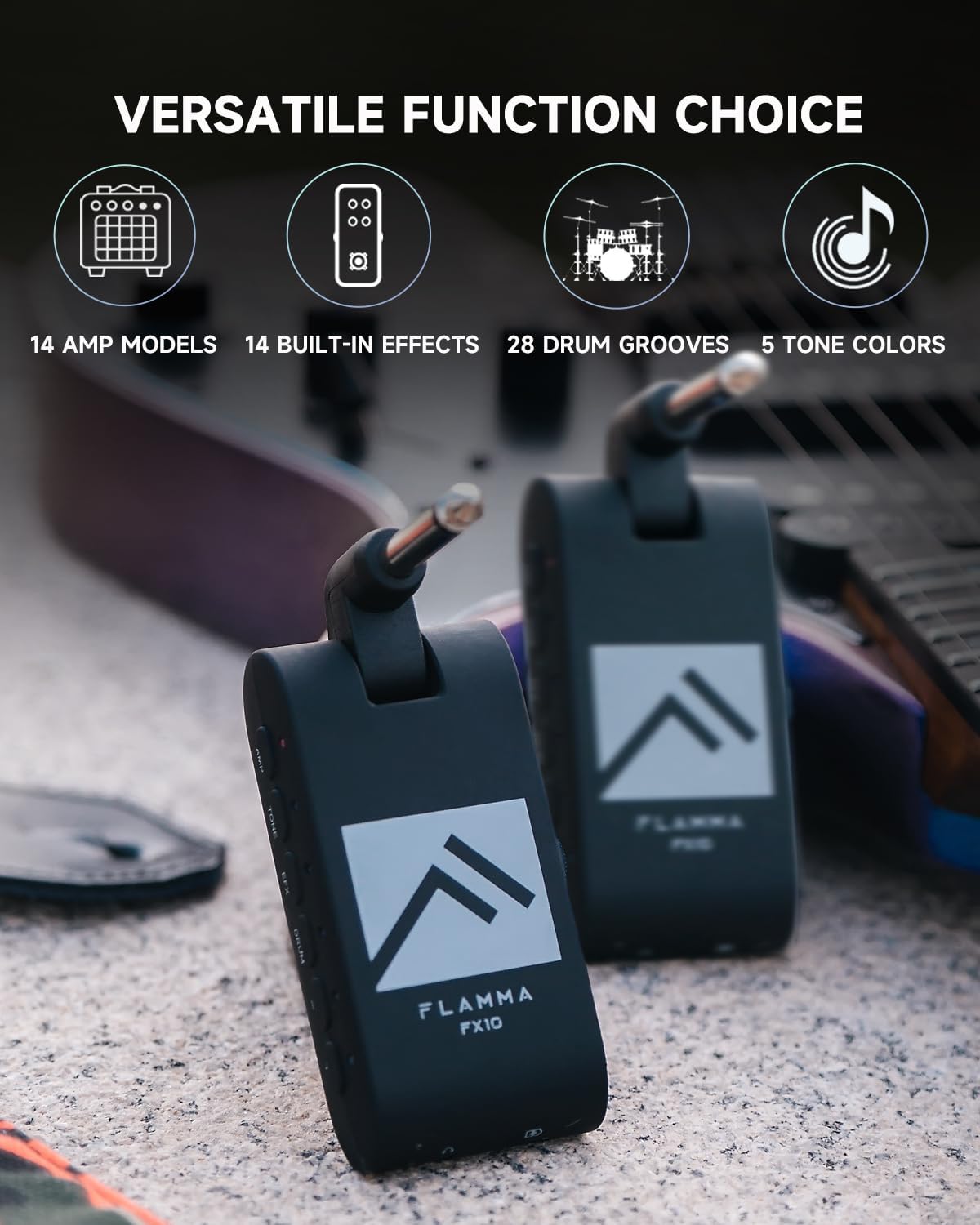
Figure 1: FLAMMA FX10 Portable Guitar Headphone Amp. This image shows the compact size and design of the FX10, highlighting its portability.
చిత్రం 2: దిగువ view of the FLAMMA FX10 showing the 1/8" TRS headphone jack and USB-C port. These ports allow for private listening and charging/data transfer.

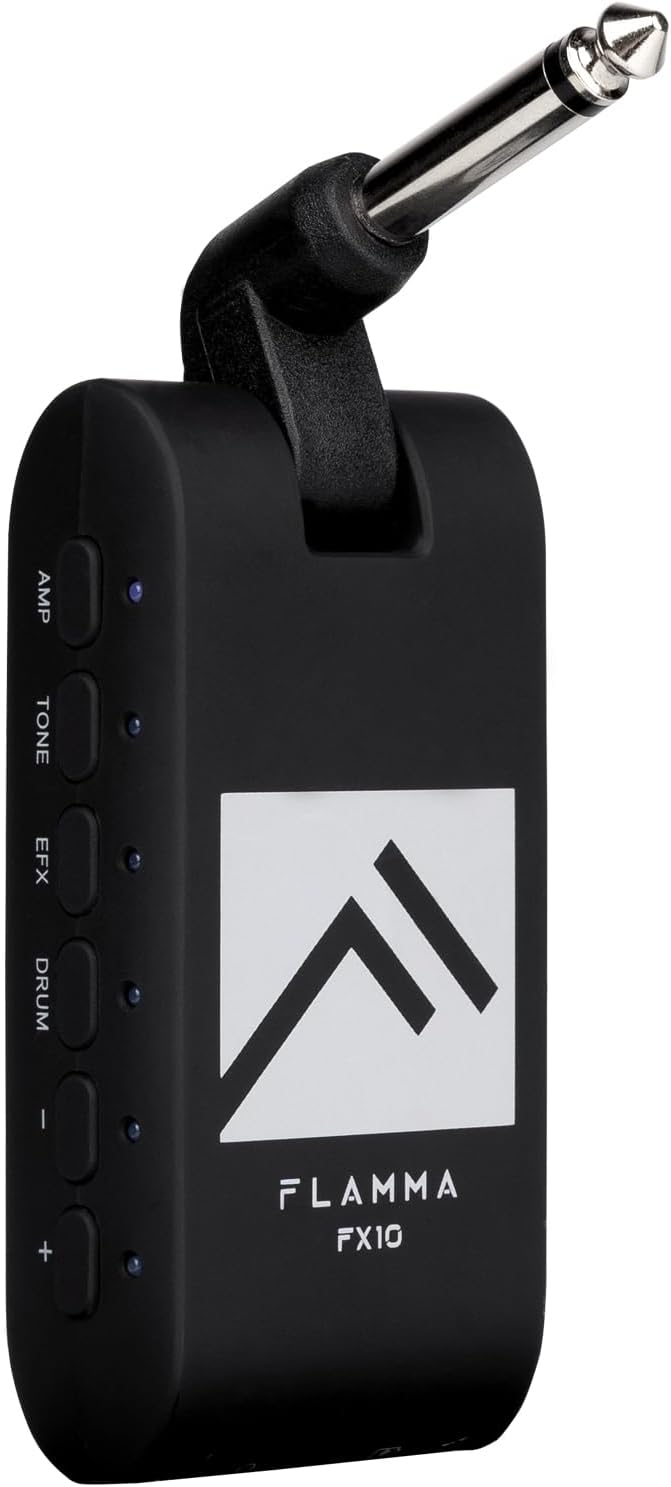
మూర్తి 3: వైపు view of the FLAMMA FX10 showing the AMP, TONE, EFX, DRUM, and +/- buttons. These controls are used to navigate and adjust the various settings and effects.

చిత్రం 4: పైగాview of the FLAMMA FX10's versatile functions, including 14 amp models, 14 built-in effects, 28 drum grooves, and 5 tone colors.
భాగాలు:
- 1/4" Instrument Input Jack (rotatable)
- 1/8" TRS Headphone Jack
- USB-C Port (for charging and data)
- Three-way Power Switch (ON/OFF/Bluetooth)
- వాల్యూమ్ కంట్రోల్ స్లైడర్
- AMP బటన్
- టోన్ బటన్
- EFX Button
- DRUM బటన్
- +/- Buttons (for navigation and parameter adjustment)
- LED Indicators (for status and settings)
4. సెటప్
- పరికరాన్ని ఛార్జ్ చేయండి: Before first use, fully charge the FX10 using the provided USB-C cable. Connect the USB-C cable to the FX10's USB-C port and the other end to a USB power adapter (not included) or a computer. The battery provides approximately 4 hours of use on a single charge.
- Connect to Guitar: Plug the 1/4" instrument input jack of the FX10 directly into your guitar's output jack. The jack is rotatable for optimal positioning.
- హెడ్ఫోన్లను కనెక్ట్ చేయండి: Plug your 1/8" TRS headphones into the headphone jack on the bottom of the FX10.
- పవర్ ఆన్: Slide the three-way power switch to the 'ON' position.
5. ఆపరేటింగ్ సూచనలు
5.1. పవర్ ఆన్/ఆఫ్ మరియు వాల్యూమ్
- పవర్ ఆన్: Slide the three-way power switch to the 'ON' position.
- పవర్ ఆఫ్: Slide the three-way power switch to the 'OFF' position.
- వాల్యూమ్ సర్దుబాటు: Use the volume control slider on the side of the unit to adjust your headphone output level.
5.2 Amp మోడల్స్
The FX10 features 14 classic amp models. Each amp model can store individual tone and effect settings.
- నొక్కండి AMP ఎంటర్ చేయడానికి బటన్ Amp Model selection mode. The LED next to the AMP బటన్ ప్రకాశిస్తుంది.
- ఉపయోగించండి +/- buttons to cycle through the 14 available amp models. Each amp model is indicated by a specific LED color. Refer to the included Quick Start Guide for the color-to-amp model mapping.
- To save your current tone and effect settings to the selected amp model, press and hold the AMP button until the LED flashes, indicating the settings have been saved.
5.3. Tone Colors
Adjust the overall tone character with 5 distinct tone colors.
- నొక్కండి టోన్ button to enter Tone Color selection mode. The LED next to the TONE button will illuminate.
- ఉపయోగించండి +/- buttons to cycle through the 5 tone colors: Darker, Dark, Flat, Bright, Brighter. Each tone color is indicated by a specific LED color.
5.4. Effects (EFX)
The FX10 includes 14 built-in effects with adjustable parameters.
- నొక్కండి EFX button to enter Effects selection mode. The LED next to the EFX button will illuminate.
- ఉపయోగించండి +/- buttons to cycle through the 14 available effects. Each effect is indicated by a specific LED color. Refer to the included Quick Start Guide for the color-to-effect mapping.
- To adjust the parameters of the selected effect (e.g., reverb level, delay time, mod depth/rate), press and hold the EFX button until the LED flashes. Then, use the +/- buttons to adjust the parameter level. Release the EFX button to exit parameter adjustment.
5.5. Drum Grooves
Practice with 28 diverse drum grooves across 7 musical styles.
- నొక్కండి డ్రమ్ button to activate the drum machine. The LED next to the DRUM button will illuminate.
- While the DRUM LED is solid, use the +/- buttons to cycle through the 28 drum grooves. Each groove is indicated by a specific LED color. Refer to the included Quick Start Guide for the color-to-groove mapping.
- To adjust drum parameters (volume or speed), press the డ్రమ్ button again. The LED will blink.
- While the DRUM LED is blinking, use the +/- buttons to adjust the drum volume.
- నొక్కండి డ్రమ్ button a third time. The LED will blink a different color (e.g., blue). Use the +/- buttons to adjust the drum speed (tempo).
- To turn off the drum machine, press and hold the డ్రమ్ button until the LED turns off.
5.6. బ్లూటూత్ కనెక్షన్
Connect your FX10 to an external Bluetooth device for audio playback.
- Slide the three-way power switch to the 'Bluetooth' position. The Bluetooth indicator LED will blink, indicating pairing mode.
- On your external device (smartphone, tablet, etc.), search for Bluetooth devices and select 'FLAMMA FX10' to pair.
- Once paired, the Bluetooth indicator LED will remain solid. You can now play audio from your device through your headphones connected to the FX10.
5.7. USB Audio Recording and Playback
The FX10 supports USB Audio for direct recording and playback with compatible devices.
- Connect the FX10 to your computer or smartphone using the provided USB-C cable. For smartphones, an additional OTG cable (not included) may be required.
- The FX10 will be recognized as an audio interface. Select it as your input/output device in your Digital Audio Workstation (DAW) or recording application.
- You can now record your guitar's output directly to your device or play back audio through the FX10.
6. మీడియా ప్రదర్శనలు
Video 1: FLAMMA FX10 Guitar Headphone Amp Unboxing. This video provides an unboxing experience of the FLAMMA FX10, showing its contents and initial setup.
Video 2: FLAMMA FX10 Guitar Headphone Amp Demo. This video demonstrates various features and sounds of the FLAMMA FX10, including amp models, effects, and drum grooves.
Video 3: FLAMMA FX10 Headphone Ampజీవితకాలం రీview. A detailed review of the FLAMMA FX10, covering its functionalities and user experience.
Video 4: FLAMMA Guitar Headphone Amplifier with Multi Effects. This video showcases the multi-effects capabilities of the FLAMMA FX10, highlighting its versatility.
Video 5: Awesome Amp Technology in a Tiny Form Factor: The Flamma FX10. This video explores the advanced amp technology packed into the compact FLAMMA FX10.
7. నిర్వహణ
- శుభ్రపరచడం: పరికరాన్ని శుభ్రం చేయడానికి మృదువైన, పొడి వస్త్రాన్ని ఉపయోగించండి. రాపిడి క్లీనర్లు లేదా ద్రావకాలను ఉపయోగించడం మానుకోండి.
- నిల్వ: Store the FX10 in a cool, dry place away from direct sunlight and extreme temperatures.
- బ్యాటరీ సంరక్షణ: To prolong battery life, avoid fully discharging the device frequently. Charge the device regularly, even if not in use for extended periods.
- నిర్వహణ: పరికరాన్ని జాగ్రత్తగా నిర్వహించండి. దానిని పడవేయడం లేదా బలమైన ప్రభావాలకు గురిచేయకుండా ఉండండి.
8. ట్రబుల్షూటింగ్
| సమస్య | సాధ్యమైన కారణం | పరిష్కారం |
|---|---|---|
| హెడ్ఫోన్ల నుండి శబ్దం లేదు | Device is off; Volume is too low; Headphones not properly connected; Guitar not properly connected. | Ensure device is ON; Increase volume; Check headphone and guitar connections. |
| బ్లూటూత్ కనెక్ట్ కావడం లేదు | Device not in pairing mode; Bluetooth on external device is off; Interference. | Ensure power switch is in 'Bluetooth' position; Turn on Bluetooth on external device; Move closer to the device. |
| తక్కువ బ్యాటరీ జీవితం | బ్యాటరీ పూర్తిగా ఛార్జ్ కాలేదు; పాత బ్యాటరీ. | Fully charge the device; If battery life significantly degrades, contact support. |
| వక్రీకరించిన ధ్వని | Input gain too high; Headphone volume too high. | Reduce guitar volume; Lower FX10 volume. |
9. స్పెసిఫికేషన్లు
- వస్తువు బరువు: 2.08 ఔన్సులు
- ఉత్పత్తి కొలతలు: 3.23 x 1.18 x 1.57 అంగుళాలు
- అంశం మోడల్ సంఖ్య: FX10
- బ్యాటరీలు: 1 లిథియం పాలిమర్ బ్యాటరీ అవసరం (చేర్చబడింది)
- మొదటి తేదీ అందుబాటులో ఉంది: మార్చి 3, 2023
- రంగు: FX10-BLACK (other colors may be available)
- అనుకూల పరికరాలు: గిటార్
- కనెక్టర్ రకం: USB-C (for charging/data), 1/4" Instrument Jack, 1/8" TRS Headphone Jack
- మెటీరియల్ రకం: ప్లాస్టిక్
- అవుట్పుట్ వాట్tage: 10 వాట్స్
- శక్తి మూలం: బ్యాటరీ ఆధారితమైనది
10. వారంటీ & సపోర్ట్
For warranty information, technical support, or service inquiries, please refer to the documentation included in your product packaging or visit the official FLAMMA webసైట్. ఏవైనా వారంటీ క్లెయిమ్ల కోసం మీ కొనుగోలు రుజువును ఉంచుకోండి.


