పరిచయం
This manual provides detailed instructions for the Angetube 4K AI Webcam (Model 913AI). It covers product features, setup, operation, maintenance, troubleshooting, and technical specifications to ensure optimal performance and user experience.
పెట్టెలో ఏముంది
- Webకెమెరా
- రిమోట్ కంట్రోలర్
- USB 3.0 కనెక్ట్ కేబుల్
- USB-C నుండి USB-A అడాప్టర్
ఉత్పత్తి ముగిసిందిview మరియు ముఖ్య లక్షణాలు

The Angetube 4K AI Webcam, shown with its remote control, USB 3.0 cable, and USB-C to USB-A adapter.
4K Sony CMOS Sensor
ది webcam features a high-quality Sony CMOS sensor, delivering 3840x2160 UHD resolution at 30 fps or 1080p at 60fps. This sensor ensures vivid imagery with exceptional clarity, vibrant colors, and sharp details, even in low-light conditions due to its super high SNR (Signal-to-Noise Ratio) capability.
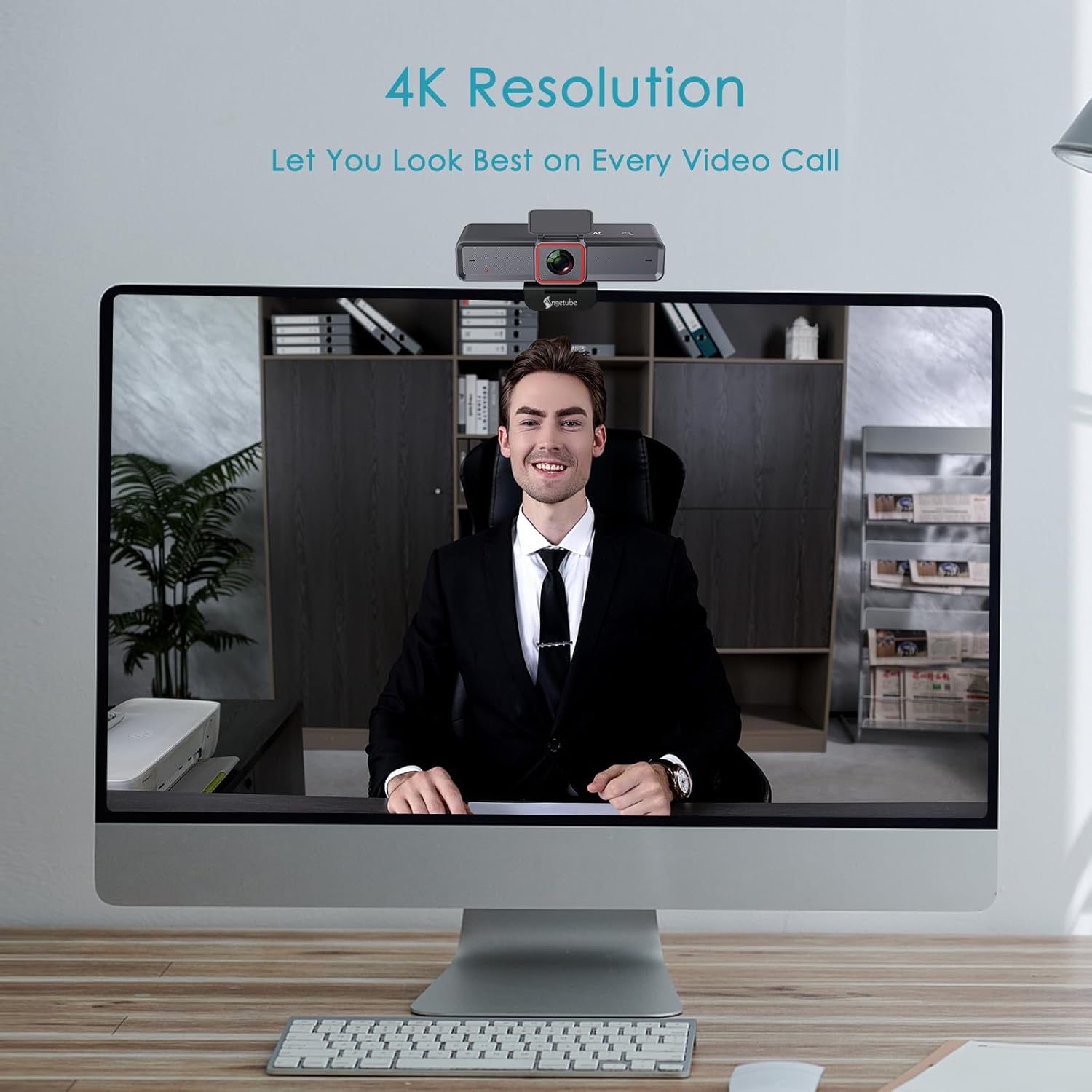
ది webcam provides clear 4K resolution for video calls, ensuring high visual quality.
AI-Tracking with Auto-Framing
Advanced face detection AI automatically frames the video based on the number of participants, keeping the focus centralized. The presenter tracking feature intelligently follows the presenter as they move. AI functions can be activated via the remote control or touch switch.

The AI-tracking feature keeps the subject in frame, even when moving.
Demonstration of the 4K AI webcam's features, including 3DNR and true color reproduction, and remote control functionality.
Remote Control and 10X Digital Zoom
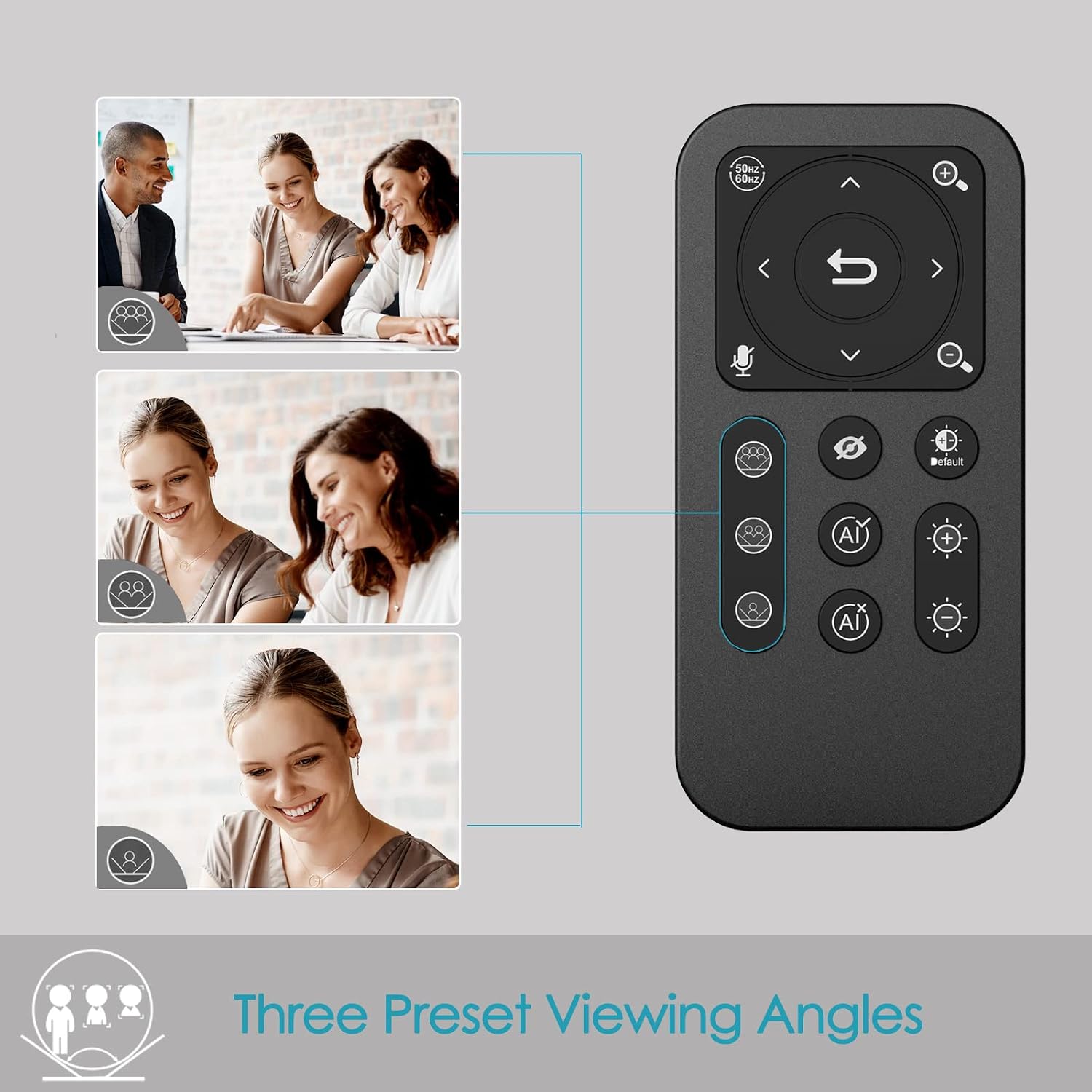
The included remote control allows for convenient operation away from the desk. Functions include activating/deactivating AI, 10X digital zoom, disabling video, muting the microphone, and flipping the image. Brightness can also be adjusted without software. గమనిక: To manually zoom, first turn off AI.

ది webcam offers up to 10X digital zoom, controllable via the remote or touch controls.

The remote control provides access to various webcam functions, including AI mode, zoom, and privacy settings.
High-Speed USB 3.0 Connectivity
ది webcam connects via a lightning-fast USB 3.0 port, providing a 5Gbps camera signal for maximum video performance without compression. It features a plug-and-play USB-C connector, requiring no driver installation.

The USB 3.0 interface ensures fast data transfer for smooth, high-quality video.
Clear Voice Pickup with Dual AI Noise-Cancelling Microphones
Built-in dual AI noise-cancelling microphones remove ambient sounds, ensuring clear voice pickup up to 5m/16ft. This feature enhances audio clarity for all participants.
HDR-Enabled
Activate HDR at 30FPS to enhance your stream with a full spectrum of vibrant colors. HDR improves the video's dynamic range and corrects over and underexposed areas, providing a more balanced image.
HDR mode provides perfect lighting and color balance in various environments.
సెటప్ గైడ్
1. కనెక్ట్ చేస్తోంది Webకెమెరా
The Angetube 4K AI Webcam is designed for plug-and-play functionality. Simply connect the provided USB 3.0 cable from the webcam to an available USB 3.0 port on your computer. If your computer only has USB-C ports, use the included USB-C to USB-A adapter.
2. మౌంట్ చేయడం Webకెమెరా
ది webcam features an integrated mounting clip that can be securely placed on top of your monitor or laptop screen. Ensure the clip is stable and the webcam is level. Alternatively, the webcam is compatible with standard tripods for flexible placement.

ది webcam can be mounted on a monitor or used with a tripod for versatile setup.
3. Initial Software Recognition
Upon connecting, your operating system should automatically recognize the webcam. No additional drivers are typically required. You can then select the Angetube 4K AI Webcam as your video and audio input device within your preferred video conferencing or streaming application.
ఆపరేటింగ్ సూచనలు
రిమోట్ కంట్రోల్ ఉపయోగించడం
The remote control provides comprehensive control over the webcam's features:
- AI Function On/Off: Toggle AI-tracking and auto-framing.
- డిజిటల్ జూమ్: Use the zoom buttons to magnify the image up to 10X. Remember to turn off AI before manual zooming.
- Video Disable: Turn off the video feed for privacy.
- మైక్రోఫోన్ మ్యూట్: Mute the built-in microphones.
- చిత్రం ఫ్లిప్: Adjust image orientation.
- ప్రకాశం సర్దుబాటు: Control exposure for optimal lighting.
- ఫీల్డ్ View (FOV) Adjustment: Use arrow buttons to pan/tilt the view.
- రీసెట్ బటన్: Return FOV and zoom to default settings.
Touch Controls on Webకెమెరా
ది webcam also features touch-sensitive controls for quick adjustments:
- AI Touch On/Off: Activate or deactivate AI features by touching the designated area on the webకామ్.
- Zoom Touch Adjustment: Fine-tune zoom levels directly from the webకామ్.
గోప్యతా లక్షణాలు
For enhanced privacy, the webcam includes a physical privacy cover that can be closed over the lens when not in use. Additionally, the remote control offers a one-touch button to disable the video feed.
Enhanced Control with Angetube Webక్యామ్ సాఫ్ట్వేర్
For advanced settings and fine-tuning, Angetube provides dedicated webcam software. This software allows you to customize various parameters to ensure your webcam performs optimally for your specific needs.
Please visit the official Angetube website for software download and installation instructions. The software provides controls for brightness, contrast, saturation, white balance, and other image properties.
అనుకూలత
The Angetube 4K AI Webcam is widely compatible with various operating systems and popular video conferencing platforms:
ఆపరేటింగ్ సిస్టమ్స్:
- Windows 7, 8, 10, 11
- Mac OS 10.6 లేదా అంతకంటే ఎక్కువ
- Linux
- Chrome OS
- ఉబుంటు
- Android V5.0 లేదా అంతకంటే ఎక్కువ
Video Calling Software:
- జూమ్ చేయండి
- స్కైప్
- ఫేస్టైమ్
- మైక్రోసాఫ్ట్ బృందాలు
- YouTube
- Hangouts
- LifeSize
- OBS
- మిక్సర్
నిర్వహణ
To ensure the longevity and optimal performance of your Angetube 4K AI Webcam, ఈ నిర్వహణ మార్గదర్శకాలను అనుసరించండి:
- శుభ్రపరచడం: శుభ్రం చేయడానికి మృదువైన, పొడి వస్త్రాన్ని ఉపయోగించండి webcam lens and body. Avoid abrasive cleaners or solvents that could damage the surfaces.
- నిల్వ: ఉపయోగంలో లేనప్పుడు, నిల్వ చేయండి webcam in a cool, dry place, away from direct sunlight and extreme temperatures.
- కేబుల్ కేర్: Handle the USB cable carefully. Avoid sharp bends or excessive pulling that could damage the cable or connectors.
- ఫర్మ్వేర్ నవీకరణలు: Periodically check the Angetube official website for any available firmware updates. Keeping the firmware updated can improve performance and add new features.
ట్రబుల్షూటింగ్
If you encounter issues with your Angetube 4K AI Webcam, refer to the following common troubleshooting steps:
- చిత్రం/వీడియో లేదు:
USB కేబుల్ రెండింటికీ సురక్షితంగా కనెక్ట్ చేయబడిందని నిర్ధారించుకోండి webcam and your computer. Try a different USB port or a different computer to rule out port or system issues.
అని ధృవీకరించండి webcam is selected as the primary video device in your application's settings (e.g., Zoom, Teams).
Check if the physical privacy cover is open.
- ఆడియో లేదు/పేలవమైన ఆడియో నాణ్యత:
అని నిర్ధారించండి webcam's microphone is selected as the audio input device in your application's settings.
Ensure the microphone is not muted via the remote control or software.
Check your computer's sound settings to ensure the microphone input level is adequate.
- AI-Tracking Not Working:
Ensure the AI function is enabled via the remote control or the touch switch on the webకామ్.
Make sure there is sufficient lighting and clear visibility of the subject for the AI to function correctly.
- Image Quality Issues (Blurry, Grainy, Incorrect Colors):
Check lighting conditions. Ensure adequate and balanced lighting in your environment.
Adjust brightness and HDR settings using the remote control or Angetube software.
శుభ్రం చేయండి webcam lens with a soft, dry cloth.
Ensure you are using a USB 3.0 port for optimal performance.
- రిమోట్ కంట్రోల్ స్పందించడం లేదు:
Check the battery in the remote control and replace if necessary (CR2 battery).
రిమోట్ మరియు ది మధ్య ఎటువంటి అడ్డంకులు లేవని నిర్ధారించుకోండి webకామ్.
- వేడెక్కడం:
While some warmth is normal during operation, excessive heat could indicate an issue. Ensure the webcam has adequate ventilation and is not covered.
వేడెక్కడం కొనసాగితే, వాడకాన్ని ఆపివేసి, కస్టమర్ సపోర్ట్ను సంప్రదించండి.
If these steps do not resolve your issue, please refer to the "Warranty and Support" section for further assistance.
స్పెసిఫికేషన్లు
| ఫీచర్ | వివరాలు |
|---|---|
| బ్రాండ్ | ఆంజెట్యూబ్ |
| మోడల్ సంఖ్య | 913AI |
| గరిష్ట స్క్రీన్ రిజల్యూషన్ | 4K UHD (3840x2160) at 30fps, 1080p at 60fps |
| ఫోటో సెన్సార్ టెక్నాలజీ | సోనీ CMOS |
| కనెక్టివిటీ టెక్నాలజీ | USB 3.0 (USB-C plug) |
| మైక్రోఫోన్లు | Dual AI Noise-Cancelling Microphones (up to 5m/16ft pickup) |
| డిజిటల్ జూమ్ | 10X |
| AI ఫీచర్లు | AI-Tracking, Auto-Framing, Presenter Tracking |
| HDR మద్దతు | అవును |
| ఆపరేటింగ్ సిస్టమ్ అనుకూలత | Windows 7/8/10/11, Mac OS X, Linux, Chrome OS, Ubuntu |
| వస్తువు బరువు | 13.2 ఔన్సులు |
| ఉత్పత్తి కొలతలు (LxWxH) | 5.14 x 1.93 x 2.74 అంగుళాలు |
| బ్యాటరీలు (రిమోట్) | 1 CR2 బ్యాటరీ (చేర్చబడింది) |
వారంటీ మరియు మద్దతు
Angetube offers comprehensive customer support for its products. For warranty information, technical assistance, or further inquiries, please visit the official Angetube webసైట్ లేదా వారి కస్టమర్ సేవా బృందాన్ని సంప్రదించండి.
24 గంటల్లోపు త్వరిత ప్రతిస్పందన.
Return within 30 days for an exchange or refund.
Lifetime technical customer support.
మీరు మరిన్ని వివరాలు మరియు సంప్రదింపు వివరాలను ఇక్కడ కనుగొనవచ్చు Angetube Store on Amazon.


