1. పరిచయం
This manual provides essential information for setting up, operating, maintaining, and troubleshooting your GEEKOM Fun9 Mini PC. Please read this manual thoroughly before using the device to ensure proper functionality and longevity.
The GEEKOM Fun9 is a high-performance Mini PC designed for gaming, workstation tasks, and multimedia consumption. It features an Intel Core i9-9980HK processor, ample memory, and versatile connectivity options.

Image 1: GEEKOM Fun9 Mini PC, showcasing its compact design with a transparent side panel and RGB lighting.
2. ప్యాకేజీ విషయాలు
సెటప్తో కొనసాగడానికి ముందు అన్ని అంశాలు ప్యాకేజీలో ఉన్నాయని నిర్ధారించుకోండి.
- GEEKOM Fun9 Mini PC
- పవర్ అడాప్టర్ మరియు కేబుల్
- వినియోగదారు మాన్యువల్
- HDMI కేబుల్ (ఐచ్ఛికం, ప్రాంతాన్ని బట్టి మారవచ్చు)
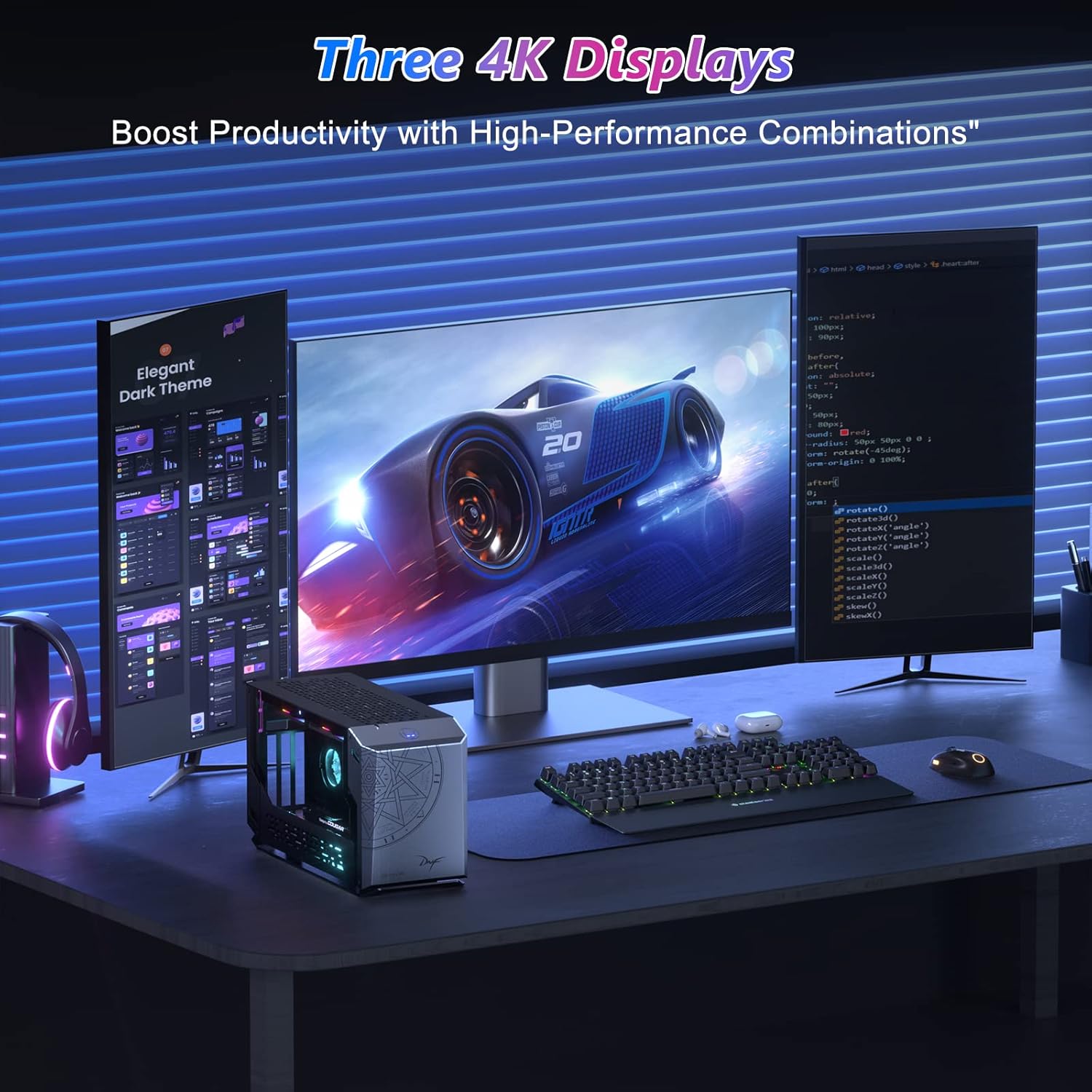
Image 2: The GEEKOM Fun9 Mini PC, power cable, and user manual as typically found in the product packaging.
3. భౌతిక ఓవర్view
Familiarize yourself with the ports and buttons on your GEEKOM Fun9 Mini PC.
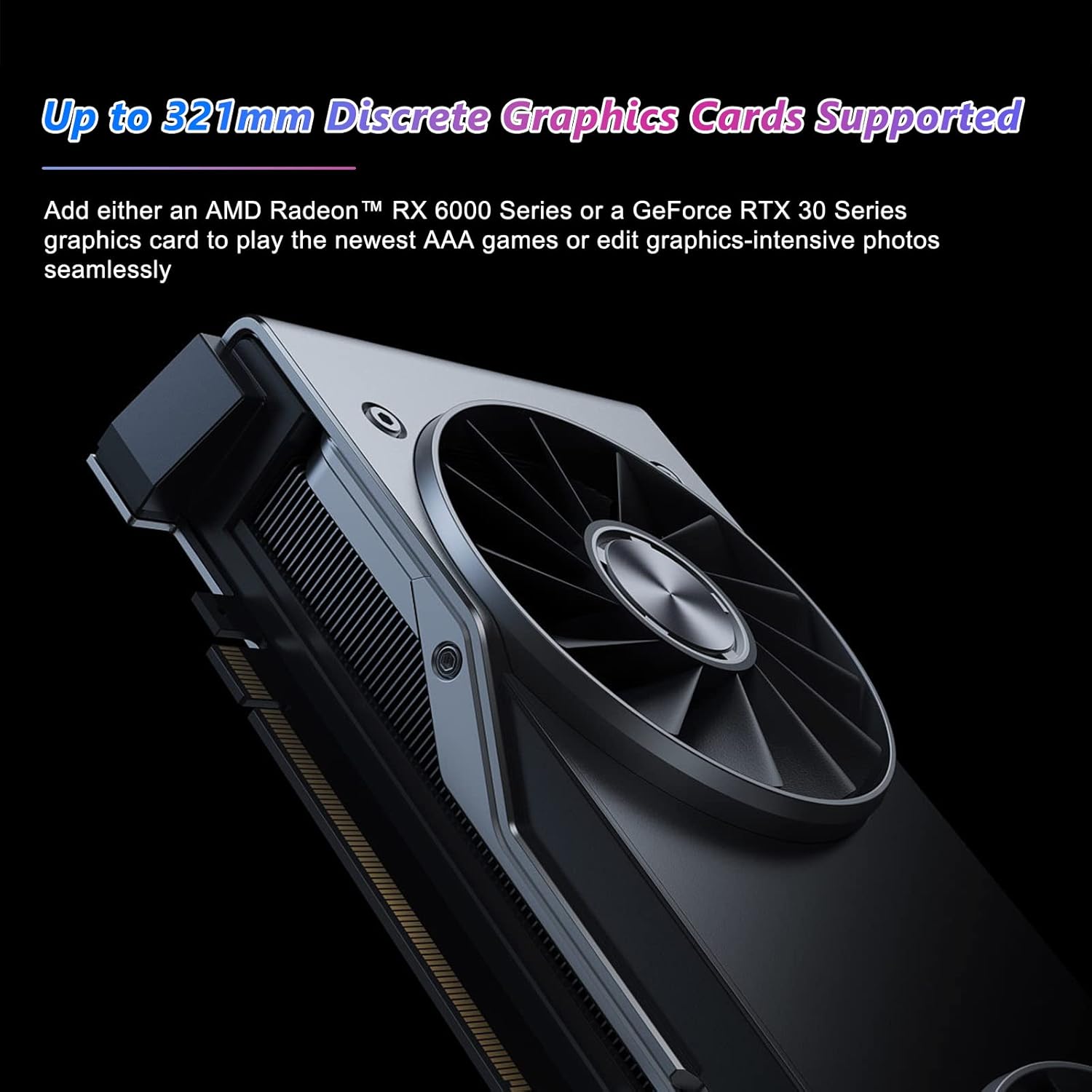
Image 3: Detailed diagram of the GEEKOM Fun9 Mini PC's rear and top panel, highlighting various ports and buttons.
Front/Top Panel:
- RGB Light Change Button: Press to cycle through RGB lighting effects.
- USB-C Port (Data Only): For connecting USB-C devices for data transfer.
వెనుక ప్యానెల్:
- పవర్ బటన్: To turn the Mini PC on or off.
- 4 x USB 3.2 Gen2 Ports: For connecting USB peripherals such as keyboards, mice, and external storage.
- 2 x Intel Gigabit Ethernet Ports: వైర్డు నెట్వర్క్ కనెక్టివిటీ కోసం.
- 1 x HDMI 2.0a Port: డిస్ప్లేకి కనెక్ట్ చేయడానికి.
- 2 x Thunderbolt 3 Ports: High-speed ports for data, display, and power delivery, supporting external GPUs.
- 1 x 3.5 mm Headphone Jack: ఆడియో అవుట్పుట్ కోసం.
4. సెటప్ సూచనలు
Follow these steps to set up your GEEKOM Fun9 Mini PC:
- డిస్ప్లేకి కనెక్ట్ చేయండి: Connect your monitor or TV to the Mini PC using an HDMI cable or a Thunderbolt cable.
- పెరిఫెరల్స్ కనెక్ట్ చేయండి: Plug in your USB keyboard and mouse into the available USB 3.2 Gen2 ports.
- నెట్వర్క్కు కనెక్ట్ చేయండి: For wired internet, connect an Ethernet cable to one of the LAN ports. For wireless internet, ensure your Wi-Fi network is available during initial setup.
- పవర్ కనెక్ట్ చేయండి: Plug the power adapter into the DC-in port on the Mini PC, then connect the power cable to an electrical outlet.
- పవర్ ఆన్: Press the Power Button on the rear panel to turn on the Mini PC.
- ప్రారంభ ఆపరేటింగ్ సిస్టమ్ సెటప్: Follow the on-screen instructions to complete the Windows operating system setup, including language, region, network connection, and user account creation.
5. ఆపరేటింగ్ సూచనలు
పవర్ ఆన్/ఆఫ్
- పవర్ ఆన్ చేయడానికి: పవర్ బటన్ నొక్కండి.
- పవర్ ఆఫ్ చేయడానికి: Click the Start menu in Windows, then select Power > Shut down. Alternatively, press and hold the Power Button for 4 seconds to force a shutdown (use only when necessary).
నెట్వర్క్ కనెక్టివిటీ
- వైర్డు కనెక్షన్: Connect an Ethernet cable to one of the two Gigabit LAN ports.
- వైర్లెస్ కనెక్షన్: The Mini PC supports Wi-Fi 6. Access network settings in Windows to connect to your preferred wireless network.
External Graphics Card Support
The GEEKOM Fun9 Mini PC supports external graphics cards via its Thunderbolt 3 ports. This allows for enhanced graphics performance for demanding applications and gaming.

Image 4: An external graphics card connected to a Mini PC, illustrating the capability to boost graphical performance.
బహుళ-ప్రదర్శన సెటప్
The Mini PC supports up to three 4K displays simultaneously, enhancing productivity and immersive experiences.

Image 5: A GEEKOM Fun9 Mini PC connected to three 4K displays, demonstrating its multi-monitor capability for enhanced productivity.
6. స్పెసిఫికేషన్లు
Detailed technical specifications for the GEEKOM Fun9 Mini PC:
| ఫీచర్ | స్పెసిఫికేషన్ |
|---|---|
| బ్రాండ్ | GEEKOM |
| మోడల్ సంఖ్య | Fun9 |
| సిరీస్ | Fun9 |
| ఆపరేటింగ్ సిస్టమ్ | విండోస్ |
| హార్డ్వేర్ ప్లాట్ఫారమ్ | Tigerlake UP3 |
| ప్రాసెసర్ బ్రాండ్ | ఇంటెల్ |
| ప్రాసెసర్ రకం | Intel Core i9-9980HK |
| ప్రాసెసర్ వేగం | 5 GHz |
| కోర్ల సంఖ్య | 8 |
| ఇన్స్టాల్ చేయబడిన RAM పరిమాణం | 32 GB DDR4 |
| గరిష్ట మెమరీ | 64 GB |
| హార్డ్ డ్రైవ్ పరిమాణం | 1 TB |
| హార్డ్ డ్రైవ్ టెక్నాలజీ | SSD |
| హార్డ్ డ్రైవ్ ఇంటర్ఫేస్ | PCIE x 4 |
| గ్రాఫిక్స్ చిప్సెట్ బ్రాండ్ | ఇంటెల్ |
| గ్రాఫిక్స్ కార్డ్ వివరణ | Integrated (Intel UHD Graphics 630) |
| గ్రాఫిక్స్ కోప్రాసెసర్ | ఇంటిగ్రేటెడ్ గ్రాఫిక్స్ కార్డ్ |
| స్క్రీన్ రిజల్యూషన్ | 3840 x 2160 (4K) |
| కనెక్టివిటీ రకం | బ్లూటూత్, వై-ఫై 6 |
| హార్డ్వేర్ ఇంటర్ఫేస్ | Ethernet, HDMI, Thunderbolt, USB |
| HDMI పోర్ట్ల సంఖ్య | 3 |
| USB 3.0 పోర్ట్ల సంఖ్య | 4 (USB 3.2 Gen2) |
| కనెక్టర్ రకం | HDMI, LAN, Thunderbolt 3, USB |
| ప్రత్యేక లక్షణాలు | RGB లైటింగ్ |
| ఉత్పత్తి కోసం నిర్దిష్ట ఉపయోగాలు | Business, Gaming, Multimedia |
| PC రకం | మినీ PC |

Image 6: Visual representation of the Intel Core i9 high-performance CPU, highlighting its 5 GHz max turbo frequency, 8 cores, 16MB L3 cache, and 45W TDP.

Image 7: Abstract representation of integrated graphics, indicating Intel UHD Graphics 630 with a frequency range of 350 MHz to 1.25 GHz.
7. నిర్వహణ
సరైన నిర్వహణ మీ మినీ PC యొక్క దీర్ఘాయువు మరియు సరైన పనితీరును నిర్ధారిస్తుంది.
- శుభ్రపరచడం: మినీ PC యొక్క బాహ్య భాగాన్ని శుభ్రం చేయడానికి మృదువైన, పొడి వస్త్రాన్ని ఉపయోగించండి. వెంట్లలో దుమ్ము పేరుకుపోకుండా ఉండటానికి, సంపీడన గాలిని ఉపయోగించండి. శుభ్రపరిచే ముందు పరికరాన్ని పవర్ ఆఫ్ చేసి, అన్ప్లగ్ చేశారని నిర్ధారించుకోండి.
- వెంటిలేషన్: Ensure the Mini PC is placed in a well-ventilated area. Do not block the ventilation openings.
- సాఫ్ట్వేర్ అప్డేట్లు: భద్రత మరియు పనితీరును నిర్వహించడానికి మీ ఆపరేటింగ్ సిస్టమ్ మరియు డ్రైవర్లను క్రమం తప్పకుండా నవీకరించండి.
8. ట్రబుల్షూటింగ్
This section addresses common issues you might encounter with your GEEKOM Fun9 Mini PC.
పవర్ లేదు
- పవర్ అడాప్టర్ మినీ పిసికి మరియు పనిచేసే ఎలక్ట్రికల్ అవుట్లెట్ రెండింటికీ సురక్షితంగా కనెక్ట్ చేయబడిందని నిర్ధారించుకోండి.
- మరొక పరికరాన్ని ప్లగ్ చేయడం ద్వారా పవర్ అవుట్లెట్ పనిచేస్తుందో లేదో ధృవీకరించండి.
- అందుబాటులో ఉంటే వేరే పవర్ కేబుల్ ప్రయత్నించండి.
డిస్ప్లే అవుట్పుట్ లేదు
- Check that the HDMI or Thunderbolt cable is securely connected to both the Mini PC and the monitor.
- మానిటర్ ఆన్ చేయబడిందని మరియు సరైన ఇన్పుట్ సోర్స్కు సెట్ చేయబడిందని నిర్ధారించుకోండి.
- వీలైతే వేరే డిస్ప్లే కేబుల్ లేదా మానిటర్తో పరీక్షించండి.
నెట్వర్క్ కనెక్టివిటీ సమస్యలు
- వైర్డ్: Ensure the Ethernet cable is properly connected and the router/modem is working. Check network adapter settings in Windows.
- వైర్లెస్: Verify Wi-Fi is enabled in Windows settings. Restart your router/modem. Ensure you are within range of your Wi-Fi network.
గుర్తించబడని పెరిఫెరల్స్
- పరిధీయ పరికరాన్ని వేరే USB పోర్ట్కి కనెక్ట్ చేయడానికి ప్రయత్నించండి.
- పరిధీయ పరికరం యొక్క డ్రైవర్లు ఇన్స్టాల్ చేయబడి, తాజాగా ఉన్నాయని నిర్ధారించుకోండి.
- Test the peripheral on another computer to rule out device malfunction.
9. వారంటీ మరియు మద్దతు
Your GEEKOM Fun9 Mini PC comes with a standard manufacturer's warranty. Please refer to the warranty card included in your package for specific terms and conditions, including warranty duration and coverage.
For technical support, service, or warranty claims, please contact GEEKOM customer service through their official website or the contact information provided in your product documentation. When contacting support, please have your product model (Fun9) and serial number ready.


