1. పరిచయం
The SOAR ShockBox XL Wireless Bluetooth Speaker is designed to provide a high-quality audio experience for various occasions, including sports events and gatherings. This manual provides detailed instructions for the setup, operation, and maintenance of your speaker.

Figure 1: SOAR NFL XL ShockBox Wireless Bluetooth Speaker (Tennessee Titans edition).
2. ప్యాకేజీ విషయాలు
దయచేసి అన్ని అంశాలు ప్యాకేజీలో ఉన్నాయని ధృవీకరించండి:
- SOAR NFL XL ShockBox Wireless Bluetooth Speaker
- మైక్రో-USB ఛార్జింగ్ కేబుల్
- వినియోగదారు మాన్యువల్ (ఈ పత్రం)
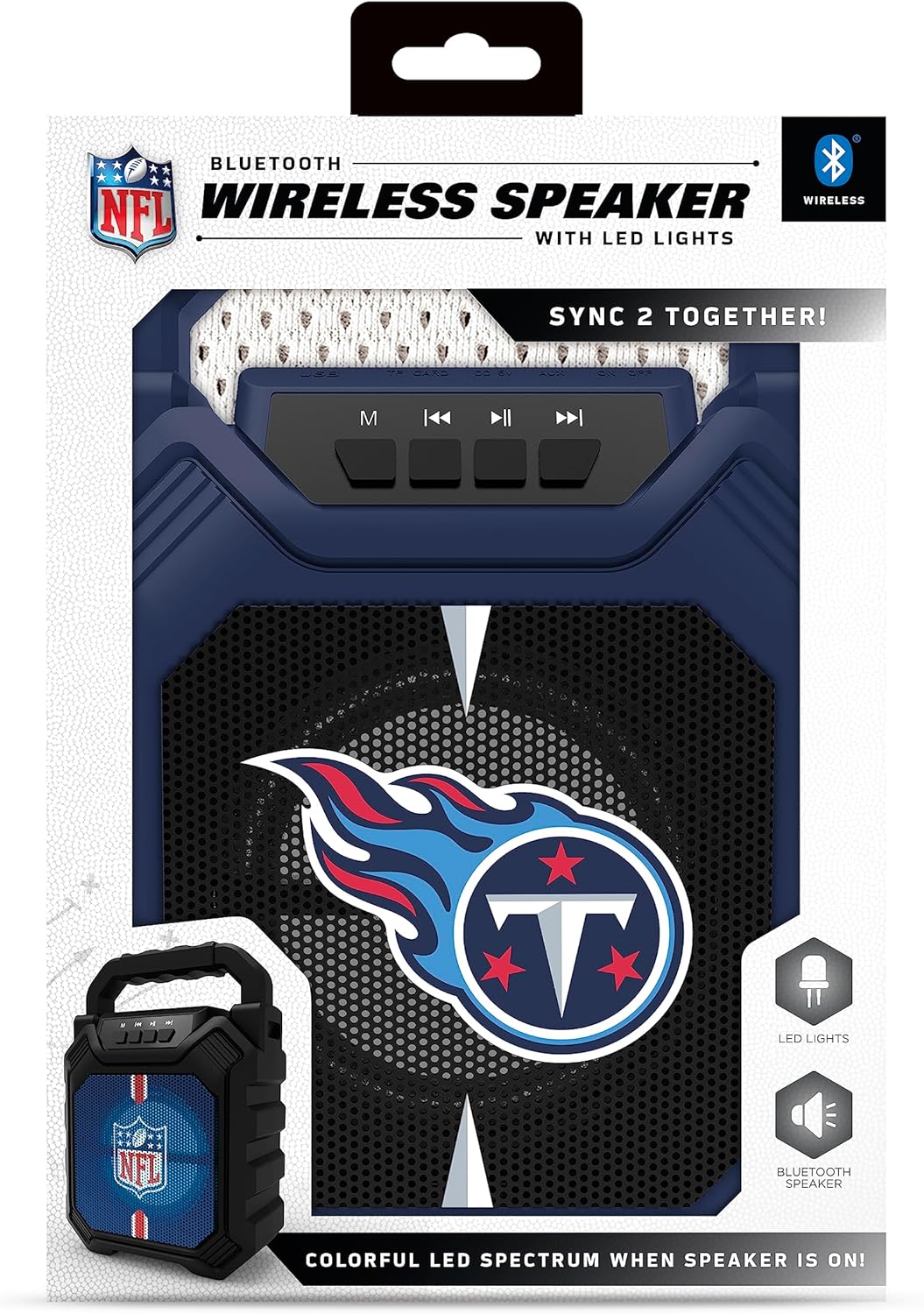
Figure 2: Speaker in its retail packaging, showing the product and its key features.
3. ఉత్పత్తి లక్షణాలు
- బ్లూటూత్ 5.0 కనెక్టివిటీ: Enables wireless audio streaming from compatible devices.
- బహుళ ఆడియో ఇన్పుట్లు: Includes AM/FM radio, USB port, and Aux input for versatile playback options.
- పోర్టబుల్ డిజైన్: Features a convenient top handle for easy transport and a shockproof construction for durability.
- పొడిగించిన ప్లేటైమ్: Provides over 5 hours of continuous audio playback on a single charge.
- డైనమిక్ LED లైటింగ్: Multicolor LED lights synchronize with the music, enhancing the visual experience.
- Stereo Sound Pairing: Supports "Sync 2 Together" functionality, allowing two speakers to be paired for enhanced stereo audio.
- ఆడియో నాణ్యత: Delivers deep bass and crystal clear sound.
- వాయిస్ ప్రాంప్ట్లు: Features voice-over speaker prompts for operational guidance.
- స్పీకర్ డ్రైవర్: Equipped with a 25W speaker driver for powerful sound output.
4. నియంత్రణలు మరియు పోర్టులు
Familiarize yourself with the control panel and input ports located on the speaker:
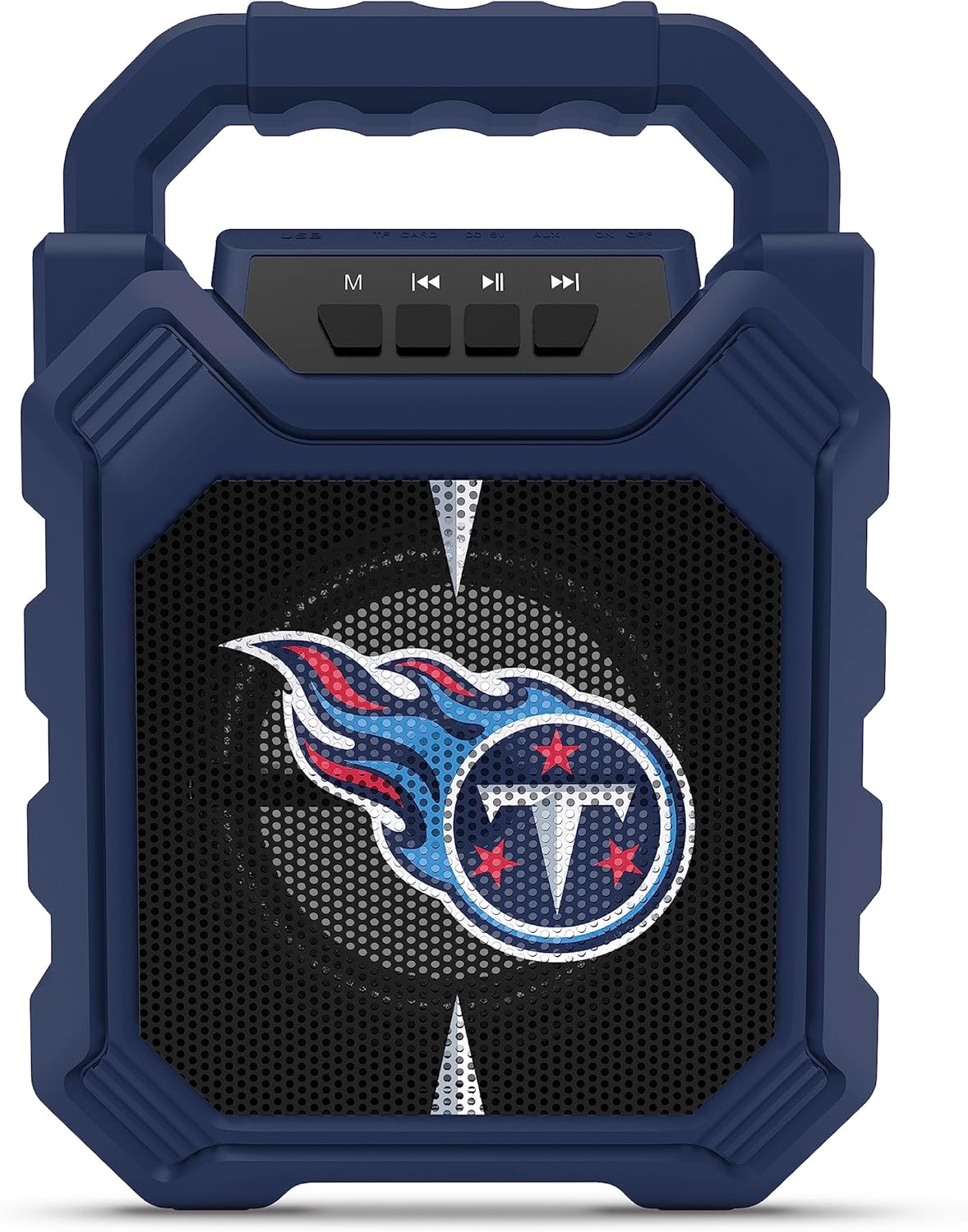
Figure 3: Top panel of the speaker with control buttons and input ports.
| బటన్/పోర్ట్ | ఫంక్షన్ |
|---|---|
| M (మోడ్) బటన్ | Switches between Bluetooth, FM Radio, USB, and Aux input modes. |
| మునుపటి ట్రాక్ / వాల్యూమ్ డౌన్ | Short press for previous track (Bluetooth/USB), long press to decrease volume. |
| ప్లే/పాజ్ బటన్ | ఆడియో ప్లేబ్యాక్ను ప్లే చేస్తుంది లేదా పాజ్ చేస్తుంది. |
| తదుపరి ట్రాక్ / వాల్యూమ్ అప్ | Short press for next track (Bluetooth/USB), long press to increase volume. |
| USB పోర్ట్ | USB ఫ్లాష్ డ్రైవ్ల నుండి ఆడియోను ప్లే చేయడానికి. |
| TF కార్డ్ స్లాట్ | For playing audio from TF (MicroSD) cards. |
| AUX ఇన్పుట్ | 3.5mm jack for connecting external audio devices via an auxiliary cable. |
| మైక్రో-యుఎస్బి ఛార్జింగ్ పోర్ట్ | స్పీకర్ అంతర్గత బ్యాటరీని ఛార్జ్ చేయడానికి. |
5. సెటప్
5.1 స్పీకర్ను ఛార్జ్ చేయడం
- Connect the supplied micro-USB cable to the speaker's micro-USB charging port.
- కేబుల్ యొక్క మరొక చివరను USB పవర్ అడాప్టర్ (చేర్చబడలేదు) లేదా కంప్యూటర్ యొక్క USB పోర్ట్కు కనెక్ట్ చేయండి.
- ఛార్జింగ్ సమయంలో LED సూచిక వెలుగుతుంది మరియు పూర్తిగా ఛార్జ్ అయినప్పుడు ఆపివేయబడుతుంది.
- A full charge provides over 5 hours of playtime.
5.2 పవర్ చేయడం ఆన్/ఆఫ్
- To power on, locate the power switch (usually on the back or side) and slide it to the "ON" position.
- పవర్ ఆఫ్ చేయడానికి, పవర్ స్విచ్ను "ఆఫ్" స్థానానికి స్లయిడ్ చేయండి.
6. ఆపరేటింగ్ సూచనలు
6.1 బ్లూటూత్ జత చేయడం
- Ensure the speaker is powered on and in Bluetooth mode (press the 'M' button until you hear a Bluetooth prompt).
- మీ మొబైల్ పరికరంలో, బ్లూటూత్ని ప్రారంభించండి మరియు అందుబాటులో ఉన్న పరికరాల కోసం శోధించండి.
- Select "SOAR ShockBox XL" from the list of devices.
- జత చేసిన తర్వాత, స్పీకర్ కనెక్షన్ విజయవంతమైందని సూచిస్తుంది మరియు మీరు ఆడియో స్ట్రీమింగ్ను ప్రారంభించవచ్చు.
6.2 FM రేడియో ఆపరేషన్
- Press the 'M' button to switch to FM Radio mode.
- అందుబాటులో ఉన్న FM స్టేషన్లను స్వయంచాలకంగా స్కాన్ చేయడానికి మరియు సేవ్ చేయడానికి ప్లే/పాజ్ బటన్ను నొక్కి పట్టుకోండి.
- సేవ్ చేసిన స్టేషన్ల మధ్య నావిగేట్ చేయడానికి మునుపటి/తదుపరి ట్రాక్ బటన్లను ఉపయోగించండి.
6.3 USB and AUX Input Usage
- USB ఇన్పుట్: ఆడియోను కలిగి ఉన్న USB ఫ్లాష్ డ్రైవ్ను చొప్పించండి fileUSB పోర్ట్లోకి లు. స్పీకర్ స్వయంచాలకంగా USB మోడ్కి మారి ప్లేబ్యాక్ను ప్రారంభిస్తుంది.
- AUX ఇన్పుట్: Connect one end of a 3.5mm audio cable (not included) to the speaker's AUX input and the other end to your external audio device. Press the 'M' button to switch to AUX mode.
6.4 Dynamic LED Lights
The speaker features multicolor LED lights that pulse to the rhythm of the music. These lights are automatically activated when the speaker is in use. There is no separate control for the LED lights mentioned in the product features.

చిత్రం 4: ఉదాample of SOAR ShockBox XL speakers with dynamic LED lighting.
6.5 Sync 2 Together (True Wireless Stereo)
To pair two SOAR ShockBox XL speakers for true wireless stereo sound:
- రెండు స్పీకర్లు ఆన్ చేయబడి బ్లూటూత్ మోడ్లో ఉన్నాయని, కానీ ఇంకా ఏ పరికరానికి కనెక్ట్ కాలేదని నిర్ధారించుకోండి.
- On one speaker (this will be the primary speaker), press and hold the 'M' button until you hear a pairing tone.
- రెండు స్పీకర్లు స్వయంచాలకంగా ఒకదానికొకటి కనెక్ట్ అవుతాయి. కనెక్ట్ అయిన తర్వాత, మీరు నిర్ధారణ టోన్ వింటారు.
- Now, connect your mobile device to the primary speaker via Bluetooth as described in Section 6.1. Audio will play through both speakers in stereo.
7. నిర్వహణ
- శుభ్రపరచడం: స్పీకర్ బాహ్య భాగాన్ని శుభ్రం చేయడానికి మృదువైన, పొడి వస్త్రాన్ని ఉపయోగించండి. రాపిడి క్లీనర్లను లేదా ద్రావకాలను ఉపయోగించవద్దు.
- నిల్వ: స్పీకర్ను ప్రత్యక్ష సూర్యకాంతి మరియు తీవ్రమైన ఉష్ణోగ్రతలకు దూరంగా చల్లని, పొడి ప్రదేశంలో నిల్వ చేయండి.
- బ్యాటరీ సంరక్షణ: To prolong battery life, fully charge the speaker before long periods of inactivity. Avoid completely draining the battery frequently.
- నీటి నిరోధకత: While the speaker has a shockproof design, specific water resistance ratings are not provided. Avoid exposing the speaker to water or excessive moisture.
8. ట్రబుల్షూటింగ్
| సమస్య | సాధ్యమైన పరిష్కారం |
|---|---|
| స్పీకర్ పవర్ ఆన్ చేయదు. | Ensure the battery is charged. Connect the speaker to a power source using the micro-USB cable. |
| బ్లూటూత్ ద్వారా జత చేయడం సాధ్యం కాదు. |
|
| శబ్దం లేదు లేదా తక్కువ వాల్యూమ్ ఉంది. |
|
| FM రేడియో రిసెప్షన్ పేలవంగా ఉంది. | Adjust the speaker's position. Ensure no strong interference sources are nearby. |
| "Sync 2 Together" pairing fails. |
|
9. స్పెసిఫికేషన్లు
| ఫీచర్ | వివరాలు |
|---|---|
| మోడల్ సంఖ్య | NFL-BTH6-DLPH |
| బ్లూటూత్ వెర్షన్ | 5.0 |
| ఆడియో ఇన్పుట్లు | Bluetooth, FM Radio, USB, Aux |
| ఆట సమయం | Over 5 hours per charge |
| ఛార్జింగ్ పోర్ట్ | మైక్రో-USB |
| స్పీకర్ డ్రైవర్ | 25W |
| తయారీదారు | ప్రైమ్ బ్రాండ్స్ గ్రూప్ ఇంక్ |
| మొదట అందుబాటులో ఉన్న తేదీ | సెప్టెంబర్ 6, 2023 |
10. వారంటీ మరియు మద్దతు
For information regarding warranty coverage and customer support, please refer to the contact details provided by Prime Brands Group Inc., the manufacturer. Protection plans are available for purchase separately through the retailer.
For further assistance, please visit the official SOAR webసైట్ లేదా వారి కస్టమర్ సేవను సంప్రదించండి.


