1. పరిచయం
Welcome to the user manual for your FEINODI Android Auto Wireless Adapter. This innovative device is designed to seamlessly convert your car's existing wired Android Auto system into a wireless connection, significantly enhancing your driving experience with greater convenience and connectivity.

Image 1.1: The FEINODI Android Auto Wireless Adapter with USB-A and USB-C connectors.
2. ఉత్పత్తి లక్షణాలు
The FEINODI Android Auto Wireless Adapter offers a range of features designed to optimize your in-car connectivity:
- Wireless Android Auto Conversion: Easily transforms your wired Android Auto setup into a wireless one, eliminating the need for physical cable connections.
- Seamless Car System Integration: Maintains full functionality with your car's infotainment system, including touch screen, steering wheel controls, and rotary knob controls.
- Smart Driving Capabilities: Supports turn-by-turn navigation, real-time traffic updates, and integration with popular music streaming services like Spotify and Google Play Music.
- Fast and Stable Connection: Utilizes Bluetooth and 5Ghz Wi-Fi for robust anti-interference capabilities, ensuring a consistent and reliable connection even with your phone in your pocket.
- Enhanced Flexibility and Updates: Allows for easy switching between multiple smartphones and supports Over-The-Air (OTA) updates for access to the latest features and improvements.

చిత్రం 2.1: ముగిసిందిview of the adapter's wireless features including Plug & Play, Online Map, Google Voice, Auto Connect, 5Ghz WiFi, and Bluetooth.

Image 2.2: The adapter allows retention of original car controls such as steering wheel, touch screen, and knob controls.
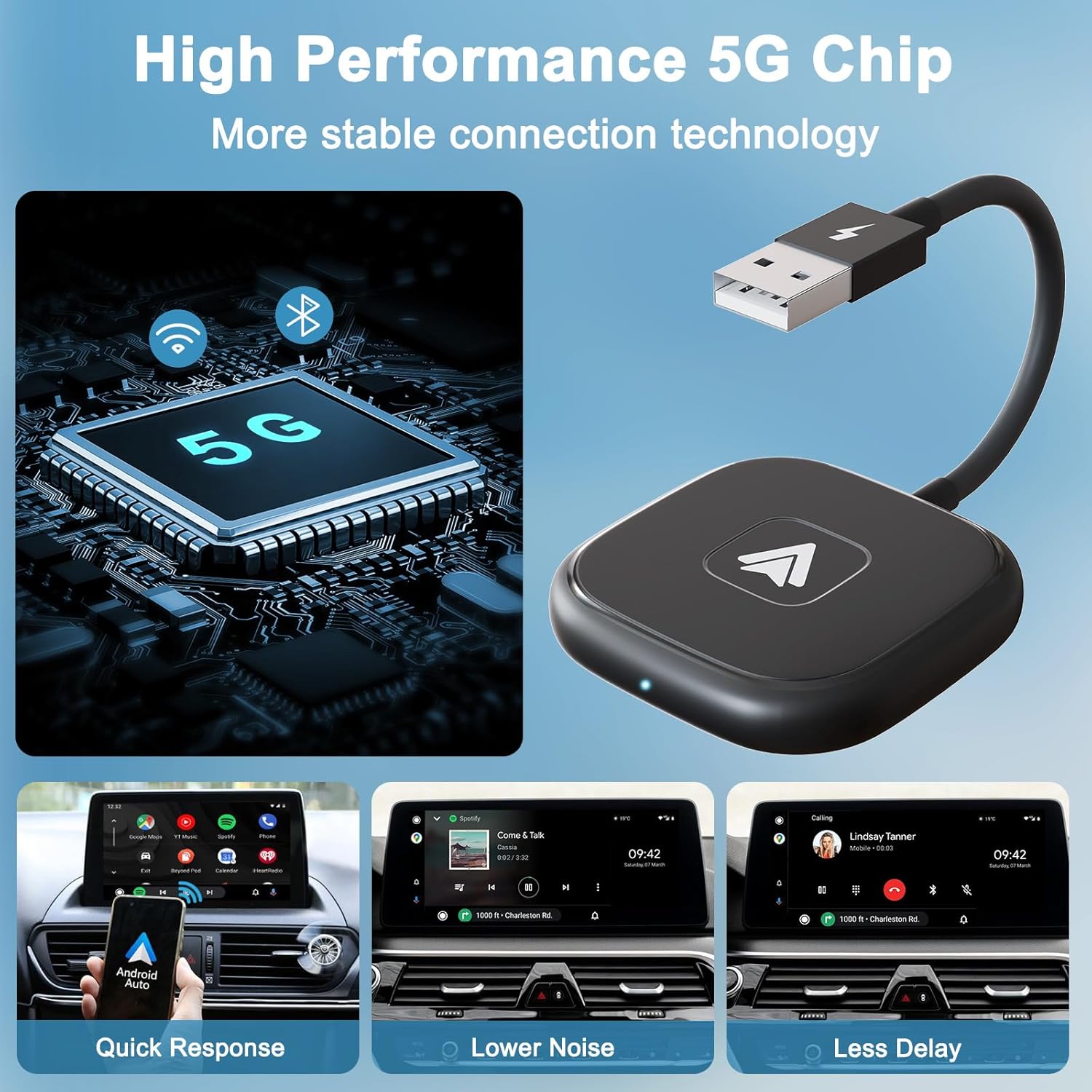
Image 2.3: The adapter features a high-performance 5G chip for quick response, lower noise, and less delay.
3. అనుకూలత
Before using the FEINODI Android Auto Wireless Adapter, please ensure your vehicle and smartphone meet the following compatibility requirements:
- వాహన అనుకూలత: Your car or stereo must have a factory-installed wired Android Auto system. This adapter is compatible with OEM autos from 2016 onwards. For a comprehensive list of supported car models, please refer to the official Android Auto compatibility webసైట్: android.com/auto/compatibility.
- ఫోన్ అనుకూలత: The adapter requires an Android smartphone running Android 11 or above with the Android Auto application installed.
- ముఖ్యమైన గమనిక: This adapter is designed exclusively for Android Auto and does not support Apple CarPlay or iPhones.
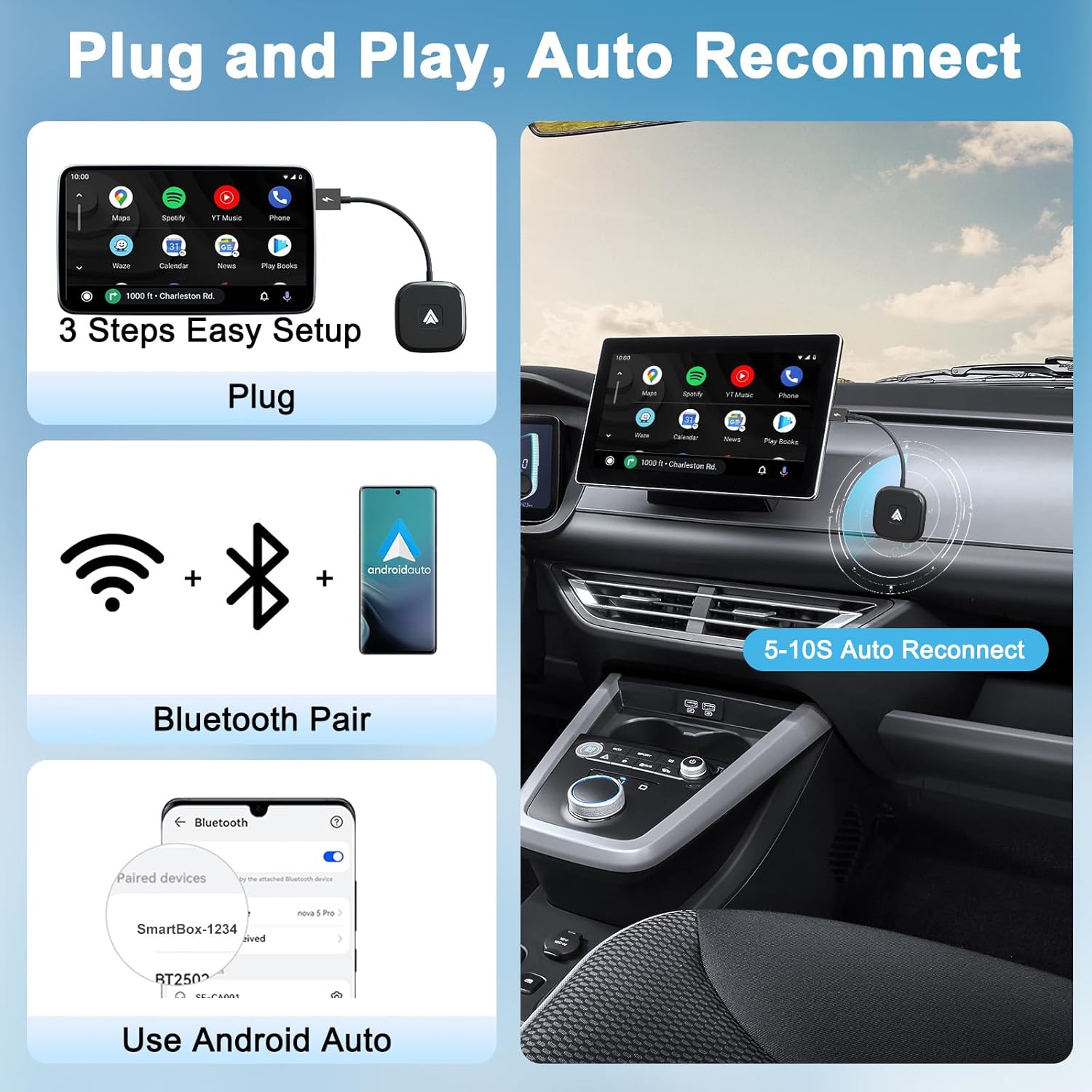
Image 3.1: Visual guide for confirming vehicle and phone compatibility with the adapter.
4. సెటప్ గైడ్
Follow these simple steps to set up your FEINODI Android Auto Wireless Adapter:
Initial Setup (3 Easy Steps)
- Step 1: Check Your Car. Ensure your car or stereo has a wired Android Auto system. This adapter requires an existing wired Android Auto connection to function wirelessly.
- Step 2: Check Your Phone. Verify that your smartphone supports Android Auto and is running Android 11 or a newer version.
- Step 3: Connect the Adapter.
- Plug the FEINODI Android Auto Wireless Adapter into your car's USB port. The adapter comes with both USB-A and USB-C connectors for versatility.
- On your Android phone, ensure both Bluetooth and Wi-Fi are enabled.
- On your phone, search for Bluetooth devices and connect to the adapter's Bluetooth signal (e.g., "SmartBox-1234"). Do not connect directly to the Wi-Fi signal.
- Once the Bluetooth connection is established, your phone will automatically prompt you to launch Android Auto wirelessly. Follow the on-screen instructions to complete the setup.

Image 4.1: Visual representation of the 3-step setup process: Plug, Bluetooth Pair, and Use Android Auto.
5. ఆపరేటింగ్ సూచనలు
ఆటోమేటిక్ రీకనెక్షన్
After the initial setup, the FEINODI Android Auto Wireless Adapter will automatically connect to your phone within 5-10 seconds when you start your car. Ensure that Bluetooth and Wi-Fi remain enabled on your phone for seamless automatic reconnection.
Using Android Auto Features
Once connected, all standard Android Auto features will function wirelessly through your car's infotainment system. This includes:
- నావిగేషన్: Use Google Maps, Waze, or other supported navigation apps for turn-by-turn directions and real-time traffic updates.
- సంగీతం మరియు మీడియా: Stream music from Spotify, Google Play Music, or other audio apps directly through your car's speakers.
- Calls and Messaging: Make and receive calls, and send/receive messages using your car's display and controls.
- వాయిస్ నియంత్రణ: Utilize voice commands (e.g., "Hey Google") to control navigation, make calls, send messages, and play music, allowing you to keep your hands on the wheel and focus on the road.

Image 5.1: The adapter enables full wireless Android Auto functionality, including navigation, communication, and media apps.
6. ట్రబుల్షూటింగ్
సాధారణ సమస్యలు మరియు పరిష్కారాలు
- కనెక్షన్ సమస్యలు:
- Ensure your car has a factory-installed wired Android Auto function. This adapter cannot add Android Auto to a vehicle that does not already have it.
- Verify that wireless Android Auto is enabled in your phone's settings.
- Always connect to the adapter's Bluetooth first. Do not attempt to connect directly to its Wi-Fi signal.
- Check for any available Android Auto app updates on your mobile device through the Google Play Store.
- If experiencing frequent disconnections, ensure your phone's Bluetooth and Wi-Fi remain active and are not being turned off by power-saving modes.
- No Sound or Call Issues:
- Ensure your phone is properly connected to the vehicle for hands-free calls (Bluetooth HFP profile).
- Adapter Not Responding:
- Unplug the adapter from the car's USB port, wait a few seconds, and then plug it back in.
- మీ స్మార్ట్ఫోన్ను రీస్టార్ట్ చేయండి.
- Automatic Connection Pop-up After Car is Off:
- Some car models may continue to supply power to the USB interface even after the engine is turned off. This can cause your phone to receive a pairing pop-up window. This is normal behavior and does not indicate a fault with the adapter.
- ఆలస్యం లేదా ఆలస్యం:
- The adapter uses 5Ghz Wi-Fi for stable transmission. Ensure there are no significant sources of wireless interference near the adapter or your phone.
7. స్పెసిఫికేషన్లు
| బ్రాండ్ | ఫెయినోడి |
| మోడల్ సంఖ్య | THT-020-4-1+ |
| ASIN | B0C4GFQ7MW |
| రంగు | నలుపు |
| కనెక్టర్ రకం | USB Type C (with USB-A adapter) |
| వైర్లెస్ కనెక్టివిటీ | Bluetooth, 5Ghz WiFi |
| అనుకూల పరికరాలు | Android smartphones (Android 11 and above) |
| అనుకూల వాహనాలు | Cars with factory-installed wired Android Auto (from 2016 onwards) |
| ప్యాకేజీ కొలతలు | 19.9 x 11.2 x 1.9 సెం.మీ |
| బరువు | 5 గ్రా |
8. వారంటీ మరియు మద్దతు
For detailed warranty information, technical support, and customer service, please refer to the manufacturer's official website or contact your point of purchase. It is recommended to retain your purchase receipt for any warranty claims.


