1. ఉత్పత్తి ముగిసిందిview
The TRIGKEY G4 Mini PC is a compact and efficient desktop computer designed for various applications, including office work, home entertainment, and educational tasks. It features a 12th Generation Intel Alder Lake-N N95 Processor, 16GB DDR4 RAM, and a 500GB M.2 SSD, offering reliable performance in a small form factor. This manual provides detailed instructions for setting up, operating, and maintaining your TRIGKEY G4 Mini PC.

మూర్తి 1: ముందు view of the TRIGKEY G4 Mini PC, showcasing దాని కాంపాక్ట్ డిజైన్ మరియు ఫ్రంట్ పోర్టులు.
2. ప్యాకేజీ విషయాలు
దయచేసి అన్ని అంశాలు ప్యాకేజీలో ఉన్నాయని ధృవీకరించండి:
- TRIGKEY G4 Mini PC
- Power Adapter (Input: 100-240V AC, 50/60Hz; Output: 12V 3A)
- HDMI Cable (100CM)
- వాల్-మౌంటెడ్ బ్రాకెట్
- సూచనల మాన్యువల్ (ఈ పత్రం)
- స్క్రూల ప్యాక్
3. హార్డ్వేర్ ఫీచర్లు
3.1 ఫ్రంట్ ప్యానెల్

Figure 2: Diagram illustrating the front and rear ports of the TRIGKEY G4 Mini PC.
- CLR CMOS Button: Used to clear CMOS settings.
- USB3.2 Gen2 (10Gbps) Ports (x2): హై-స్పీడ్ USB పరికరాలను కనెక్ట్ చేయడానికి.
- ఇయర్ఫోన్ జాక్ (3.5మి.మీ): హెడ్ఫోన్లు లేదా స్పీకర్లకు ఆడియో అవుట్పుట్ కోసం.
- శక్తి సూచిక కాంతి: పరికరం యొక్క శక్తి స్థితిని సూచిస్తుంది.
- పవర్ బటన్: To power on/off the Mini PC.
3.2 వెనుక ప్యానెల్
- Locking Slot: భద్రతా కేబుల్ లాక్ల కోసం.
- DC పవర్ ఇన్పుట్: అందించిన పవర్ అడాప్టర్ను ఇక్కడ కనెక్ట్ చేయండి.
- HDMI 2.0 పోర్ట్లు (x2): Supports 4K@60Hz output for dual display setup.
- LAN (1000M) Port: వైర్డు నెట్వర్క్ కనెక్షన్ కోసం.
- USB3.2 Gen2 (10Gbps) Ports (x2): హై-స్పీడ్ USB పరికరాలను కనెక్ట్ చేయడానికి.
3.3 అంతర్గత భాగాలు

చిత్రం 3: అంతర్గత view of the TRIGKEY G4 Mini PC, highlighting the CPU, RAM, and SSD components.
- CPU: Intel Alder Lake-N N95 Processor (4C/4T, up to 3.4 GHz).
- RAM: 16GB DDR4 SO-DIMM (expandable up to 16GB, single channel).
- నిల్వ: 500GB M.2 2280 SSD (supports up to 2TB M.2 SATA3 2280 SSD or 2.5-inch SATA3 HDD).
- శీతలీకరణ వ్యవస్థ: Features a large silent CPU fan and copper heat sink for efficient heat dissipation.
వీడియో ముగిసిందిview
దృశ్యమానత కోసం ఈ వీడియో చూడండిview of the TRIGKEY G4 Mini PC's features and capabilities.
వీడియో 1: 56-సెకన్ల వీడియో షోక్asing the TRIGKEY G4 Mini PC, its compact size, internal components like the Intel N100 processor, SSD, RAM, cooling system, and various ports, as well as its Wi-Fi 6 capabilities and dual HDMI display support.
4. సెటప్ గైడ్
Follow these steps to set up your TRIGKEY G4 Mini PC:
- డిస్ప్లేకి కనెక్ట్ చేయండి: Connect one or two monitors to the HDMI 2.0 ports on the rear panel using the provided HDMI cable(s).
- పెరిఫెరల్స్ కనెక్ట్ చేయండి: Connect your keyboard, mouse, and other USB devices to the available USB3.2 ports on the front or rear panel.
- నెట్వర్క్ కనెక్షన్: For a wired connection, connect an Ethernet cable to the LAN port. For wireless, ensure your Wi-Fi network is available during initial setup.
- పవర్ ఆన్: Connect the power adapter to the DC power input port on the rear panel, then plug the adapter into a power outlet. Press the power button on the front panel to turn on the Mini PC.
- ప్రారంభ OS సెటప్: The Mini PC comes pre-installed with OS 11 Pro. Follow the on-screen instructions to complete the initial operating system setup, including language, region, and network configuration.

Figure 4: The Mini PC connected to a monitor, keyboard, and mouse, ready for use.
5. ఆపరేటింగ్ సూచనలు
5.1 పవర్ ఆన్/ఆఫ్
- పవర్ ఆన్ చేయడానికి: ముందు ప్యానెల్లోని పవర్ బటన్ను నొక్కండి.
- షట్ డౌన్ చేయడానికి: Click the Start button in OS 11 Pro, then select Power > Shut down. Alternatively, press and hold the power button for 4-6 seconds.
- పునఃప్రారంభించడానికి: స్టార్ట్ బటన్ను క్లిక్ చేసి, ఆపై పవర్ > రీస్టార్ట్ ఎంచుకోండి.
5.2 డ్యూయల్ డిస్ప్లే సెటప్
The TRIGKEY G4 supports dual 4K@60Hz displays via its two HDMI 2.0 ports. Connect two monitors to the HDMI ports. Once connected, OS 11 Pro will automatically detect the displays. You can configure display settings (extend, duplicate, or second screen only) via సెట్టింగ్లు > సిస్టమ్ > డిస్ప్లే.
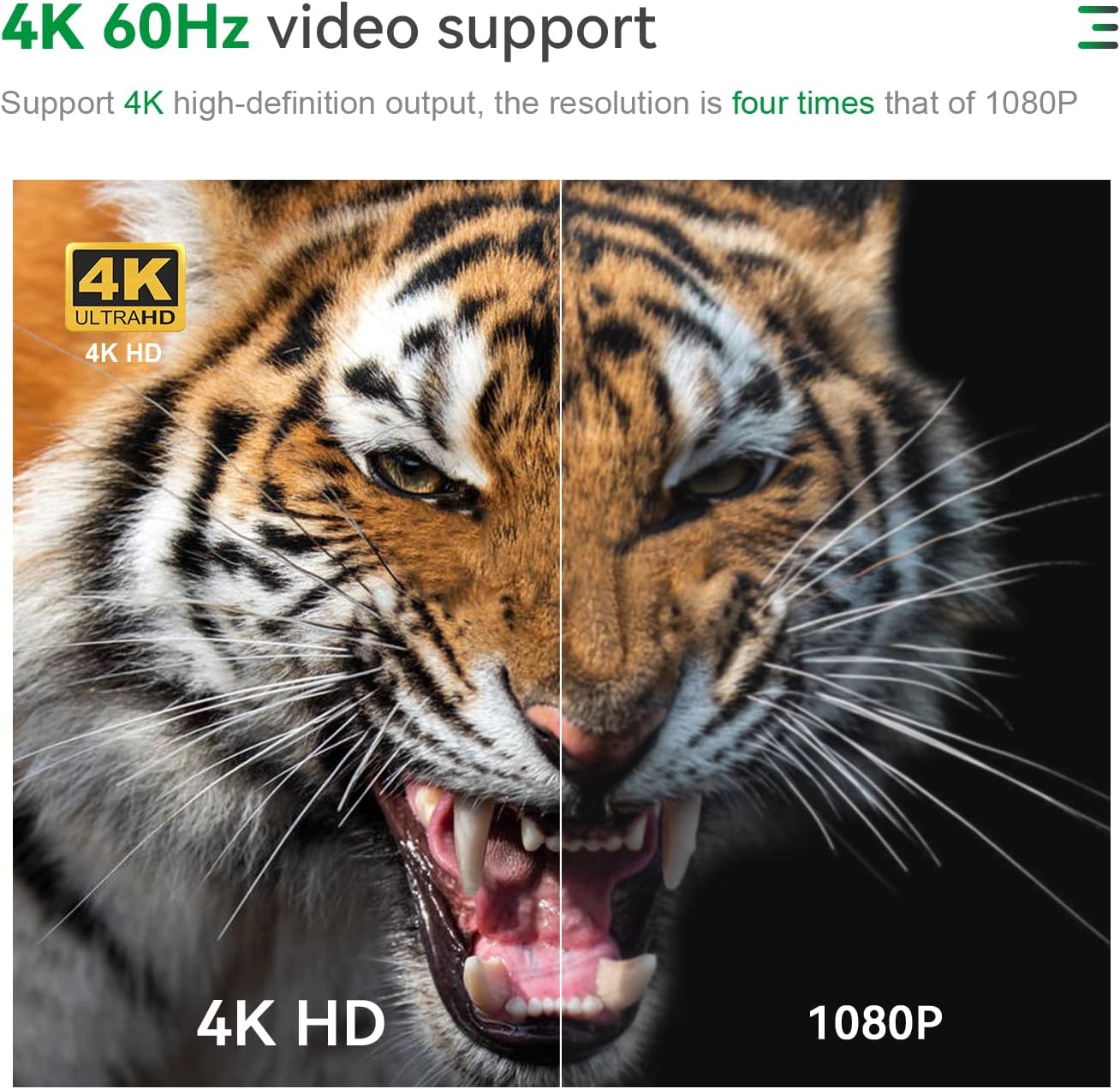
Figure 5: Illustration of the Mini PC connected to two monitors for a dual-screen setup.
5.3 నెట్వర్క్ కనెక్టివిటీ
- వైర్డు (LAN): Connect an Ethernet cable to the 1000M LAN port for a stable internet connection.
- వైర్లెస్ (వై-ఫై): The Mini PC supports 802.11 b/g/n/ac (Wi-Fi 5) and 2.4+5G WIFI. To connect, go to సెట్టింగ్లు > నెట్వర్క్ & ఇంటర్నెట్ > Wi-Fi, మీ నెట్వర్క్ను ఎంచుకుని, పాస్వర్డ్ను నమోదు చేయండి.
- బ్లూటూత్: Integrated Bluetooth 4.0 allows connection to wireless peripherals like keyboards, mice, and headphones. Access Bluetooth settings via సెట్టింగ్లు > బ్లూటూత్ & పరికరాలు.
5.4 నిల్వ విస్తరణ
The TRIGKEY G4 Mini PC allows for storage expansion:
- M.2 SSD: The existing 500GB M.2 2280 SSD can be upgraded to a maximum of 2TB M.2 SATA3 2280 SSD.
- 2.5-inch HDD/SSD: An internal bay supports a 2.5-inch SATA3 HDD or SSD (up to 2TB, not included).

మూర్తి 6: క్లోజ్-అప్ view of the M.2 SSD slot inside the Mini PC.

Figure 7: Diagram showing the 2.5-inch HDD/SSD bay and its installation process.
6. నిర్వహణ
సరైన నిర్వహణ మీ మినీ PC యొక్క దీర్ఘాయువు మరియు సరైన పనితీరును నిర్ధారిస్తుంది:
- శుభ్రముగా ఉంచు: Regularly clean the exterior of the Mini PC with a soft, dry cloth. Avoid using liquid cleaners directly on the device.
- వెంటిలేషన్: Ensure the ventilation holes are not obstructed to prevent overheating. The internal fan and heat sink are designed for efficient heat dissipation.
- సాఫ్ట్వేర్ అప్డేట్లు: భద్రత మరియు పనితీరును నిర్ధారించడానికి మీ ఆపరేటింగ్ సిస్టమ్ మరియు డ్రైవర్లను నవీకరించండి.
- సురక్షిత షట్డౌన్: డేటా అవినీతిని నివారించడానికి ఆపరేటింగ్ సిస్టమ్ ద్వారా ఎల్లప్పుడూ మినీ PCని సరిగ్గా షట్ డౌన్ చేయండి.
- నిల్వ నిర్వహణ: Periodically check your storage usage and remove unnecessary fileసిస్టమ్ వేగాన్ని నిర్వహించడానికి.

మూర్తి 8: పేలింది view of the cooling fan and heat sink components, emphasizing efficient heat dissipation.
7. ట్రబుల్షూటింగ్
| సమస్య | సాధ్యమైన కారణం | పరిష్కారం |
|---|---|---|
| పవర్ లేదు/ఆన్ అవ్వడం లేదు | పవర్ అడాప్టర్ కనెక్ట్ కాలేదు లేదా తప్పుగా ఉంది; పవర్ అవుట్లెట్ సమస్య. | పవర్ అడాప్టర్ మినీ PC మరియు పనిచేసే పవర్ అవుట్లెట్ రెండింటికీ సురక్షితంగా కనెక్ట్ చేయబడిందని నిర్ధారించుకోండి. వేరే అవుట్లెట్ను ప్రయత్నించండి. |
| మానిటర్ పై డిస్ప్లే లేదు | HDMI cable loose or faulty; Incorrect input source on monitor. | Check HDMI cable connections. Ensure the monitor is set to the correct HDMI input source. Try a different HDMI cable or monitor. |
| Wi-Fi కనెక్షన్ సమస్యలు | Incorrect Wi-Fi password; Router issues; Driver problems. | Verify Wi-Fi password. Restart your router. Check for updated Wi-Fi drivers in Device Manager. |
| నెమ్మదిగా పనితీరు | చాలా అప్లికేషన్లు నడుస్తున్నాయి; తక్కువ నిల్వ స్థలం; వేడెక్కడం. | అనవసరమైన అప్లికేషన్లను మూసివేయండి. డిస్క్ స్థలాన్ని ఖాళీ చేయండి. సరైన వెంటిలేషన్ ఉండేలా చూసుకోండి మరియు వెంట్లలోని దుమ్మును శుభ్రం చేయండి. |
| Cannot clear CMOS | Incorrect procedure. | With the Mini PC powered off and disconnected from power, press and hold the CLR CMOS button for 5-10 seconds. Reconnect power and restart. |
8. స్పెసిఫికేషన్లు
| ఫీచర్ | వివరాలు |
|---|---|
| మోడల్ | TRIGKEY G4 |
| ప్రాసెసర్ | 12th Gen Intel Alder Lake-N N95 (4C/4T, 6M Smart Cache, up to 3.4 GHz) |
| గ్రాఫిక్స్ | ఇంటెల్ UHD గ్రాఫిక్స్ (4K@60Hz కి మద్దతు ఇస్తుంది) |
| RAM | 16GB DDR4 SO-DIMM (Max 16GB 3200MHz) |
| నిల్వ | 500GB M.2 2280 SSD (expandable up to 2TB M.2 SATA3 2280 SSD or 2.5-inch SATA3 HDD) |
| ఆపరేటింగ్ సిస్టమ్ | OS 11 Pro (pre-installed) / Linux-Ubuntu support |
| వైర్లెస్ కనెక్టివిటీ | Wi-Fi 5 (802.11 b/g/n/ac, 2.4+5G WIFI), Bluetooth 4.0 |
| ఓడరేవులు |
|
| కొలతలు | సుమారు 4.52 x 4.01 x 1.61 అంగుళాలు (115 x 102 x 41 మిమీ) |
| బరువు | సుమారు 1.5 పౌండ్లు |
| పని వాతావరణం | -10°C to 45°C, 30% to 90% Humidity |
| నిల్వ పర్యావరణం | -20°C to 60°C, 10% to 90% Humidity |
9. వారంటీ మరియు మద్దతు
TRIGKEY provides comprehensive support for its products:
- వారంటీ: 12 months replacement available.
- రిటర్న్స్: 30 days no reason to return.
- సాంకేతిక మద్దతు: జీవితకాల అమ్మకాల తర్వాత సేవ మరియు సాంకేతిక మద్దతు.
- సంప్రదించండి: For any questions regarding the operating system, installation, or other issues, please contact TRIGKEY customer support through Amazon or visit the official TRIGKEY webసైట్.

Figure 9: TRIGKEY customer support details, including response times and warranty periods.


