1. పరిచయం
This manual provides essential instructions for the safe and efficient operation, setup, maintenance, and troubleshooting of your OMTech 100W CO2 Laser Engraver. Please read this manual thoroughly before operating the machine to ensure proper usage and to prevent damage or injury. Retain this manual for future reference.
The OMTech 100W CO2 Laser Engraver is designed for precision engraving and cutting across a variety of materials, including wood, glass, and acrylic. It features a 28"x20" workspace, four-way pass-through doors, autofocus capability, and integrated air assist.

Image 1.1: The OMTech 100W CO2 Laser Engraver, a large blue and grey machine with a transparent lid open, showcasing the internal laser head and work area.
2. భద్రతా సమాచారం
Operating a laser engraver involves potential hazards. Adhere to all safety guidelines to prevent injury or damage to the equipment.
- లేజర్ రేడియేషన్: This product is a Class 2 laser device with 0.827 mW output power. Never look directly into the laser beam or at reflections. Always wear appropriate laser safety glasses.
- వెంటిలేషన్: Ensure adequate ventilation to remove smoke, fumes, and particulate matter generated during operation. Connect the machine to an external exhaust system.
- అగ్ని ప్రమాదం: Certain materials are flammable when exposed to a laser. Always supervise the machine during operation. Keep a fire extinguisher nearby.
- విద్యుత్ భద్రత: యంత్రం సరిగ్గా గ్రౌండింగ్ చేయబడిందని నిర్ధారించుకోండి. తడి చేతులతో లేదా d లో ఆపరేట్ చేయవద్దు.amp పరిస్థితులు. నిర్వహణ చేసే ముందు విద్యుత్తును డిస్కనెక్ట్ చేయండి.
- మెటీరియల్ అనుకూలత: CO2 లేజర్ల కోసం ఆమోదించబడిన పదార్థాలను మాత్రమే చెక్కండి లేదా కత్తిరించండి. విషపూరిత పొగలను ఉత్పత్తి చేసే లేదా అధిక ప్రతిబింబం కలిగించే పదార్థాలను నివారించండి.
- అత్యసవర నిలుపుదల: అత్యవసర స్టాప్ బటన్ యొక్క స్థానం మరియు ఆపరేషన్ గురించి మిమ్మల్ని మీరు పరిచయం చేసుకోండి.
3. ప్యాకేజీ విషయాలు
అన్ప్యాక్ చేసేటప్పుడు అన్ని భాగాలు ఉన్నాయని నిర్ధారించుకోండి:
- OMTech 100W CO2 Laser Engraver Unit
- LightBurn Software License (if included with purchase)
- Water Pump for cooling system
- Air Assist Compressor
- Exhaust Fan and Ducting
- USB Cable, Ethernet Cable
- పవర్ కేబుల్
- Tool Kit and Accessories
- వినియోగదారు మాన్యువల్ మరియు డాక్యుమెంటేషన్
4. సెటప్
4.1. అన్ప్యాకింగ్ మరియు ప్లేస్మెంట్
Carefully remove the engraver from its packaging. Place the machine on a stable, level surface capable of supporting its weight (approximately 251 lb.). Ensure sufficient clearance around the machine for ventilation and access to the pass-through doors.
4.2. Connecting Cooling System
The CO2 laser tube requires water cooling. Connect the provided water pump to the designated inlet and outlet ports on the machine. Fill the water reservoir with distilled water. Ensure the water pump is submerged and operating correctly before powering on the laser.
4.3. Connecting Air Assist
Connect the air assist compressor to the machine's air inlet. The air assist system helps to clear debris from the laser's path and reduce scorching during cutting and engraving.
4.4. Exhaust System Installation
Attach the exhaust fan and ducting to the machine's exhaust port. Route the ducting to an outdoor vent or a suitable filtration system to safely remove smoke and fumes from the workspace.
4.5. ఎలక్ట్రికల్ కనెక్షన్
Connect the power cable to the machine and a grounded electrical outlet. Ensure the power supply matches the machine's requirements.
4.6. Software Installation (LightBurn)
Install the LightBurn software on your computer. Follow the instructions provided with your LightBurn license for installation and activation. Connect the engraver to your computer via USB or Ethernet cable.

Image 4.1: A computer screen displaying the LightBurn software interface, used for designing and controlling laser engraving and cutting operations.
5. ఆపరేషన్
5.1. పవర్ చేయడం
Ensure all connections (power, water, air, exhaust) are secure. Turn on the main power switch on the machine. Allow the water cooling system to circulate before proceeding.
5.2. లోడ్ అవుతున్న పదార్థం
Open the machine lid and place your material onto the workbed. Ensure the material is flat and securely positioned. For larger materials, utilize the four-way pass-through doors.
5.3. Autofocus Function
The machine features an autofocus function. Position the laser head over the material and activate the autofocus. The laser head will automatically adjust to the optimal focal distance for your material, ensuring precise engraving and cutting.

చిత్రం 5.1: క్లోజప్ view of the laser head with a red dot indicating the laser's position, performing an automatic focus adjustment on a piece of material.
5.4. Using LightBurn Software
Create or import your design in LightBurn. Configure the appropriate laser settings (power, speed, passes) based on your material and desired outcome. Preview the job to ensure correct placement and scale.
5.5. చెక్కడం మరియు కత్తిరించే ప్రక్రియ
Close the machine lid. Initiate the job from LightBurn. The machine will begin the engraving or cutting process. Monitor the operation closely. The maximum engraving speed is 600 mm/s.
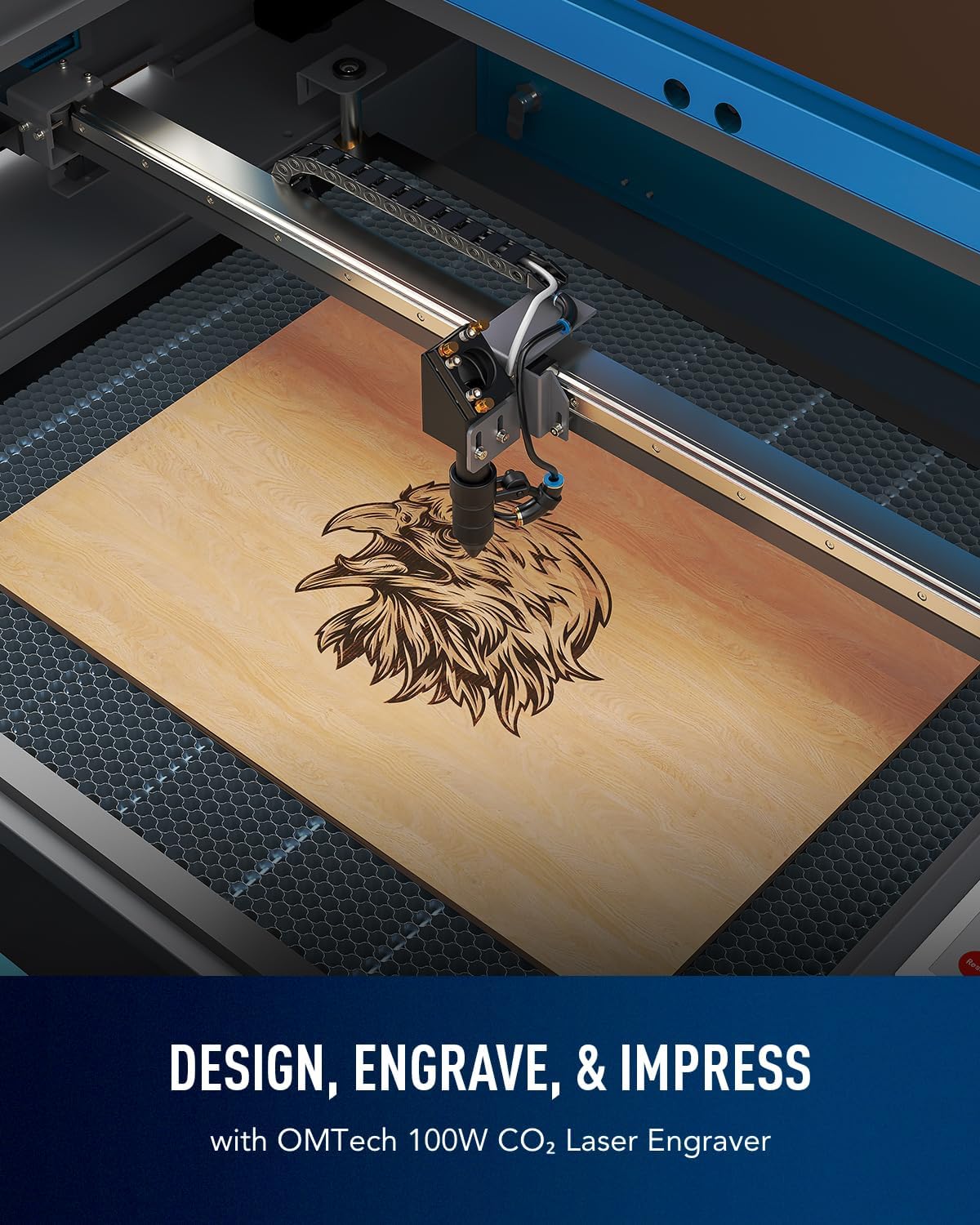
Image 5.2: The laser engraver in operation, precisely engraving a detailed eagle design onto a wooden surface.

Image 5.3: An illustration of the laser head moving at high speed (600 mm/s) across a wooden surface, demonstrating the machine's operational efficiency.
6. నిర్వహణ
క్రమం తప్పకుండా నిర్వహణ సరైన పనితీరును నిర్ధారిస్తుంది మరియు మీ లేజర్ చెక్కేవారి జీవితకాలం పొడిగిస్తుంది.
- లెన్స్ మరియు మిర్రర్ క్లీనింగ్: Periodically clean the laser lens and mirrors with a specialized lens cleaning solution and cotton swabs. Dust and debris can degrade laser performance.
- నీటి శీతలీకరణ వ్యవస్థ: Regularly check the water level in the cooling reservoir and replenish with distilled water as needed. Replace the water every 1-2 months to prevent algae growth and maintain cooling efficiency.
- ఎయిర్ అసిస్ట్ నాజిల్: Inspect and clean the air assist nozzle to ensure unobstructed airflow.
- వర్క్బెడ్ క్లీనింగ్: Clean the honeycomb workbed to remove accumulated debris and residue.
- సరళత: తయారీదారు సిఫార్సు చేసిన విధంగా గైడ్ పట్టాలు మరియు కదిలే భాగాలకు సజావుగా పనిచేయడానికి కొద్ది మొత్తంలో లూబ్రికెంట్ను వర్తించండి.
7. ట్రబుల్షూటింగ్
ఈ విభాగం మీరు ఎదుర్కొనే సాధారణ సమస్యలను పరిష్కరిస్తుంది.
| సమస్య | సాధ్యమైన కారణం | పరిష్కారం |
|---|---|---|
| లేజర్ కాల్చడం లేదు | Lid open, water flow error, power issue, emergency stop engaged | Ensure lid is closed, check water pump and flow sensor, verify power connections, disengage emergency stop. |
| పేలవమైన చెక్కడం/కటింగ్ నాణ్యత | సరికాని ఫోకస్, మురికి లెన్స్/అద్దాలు, తప్పు పవర్/స్పీడ్ సెట్టింగ్లు, మెటీరియల్ సమస్యలు | Perform autofocus, clean optics, adjust laser settings in LightBurn, ensure material is flat and suitable. |
| యంత్రం కంప్యూటర్కు కనెక్ట్ కావడం లేదు | Cable issue, driver issue, software settings | Check USB/Ethernet cable, reinstall drivers, verify LightBurn device settings. |
| అధిక పొగ/పొగలు | Inadequate ventilation, material type | Ensure exhaust system is fully functional and properly vented. Use appropriate materials. |
8. స్పెసిఫికేషన్లు
| ఫీచర్ | వివరాలు |
|---|---|
| మోడల్ | RYGEL-USB0705U5 పరిచయం |
| లేజర్ రకం | CO2 లేజర్ |
| లేజర్ పవర్ | 100W |
| పని చేసే ప్రాంతం | 28" x 20" (700మిమీ x 500మిమీ) |
| గరిష్టంగా చెక్కడం వేగం | 600 mm/s |
| గరిష్ట కోత లోతు (కలప) | 0.6 అంగుళాలు (15 మిమీ) |
| Pass-Through Doors | Four-way (Front/Back: 32.8"x3.7", Side/Side: 20.4"x0.7") |
| దృష్టి కేంద్రీకరించడం | ఆటో ఫోకస్ |
| ఎయిర్ అసిస్ట్ | అంతర్నిర్మిత |
| శీతలీకరణ వ్యవస్థ | Water Pump (external) |
| డేటా ట్రాన్స్మిషన్ | USB Cable, Ethernet Cable, USB Flash Drive, Offline |
| సాఫ్ట్వేర్ అనుకూలత | లైట్బర్న్ |
| ఉత్పత్తి కొలతలు | 65 x 34.3 x 36.6 అంగుళాలు |
| మెషిన్ బరువు | 251 పౌండ్లు |

Image 8.1: A visual representation of the OMTech 100W CO2 Laser Engraver with key specifications overlaid, including engraving speed, data transmission methods, pass-through sizes, and machine dimensions.
9. వారంటీ మరియు మద్దతు
OMTech provides comprehensive support for your laser engraver.
- వారంటీ: The product includes 2 years of comprehensive service. Refer to your purchase documentation for specific terms and conditions.
- సాంకేతిక మద్దతు: A 24/7 global support team is available for expert assistance, including technical guidance.
- సంప్రదింపు సమాచారం: For support, please refer to the contact details provided with your product documentation or visit the official OMTech webసైట్.


