పరిచయం
This manual provides essential instructions for setting up, operating, maintaining, and troubleshooting your new Tesla 65-inch 4K UHD Smart TV (Model 65E635SUS). Please read this manual thoroughly before using the television to ensure proper operation and to maximize your viewing అనుభవం. భవిష్యత్తు సూచన కోసం ఈ మాన్యువల్ని ఉంచండి.
ముఖ్యమైన భద్రతా సమాచారం: Always follow basic safety precautions when using this product to reduce the risk of fire, electric shock, and injury. Do not attempt to service this product yourself. Refer all servicing to qualified service personnel.
1. సెటప్
1.1 అన్ప్యాకింగ్ మరియు కంటెంట్ తనిఖీ
టీవీని దాని ప్యాకేజింగ్ నుండి జాగ్రత్తగా తీసివేయండి. అన్ని భాగాలు ఉన్నాయని నిర్ధారించుకోండి:
- Tesla 65-inch 4K UHD Smart TV
- రిమోట్ కంట్రోల్
- రిమోట్ కంట్రోల్ కోసం AAA బ్యాటరీలు
- టీవీ స్టాండ్ (2 ముక్కలు)
- టీవీ స్టాండ్ కోసం స్క్రూలు
- పవర్ కార్డ్
- వినియోగదారు మాన్యువల్ (ఈ పత్రం)

చిత్రం 1.1: ముందు view of the Tesla 65-inch Smart TV with its stand.
1.2 టీవీ స్టాండ్ అటాచ్ చేయడం
- స్క్రీన్ దెబ్బతినకుండా ఉండటానికి టీవీ ముఖాన్ని మృదువైన, చదునైన ఉపరితలంపై ఉంచండి.
- ప్రతి స్టాండ్ ముక్కను టీవీ దిగువన ఉన్న సంబంధిత స్లాట్లతో సమలేఖనం చేయండి.
- అందించిన స్క్రూలతో ప్రతి స్టాండ్ ముక్కను భద్రపరచండి. అవి గట్టిగా బిగించబడ్డాయని నిర్ధారించుకోండి.

చిత్రం 1.2: వెనుక view టీవీ యొక్క, స్టాండ్ అటాచ్మెంట్ పాయింట్లను వివరిస్తుంది.
గమనిక: If you plan to wall-mount the TV, refer to the wall-mount kit instructions (sold separately) and skip this step. Ensure proper ventilation when wall-mounting.
1.3 కనెక్ట్ పవర్
పవర్ కార్డ్ను టీవీ పవర్ ఇన్పుట్కి, ఆపై వాల్ అవుట్లెట్కి కనెక్ట్ చేయండి. టీవీ స్టాండ్బై మోడ్లోకి ప్రవేశిస్తుంది.
1.4 ప్రారంభ సెటప్
మొదటిసారి పవర్-ఆన్ చేసినప్పుడు, టీవీ ప్రారంభ సెటప్ ప్రక్రియ ద్వారా మిమ్మల్ని మార్గనిర్దేశం చేస్తుంది:
- భాష ఎంపిక: మీకు ఇష్టమైన భాషను ఎంచుకోండి.
- నెట్వర్క్ కనెక్షన్: మీ Wi-Fi నెట్వర్క్కు కనెక్ట్ చేయండి లేదా వైర్డు కనెక్షన్ కోసం ఈథర్నెట్ కేబుల్ను ఉపయోగించండి.
- Google ఖాతా సైన్-ఇన్: Sign in with your Google account to access Google Play Store, Google Assistant, and other Android TV features.
- ఛానల్ స్కాన్: మీరు యాంటెన్నా లేదా కేబుల్ కనెక్షన్ని ఉపయోగిస్తుంటే అందుబాటులో ఉన్న టీవీ ఛానెల్ల కోసం స్కాన్ చేయండి.
- గోప్యతా సెట్టింగ్లు: Review and adjust privacy settings as desired.
2. ఆపరేటింగ్ సూచనలు
2.1 రిమోట్ కంట్రోల్ ఓవర్view
The provided remote control allows you to navigate the TV's features. Insert the AAA batteries into the remote control before use.

Image 2.1: Bluetooth remote control for the Tesla Smart TV.
- పవర్ బటన్: టీవీని ఆన్ లేదా ఆఫ్ చేస్తుంది (స్టాండ్బై మోడ్).
- నావిగేషన్ ప్యాడ్ (పైకి/క్రిందికి/ఎడమ/కుడి/సరే): మెనూలను నావిగేట్ చేస్తుంది మరియు అంశాలను ఎంచుకుంటుంది.
- వెనుక బటన్: మునుపటి స్క్రీన్కి తిరిగి వస్తుంది.
- హోమ్ బటన్: Android TV హోమ్ స్క్రీన్ను యాక్సెస్ చేస్తుంది.
- వాల్యూమ్ అప్/డౌన్: వాల్యూమ్ స్థాయిని సర్దుబాటు చేస్తుంది.
- మ్యూట్ బటన్: ధ్వనిని మ్యూట్ చేస్తుంది లేదా అన్మ్యూట్ చేస్తుంది.
- గూగుల్ అసిస్టెంట్ బటన్: వాయిస్ నియంత్రణను సక్రియం చేస్తుంది.
- యాప్ షార్ట్కట్ బటన్లు: Direct access to popular streaming services (e.g., Netflix, YouTube).
2.2 Android TV 11 Interface Navigation
The Android TV 11 interface provides access to apps, settings, and content. Use the navigation pad on your remote to move through the home screen.
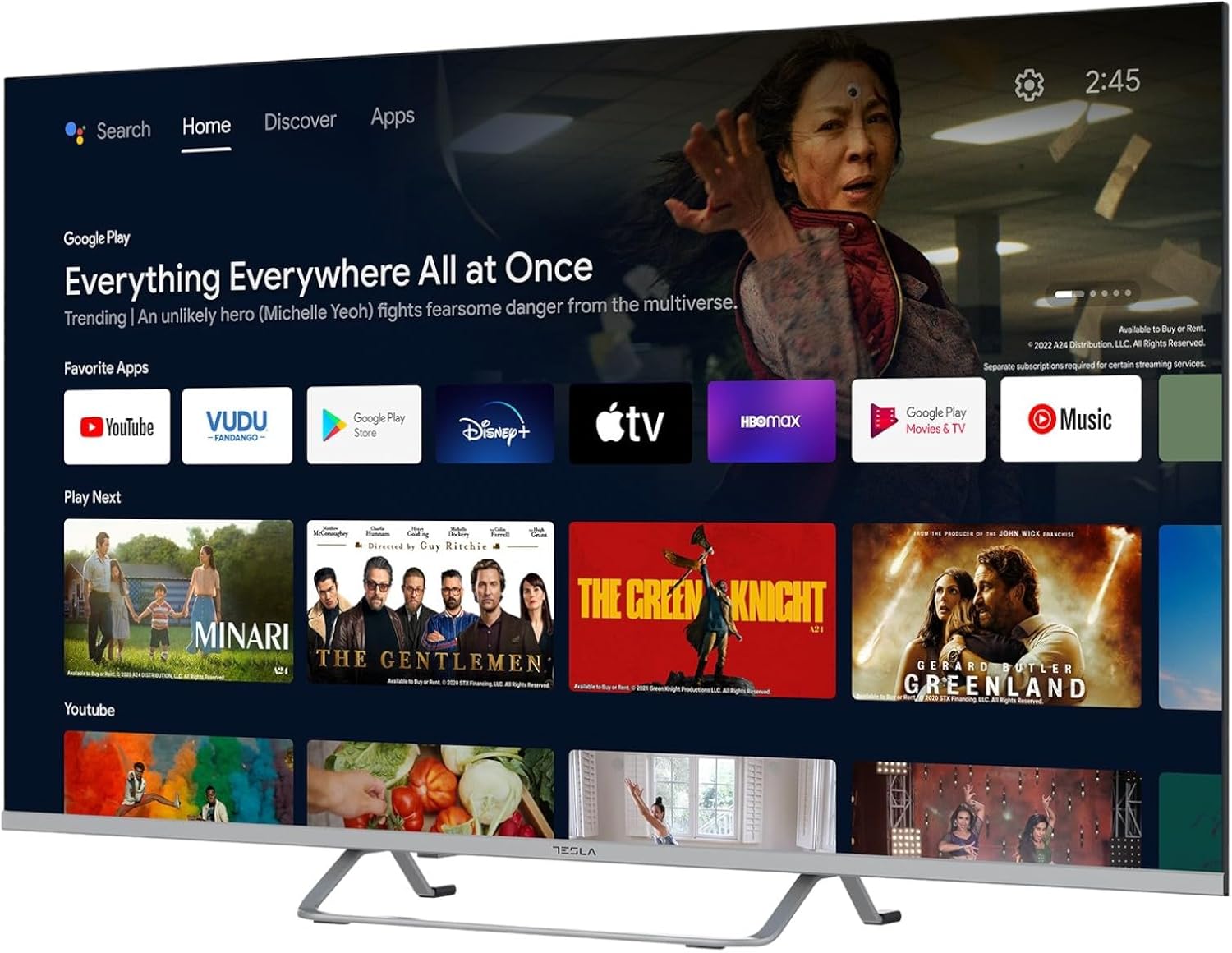
Image 2.2: The Android TV 11 home screen, displaying various applications and content suggestions.
- హోమ్ స్క్రీన్: Displays recommended content, installed apps, and input sources.
- Apps Section: ఇన్స్టాల్ చేయబడిన అన్ని అప్లికేషన్లను యాక్సెస్ చేయండి.
- సెట్టింగ్లు: Configure TV settings, network, accounts, and device preferences.
2.3 Google అసిస్టెంట్ని ఉపయోగించడం
Press the Google Assistant button on your remote and speak into the microphone to control your TV, search for content, get information, and more.
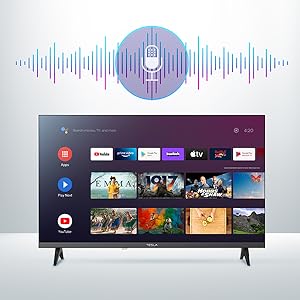
Image 2.3: Visual representation of Google Assistant activation on the TV screen.
Examples of commands:
- "ఓపెన్ నెట్ఫ్లిక్స్"
- "కోసం వెతకండి యాక్షన్ సినిమాలు"
- "వాతావరణం ఎలా ఉంది?"
- "Turn up the volume"
2.4 Chromecast అంతర్నిర్మిత
Use Chromecast built-in to cast content from your compatible smartphone, tablet, or computer directly to your TV. Ensure your device is connected to the same Wi-Fi network as the TV.

Image 2.4: A smartphone casting content to the TV via Chromecast.
2.5 బాహ్య పరికరాలను కనెక్ట్ చేయడం
మీ టీవీ బహుళ కనెక్టివిటీ ఎంపికలను అందిస్తుంది:
- HDMI పోర్ట్లు (x4): Connect Blu-ray players, game consoles, set-top boxes, etc.
- USB పోర్ట్లు (x2): Connect USB drives for media playback or external keyboards/mice.
- ఈథర్నెట్ (LAN): వైర్డు ఇంటర్నెట్ కనెక్షన్ కోసం.
- Wi-Fi: వైర్లెస్ ఇంటర్నెట్ కనెక్షన్ కోసం.
- బ్లూటూత్: వైర్లెస్ హెడ్ఫోన్లు, స్పీకర్లు లేదా ఇతర బ్లూటూత్ పరికరాలను కనెక్ట్ చేయండి.

చిత్రం 2.5: సైడ్ ప్రోfile of the TV, highlighting accessible ports.
2.6 చిత్రం మరియు ధ్వని సెట్టింగ్లు
Access the TV's settings menu to customize picture and sound options.
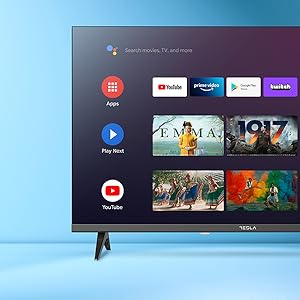
చిత్రం 2.6: ఉదాample of the TV's settings menu for customization.
- చిత్ర రీతులు: Select from Standard, Vivid, Sport, Movie, Game, or User (custom) modes. Adjust brightness, contrast, color, and sharpness.
- HDR10: The TV supports HDR10 for enhanced contrast and color with compatible content.
- సౌండ్ మోడ్లు: Choose from Standard, Music, Movie, Sport, or User (custom) modes. Use the equalizer to fine-tune audio frequencies.
- స్పీకర్లు: The TV features 2 x 12W speakers.
3. నిర్వహణ
3.1 టీవీని శుభ్రపరచడం
- స్క్రీన్: మెత్తటి, మెత్తటి బట్టతో స్క్రీన్ను సున్నితంగా తుడవండి. మొండి మరకల కోసం, తేలికగా dampనీటితో లేదా ప్రత్యేక స్క్రీన్ క్లీనర్తో వస్త్రాన్ని తుడవండి. క్లీనర్ను ఎప్పుడూ స్క్రీన్పై నేరుగా పిచికారీ చేయవద్దు.
- శరీరం: టీవీ బాడీని మృదువైన, పొడి గుడ్డతో తుడవండి. రాపిడి క్లీనర్లు లేదా ద్రావకాలను ఉపయోగించవద్దు.
- శుభ్రపరిచే ముందు టీవీని ఎల్లప్పుడూ పవర్ అవుట్లెట్ నుండి అన్ప్లగ్ చేయండి.
3.2 సాఫ్ట్వేర్ నవీకరణలు
Your Tesla Smart TV may receive software updates to improve performance and add new features. Ensure your TV is connected to the internet to receive these updates automatically or check for them manually in the settings menu.
4. ట్రబుల్షూటింగ్
మద్దతును సంప్రదించే ముందు, సాధారణ సమస్యలకు ఈ క్రింది పరిష్కారాలను ప్రయత్నించండి:
| సమస్య | సాధ్యమైన పరిష్కారం |
|---|---|
| శక్తి లేదు | Check if the power cord is securely connected to the TV and the wall outlet. Ensure the outlet is working. |
| చిత్రం లేదు, కానీ ధ్వని ఉంది | సరైన ఇన్పుట్ సోర్స్ ఎంచుకోబడిందని నిర్ధారించుకోండి. బాహ్య పరికరాలకు కేబుల్ కనెక్షన్లను తనిఖీ చేయండి. టీవీని పునఃప్రారంభించడానికి ప్రయత్నించండి. |
| శబ్దం లేదు, కానీ చిత్రం ఉంది | Check the volume level and ensure the TV is not muted. Verify audio settings and external speaker connections if applicable. |
| రిమోట్ కంట్రోల్ పనిచేయడం లేదు | Replace the batteries. Ensure there are no obstructions between the remote and the TV. Re-pair the Bluetooth remote if necessary (refer to TV settings). |
| నెట్వర్క్ కనెక్షన్ సమస్యలు | Restart your router and modem. Check Wi-Fi password. Try a wired Ethernet connection if possible. |
| యాప్లు నెమ్మదిగా లేదా క్రాష్ అవుతున్నాయి | Close unused apps. Clear app cache (Settings > Apps > [App Name] > Clear cache). Restart the TV. |
5. స్పెసిఫికేషన్లు
| ఫీచర్ | వివరాలు |
|---|---|
| బ్రాండ్ | టెస్లా |
| మోడల్ సంఖ్య | 65E635SUS |
| స్క్రీన్ పరిమాణం | 65 అంగుళాలు (165 సెం.మీ.) |
| ప్రదర్శన సాంకేతికత | LED |
| రిజల్యూషన్ | 4K (3840 x 2160) |
| రిఫ్రెష్ రేట్ | 60 Hz |
| ఆపరేటింగ్ సిస్టమ్ | ఆండ్రాయిడ్ టీవీ 11 |
| ప్రత్యేక లక్షణాలు | High Dynamic Range (HDR10), Google Play, Chromecast Built-in, Google Assistant, Personalized Surround Sound |
| కనెక్టివిటీ | Wi-Fi, Bluetooth, Ethernet (LAN) |
| HDMI పోర్ట్లు | 4 |
| USB పోర్ట్లు | 2 |
| ఆడియో అవుట్పుట్ | 2 x 12W స్పీకర్లు |
| ఉత్పత్తి కొలతలు (స్టాండ్తో) | 25D x 25W x 144.5H cm (approximate) |
6. వారంటీ మరియు మద్దతు
For warranty information, please refer to the warranty card included with your product or visit the official Tesla webవారంటీ క్లెయిమ్ల కోసం మీ కొనుగోలు రుజువును ఉంచండి.
For technical support or service inquiries, please contact Tesla customer service through their official channels. Contact details can typically be found on the manufacturer's webసైట్ లేదా ఉత్పత్తి ప్యాకేజింగ్లో.


