పరిచయం
This manual provides essential information for setting up, operating, and maintaining your Logitech Design Collection Wireless Mouse. Please read this manual thoroughly to ensure optimal performance and longevity of your device.
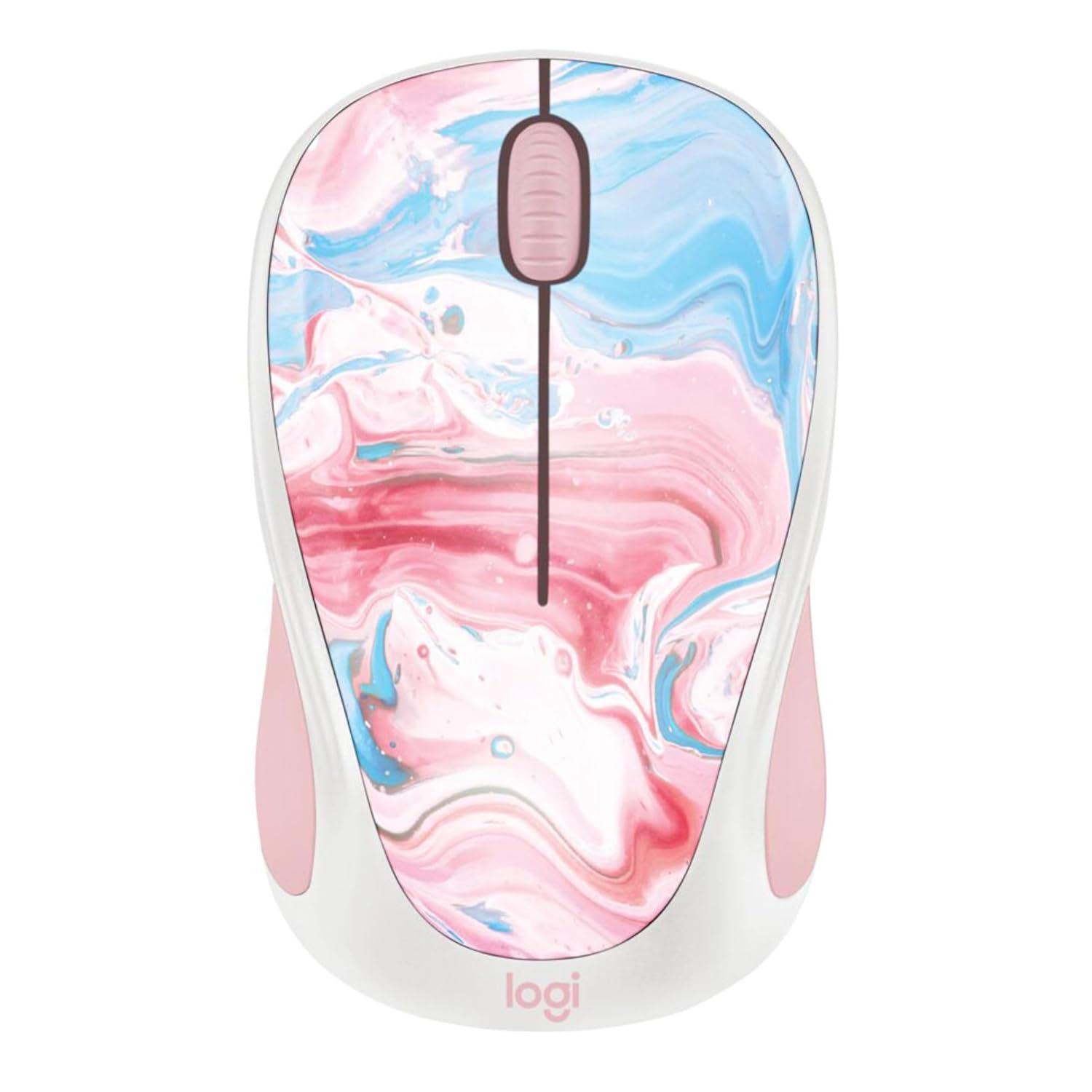
చిత్రం: పైన view of the Logitech Design Collection Wireless Mouse, featuring a vibrant cotton candy marble pattern on its surface.
సెటప్
Follow these steps to set up your Logitech Wireless Mouse:
- బ్యాటరీని చొప్పించండి: Open the battery compartment located on the underside of the mouse. Insert one AA battery, ensuring correct polarity.
- USB రిసీవర్ను తిరిగి పొందండి: The USB receiver is typically stored inside the battery compartment for convenience. Carefully remove it.
- రిసీవర్ను కనెక్ట్ చేయండి: మీ కంప్యూటర్లో అందుబాటులో ఉన్న USB పోర్ట్కి USB రిసీవర్ని ప్లగ్ చేయండి.
- పవర్ ఆన్: మౌస్ దిగువన ఉన్న ఆన్/ఆఫ్ స్విచ్ను 'ఆన్' స్థానానికి స్లైడ్ చేయండి.
- జత చేయడం: మౌస్ స్వయంచాలకంగా రిసీవర్కు కనెక్ట్ అవ్వాలి. లేకపోతే, ట్రబుల్షూటింగ్ విభాగాన్ని చూడండి.

Image: Underside of the Logitech Wireless Mouse, displaying the battery compartment, the power switch, and the slot for storing the USB receiver.
ఆపరేటింగ్ సూచనలు
Your Logitech Wireless Mouse is designed for intuitive use. Here are its primary functions:
- ఎడమ-క్లిక్ బటన్: వస్తువులను ఎంచుకోవడానికి, తెరవడానికి ఉపయోగిస్తారు files, మరియు లింక్లను యాక్టివేట్ చేయడం.
- కుడి-క్లిక్ బటన్: సందర్భ మెనులను తెరుస్తుంది, ఎంచుకున్న అంశాలకు అదనపు ఎంపికలను అందిస్తుంది.
- స్క్రోల్ వీల్: Allows for smooth, line-by-line scrolling through documents and web pages. It can also function as a middle-click button.
- వైర్లెస్ పరిధి: The mouse operates effectively within a 10-meter (33 feet) wireless range from the USB receiver.
- బ్యాటరీ లైఫ్: With efficient power-saving technology, the pre-installed AA battery provides up to 12 months of usage.
నిర్వహణ
To ensure your mouse remains in optimal condition, follow these maintenance guidelines:
- శుభ్రపరచడం: కొద్దిగా మెత్తని, మెత్తని బట్టను ఉపయోగించండి dampమౌస్ ఉపరితలాన్ని తుడవడానికి నీరు లేదా తేలికపాటి శుభ్రపరిచే ద్రావణంతో నానబెట్టండి. కఠినమైన రసాయనాలు లేదా రాపిడి పదార్థాలను నివారించండి.
- సెన్సార్ క్లీనింగ్: Occasionally, gently clean the optical sensor on the bottom of the mouse with a dry cotton swab to prevent tracking issues.
- బ్యాటరీ భర్తీ: When the mouse performance degrades or the indicator light (if present) signals low battery, replace the AA battery. Ensure the mouse is switched off before replacing the battery.
- నిల్వ: When not in use for extended periods, switch off the mouse to conserve battery life. Store the USB receiver inside the mouse's compartment to prevent loss.
ట్రబుల్షూటింగ్
If you encounter issues with your Logitech Wireless Mouse, try the following solutions:
| సమస్య | పరిష్కారం |
|---|---|
| మౌస్ స్పందించడం లేదు |
|
| అనియత కర్సర్ కదలిక |
|
| No automatic connection |
|
స్పెసిఫికేషన్లు
- మోడల్ సంఖ్య: 910-007055
- ఉత్పత్తి కొలతలు: 7.71 x 2.17 x 1.5 అంగుళాలు
- బరువు: 3.84 ఔన్సులు
- కనెక్టివిటీ టెక్నాలజీ: వైర్లెస్ (USB రిసీవర్)
- వైర్లెస్ పరిధి: 10 మీటర్లు (33 అడుగులు) వరకు
- మూవ్మెంట్ డిటెక్షన్ టెక్నాలజీ: ఆప్టికల్
- బ్యాటరీ రకం: 1 x AA (pre-installed)
- అంచనా వేయబడిన బ్యాటరీ జీవితం: 12 నెలలు
- ప్రత్యేక ఫీచర్: Ambidextrous design, Colorful Design Collection
- తయారీదారు: లాజిటెక్
- మొదట అందుబాటులో ఉన్నవి: జూలై 12, 2023
వారంటీ మరియు మద్దతు
Logitech products are designed for reliability and performance. For specific warranty details, please refer to the warranty card included with your product or visit the official Logitech webసైట్.
For further assistance, technical support, or to download the latest drivers and software, please visit the లాజిటెక్ మద్దతు webసైట్ లేదా వారి కస్టమర్ సేవను సంప్రదించండి.


