1. పరిచయం
Thank you for choosing the Mesqool CR1024 Projection Alarm Clock. This device combines a digital alarm clock with a time projector, displaying time on your wall or ceiling. It also features temperature and humidity monitoring, dual alarms, a night light, and USB charging ports. This manual will guide you through the setup, operation, and maintenance of your new alarm clock.
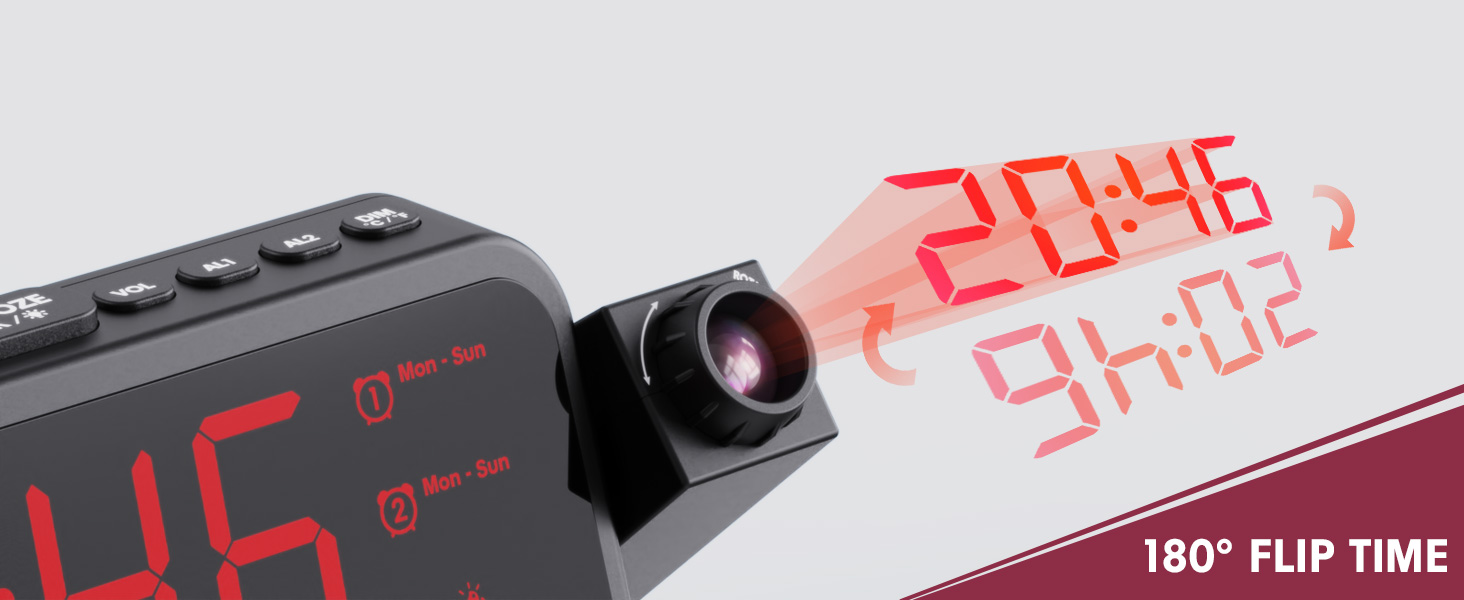
Image 1.1: Mesqool CR1024 Projection Alarm Clock with a smartphone connected for charging.
ముఖ్య లక్షణాలు:
- 180° Swivel Projection with Adjustable Focus
- Large LED Display with Time, Date, Day, Temperature, and Humidity
- Dual Alarms with Weekday/Weekend/7-Day/One-time Modes
- 9-Minute Snooze Function
- Integrated Soft LED Night Light with Adjustable Brightness
- 7-Level Adjustable Alarm Volume
- 5-స్థాయి డిస్ప్లే డిమ్మర్
- Memory Function (requires 2x AAA batteries, not included)
- Dual USB Charging Ports (Type-C and USB-A)
2. సెటప్
2.1 పవర్ కనెక్షన్
- Connect the provided power adapter to the DC IN port on the back of the alarm clock.
- Plug the power adapter into a standard electrical outlet. The clock display will illuminate.
- ou సమయంలో బ్యాకప్ పవర్ కోసంtages, insert two AAA batteries (not included) into the battery compartment. This will preserve time and alarm settings.
2.2 ప్రారంభ సమయం మరియు తేదీ సెట్టింగ్
- నొక్కండి మరియు పట్టుకోండి టైమ్ సెట్ టైమ్ సెట్టింగ్ మోడ్లోకి ప్రవేశించడానికి బటన్.
- ఉపయోగించండి + or - గంటను సర్దుబాటు చేయడానికి బటన్లు. నొక్కండి టైమ్ సెట్ నిర్ధారించడానికి.
- Repeat the process to set the minute, year, month, and day.
- నొక్కండి టైమ్ సెట్ సెట్టింగ్ మోడ్ నుండి నిష్క్రమించడానికి మళ్ళీ.
2.3 12/24 Hour Format and DST
- To switch between 12-hour and 24-hour time formats, press the 12/24H బటన్.
- To activate or deactivate Daylight Saving Time (DST), press the DST button. An indicator will appear on the display when DST is active.

Image 2.1: The clock displaying time in both 12-hour and 24-hour formats.
3. ఆపరేటింగ్ సూచనలు
3.1 అలారాలను సెట్ చేయడం
The clock supports two independent alarms (AL1 and AL2).
- నొక్కండి మరియు పట్టుకోండి AL1 or AL2 అలారం సెట్టింగ్ మోడ్లోకి ప్రవేశించడానికి బటన్.
- ఉపయోగించండి + or - buttons to adjust the alarm hour. Press the respective alarm button (AL1 or AL2) నిర్దారించుటకు.
- Repeat to set the alarm minute.
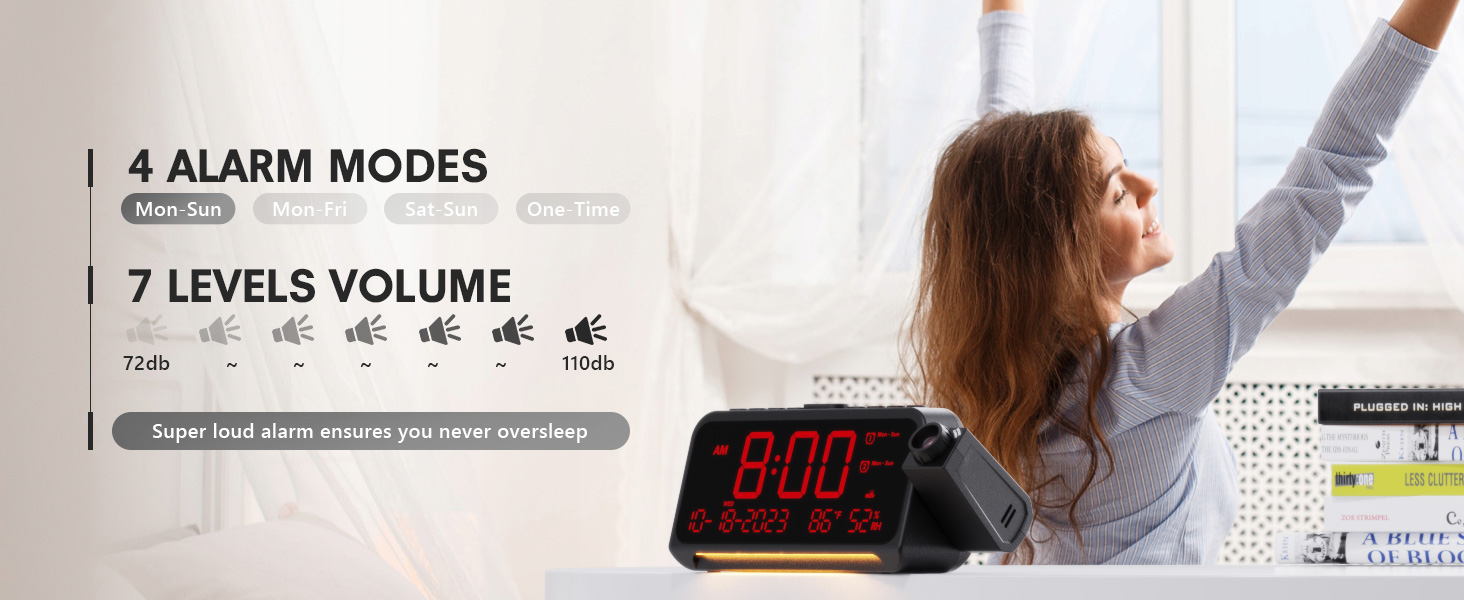
- After setting the minute, use + or - to select the alarm mode: Mon-Sun, Mon-Fri, Sat-Sun, or One-time.
- Press the alarm button again to confirm and exit.
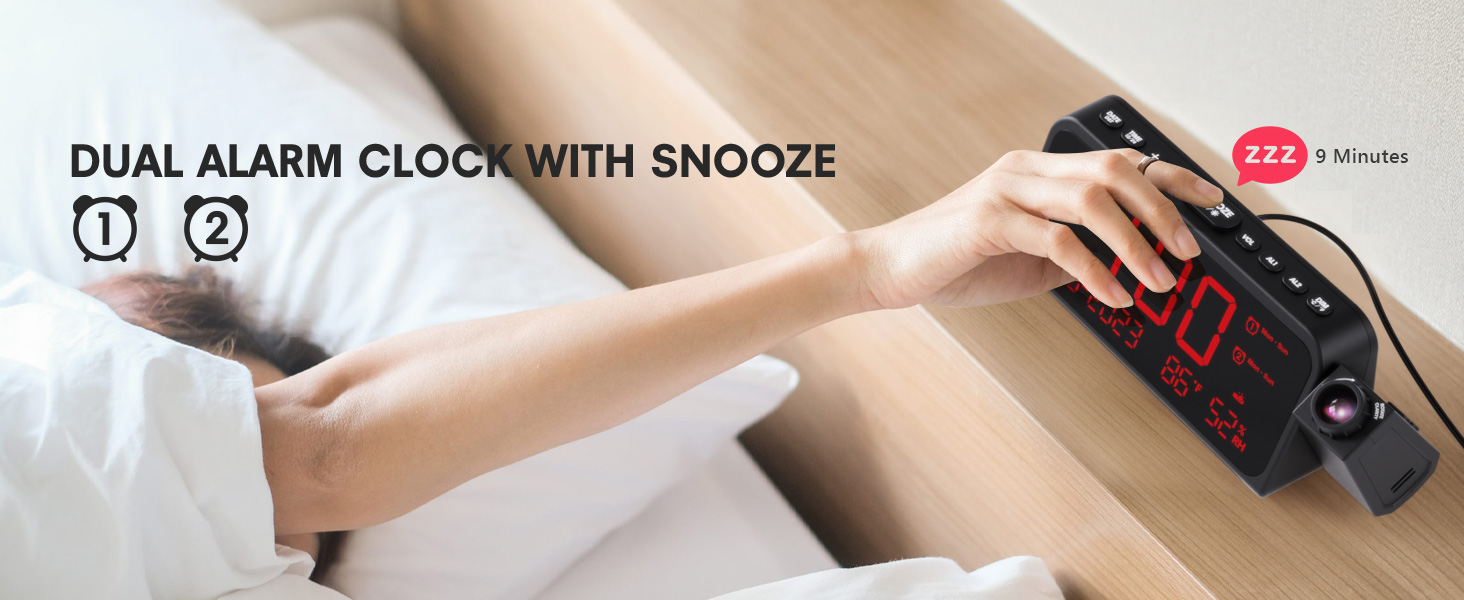
Image 3.1: The clock displaying dual alarm settings and snooze functionality.
3.2 స్నూజ్ ఫంక్షన్
అలారం మోగినప్పుడు, పెద్ద బటన్ను నొక్కండి SNOOZE/OK/* button to activate the snooze function. The alarm will pause for 9 minutes and then sound again.
3.3 Alarm Volume Adjustment
నొక్కండి VOL button to cycle through 7 levels of alarm volume. Adjust to your preferred loudness.

Image 3.2: Visual representation of the 4 alarm modes and 7 adjustable volume levels.
3.4 ప్రొజెక్షన్ సెట్టింగ్లు
- ప్రొజెక్షన్ ఆన్/ఆఫ్: నొక్కండి ప్రొజెక్షన్ ప్రొజెక్షన్ను ఆన్ లేదా ఆఫ్ చేయడానికి బటన్.
- ప్రొజెక్షన్ ప్రకాశం: పదే పదే నొక్కండి ప్రొజెక్షన్ button to cycle through 5 brightness levels (Dim, Low, Medium, High, Full).
- Projection Orientation: The projector arm can swivel 180 degrees. Rotate the arm to direct the time display to your desired surface (wall or ceiling).
- ఫోకస్ సర్దుబాటు: Use the focus ring on the projector lens to sharpen the projected image.
చిత్రం 3.3: వివరణాత్మకమైనది view of the projection features, including distance, time flip, rotation, focus, and brightness levels.
3.5 డిస్ప్లే డిమ్మర్
నొక్కండి మసకబారిన button to adjust the brightness of the main LED display. There are 5 levels of brightness to choose from, allowing you to customize it for comfort, especially at night.
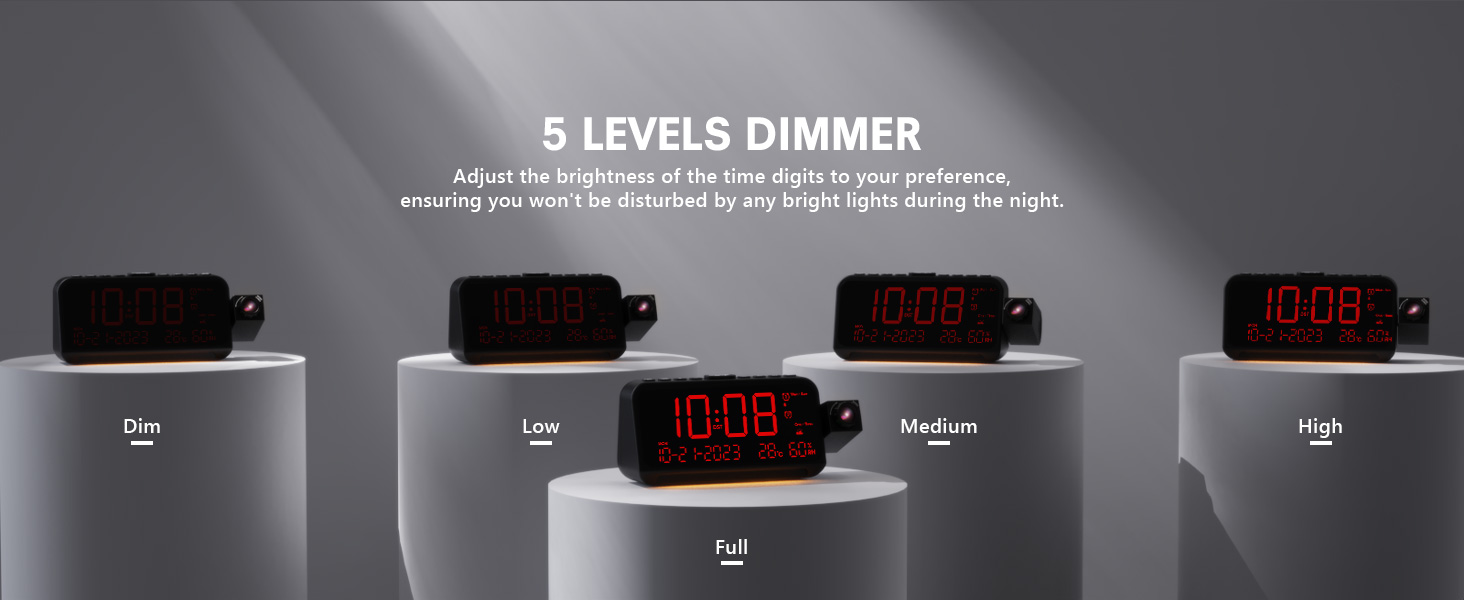
Image 3.4: The clock demonstrating its 5-level adjustable display dimmer.
3.6 నైట్ లైట్
The clock features a soft LED night light located at the bottom. Press the కాంతి button to cycle through Off, Medium, and Full brightness settings for the night light.
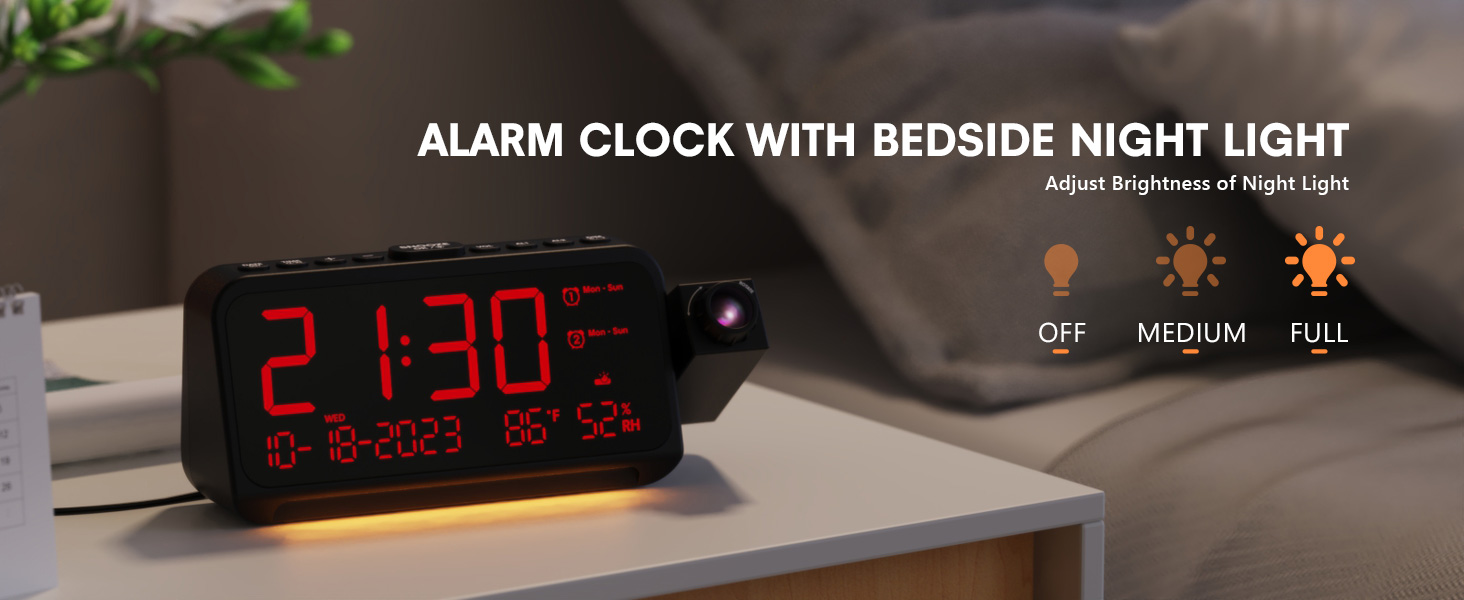
Image 3.5: The clock with its integrated night light, showing different brightness options.
3.7 USB ఛార్జింగ్ పోర్ట్లు
The clock is equipped with a Type-C and a standard USB-A charging port on the back. You can use these ports to charge your mobile devices while the clock is powered.

Image 3.6: The back of the clock showing the Type-C and USB-A charging ports in use.
4. నిర్వహణ
To ensure the longevity and optimal performance of your Mesqool CR1024 Projection Alarm Clock, follow these maintenance guidelines:
- శుభ్రపరచడం: Wipe the clock's surface with a soft, dry cloth. Avoid using abrasive cleaners, solvents, or chemical sprays, as these can damage the finish or electronic components.
- పర్యావరణం: Place the clock in a dry environment, away from direct sunlight, extreme temperatures, and high humidity.
- వెంటిలేషన్: వేడెక్కకుండా నిరోధించడానికి వెంటిలేషన్ ఓపెనింగ్స్ నిరోధించబడలేదని నిర్ధారించుకోండి.
- బ్యాటరీ భర్తీ: If using AAA batteries for backup, replace them annually or when the low battery indicator appears to ensure settings are retained during power outages.
5. ట్రబుల్షూటింగ్
If you encounter issues with your Mesqool CR1024 Projection Alarm Clock, please refer to the following common problems and solutions:
| సమస్య | సాధ్యమైన కారణం | పరిష్కారం |
|---|---|---|
| ప్రొజెక్షన్ అస్పష్టంగా లేదా అస్పష్టంగా ఉంది. | Incorrect focus or projection distance. | Adjust the focus ring on the projector lens. Ensure the clock is within the optimal projection distance (4.92-9.84 ft). |
| అలారం మోగడం లేదు లేదా చాలా నిశ్శబ్దంగా ఉంది. | Alarm not activated or volume set too low. | Ensure the alarm is enabled (AL1/AL2 indicator on display). Press the VOL button to increase the alarm volume. |
| డిస్ప్లే చాలా ప్రకాశవంతంగా లేదా చాలా మసకగా ఉంది. | Display dimmer setting is not optimal. | నొక్కండి మసకబారిన button to cycle through the 5 brightness levels. |
| పవర్ OU తర్వాత సమయం/సెట్టింగ్లు రీసెట్ చేయబడతాయిtage. | No backup batteries or batteries are depleted. | Install two fresh AAA batteries (not included) in the battery compartment for memory backup. |
| Cannot change time format from 24-hour to 12-hour. | Incorrect button press or temporary glitch. | నొక్కండి 12/24H button. If the issue persists, try unplugging the clock for a few minutes and then reconnecting power. |
6. స్పెసిఫికేషన్లు
| ఫీచర్ | వివరాలు |
|---|---|
| బ్రాండ్ | మెస్కూల్ |
| మోడల్ సంఖ్య | CR1024 |
| ప్రదర్శన రకం | డిజిటల్ LED |
| శక్తి మూలం | కార్డెడ్ ఎలక్ట్రిక్ |
| బ్యాటరీ బ్యాకప్ | 2x AAA బ్యాటరీలు (చేర్చబడలేదు) |
| ఉత్పత్తి కొలతలు | 7.87"W x 3.4"H (7.87x2.36x3.43 inch) |
| వస్తువు బరువు | 12 ఔన్సులు (0.34 కిలోగ్రాములు) |
| మెటీరియల్ | యాక్రిలోనిట్రైల్ బుటాడిన్ స్టైరీన్ (ABS) |
| ప్రత్యేక లక్షణాలు | Projection, Dual Alarms, Snooze, Night Light, Temperature, Humidity, Calendar, DST, USB Charging |

Image 6.1: Dimensions of the Mesqool CR1024 Projection Alarm Clock.
7. వారంటీ మరియు మద్దతు
7.1 వారంటీ సమాచారం
This Mesqool CR1024 Projection Alarm Clock comes with a 24 నెలల వారంటీ from the date of purchase. Mesqool also provides lifetime support for this product. Please retain your proof of purchase for warranty claims.
7.2 కస్టమర్ మద్దతు
For any questions, technical assistance, or warranty inquiries, please contact Mesqool customer support through the retailer where you purchased the product or refer to the official Mesqool webసంప్రదింపు సమాచారం కోసం సైట్.


