1. పరిచయం
This manual provides detailed instructions for the Radioddity DB40-D DMR & Analog 40W Mobile Radio. The DB40-D is a versatile dual-band amateur radio designed for both Digital Mobile Radio (DMR) and analog communication. It features high power output, extensive contact and channel capacity, Bluetooth connectivity for accessories, GPS/APRS functionality, and advanced repeating capabilities.
2. ప్యాకేజీ విషయాలు
Verify that all items listed below are included in your package. If any items are missing or damaged, please contact Radioddity support.
- 1 x DB40-D Mobile Radio (with 20A Fuse, Mounting Bracket and screws M4 x 10mm)
- 1 x GPS Antenna & BT Antenna
- 1 x Power Cable with Car Charger DC Power Cable (with 20A Fuse)
- 1 x BT PTT & Earpiece (with charging cable and three replaceable earbuds)
- 1 x Detachable Speaker Microphone and Programming Cable
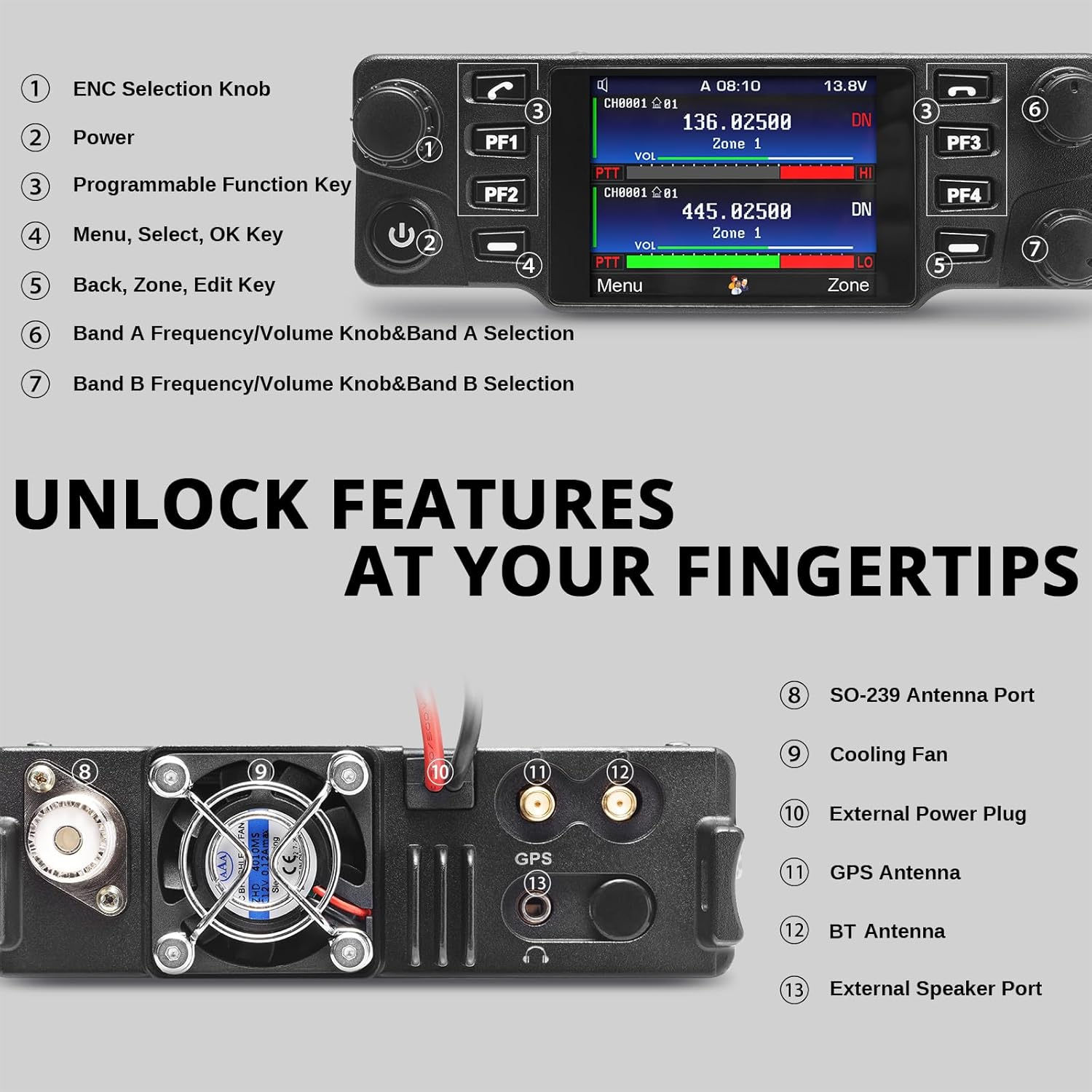
Image 2.1: All components included with the Radioddity DB40-D mobile radio.
3. ఉత్పత్తి ముగిసిందిview
Familiarize yourself with the main components and controls of your DB40-D mobile radio.

చిత్రం 3.1: ముందు view of the DB40-D radio, speaker microphone, Bluetooth PTT, and earpiece.
3.1 ఫ్రంట్ ప్యానెల్ నియంత్రణలు

Image 3.2: Front panel controls and display.
- ENC Selection Knob: మెనూ నావిగేషన్ మరియు ఎంపిక కోసం ఉపయోగించబడుతుంది.
- పవర్ బటన్: రేడియోను ఆన్ లేదా ఆఫ్ చేస్తుంది.
- Programmable Function Keys (PF1, PF2, PF3, PF4): Customizable keys for quick access to frequently used functions.
- Menu, Select, OK Key: Accesses the main menu, confirms selections.
- Back, Zone, Edit Key: Navigates back in menus, switches zones, or enters edit mode.
- Band A Frequency/Volume Knob & Band A Selection: Adjusts frequency and volume for Band A.
- Band B Frequency/Volume Knob & Band B Selection: Adjusts frequency and volume for Band B.
3.2 వెనుక ప్యానెల్ కనెక్షన్లు

Image 3.3: Rear panel connections and cooling fan.
- SO-239 Antenna Port: Connects to your external antenna.
- కూలింగ్ ఫ్యాన్: ఆపరేషన్ సమయంలో వేడిని వెదజల్లుతుంది.
- External Power Plug: Connects to the DC power cable.
- GPS Antenna Port: Connects to the included GPS antenna.
- BT Antenna Port: Connects to the included Bluetooth antenna.
- బాహ్య స్పీకర్ పోర్ట్: Connects to an optional external speaker.
4. సెటప్
4.1 రేడియోను మౌంట్ చేయడం
The DB40-D can be mounted in a vehicle or used as a base station. Use the included mounting bracket and screws to secure the radio in a stable location, ensuring adequate ventilation around the cooling fan.

చిత్రం 4.1: ఉదాample of the DB40-D mounted in a vehicle.
4.2 పవర్ కనెక్షన్
Connect the included DC power cable to the radio's external power plug. For vehicle use, connect the red wire to the positive terminal of your vehicle's 12V battery and the black wire to the negative terminal or chassis ground. Ensure the 20A fuse is properly installed in the power cable.
4.3 యాంటెన్నా కనెక్షన్
Connect a suitable VHF/UHF antenna to the SO-239 antenna port on the rear of the radio. Ensure the connection is secure. Connect the GPS antenna to its dedicated port and the Bluetooth antenna to its port for optimal performance of these features.
5. ఆపరేటింగ్ సూచనలు
5.1 పవర్ ఆన్/ఆఫ్ మరియు వాల్యూమ్ సర్దుబాటు
- పవర్ ఆన్: Press and hold the Power button (2) until the display illuminates.
- పవర్ ఆఫ్: Press and hold the Power button (2) until the radio shuts down.
- వాల్యూమ్: Rotate the Band A or Band B volume knobs (6, 7) to adjust the audio output for each band.
5.2 Channel and Zone Management
The DB40-D supports up to 4,000 channels and zones. Channels are organized into zones for easier navigation. Use the ENC Selection Knob (1) and the Band A/B Selection knobs (6, 7) to navigate through channels and zones. The Back, Zone, Edit Key (5) can be used to switch between zones.
5.3 DMR and Analog Operation
The radio operates in both Digital Mobile Radio (DMR) and analog modes. The display indicates the current mode for each band. Ensure your channels are programmed correctly for the desired mode of operation. The radio can store up to 500,000 DMR contact IDs.

Image 5.1: Dual band display showing VHF and UHF frequencies, supporting both digital and analog modes.
5.4 Bluetooth Operation (PTT & Earpiece)
The DB40-D includes a Bluetooth PTT button and earpiece for hands-free communication. Pair these accessories with the radio according to the instructions provided with the accessories. The Bluetooth PTT allows for convenient transmission without needing to reach the radio's microphone.
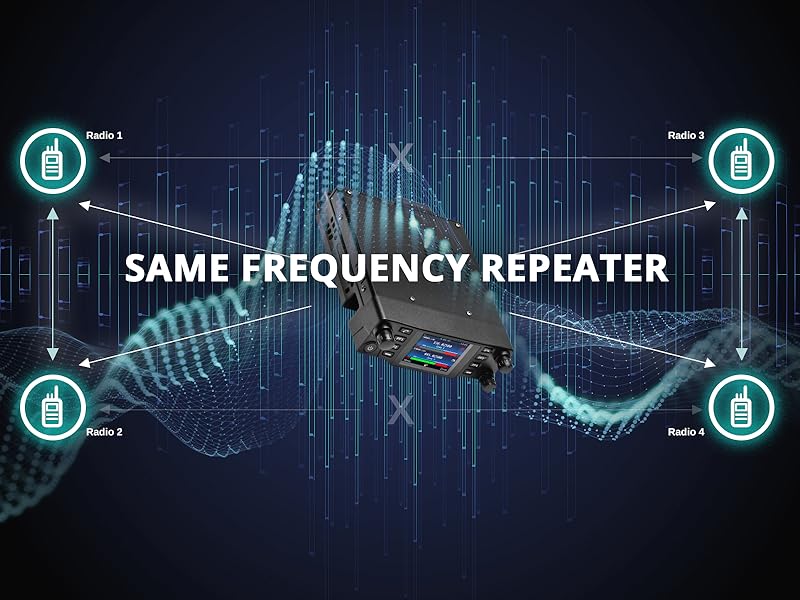
Image 5.2: Bluetooth PTT and earpiece for enhanced operational convenience.
5.5 GPS/APRS Functionality
With the built-in GPS and APRS functions, the radio can report your location. Ensure the GPS antenna is connected and properly positioned for satellite reception. Refer to the detailed menu settings for configuring APRS reporting parameters.
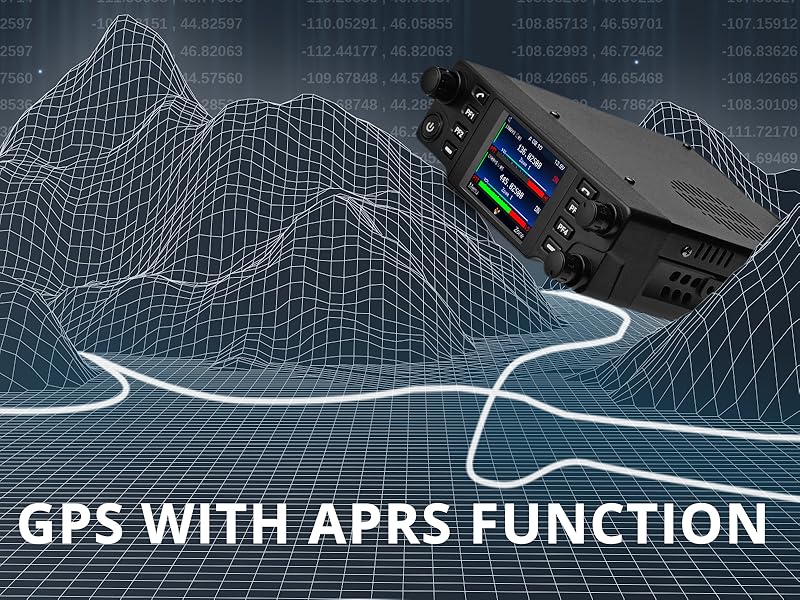
Image 5.3: GPS functionality for location tracking and APRS reporting.
5.6 Cross-Band Repeater and SFR
The DB40-D supports both Cross-Band Repeater and Same-Frequency Repeater (SFR) functions to extend communication range.
- Cross-Band Repeater: Allows the radio to receive on one frequency band (e.g., VHF) and retransmit on another (e.g., UHF), or vice-versa. This enhances communication across different frequency bands.
- Same-Frequency Repeater (SFR): Enables the radio to receive and transmit on the same frequency, typically utilizing different time slots in DMR mode. This can create a local mesh network for improved signal coverage.
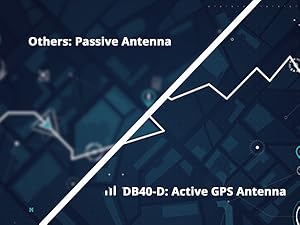
Image 5.4: Cross-band repeater operation.

Image 5.5: Same-Frequency Repeater (SFR) functionality.
5.7 అనుకూలీకరించదగిన కీలు
The DB40-D features 10 customizable keys (PF1, PF2, PF3, PF4 on the front panel, and others on the speaker microphone) that can be programmed for swift access to 20 frequently used functions. Refer to the programming software (CPS) for detailed customization options.

Image 5.6: Customizable function keys for personalized operation.
6. ప్రోగ్రామింగ్
The Radioddity DB40-D requires programming via Computer Programming Software (CPS) to configure channels, zones, digital contacts, and other advanced features. The programming cable is included in the package. Please download the latest CPS software and drivers from the official Radioddity website. Detailed programming guides are typically available with the software or on the product support page.
7. నిర్వహణ
- శుభ్రపరచడం: Use a soft, dry cloth to clean the radio's exterior. Do not use harsh chemicals or solvents.
- పర్యావరణం: Avoid exposing the radio to extreme temperatures, direct sunlight for prolonged periods, or excessive dust and moisture. While the radio is water-resistant, it is not waterproof.
- కనెక్షన్లు: Periodically check all cable connections (power, antenna, microphone) for security and wear.
- ఫర్మ్వేర్ నవీకరణలు: Check the Radioddity webసరైన పనితీరును మరియు కొత్త ఫీచర్లకు యాక్సెస్ను నిర్ధారించడానికి అందుబాటులో ఉన్న ఏవైనా ఫర్మ్వేర్ అప్డేట్ల కోసం సైట్.
8. ట్రబుల్షూటింగ్
This section addresses common issues you might encounter with your DB40-D radio.
| సమస్య | సాధ్యమైన కారణం | పరిష్కారం |
|---|---|---|
| రేడియో పవర్ ఆన్ చేయదు. | కరెంటు లేదు, కనెక్షన్ లూజ్ అయింది, ఫ్యూజ్ చెడిపోయింది. | Check power cable connections. Verify the 20A fuse in the power cable. Ensure vehicle battery has sufficient charge. |
| No audio or low audio output. | Volume too low, external speaker not connected, incorrect channel settings. | Adjust volume knobs. Check external speaker connection. Verify channel settings in CPS. |
| Transmission cuts off or is garbled. | Antenna issue, power supply instability, firmware issue, radio overheating. | Check antenna connection and SWR. Ensure stable 12V power supply. Allow radio to cool if operating for extended periods. Check for firmware updates. |
| Difficulty programming via CPS. | Incorrect drivers, incompatible CPS version, cable issue. | Ensure correct USB drivers are installed. Use the latest CPS version from Radioddity. Verify programming cable connection. |
| GPS/APRS not functioning. | GPS antenna not connected, poor satellite reception, incorrect settings. | GPS యాంటెన్నా సురక్షితంగా కనెక్ట్ చేయబడిందని మరియు స్పష్టమైనది ఉందని నిర్ధారించుకోండి view of the sky. Check GPS/APRS settings in the radio menu and CPS. |
9. స్పెసిఫికేషన్లు
| ఫీచర్ | స్పెసిఫికేషన్ |
|---|---|
| వస్తువు బరువు | 4.42 పౌండ్లు |
| ప్యాకేజీ కొలతలు | 13.35 x 8.78 x 2.64 అంగుళాలు |
| అంశం మోడల్ సంఖ్య | DB40 DMR |
| బ్రాండ్ | రేడియోడిడిటీ |
| రంగు | నలుపు |
| ఛానెల్ల సంఖ్య | 4000 |
| ప్రత్యేక లక్షణాలు | BT PTT, Digital Display, GPS/APRS, Cross-Band Repeater, SFR |
| ఫ్రీక్వెన్సీ రేంజ్ | UHF-VHF |
| వాల్యూమ్tage | 13.8V DC (నామమాత్రం) |
| నీటి నిరోధక స్థాయి | వాటర్ రెసిస్టెంట్ |
| అవుట్పుట్ పవర్ | 20W / 40W (Selectable) |
| DMR Contact IDs | 500,000 వరకు |

Image 9.1: Radioddity DB40-D dimensions.
10. వారంటీ & సపోర్ట్
The Radioddity DB40-D Mobile Radio comes with an 18-month warranty. For technical support, warranty claims, or further assistance, please visit the official Radioddity website or contact their customer service department. Ensure you have your product model number and purchase details available when seeking support.
11. అధికారిక ఉత్పత్తి వీడియోలు
No relevant official product videos from the seller were found for this model in the provided data.


