ముఖ్యమైన భద్రతా సమాచారం
Please read all safety instructions carefully before using the UTRAI T1 Portable Jump Starter. Failure to follow these instructions may result in electric shock, fire, or serious injury.
- మాన్యువల్ చదవండి: Always read and understand the entire user manual before operating the device.
- పిల్లలకు దూరంగా ఉండండి: ఈ పరికరం ఆటబొమ్మ కాదు. పిల్లలకు అందకుండా ఉంచండి.
- సరైన వెంటిలేషన్: బాగా వెంటిలేషన్ ఉన్న ప్రదేశంలో పరికరాన్ని ఉపయోగించండి.
- షార్ట్ సర్క్యూట్లను నివారించండి: సానుకూల మరియు ప్రతికూల clని అనుమతించవద్దుampఒకరినొకరు లేదా అదే లోహ వస్తువును తాకడానికి.
- సరైన ధ్రువణత: Ensure correct polarity connection to the vehicle battery terminals. Incorrect connection will trigger safety warnings.
- ఆపరేటింగ్ ఉష్ణోగ్రత: Do not operate the device outside its specified operating temperature range (-4°F to 140°F / -20°C to 60°C).
- ఛార్జింగ్: Charge the device only with the provided USB Type-C cable.
- నిల్వ: Store the device in a cool, dry place when not in use. Recharge every 2-3 months to maintain battery health.
- Damaged Device: Do not use the device if it is damaged, cracked, or has a damaged cable. Contact support for assistance.
ఉత్పత్తి ముగిసిందిview
ప్యాకేజీ విషయాలు
The UTRAI T1 Portable Jump Starter package includes the following items:
- 1x UTRAI T1 Car Battery Jump Starter
- 1x Smart Jumper Clip
- 1x USB టైప్-C కేబుల్
- 1x వినియోగదారు మాన్యువల్

Image: The complete package contents of the UTRAI T1 Portable Jump Starter, showing the main device, smart jumper cables, a USB-C charging cable, and the instruction manual.
ఉత్పత్తి లక్షణాలు
The UTRAI T1 is designed for versatility and reliability:
- అధిక పనితీరు: Delivers 2000A peak current to start 12V vehicles, suitable for up to 7.5L gas and 5.5L diesel engines.
- కాంపాక్ట్ మరియు పోర్టబుల్: Small size (6.02 x 3.19 x 1.02 inches, 0.3 Kg) for easy storage and transport.
- పవర్ బ్యాంక్ కార్యాచరణ: 13200mAh capacity with USB outputs (5V/2.1A) and Quick Charge 3.0 port for charging mobile devices.
- 3-in-1 LED Flashlight: Features three modes: Strobe Light, SOS Light, and Solid Light for various situations.
- అధునాతన భద్రతా రక్షణలు: Incorporates 8 types of protection, including anti-spark, reverse polarity, low temperature, high temperature, and overload protection.
- మన్నికైన నిర్మాణం: Made from PC+ABS material, making it fireproof, waterproof, dustproof, and dropproof. Operates reliably in extreme temperatures.
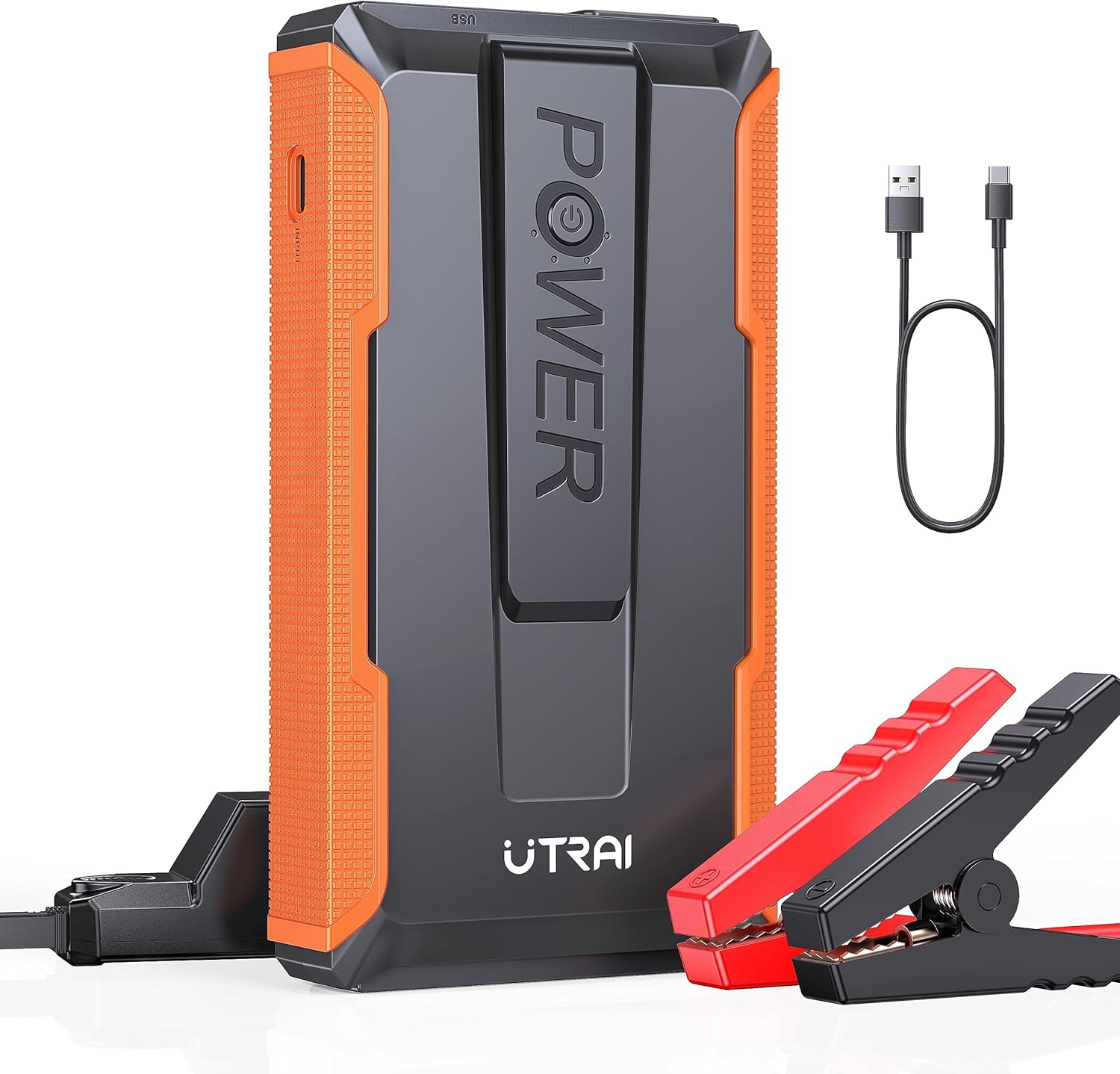
Image: The UTRAI T1 Portable Jump Starter main unit, showcasing its compact design, along with the smart jumper clips and a USB-C charging cable.

Image: A hand holding the UTRAI T1 Jump Starter, emphasizing its compact and lightweight design for portability.

Image: A visual representation of the UTRAI T1's 8-layer smart protection system, detailing features like short circuit, high/low temperature, and reverse polarity protection.
కాంపోనెంట్ ఐడెంటిఫికేషన్
The UTRAI T1 consists of the main jump starter unit and smart jumper clips. The main unit features power output ports, USB charging ports, and an LED flashlight. The smart jumper clips have distinct red (positive) and black (negative) clamps with built-in safety indicators.
సెటప్
జంప్ స్టార్టర్ను ఛార్జింగ్ చేస్తోంది
Before initial use, fully charge the UTRAI T1. For optimal performance, ensure the device is charged above 25% before jump-starting a vehicle. If the jump starter has not been used for an extended period, it is recommended to charge it every 2-3 months to maintain its battery pack in a healthy state.
- Connect the provided USB Type-C cable to the input port on the jump starter.
- Connect the other end of the USB Type-C cable to a suitable USB power adapter (not included) or a powered USB port.
- The indicator lights on the device will show the charging status. The device is fully charged when all indicator lights are solid.
బ్యాటరీ స్థాయిని తనిఖీ చేస్తోంది
Press the power button briefly to check the current battery level of the jump starter. The LED indicators will illuminate to show the remaining charge.
ఆపరేటింగ్ సూచనలు
వాహనాన్ని ప్రారంభించడం జంప్
Follow these steps carefully to safely jump-start your vehicle:
- Ensure the jump starter has at least 25% charge.
- Connect the smart jumper clip cable to the jump starter's output port.
- కనెక్ట్ చేయండి ఎరుపు (+) clamp వాహనం యొక్క బ్యాటరీ యొక్క పాజిటివ్ టెర్మినల్కు.
- కనెక్ట్ చేయండి నలుపు (-) clamp వాహనం యొక్క బ్యాటరీ యొక్క నెగటివ్ టెర్మినల్కు.
- If the smart clip indicator buzzes or flashes, it indicates an incorrect connection. Disconnect and re-connect the clampసరిగ్గా
- Once connected correctly, start your vehicle's engine.
- After the vehicle starts, immediately unplug the smart jumper clip cable from the jump starter unit first.
- Then, remove the నలుపు (-) clamp from the vehicle battery, followed by the ఎరుపు (+) clamp.
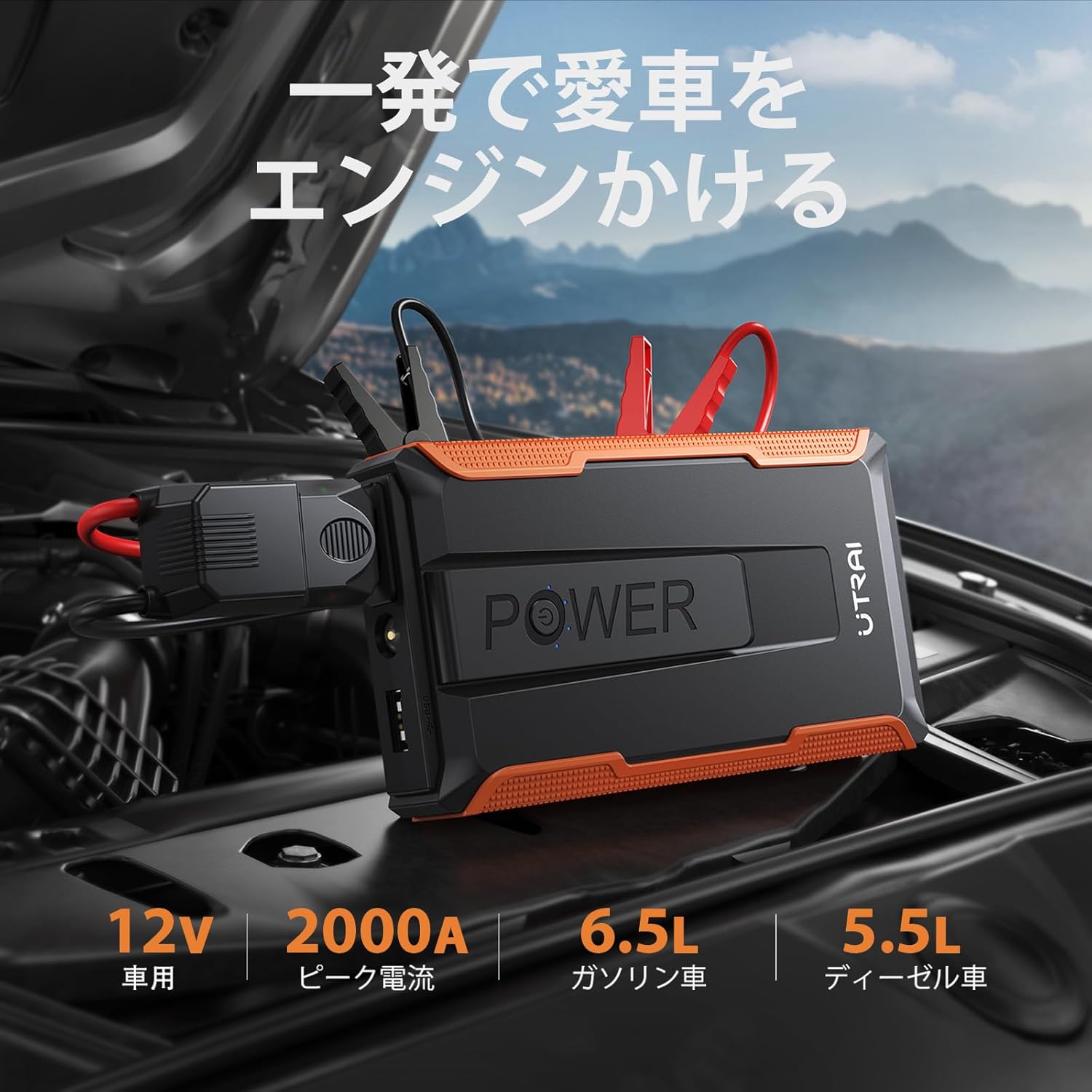
Image: The UTRAI T1 Jump Starter connected to a vehicle battery, demonstrating the proper setup for jump-starting a car.
పవర్ బ్యాంక్గా ఉపయోగించడం
The UTRAI T1 can charge your electronic devices:
- మీ పరికరం యొక్క USB ఛార్జింగ్ కేబుల్ను జంప్ స్టార్టర్లోని USB అవుట్పుట్ పోర్ట్లలో ఒకదానికి కనెక్ట్ చేయండి.
- జంప్ స్టార్టర్ మీ పరికరాన్ని స్వయంచాలకంగా ఛార్జ్ చేయడం ప్రారంభిస్తుంది.

Image: The UTRAI T1 Jump Starter functioning as a power bank, simultaneously charging a smartphone, tablet, and other small electronic devices.
LED ఫ్లాష్లైట్ను ఉపయోగించడం
The built-in LED flashlight offers three modes for various needs:
- Press and hold the flashlight button to turn on the solid light mode.
- Press the button again to cycle through Strobe Light mode.
- Press the button a third time to activate SOS Light mode.
- Press and hold the button again to turn off the flashlight.

Image: The UTRAI T1 Jump Starter's LED flashlight in operation, highlighting its three modes: SOS, Strobe, and standard illumination.

Image: A person utilizing the UTRAI T1 Jump Starter's bright LED flashlight to inspect a car engine in low-light conditions, demonstrating its utility as a work light.
నిర్వహణ
Proper maintenance ensures the longevity and reliability of your UTRAI T1 Jump Starter:
- రెగ్యులర్ ఛార్జింగ్: Recharge the device every 2-3 months, even if not in use, to prevent deep discharge and maintain battery health.
- శుభ్రపరచడం: పరికరాన్ని మృదువైన, పొడి వస్త్రంతో తుడవండి. కఠినమైన రసాయనాలు లేదా రాపిడి క్లీనర్లను ఉపయోగించవద్దు.
- నిల్వ: Store the jump starter in a cool, dry place, away from direct sunlight, moisture, and flammable materials.
- కేబుల్స్ తనిఖీ: Periodically inspect the smart jumper clips and cables for any signs of damage, fraying, or corrosion. Replace if necessary.
ట్రబుల్షూటింగ్
If you encounter issues with your UTRAI T1, refer to the following common problems and solutions:
| సమస్య | సాధ్యమైన కారణం | పరిష్కారం |
|---|---|---|
| వాహనం స్టార్ట్ అవ్వడం లేదు. | Jump starter battery is too low. Incorrect connection. Vehicle battery is severely damaged. | Ensure jump starter is above 25% charge. Re-check connections for correct polarity. Consult a mechanic if vehicle battery is beyond jump-starting. |
| Smart clip indicator buzzes or flashes. | Incorrect polarity connection. Short circuit detected. | clని డిస్కనెక్ట్ చేయండిamps and re-connect them to the correct battery terminals (red to positive, black to negative). Ensure clamps do not touch each other. |
| Jump starter does not charge. | Faulty charging cable or adapter. Damaged charging port. | Try a different USB Type-C cable and power adapter. Contact customer support if the issue persists. |
| LED flashlight does not turn on. | Jump starter battery is depleted. Faulty LED. | Charge the jump starter. Contact customer support if the issue persists after charging. |
స్పెసిఫికేషన్లు
| ఫీచర్ | స్పెసిఫికేషన్ |
|---|---|
| మోడల్ | T1 |
| పీక్ కరెంట్ | 2000 Amps |
| బ్యాటరీ కెపాసిటీ | 13200mAh |
| ఇంజిన్ అనుకూలత | 7.5L వరకు గ్యాస్, 5.5L డీజిల్ |
| USB అవుట్పుట్ | 5V/2.1A (త్వరిత ఛార్జ్ 3.0) |
| టైప్-సి ఇన్పుట్ | 5V/2A |
| ఉత్పత్తి కొలతలు | 5.91 x 3.35 x 1.02 అంగుళాలు (15 x 8.5 x 2.6 సెం.మీ.) |
| వస్తువు బరువు | 1.52 పౌండ్లు (0.69 కిలోలు) |
| ఆపరేటింగ్ ఉష్ణోగ్రత | -4°F నుండి 140°F (-20°C నుండి 60°C) |
వారంటీ మరియు మద్దతు
The UTRAI T1 Portable Jump Starter comes with a 2 సంవత్సరాల వారంటీ మరియు జీవితకాల సాంకేతిక మద్దతు.
If you have any questions, concerns, or require assistance with your product, please do not hesitate to contact UTRAI customer support. Our team is available to provide technical assistance and resolve any issues you may encounter.
For support, please refer to the contact information provided on the UTRAI official webసైట్ లేదా మీ కొనుగోలు డాక్యుమెంటేషన్.


