పరిచయం
Thank you for choosing the Altec Lansing Kid Safe 2-in-1 Bluetooth and Wired Headphones. These headphones are designed with children in mind, offering a safe and enjoyable listening experience with features like volume control, noise cancellation, and a comfortable, foldable design. This manual provides detailed instructions on how to set up, operate, and maintain your headphones to ensure optimal performance and longevity.
ఉత్పత్తి ముగిసిందిview
ప్యాకేజీ విషయాలు
- Altec Lansing Kid Safe 2-in-1 Bluetooth and Wired Headphones
- Charging Cable (USB-C, assumed based on modern devices)
- 3.5mm ఆడియో కేబుల్
- వినియోగదారు మాన్యువల్ (ఈ పత్రం)
హెడ్ఫోన్ ఫీచర్లు
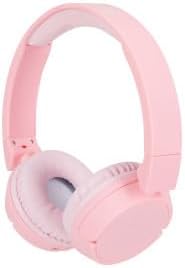
Figure 1: Altec Lansing Kid Safe 2-in-1 Bluetooth and Wired Headphones (Pink)

చిత్రం 2: పైగాview of key features including age suitability, comfort, portability, water resistance, battery life, connectivity, and noise cancellation.

Figure 3: The headphones are designed with an 85-decibel volume limit for child safety.

Figure 4: Details of the adjustable headband, cushioned headband, and soft lightweight ear cushions for enhanced comfort.

Figure 5: The headphones are compatible with various devices such as laptops, phones, computers, and tablets.
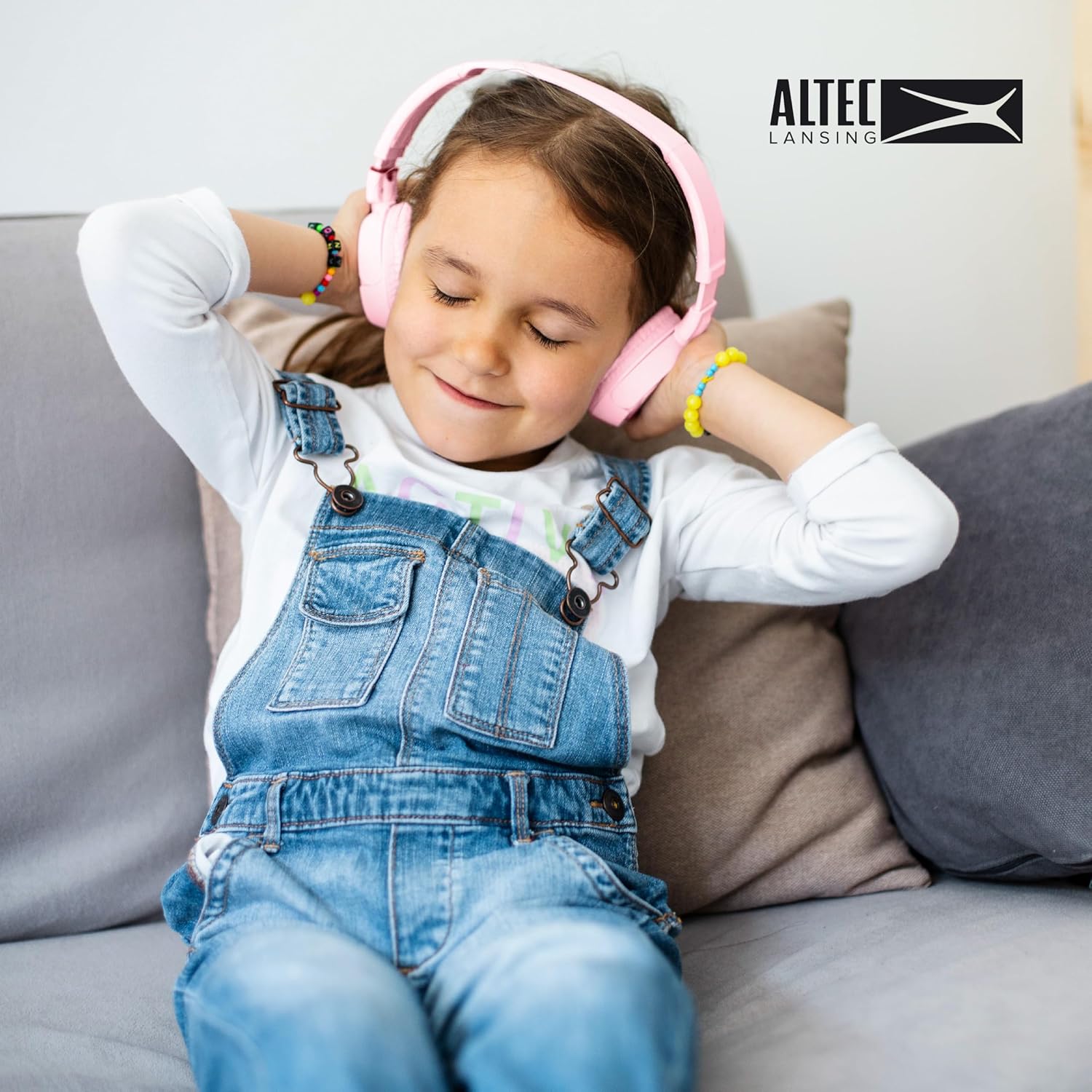
Figure 6: A child enjoying the comfortable fit of the Altec Lansing Kid Safe Headphones.
నియంత్రణలు మరియు సూచికలు
- పవర్ బటన్: హెడ్ఫోన్లను ఆన్/ఆఫ్ చేయడానికి మరియు బ్లూటూత్ జత చేయడాన్ని ప్రారంభించడానికి ఉపయోగించబడుతుంది.
- వాల్యూమ్ పెంచు/తదుపరి ట్రాక్ బటన్: చిన్న ప్రెస్తో వాల్యూమ్ను పెంచుతుంది, ఎక్కువసేపు ప్రెస్తో తదుపరి ట్రాక్కి వెళుతుంది.
- వాల్యూమ్ డౌన్/మునుపటి ట్రాక్ బటన్: షార్ట్ ప్రెస్ తో వాల్యూమ్ తగ్గిస్తుంది, లాంగ్ ప్రెస్ తో మునుపటి ట్రాక్ కి వెళుతుంది.
- మల్టీ-ఫంక్షన్ బటన్ (MFB): ప్లే/పాజ్, కాల్స్కు సమాధానం/ముగించు.
- ANC (Active Noise Cancellation) Button: Toggles noise cancellation on/off.
- LED సూచిక: పవర్ స్థితి, జత చేసే మోడ్, ఛార్జింగ్ స్థితిని చూపుతుంది.
- 3.5mm ఆడియో జాక్: వైర్డు కనెక్షన్ కోసం.
- USB-C ఛార్జింగ్ పోర్ట్: అంతర్గత బ్యాటరీని ఛార్జ్ చేయడానికి.
సెటప్
హెడ్ఫోన్లను ఛార్జ్ చేస్తోంది
- USB-C ఛార్జింగ్ కేబుల్ను హెడ్ఫోన్లలోని ఛార్జింగ్ పోర్ట్కు కనెక్ట్ చేయండి.
- కేబుల్ యొక్క మరొక చివరను USB పవర్ అడాప్టర్ (చేర్చబడలేదు) లేదా కంప్యూటర్ యొక్క USB పోర్ట్కు కనెక్ట్ చేయండి.
- The LED indicator will show red while charging and turn off or blue when fully charged.
- A full charge provides approximately 4 hours of wireless playtime.
బ్లూటూత్ జత చేయడం (వైర్లెస్ మోడ్)
- హెడ్ఫోన్లు ఛార్జ్ అయ్యాయని నిర్ధారించుకోండి.
- Press and hold the Power Button for 3-5 seconds until the LED indicator flashes blue and red, indicating pairing mode.
- మీ పరికరంలో (స్మార్ట్ఫోన్, టాబ్లెట్, కంప్యూటర్), బ్లూటూత్ను ప్రారంభించి, అందుబాటులో ఉన్న పరికరాల కోసం శోధించండి.
- Select "Altec Lansing MZX4400" (or similar name) from the list of devices.
- Once connected, the LED indicator will flash blue slowly or turn solid blue.
- హెడ్ఫోన్లు పరిధిలో ఉంటే, పవర్ ఆన్ చేసినప్పుడు చివరిగా జత చేసిన పరికరానికి స్వయంచాలకంగా తిరిగి కనెక్ట్ అవుతాయి.
వైర్డు కనెక్షన్
- Insert one end of the 3.5mm audio cable into the audio jack on the headphones.
- Insert the other end of the cable into the 3.5mm audio jack of your device (e.g., laptop, phone, computer).
- The headphones will automatically switch to wired mode. No battery power is required for wired listening.
ఆపరేటింగ్ సూచనలు
పవర్ ఆన్/ఆఫ్
- పవర్ ఆన్: పవర్ బటన్ను 3 సెకన్ల పాటు నొక్కి పట్టుకోండి.
- పవర్ ఆఫ్: పవర్ బటన్ను 3 సెకన్ల పాటు నొక్కి పట్టుకోండి.
Music Playback (Wireless Mode)
- ప్లే/పాజ్: మల్టీ-ఫంక్షన్ బటన్ (MFB) ను షార్ట్ ప్రెస్ చేయండి.
- ధ్వని పెంచు: వాల్యూమ్ అప్ బటన్ను చిన్నగా నొక్కండి.
- వాల్యూమ్ డౌన్: వాల్యూమ్ డౌన్ బటన్ను చిన్నగా నొక్కండి.
- తదుపరి ట్రాక్: వాల్యూమ్ అప్ బటన్ను ఎక్కువసేపు నొక్కండి.
- మునుపటి ట్రాక్: వాల్యూమ్ డౌన్ బటన్ను ఎక్కువసేపు నొక్కండి.
Call Management (Wireless Mode)
- సమాధానం/ముగింపు కాల్: మల్టీ-ఫంక్షన్ బటన్ (MFB) ను షార్ట్ ప్రెస్ చేయండి.
- కాల్ని తిరస్కరించండి: మల్టీ-ఫంక్షన్ బటన్ (MFB) ని ఎక్కువసేపు నొక్కండి.
యాక్టివ్ నాయిస్ క్యాన్సిలేషన్ (ANC)
- Turn ANC On/Off: Press the dedicated ANC button. The LED indicator will light up when ANC is active.
నిర్వహణ
క్లీనింగ్
- హెడ్ఫోన్లను మృదువైన, పొడి వస్త్రంతో తుడవండి.
- రాపిడి క్లీనర్లు, ఆల్కహాల్ లేదా రసాయన ద్రావకాలను ఉపయోగించవద్దు.
- ఏదైనా రంధ్రాలలోకి తేమ రాకుండా చూసుకోండి.
నిల్వ
- ఉపయోగంలో లేనప్పుడు, హెడ్ఫోన్లను చల్లని, పొడి ప్రదేశంలో, ప్రత్యక్ష సూర్యకాంతి మరియు తీవ్రమైన ఉష్ణోగ్రతలకు దూరంగా నిల్వ చేయండి.
- ప్రయాణ సమయంలో కాంపాక్ట్ నిల్వ మరియు రక్షణ కోసం మడతపెట్టగల డిజైన్ను ఉపయోగించండి.
బ్యాటరీ సంరక్షణ
- To preserve battery life, charge the headphones fully before long periods of inactivity.
- Recharge the battery at least once every three months if not used regularly.
ట్రబుల్షూటింగ్
| సమస్య | సాధ్యమైన కారణం | పరిష్కారం |
|---|---|---|
| హెడ్ఫోన్లు పవర్ ఆన్ చేయవు. | తక్కువ బ్యాటరీ. | హెడ్ఫోన్లను పూర్తిగా ఛార్జ్ చేయండి. |
| బ్లూటూత్ ద్వారా జత చేయడం సాధ్యం కాదు. | హెడ్ఫోన్లు జత చేసే మోడ్లో లేవు; పరికరం బ్లూటూత్ ఆఫ్లో ఉంది; పరికరం నుండి చాలా దూరంలో ఉంది. | Ensure headphones are in pairing mode (flashing blue/red). Turn device Bluetooth on/off. Move headphones closer to device. |
| వైర్లెస్ మోడ్లో శబ్దం లేదు. | కనెక్ట్ కాలేదు; వాల్యూమ్ చాలా తక్కువగా ఉంది; పరికరంలో తప్పు ఆడియో అవుట్పుట్ ఎంచుకోబడింది. | Verify Bluetooth connection. Increase headphone and device volume. Select headphones as audio output on your device. |
| వైర్డు మోడ్లో శబ్దం లేదు. | Audio cable not fully inserted; cable damaged. | Ensure 3.5mm cable is fully inserted into both headphone and device jacks. Try a different 3.5mm cable if available. |
| నాయిస్ క్యాన్సిలేషన్ పనిచేయడం లేదు. | ANC feature is off. | దీన్ని యాక్టివేట్ చేయడానికి ANC బటన్ను నొక్కండి. |
స్పెసిఫికేషన్లు
| ఫీచర్ | వివరాలు |
|---|---|
| మోడల్ పేరు | MZX4400 |
| కనెక్టివిటీ టెక్నాలజీ | వైర్లెస్ (బ్లూటూత్), వైర్డ్ (3.5mm జాక్) |
| వైర్లెస్ కమ్యూనికేషన్ టెక్నాలజీ | బ్లూటూత్ |
| హెడ్ఫోన్స్ జాక్ | 3.5 మి.మీ జాక్ |
| చేర్చబడిన భాగాలు | హెడ్ఫోన్లు |
| వయస్సు పరిధి (సిఫార్సు చేయబడింది) | వయస్సు 6-9 |
| అనుకూల పరికరాలు | Laptops, Phones, Computers, and Devices with 3.5mm Audio Jack |
| నీటి నిరోధకత | IPX4 స్ప్లాష్ రెసిస్టెంట్ |
| ఫ్రీక్వెన్సీ రేంజ్ | 20 హెర్ట్జ్ - 20,000 హెర్ట్జ్ |
| నియంత్రణ పద్ధతి | రిమోట్ |
| ఆడియో డ్రైవర్ రకం | డైనమిక్ డ్రైవర్ |
| ఇయర్పీస్ ఆకారం | ఓవర్ చెవి |
| ప్రత్యేక ఫీచర్ | Foldable, Volume Control, Active Noise Cancellation |
| తయారీదారు | ఆల్టెక్ లాన్సింగ్ టెక్నాలజీస్ |
| ప్యాకేజీ కొలతలు | 9.84 x 7.56 x 2.05 అంగుళాలు |
| వస్తువు బరువు | 9.1 ఔన్సులు |
| UPC | 021331056177 |
| రంగు | పింక్ |
| నాయిస్ కంట్రోల్ | యాక్టివ్ నాయిస్ రద్దు |
| Wireless Playtime | సుమారు 4 గంటలు |
| Safe Volume Limit | 85 డెసిబెల్స్ |
Note: The product is specifically designed and marketed for "Ages 6-9" and features "IPX4 Splash Resistant" capabilities, as indicated by product imagery and description.
వారంటీ మరియు మద్దతు
Altec Lansing products are designed for quality and reliability. For specific warranty information regarding your Kid Safe 2-in-1 Bluetooth and Wired Headphones, please refer to the warranty card included with your purchase or visit the official Altec Lansing webసైట్.
If you encounter any issues or require technical assistance, please contact Altec Lansing customer support through their official webసైట్ లేదా మీ ఉత్పత్తి ప్యాకేజింగ్లో అందించిన సంప్రదింపు సమాచారం.
ఆన్లైన్ మద్దతు: www.alteclansing.com/support/


