1. పరిచయం
The Kinglucky Mini Karaoke Machine is designed to provide an engaging and fun singing experience for children. This portable device features two wireless microphones, dynamic LED lights, and various voice-changing effects, making it perfect for parties, family gatherings, or everyday play. Its compact size and easy connectivity ensure entertainment anytime, anywhere.
2. ప్యాకేజీ విషయాలు
క్రింద జాబితా చేయబడిన అన్ని వస్తువులు మీ ప్యాకేజీలో చేర్చబడ్డాయని దయచేసి ధృవీకరించండి:
- 1 x కరోకే స్పీకర్
- 2 x వైర్లెస్ మైక్రోఫోన్లు
- 1 x ఛార్జింగ్ కేబుల్ (USB టైప్-C)
- 1 x వినియోగదారు మాన్యువల్

Image: The Kinglucky Mini Karaoke Machine, showcasing the main speaker unit with a handle and two wireless microphones.
3. సెటప్ గైడ్
3.1. పరికరాన్ని ఛార్జ్ చేస్తోంది
Before first use, fully charge the karaoke speaker and both wireless microphones using the provided USB Type-C charging cable. The charging port is located on the speaker unit. A full charge typically takes 2-3 hours and provides 8-10 hours of playing time.
3.2. బ్లూటూత్ పెయిరింగ్
- Turn on the karaoke speaker by pressing and holding the power button.
- మీ స్మార్ట్ఫోన్ లేదా ఇతర అనుకూల పరికరంలో బ్లూటూత్ని సక్రియం చేయండి.
- కోసం వెతకండి "Kinglucky K12" (or similar name) in your device's Bluetooth settings and select it to pair.
- Once paired, the speaker will indicate a successful connection (e.g., a sound prompt).
- The microphones are pre-paired with the speaker. Simply turn them on, and they will automatically connect.
After the initial pairing, the device will automatically connect to the last paired device when turned on, simplifying future use.

Image: The karaoke machine displaying its connectivity options, including Bluetooth 5.3, TF Card, and Headphone support, with a smartphone showing a music app interface.
4. ఆపరేటింగ్ సూచనలు
4.1. పవర్ ఆన్/ఆఫ్
Press and hold the power button on the speaker unit to turn it on or off. Similarly, press and hold the power button on each microphone to activate or deactivate them.
4.2. వాల్యూమ్ నియంత్రణ
The speaker and microphones feature independent volume controls. Use the '+' and '-' buttons on the speaker to adjust music volume. On the microphones, use the dedicated buttons to control microphone volume and echo effects separately.
4.3. Voice Effects
The Kinglucky Mini Karaoke Machine offers 5 distinct voice modes to enhance the fun:
- Original Voice: Your natural voice.
- Monster Voice: Deep, growling effect.
- Robot Voice: Robotic, synthesized sound.
- Female Voice: Higher pitched, feminine sound.
- Chipmunk Voice: High-pitched, fast effect.
Press the voice effect button on the microphone to cycle through these modes.

Image: Two children dressed in Halloween costumes, demonstrating the fun of the 5 magic voice effects available on the karaoke machine.
4.4. Dynamic LED Lights
The speaker unit features dynamic LED lights that flash and change colors, adding a visual element to your performance. These lights automatically activate when the speaker is on and can be controlled or turned off via a dedicated button on the speaker.
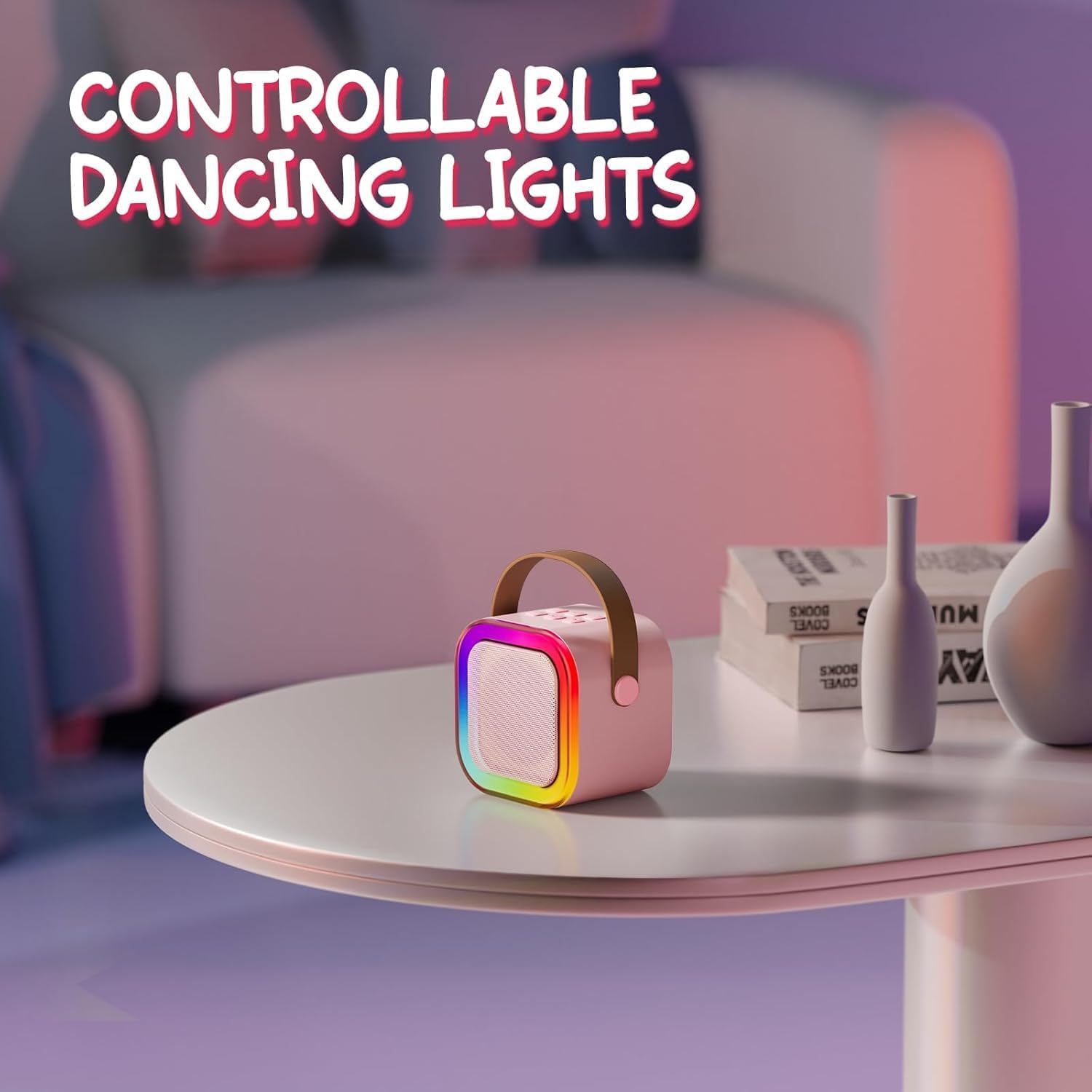
Image: The Kinglucky Mini Karaoke Machine on a table, highlighting its controllable dancing LED lights that illuminate the front grille.
4.5. Microphone Functions
Each wireless microphone is equipped with multiple functions:
- పవర్ బటన్: ఆన్/ఆఫ్ చేయడానికి ఎక్కువసేపు నొక్కండి.
- వాల్యూమ్ బటన్లు (+/-): మైక్రోఫోన్ వాల్యూమ్ను సర్దుబాటు చేయండి.
- Voice Effect Button: Cycle through the 5 voice modes.
- Original Vocals/Accompaniment Switch: Toggle between original song vocals and instrumental accompaniment (if supported by the music source).

చిత్రం: క్లోజప్ view of the two wireless microphones, detailing their multi-function buttons for volume, echo, voice effects, and vocal/accompaniment switching.
5. నిర్వహణ మరియు సంరక్షణ
- శుభ్రపరచడం: Wipe the device and microphones with a soft, dry cloth. Do not use liquid cleaners or abrasive materials.
- నిల్వ: కరోకే యంత్రాన్ని ప్రత్యక్ష సూర్యకాంతి మరియు తీవ్రమైన ఉష్ణోగ్రతలకు దూరంగా చల్లని, పొడి ప్రదేశంలో నిల్వ చేయండి.
- బ్యాటరీ సంరక్షణ: బ్యాటరీ జీవితకాలాన్ని పొడిగించడానికి, పరికరాన్ని తరచుగా పూర్తిగా డిశ్చార్జ్ చేయకుండా ఉండండి. ఎక్కువసేపు ఉపయోగంలో లేనప్పటికీ, దానిని క్రమం తప్పకుండా ఛార్జ్ చేయండి.
- నీటి బహిర్గతం: ఈ పరికరం నీటి నిరోధకం కాదు. నీటికి లేదా అధిక తేమకు గురికాకుండా ఉండండి.
6. ట్రబుల్షూటింగ్
6.1. No Sound from Speaker
- స్పీకర్ ఆన్ చేయబడి, ఛార్జ్ చేయబడిందని నిర్ధారించుకోండి.
- Check the speaker's volume level.
- Verify that your Bluetooth device is properly paired and its volume is turned up.
- బ్లూటూత్ కనెక్షన్ని తిరిగి జత చేయడానికి ప్రయత్నించండి.
6.2. మైక్రోఫోన్ పనిచేయడం లేదు
- మైక్రోఫోన్ ఆన్ చేయబడి, ఛార్జ్ చేయబడిందని నిర్ధారించుకోండి.
- Check the microphone's volume level.
- Confirm that the microphone is connected to the speaker (it should automatically pair).
- If issues persist, try turning both the speaker and microphone off and then on again.
6.3. Bluetooth Disconnection
- Ensure the speaker and your device are within the effective Bluetooth range (typically 10 meters).
- ఇతర వైర్లెస్ పరికరాల నుండి జోక్యం కోసం తనిఖీ చేయండి.
- స్పీకర్ మరియు మీ బ్లూటూత్ పరికరం రెండింటినీ పునఃప్రారంభించండి.
7. స్పెసిఫికేషన్లు
| ఫీచర్ | వివరాలు |
|---|---|
| వస్తువు బరువు | 9.9 ఔన్సులు |
| ఉత్పత్తి కొలతలు | 2.8 x 3.7 x 3.2 అంగుళాలు |
| అంశం మోడల్ సంఖ్య | K12 |
| రంగు | బ్లష్ పింక్ |
| అనుకూల పరికరాలు | స్మార్ట్ఫోన్ |
| కనెక్టర్ రకం | USB టైప్ C |
| మెటీరియల్ రకం | ప్లాస్టిక్ |
| స్పీకర్ కౌంట్ | 1 |
| అవుట్పుట్ వాట్tage | 5 వాట్స్ |
| శక్తి మూలం | బ్యాటరీ ఆధారితమైనది |
| ప్రత్యేక ఫీచర్ | పోర్టబుల్ |
8. వారంటీ మరియు మద్దతు
Kinglucky is committed to providing high-quality products and customer satisfaction. Your Kinglucky Mini Karaoke Machine comes with:
- 365-Day Extended Service: Enjoy peace of mind with comprehensive support for a full year.
- Free Replacement for Damage: In the event of product damage, a free replacement will be provided.
- 24/7 మద్దతు: Access customer support around the clock for any inquiries or assistance.
For further assistance or to learn more about Kinglucky products, please visit the official Kinglucky Store: Kinglucky Store on Amazon.

Image: An illustration representing Kinglucky's commitment to quality, featuring a golden trophy and official certification documents.


