పరిచయం
This manual provides detailed instructions for the safe and effective use of the KAIWEETS KM201 Smart Digital Multimeter. The KM201 is a compact, auto-ranging multimeter designed for measuring voltage, resistance, and continuity, featuring True RMS for accurate readings and Non-Contact Voltage (NCV) detection for enhanced safety. Please read this manual thoroughly before operation and retain it for future reference.
భద్రతా సమాచారం
Always adhere to local and national safety codes. Use appropriate personal protective equipment (PPE) when working with electrical circuits. Do not use the device if it appears damaged or if the test leads are compromised. Ensure the battery compartment is securely closed before operation.
ప్యాకేజీ విషయాలు
ప్యాకేజీలో అన్ని అంశాలు ఉన్నాయని నిర్ధారించుకోండి:
- 1 x KAIWEETS KM201 Smart Digital Multimeter
- 2 x AAA బ్యాటరీలు
- 1 x యూజర్ మాన్యువల్ (ఈ పత్రం)
ఉత్పత్తి ముగిసిందిview
The KAIWEETS KM201 is designed for ease of use and portability. Below is an illustration of the device and its main components.

మూర్తి 1: ముందు మరియు వెనుక view of the KAIWEETS KM201 Multimeter, showing the display, function buttons, and integrated test leads with storage clips.
ముఖ్య లక్షణాలు:
- Smart Automatic Mode: Automatically identifies measurement type (voltagఇ, ప్రతిఘటన, కొనసాగింపు).
- నిజమైన RMS: నాన్-సైనోసోయిడల్ తరంగ రూపాలకు ఖచ్చితమైన రీడింగ్లను అందిస్తుంది.
- సంపర్కం కాని సంtage (NCV) గుర్తింపు: AC వాల్యూమ్ని గుర్తిస్తుందిtagశారీరక సంబంధం లేకుండా.
- Phase Sequence Test: Identifies live and phase wires.
- Backlight & Flashlight: తక్కువ-కాంతి పరిస్థితుల్లో దృశ్యమానతను మెరుగుపరుస్తుంది.
- డేటా హోల్డ్: డిస్ప్లేపై ప్రస్తుత రీడింగ్ను స్తంభింపజేస్తుంది.
- ఆటో పవర్ ఆఫ్: బ్యాటరీ జీవితకాలాన్ని ఆదా చేస్తుంది.
- తక్కువ బ్యాటరీ సూచిక: Alerts when battery replacement is needed.
సెటప్
బ్యాటరీ సంస్థాపన
- మల్టీమీటర్ వెనుక భాగంలో బ్యాటరీ కంపార్ట్మెంట్ కవర్ను గుర్తించండి.
- బ్యాటరీ కంపార్ట్మెంట్ను తెరవడానికి స్క్రూడ్రైవర్ని ఉపయోగించండి.
- సరైన ధ్రువణతను (+/-) నిర్ధారించుకోవడానికి రెండు AAA బ్యాటరీలను చొప్పించండి.
- బ్యాటరీ కంపార్ట్మెంట్ కవర్ను మార్చండి మరియు దానిని స్క్రూతో భద్రపరచండి.
Note: The device will display a low battery indicator when batteries need replacement.
ఆపరేటింగ్ సూచనలు
పవర్ ఆన్/ఆఫ్
నొక్కండి పవర్ బటన్ ( ) to turn the multimeter on or off. The device will automatically power off after a period of inactivity to conserve battery.
Smart Automatic Mode
The KM201 features a smart automatic mode that simplifies measurements. When powered on, the multimeter defaults to this mode, indicated by "Auto" on the display. In this mode, the device automatically detects and measures AC/DC voltage, resistance, and continuity.
మూర్తి 2: The multimeter display indicating "Auto" mode, ready for automatic measurement.
వాల్యూమ్tage Test (AC/DC)
In Smart Automatic Mode, connect the test leads to the circuit or component you wish to measure. The multimeter will automatically detect and display the AC or DC voltage.
- Ensure the test leads are securely plugged into the COM and INPUT jacks.
- Touch the red probe to the positive terminal or live wire and the black probe to the negative terminal or neutral/ground wire.
- సంపుటాన్ని చదవండిtagడిస్ప్లేలో ఇ విలువ.

మూర్తి 3: DC వాల్యూమ్ను కొలవడంtage on a car battery using the KM201 multimeter.
రెసిస్టెన్స్ మరియు కంటిన్యుటీ టెస్ట్
In Smart Automatic Mode, the multimeter will automatically switch to resistance or continuity measurement when connected to a non-powered circuit.
- Ensure the circuit is de-energized before connecting the test leads.
- కాంపోనెంట్ లేదా సర్క్యూట్ మార్గంలో పరీక్ష లీడ్లను కనెక్ట్ చేయండి.
- For continuity, if the resistance is less than approximately 50 ohms, the screen will turn green and a beeping sound will indicate continuity.
- For resistance, the display will show the resistance value in ohms (Ω), kilohms (kΩ), or megohms (MΩ).
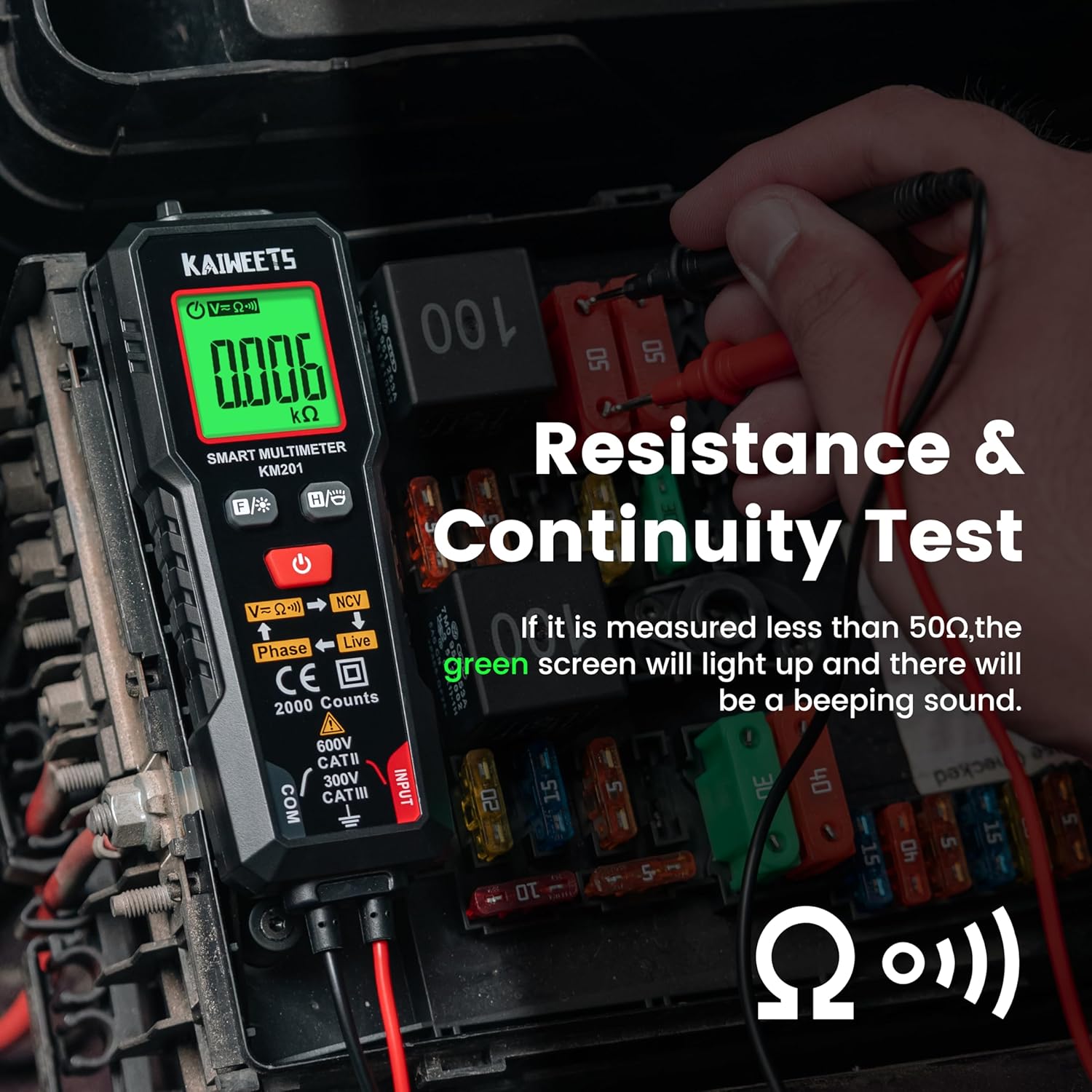
మూర్తి 4: Performing a resistance and continuity test on electrical components within a fuse box.
సంపర్కం కాని సంtagఇ (NCV) గుర్తింపు
The NCV function allows for safe detection of AC voltagకండక్టర్లతో ప్రత్యక్ష సంబంధం లేకుండా.
- నొక్కండి NCV బటన్ (labeled V=K))) NCV) to activate NCV mode.
- Move the top tip of the multimeter close to the wire or outlet.
- AC వాల్యూమ్ అయితేtage is detected, the screen will display red, show "-H", and emit a rapid beeping sound, indicating the presence of live voltage.
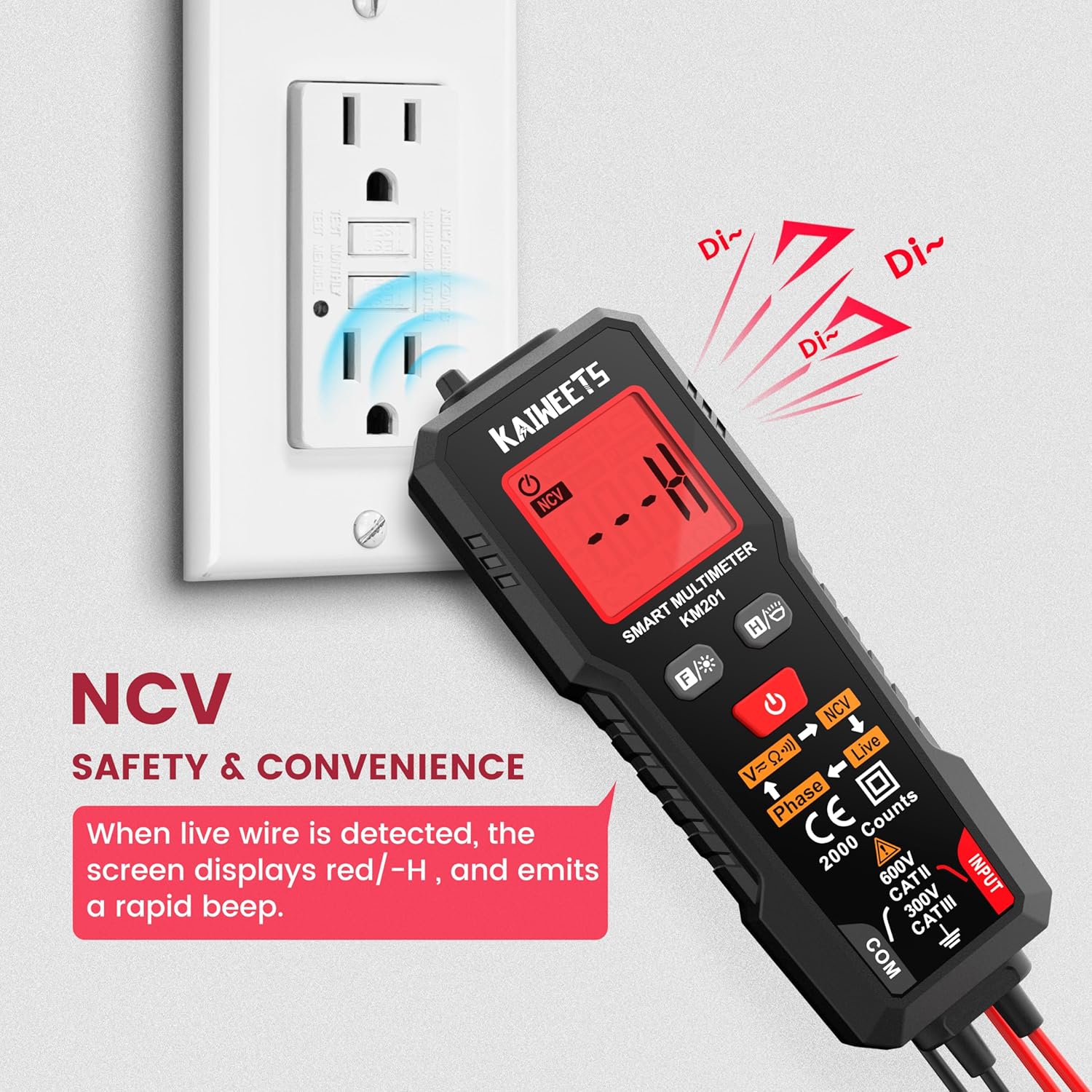
మూర్తి 5: Using the NCV function to detect live voltage in an electrical outlet, indicated by a red screen and audible alarm.
దశ పరీక్ష
The phase test helps identify live and phase wires.
- నొక్కండి దశ బటన్ (labeled Phase ← Live) to activate the phase test mode.
- Touch the red probe to the wire you want to test.
- The display will indicate "Phase" or "Live" to identify the wire type.
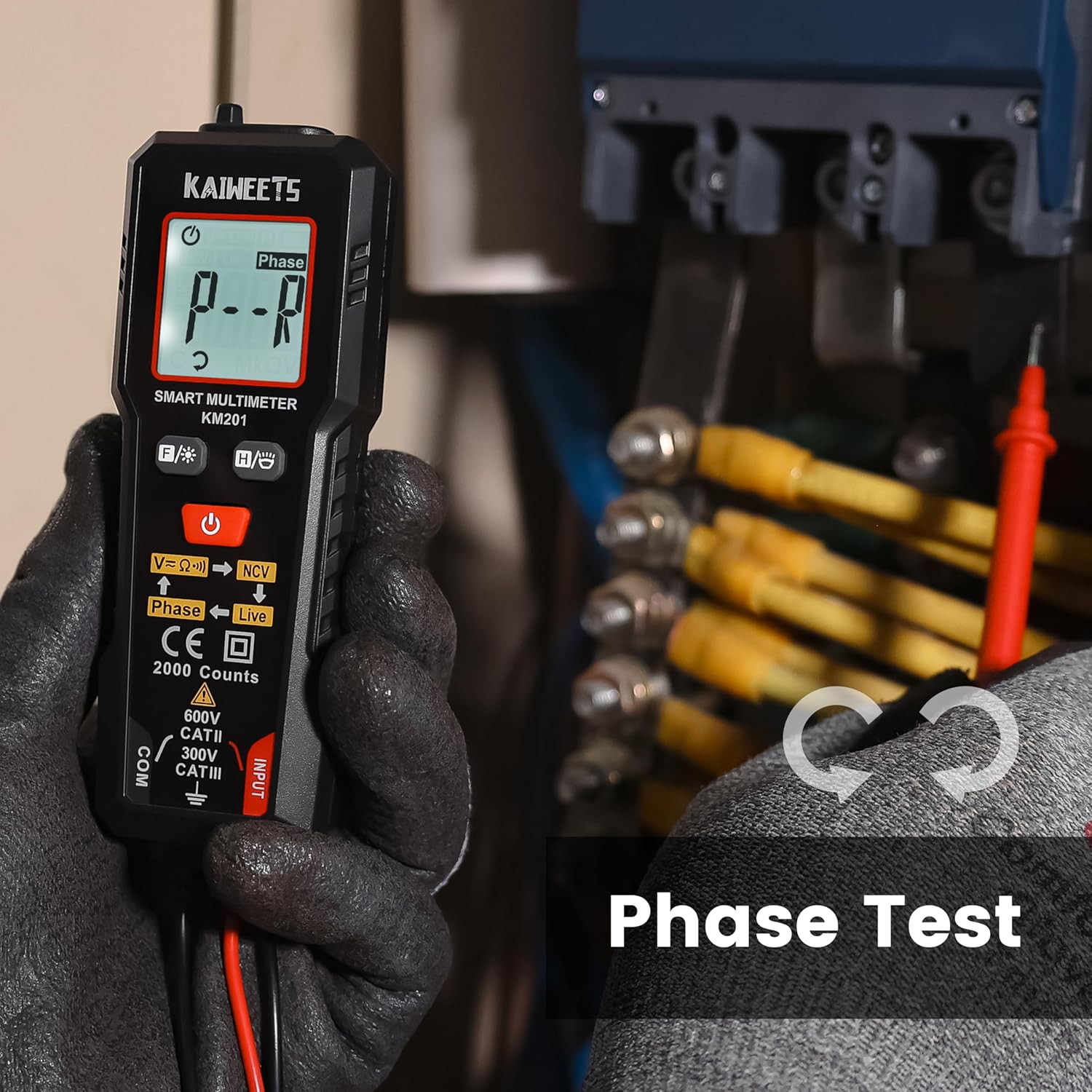
మూర్తి 6: Performing a phase test on electrical wiring to identify live conductors.
Backlight and Flashlight
The KM201 includes a backlight for the display and a built-in flashlight for improved visibility in dark environments.
- నొక్కండి బ్యాక్లైట్/ఫ్లాష్లైట్ బటన్ (
 ) to toggle the display backlight.
 - నొక్కండి మరియు పట్టుకోండి బ్యాక్లైట్/ఫ్లాష్లైట్ బటన్ to turn the flashlight on or off.
మూర్తి 7: The KM201 multimeter with its display backlight and integrated flashlight active, illuminating wires in a dark space.
నిర్వహణ
క్లీనింగ్
మల్టీమీటర్ c ని తుడవండిasinప్రకటనతో గ్రాamp వస్త్రం మరియు తేలికపాటి డిటర్జెంట్. రాపిడి క్లీనర్లు లేదా ద్రావకాలను ఉపయోగించవద్దు. నిల్వ చేయడానికి లేదా ఉపయోగించడానికి ముందు పరికరం పొడిగా ఉందని నిర్ధారించుకోండి.
బ్యాటరీ భర్తీ
When the low battery indicator appears on the display, replace the batteries as described in the "Battery Installation" section. Always use two new AAA batteries of the same type.
నిల్వ
If the multimeter will not be used for an extended period, remove the batteries to prevent leakage. Store the device in a cool, dry place, away from direct sunlight and extreme temperatures.
ట్రబుల్షూటింగ్
| సమస్య | సాధ్యమైన కారణం | పరిష్కారం |
|---|---|---|
| మల్టీమీటర్ పవర్ ఆన్ చేయదు. | డెడ్ లేదా తప్పుగా ఇన్స్టాల్ చేయబడిన బ్యాటరీలు. | బ్యాటరీ ధ్రువణతను తనిఖీ చేయండి లేదా బ్యాటరీలను మార్చండి. |
| సరికాని రీడింగ్లు. | Damaged test leads; incorrect measurement technique; external interference. | Inspect test leads for damage; ensure proper connection; move away from strong electromagnetic fields. |
| "Auto" mode not selecting desired measurement (e.g., continuity instead of voltagమరియు). | The smart auto mode prioritizes voltage detection. If a small voltage is present, it may default to voltagఇ కొలత. | Ensure the circuit is completely de-energized for resistance/continuity tests. The KM201 is primarily designed for automatic detection, which may not suit all specific manual mode requirements. |
| డిస్ప్లే మసకగా లేదా మినుకుమినుకుమంటోంది. | తక్కువ బ్యాటరీ. | బ్యాటరీలను భర్తీ చేయండి. |
స్పెసిఫికేషన్లు
| ఫీచర్ | వివరాలు |
|---|---|
| మోడల్ సంఖ్య | KM201 |
| బ్రాండ్ | కైవీట్స్ |
| ప్రదర్శన గణనలు | 2000 గణనలు |
| కొలత రకం | Smart Digital Multimeter (True RMS) |
| శక్తి మూలం | 2 x AAA బ్యాటరీలు (చేర్చబడినవి) |
| కొలతలు (L x W x H) | 13.97 x 4.57 x 3.56 సెం.మీ (5.5 x 1.8 x 1.4 అంగుళాలు) |
| బరువు | 200 గ్రాములు (సుమారు 7.05 oz) |
| భద్రతా రేటింగ్ | 600V CAT II, 300V CAT III, CE compliant |
| ఫీచర్లు | Smart Auto Mode, NCV, Phase Test, Backlight, Flashlight, Data Hold, Auto Power Off, Low Battery Indicator |
వారంటీ మరియు మద్దతు
KAIWEETS provides a 36 నెలల సర్వీస్ వారంటీ మరియు జీవితకాల సాంకేతిక మద్దతు for the KM201 Smart Digital Multimeter. For any inquiries, technical assistance, or warranty claims, please contact KAIWEETS customer service through their official channels.


