1. పరిచయం
Thank you for choosing the GOYOJO TD50002 Digital Lab Balance. This precision instrument is designed for accurate weighing in laboratory and industrial settings, offering a readability of 0.01g and a maximum capacity of 200g. This manual provides essential information for the proper setup, operation, and maintenance of your balance to ensure reliable performance and longevity.
2. భద్రతా సమాచారం
- Always operate the balance on a stable, level surface free from vibrations.
- బలమైన విద్యుదయస్కాంత క్షేత్రాలు, ఉష్ణ వనరులు లేదా ప్రత్యక్ష సూర్యకాంతి దగ్గర బ్యాలెన్స్ ఉంచకుండా ఉండండి.
- బ్యాలెన్స్ను దాని గరిష్ట సామర్థ్యం 200 గ్రాములకు మించి ఓవర్లోడ్ చేయవద్దు.
- Keep the balance clean and dry. Avoid spilling liquids on the unit.
- పేర్కొన్న పవర్ అడాప్టర్ను మాత్రమే ఉపయోగించండి.
- Do not attempt to disassemble or repair the balance yourself. Contact qualified service personnel.
3. ప్యాకేజీ విషయాలు
Please check the package contents upon receipt. If any items are missing or damaged, contact your supplier immediately.
- GOYOJO TD50002 Digital Lab Balance Unit
- Stainless Steel Weighing Pan (170x170 mm)
- పవర్ అడాప్టర్
- ఇన్స్ట్రక్షన్ మాన్యువల్
4. ఉత్పత్తి ముగిసిందిview
4.1 భాగాలు
Familiarize yourself with the main components of your digital lab balance:
- బరువు పెట్టే పాన్: Stainless steel platform for placing sampలెస్.
- LCD డిస్ప్లే: Backlit screen showing weight, mode, and other information.
- నియంత్రణ బటన్లు: PCS (Piece Counting), CAL (Calibration), TARE (Zero/Tare).
- లెవలింగ్ అడుగులు: Adjustable feet to ensure the balance is perfectly level.
- పవర్ ఇన్పుట్: Connector for the power adapter.
- RS232C Interface: Port for connecting to a computer or printer.
- పవర్ స్విచ్: On/Off switch located at the rear.
4.2 ఉత్పత్తి Views
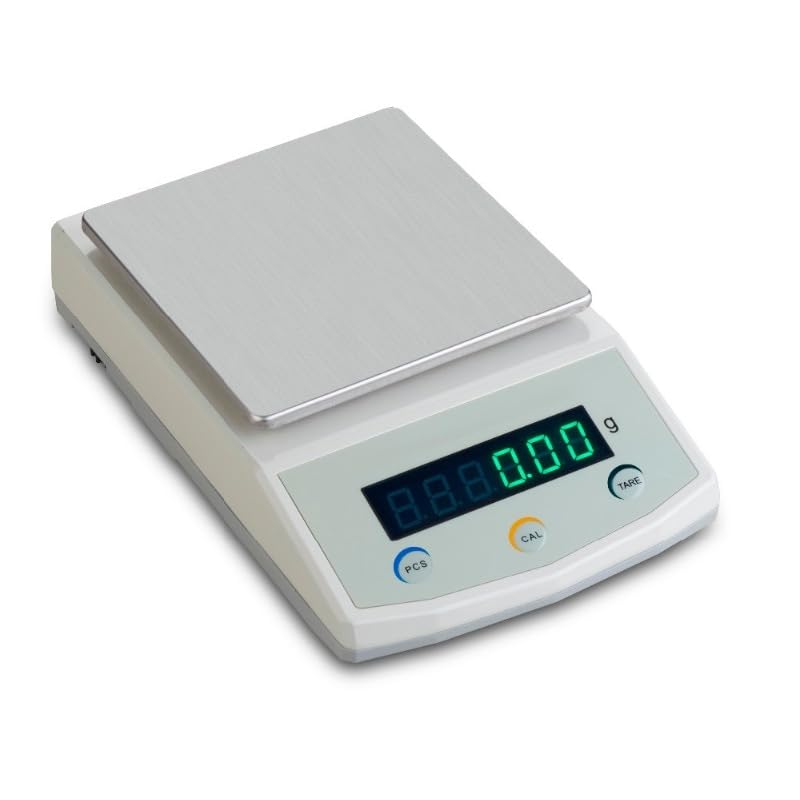
మూర్తి 1: ముందు view of the GOYOJO TD50002 Digital Lab Balance, showing the stainless steel weighing pan, backlit LCD display, and control buttons (PCS, CAL, TARE).
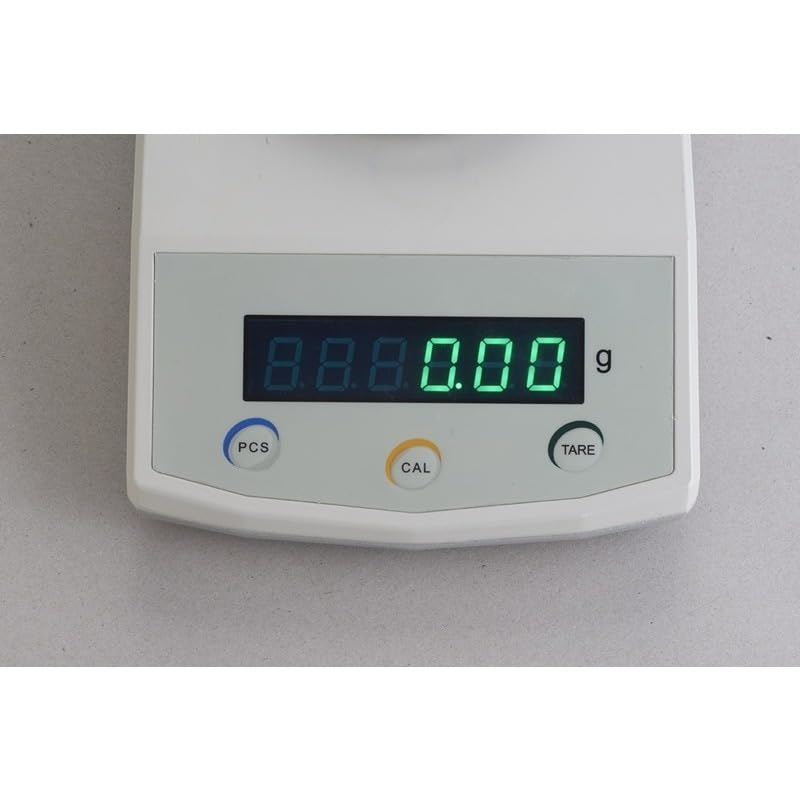
మూర్తి 2: క్లోజ్-అప్ view of the balance's backlit LCD display and the three primary control buttons: PCS (Piece Counting), CAL (Calibration), and TARE (Zero/Tare).
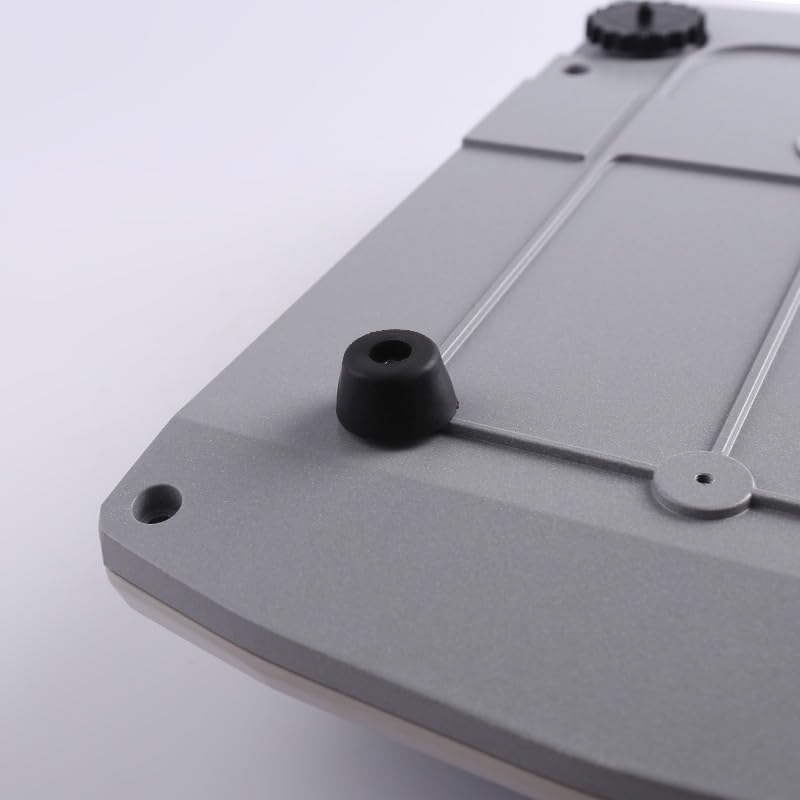
చిత్రం 3: దిగువ view of the balance, highlighting one of the non-slip rubber feet designed for stability.
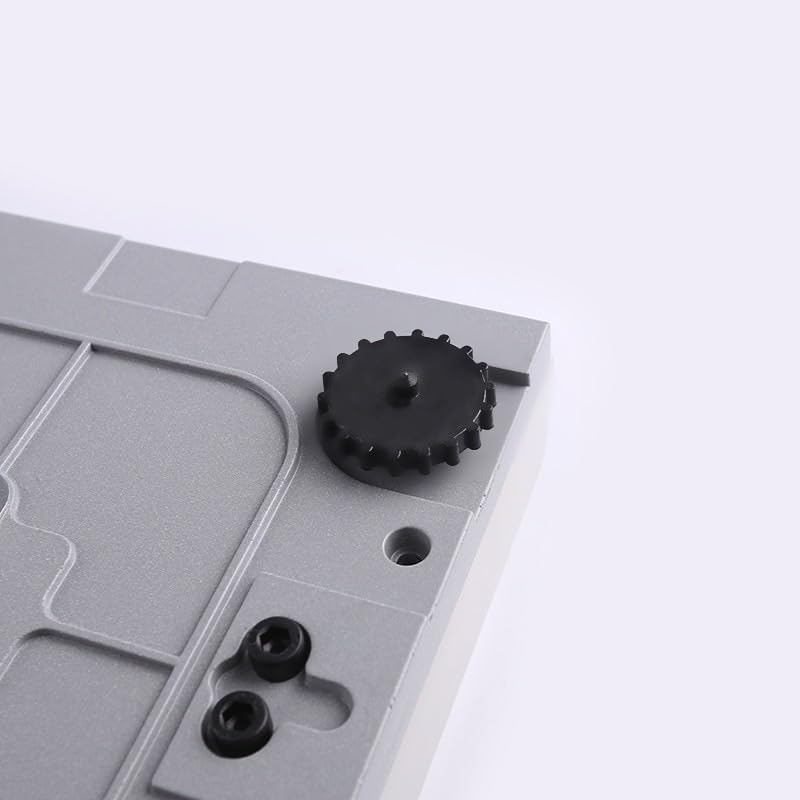
చిత్రం 4: దిగువ view of the balance, showing an adjustable leveling foot used to ensure the balance is perfectly horizontal for accurate measurements.
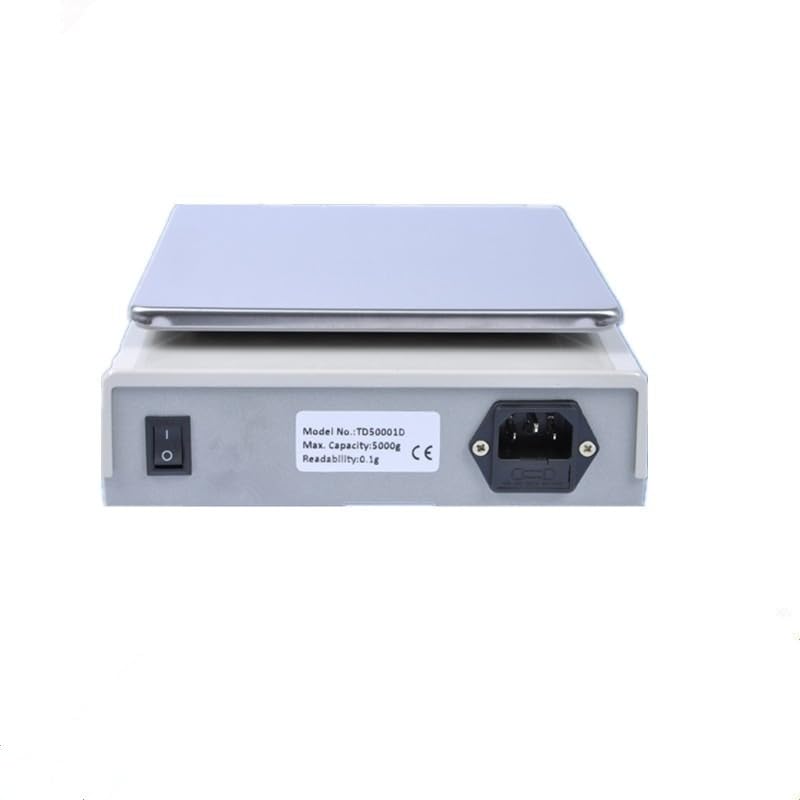
చిత్రం 5: వెనుక view of the balance, displaying the power switch, power input port, and the RS232C interface for data connectivity.
5. సెటప్
5.1 అన్ప్యాకింగ్
ప్యాకేజింగ్ నుండి బ్యాలెన్స్ మరియు అన్ని ఉపకరణాలను జాగ్రత్తగా తొలగించండి. భవిష్యత్తులో రవాణా లేదా నిల్వ కోసం ప్యాకేజింగ్ను అలాగే ఉంచండి.
5.2 ప్లేస్మెంట్
Place the balance on a firm, level, and stable surface. Ensure the location is free from drafts, vibrations, direct sunlight, and rapid temperature changes. These factors can significantly affect weighing accuracy.
5.3 లెవలింగ్
Adjust the leveling feet located at the bottom of the balance until the bubble in the spirit level (if present, typically near the display) is centered. This ensures the weighing pan is perfectly horizontal, which is crucial for accurate measurements.
5.4 పవర్ కనెక్షన్
Connect the provided power adapter to the power input port on the rear of the balance, then plug the adapter into a suitable power outlet.
6. ఆపరేషన్
6.1 ఆన్/ఆఫ్ చేయడం
- ఆన్ చేయడానికి: Flip the power switch on the rear of the balance to the 'ON' position. The display will light up and perform a self-test before showing '0.00g'.
- ఆపివేయడానికి: Flip the power switch on the rear of the balance to the 'OFF' position.
6.2 ప్రాథమిక బరువు
- Ensure the balance displays '0.00g'. If not, press the తారే బటన్.
- Carefully place the item to be weighed onto the center of the stainless steel weighing pan.
- Wait for the reading on the LCD display to stabilize. The stable weight will be shown.
- Remove the item from the pan.
6.3 తారే ఫంక్షన్
The Tare function allows you to weigh items in a container by subtracting the container's weight.
- Place an empty container on the weighing pan. The display will show its weight.
- నొక్కండి తారే button. The display will reset to '0.00g'.
- Add the items to be weighed into the container. The display will show only the net weight of the items.
6.4 Piece Counting Function (PCS)
This function allows you to count a large number of identical items based on a sampలే పరిమాణం.
- Place an empty container on the pan and press తారే to zero the display.
- తెలిసిన s ని ఉంచండిample quantity of items (e.g., 10, 20, 50, 100 pieces) into the container.
- నొక్కండి PCS button. The display will prompt you to select the sample quantity (e.g., 'P-10', 'P-20').
- ఉపయోగించండి తారే s ద్వారా సైకిల్ చేయడానికి బటన్ample quantity options.
- ఒక్కసారి కావాల్సిన రుample quantity is displayed, press PCS again to confirm. The balance will now display the count of the sample.
- లను తీసివేయండిample and add the bulk quantity of items. The display will show the total count.
6.5 Calibration (CAL)
Regular calibration ensures the accuracy of your balance. Use certified calibration weights for this procedure.
- Ensure the weighing pan is empty and the balance is stable.
- నొక్కండి మరియు పట్టుకోండి CAL డిస్ప్లేలో 'CAL' కనిపించే వరకు బటన్ను నొక్కండి.
- The display will then show the required calibration weight (e.g., '200g').
- పేర్కొన్న అమరిక బరువును వెయిటింగ్ పాన్ మధ్యలో జాగ్రత్తగా ఉంచండి.
- Wait for the balance to automatically calibrate. Once complete, the display will show 'PASS' or return to normal weighing mode ('0.00g').
- అమరిక బరువును తీసివేయండి.
6.6 RS232C Interface
The RS232C port allows for data communication with external devices such as computers or printers. Connect a compatible RS232C cable (not included) from the balance to your device. Refer to your device's manual for specific software or driver requirements for data acquisition.
7. నిర్వహణ
7.1 శుభ్రపరచడం
To maintain accuracy and prolong the life of your balance:
- Wipe the balance exterior with a soft, damp గుడ్డ.
- For stubborn stains, use a mild detergent. Avoid abrasive cleaners, solvents, or harsh chemicals.
- బ్యాలెన్స్ హౌసింగ్ లేదా డిస్ప్లే ప్రాంతంలోకి ఎటువంటి ద్రవాలు ప్రవేశించకుండా చూసుకోండి.
- The stainless steel pan can be removed for cleaning.
7.2 నిల్వ
When not in use for extended periods, store the balance in a clean, dry, and stable environment, away from extreme temperatures and humidity. Keep the original packaging for safe storage or transport.
8. ట్రబుల్షూటింగ్
If you encounter issues with your balance, refer to the table below for common problems and solutions.
| సమస్య | సాధ్యమైన కారణం | పరిష్కారం |
|---|---|---|
| Balance does not turn on | No power, faulty adapter, power switch off | Check power connection, ensure adapter is working, turn power switch ON. |
| Inaccurate readings / Fluctuating display | Unstable surface, drafts, vibrations, not level, needs calibration | Place on stable surface, avoid drafts, level the balance, perform calibration. |
| Display shows 'Err' or 'O.L.' | Overload, internal error | Remove excess weight immediately. If error persists, restart the balance. |
| Cannot zero the display | Weight on pan, balance not stable | Ensure pan is empty, wait for stability, press TARE. |
| PCS function not working correctly | తప్పు లుample quantity set, items not uniform | సరైన లు ఉండేలా చూసుకోండిample quantity is selected, use uniform items for counting. |
9. స్పెసిఫికేషన్లు
| ఫీచర్ | స్పెసిఫికేషన్ |
|---|---|
| మోడల్ | TD50002 |
| కెపాసిటీ | 200గ్రా |
| చదవదగినది | 0.01గ్రా |
| వెయిటింగ్ పాన్ సైజు | 170 x 170 mm (Stainless Steel) |
| ప్రదర్శించు | పెద్ద బ్యాక్లిట్ ఎల్సిడి |
| ఇంటర్ఫేస్ | RS232C |
| హౌసింగ్ మెటీరియల్ | అల్యూమినియం మిశ్రమం |
| ఉత్పత్తి కొలతలు | 9.1 x 7.1 x 2.4 అంగుళాలు |
| వెయిటింగ్ మోడ్లు | Weighing, Counting, Weighing Below Balance |
10. వారంటీ మరియు మద్దతు
The GOYOJO TD50002 Digital Lab Balance is covered by a standard manufacturer's warranty against defects in materials and workmanship. Please retain your proof of purchase for warranty claims.
For technical support, service, or warranty inquiries, please contact your local dealer or the GOYOJO customer service department. Contact information can typically be found on the product packaging or the official GOYOJO webసైట్.


