ఉత్పత్తి ముగిసిందిview
The Brother DCP-L2627DWE is a versatile 3-in-1 monochrome laser printer designed for efficient printing, scanning, and copying. It features automatic duplex printing and flexible connectivity options, making it suitable for home or small office environments.
కీ ఫీచర్లు
- Multifunctional: Print, scan, and copy capabilities.
- Automatic duplex printing at up to 16 pages per minute.
- Fast print speed: Up to 32 pages per minute.
- Connectivity options: USB and 5 GHz WLAN.
- ECO-PRO COMPATIBLE: Option to register your compatible printer model for automatic supply delivery.
- Includes toner cartridge, yielding approximately 700 pages (in accordance with ISO/IEC 19752).
సెటప్ గైడ్
ప్రింటర్ను అన్ప్యాక్ చేస్తోంది
Carefully remove the printer from its packaging. Ensure all packing materials, tapes, and protective films are removed from both the exterior and interior of the device before proceeding.
Installing Toner Cartridge
The printer includes a starter toner cartridge. Refer to the quick setup guide provided in the box for detailed instructions on how to correctly install the toner cartridge into the drum unit and then into the printer.
పవర్కి కనెక్ట్ అవుతోంది
Connect the power cable to the printer's power input, then plug the other end into a grounded electrical outlet.
ప్రారంభ సెటప్
Turn on the printer. Follow the on-screen prompts on the printer's display to complete the initial setup, which typically includes selecting your language and configuring basic network settings.
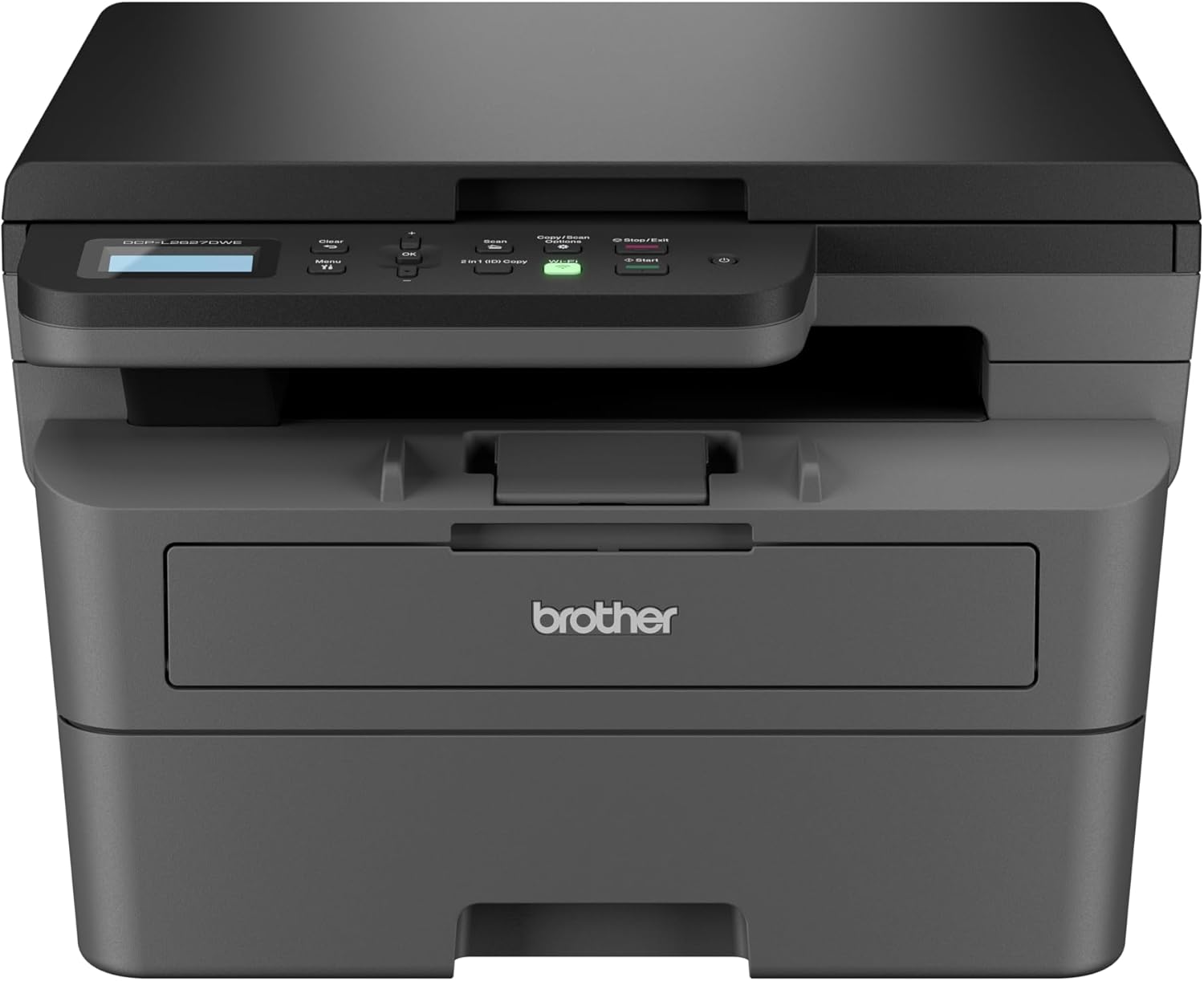
చిత్రం: ముందు భాగం view of the Brother DCP-L2627DWE monochrome laser printer, showing the control panel and paper tray.
ఆపరేటింగ్ సూచనలు
పేపర్ లోడ్ అవుతోంది
Open the paper tray. Adjust the paper guides to match the size of the paper you are loading. Place the paper into the tray, ensuring it is not overfilled and lies flat.

Image: A hand loading paper into the main paper tray of the Brother DCP-L2627DWE printer.
పత్రాలను ముద్రించడం
Connect the printer to your computer via a USB cable or by configuring Wi-Fi connectivity. Install the necessary printer drivers from the official Brother support website. From your application, select the print option and choose the 'Brother DCP-L2627DWE' as your printer. Adjust print settings as required (e.g., single-sided, duplex, paper type) and initiate the print job.
పత్రాలను కాపీ చేస్తోంది
Place the document face down on the scanner glass or face up in the Automatic Document Feeder (ADF). Use the printer's control panel to select the 'Copy' function. Adjust settings such as the number of copies or zoom level. Press the 'Start' button to begin copying.

Image: A hand placing a document onto the flatbed scanner glass of the Brother DCP-L2627DWE printer.

Image: Close-up of the control panel on the Brother DCP-L2627DWE printer, showing buttons and the LCD screen.
పత్రాలను స్కాన్ చేస్తోంది
Place the document on the scanner glass or in the ADF. On the control panel, select the 'Scan' function. Choose your desired scan destination (e.g., computer, email, network folder). Follow the on-screen prompts to complete the scanning process.
నిర్వహణ
టోనర్ కార్ట్రిడ్జ్లను మార్చడం
When the printer's display indicates that the toner is low or needs replacement, open the front cover of the printer. Carefully remove the drum unit assembly, then detach and replace the empty toner cartridge with a new one. Reinsert the drum unit assembly into the printer and close the front cover.
ప్రింటర్ను శుభ్రపరచడం
Regularly clean the exterior of the printer with a soft, lint-free cloth to remove dust and smudges. For internal cleaning, such as the drum unit or scanner glass, refer to the detailed instructions in the full user manual available on the Brother support website to avoid damaging components.
ట్రబుల్షూటింగ్
సాధారణ సమస్యలు మరియు పరిష్కారాలు
- పేపర్ జామ్లు: If a paper jam occurs, the printer display will show an error message. Follow the on-screen instructions to locate and carefully remove any jammed paper. Ensure paper is loaded correctly and is not wrinkled or damaged.
- ముద్రణ నాణ్యత సమస్యలు: If print quality is poor (e.g., faded text, streaks), check the toner levels. Ensure the drum unit is clean and free from debris. Running a test print or cleaning cycle may also help.
- కనెక్టివిటీ సమస్యలు: If the printer is not connecting to your computer or network, verify the USB cable connection or check the Wi-Fi network status. Restarting the printer and your computer or router can often resolve temporary connectivity issues.
For more detailed troubleshooting steps and solutions to other issues, consult the comprehensive user manual or visit Brother's online support resources.
స్పెసిఫికేషన్లు
| ఫీచర్ | స్పెసిఫికేషన్ |
|---|---|
| బ్రాండ్ | సోదరుడు |
| మోడల్ | DCPL2627DWE |
| ప్రింటింగ్ టెక్నాలజీ | లేజర్ |
| ప్రింటర్ అవుట్పుట్ | మోనోక్రోమ్ |
| ప్రత్యేక లక్షణాలు | Wi-Fi Connectivity and Direct Printing, MFP (Multi-Function Printer) |
| కనెక్టివిటీ టెక్నాలజీ | USB, Wi-Fi |
| గరిష్ట మీడియా పరిమాణం | A4 |
| గరిష్ట ప్రింట్ స్పీడ్ మోనోక్రోమ్ | 32 ppm |
| గరిష్ట కాపీ వేగం (నలుపు మరియు తెలుపు) | 32 ppm |
| గరిష్ట నలుపు మరియు తెలుపు ప్రింట్ రిజల్యూషన్ | 1200 dpi |
| గరిష్ట కలర్ ప్రింట్ రిజల్యూషన్ | 1200 x 1200 డిపిఐ |
| ద్వంద్వ-వైపుల ముద్రణ | అవును |
| స్కానర్ రకం | ఫ్లాట్బెడ్ |
| గరిష్ట ఇన్పుట్ షీట్ కెపాసిటీ | 250 |
| పరుగుకు గరిష్ట కాపీలు | 1 నుండి 99 వరకు |
| మెమరీ స్టోరేజ్ కెపాసిటీ | 64 MB |
| హార్డ్వేర్ ఇంటర్ఫేస్ | USB |
| విద్యుత్ వినియోగం | 280 వాట్స్ |
| వస్తువు బరువు | 10.1 కిలోలు |
| ఉత్పత్తి కొలతలు | 41D x 39.9W x 27.2H సెంటీమీటర్లు |
| చేర్చబడిన భాగాలు | Power Cable, User Manual, Toner Cartridges |
వారంటీ మరియు మద్దతు
వారంటీ సమాచారం
This Brother product is covered by the manufacturer's standard warranty. Please refer to the warranty card included in your product packaging or visit the official Brother website for specific terms, conditions, and registration details.
కస్టమర్ మద్దతు
For further assistance, technical support, driver downloads, or to access the complete user manual, please visit the official Brother support website. You can typically find support contact information and resources at బ్రదర్ సపోర్ట్.


