పరిచయం
This manual provides detailed instructions for the proper use and maintenance of your ZEALOT S49 Portable Bluetooth Speaker. Please read this manual thoroughly before operating the device to ensure optimal performance and longevity.
భద్రతా సమాచారం
- స్పీకర్ను ఎక్కువసేపు తీవ్రమైన ఉష్ణోగ్రతలకు లేదా ప్రత్యక్ష సూర్యకాంతికి గురిచేయవద్దు.
- స్పీకర్ను వదలివేయడం లేదా బలమైన ప్రభావాలకు గురిచేయడం మానుకోండి.
- స్పీకర్లో అయస్కాంతాలు ఉంటాయి కాబట్టి, దానిని వైద్య పరికరాలకు దూరంగా ఉంచండి.
- స్పీకర్ను విడదీయడానికి లేదా సవరించడానికి ప్రయత్నించవద్దు. ఇది వారంటీని రద్దు చేస్తుంది.
- Ensure the charging port cover is securely closed when using the speaker near water to maintain its IP67 waterproof rating.
- Use only the provided USB-C charging cable or a certified equivalent.
ప్యాకేజీ విషయాలు
- ZEALOT S49 పోర్టబుల్ బ్లూటూత్ స్పీకర్
- USB-C ఛార్జింగ్ కేబుల్
- వినియోగదారు మాన్యువల్ (ఈ పత్రం)
ఉత్పత్తి ముగిసిందిview
The ZEALOT S49 is a portable Bluetooth speaker designed for both indoor and outdoor use. It features robust sound output, multiple connectivity options, and a durable, waterproof design.
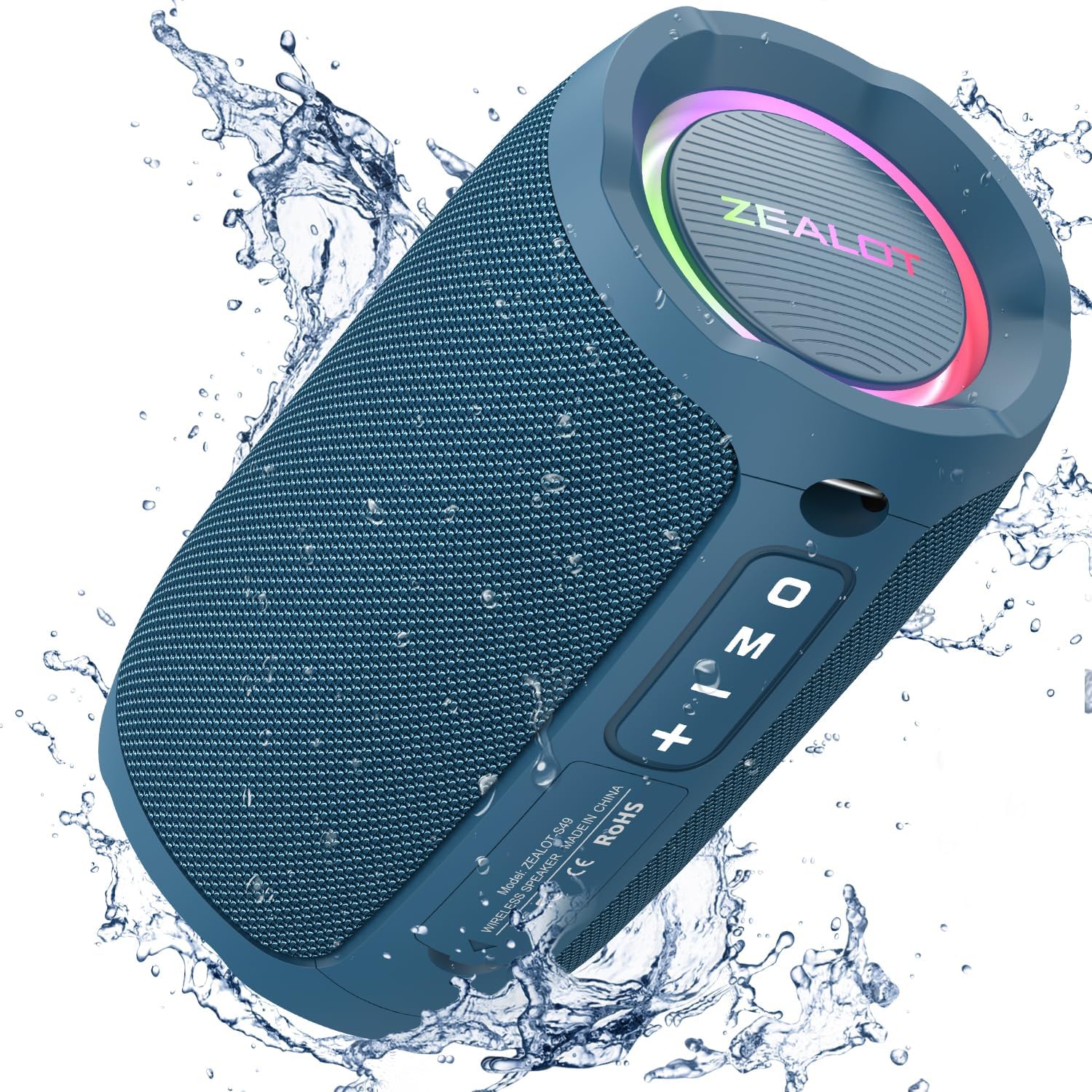
Image: The ZEALOT S49 speaker in blue, demonstrating its waterproof capabilities with water splashing.
ముఖ్య లక్షణాలు:
- 20W ఆడియో అవుట్పుట్: స్పష్టమైన మరియు శక్తివంతమైన ధ్వనిని అందిస్తుంది.
- 360° Immersive Stereo Sound: Provides a rich audio experience.
- IP67 జలనిరోధిత రేటింగ్: Protected against dust and water immersion up to 1 meter for 30 minutes.
- Vibrant RGB Lighting: Integrated LED lights around the diaphragms.
- బ్లూటూత్ 5.2 కనెక్టివిటీ: For stable wireless audio streaming.
- బహుళ ప్లేబ్యాక్ మోడ్లు: Supports Bluetooth, TF Card, USB drive, and AUX input.
- నిజమైన వైర్లెస్ స్టీరియో (TWS) జత చేయడం: Connect two S49 speakers for enhanced stereo sound.
- అంతర్నిర్మిత మైక్రోఫోన్: హ్యాండ్స్-ఫ్రీ కాలింగ్ కోసం.
- సుదీర్ఘ బ్యాటరీ జీవితం: Up to 12 hours of playtime at 50% volume.
- పోర్టబుల్ డిజైన్: Compact size with a built-in lanyard for easy carrying.

చిత్రం: వివరణాత్మక view of the ZEALOT S49 speaker, highlighting its multiple connectivity options and features.
సెటప్
1. స్పీకర్ను ఛార్జింగ్
Before first use, fully charge the speaker. Connect the provided USB-C charging cable to the speaker's Type-C port and the other end to a USB power adapter (not included) or a computer's USB port. The charging indicator light will show charging status and turn off when fully charged.
The speaker includes a USB-C charging cable.
2. పవర్ చేయడం ఆన్/ఆఫ్
- పవర్ ఆన్ చేయడానికి: పవర్ బటన్ని నొక్కి పట్టుకోండి (⑂ ⑂ లు) for approximately 2-3 seconds until you hear an audible prompt and the RGB lights illuminate.
- పవర్ ఆఫ్ చేయడానికి: పవర్ బటన్ని నొక్కి పట్టుకోండి (⑂ ⑂ లు) for approximately 2-3 seconds until you hear an audible prompt and the RGB lights turn off.
3. బ్లూటూత్ పెయిరింగ్
- Ensure the speaker is powered on and in Bluetooth mode. The RGB lights will flash, indicating it's ready for pairing.
- మీ పరికరంలో (స్మార్ట్ఫోన్, టాబ్లెట్, మొదలైనవి), బ్లూటూత్ను ప్రారంభించి, అందుబాటులో ఉన్న పరికరాల కోసం శోధించండి.
- పరికరాల జాబితా నుండి "ZEALOT S49"ని ఎంచుకోండి.
- Once paired, you will hear a confirmation tone, and the RGB lights will stop flashing.
4. ట్రూ వైర్లెస్ స్టీరియో (TWS) జత చేయడం
To achieve a stereo sound experience, you can pair two ZEALOT S49 speakers together.
- రెండు S49 స్పీకర్లు ఆన్లో ఉన్నాయని మరియు ఏ బ్లూటూత్ పరికరానికి కనెక్ట్ కాలేదని నిర్ధారించుకోండి.
- On one speaker (this will be the primary speaker), double-press the "M" (Mode) button. You will hear a prompt indicating TWS pairing mode.
- రెండు స్పీకర్లు స్వయంచాలకంగా ఒకదానికొకటి కనెక్ట్ అవుతాయి. కనెక్ట్ అయిన తర్వాత, మీరు నిర్ధారణ టోన్ వింటారు.
- ఇప్పుడు, 3వ దశలో వివరించిన విధంగా బ్లూటూత్ ద్వారా మీ పరికరాన్ని ప్రాథమిక స్పీకర్కు కనెక్ట్ చేయండి. రెండు స్పీకర్లు స్టీరియోలో ఆడియోను ప్లే చేస్తాయి.
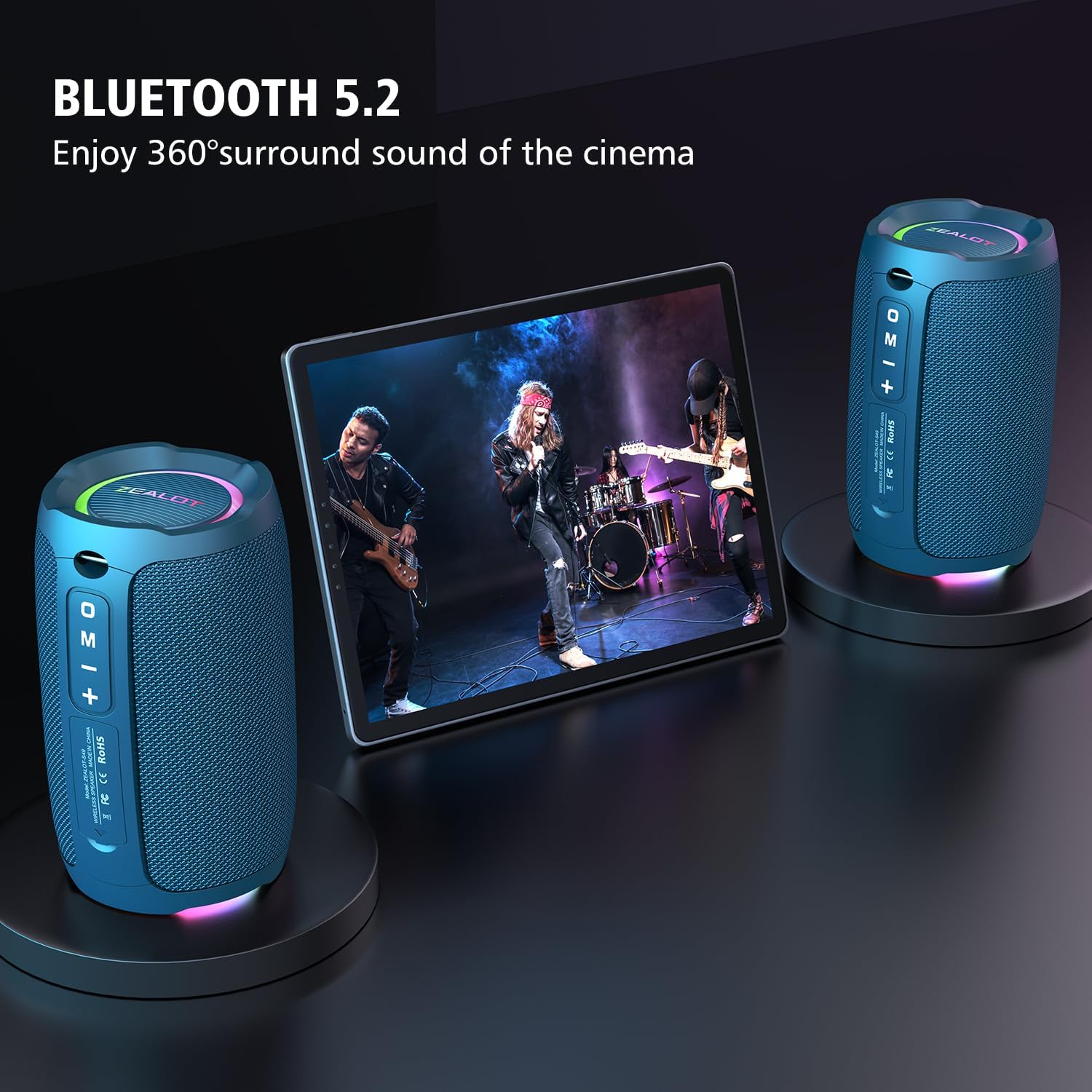
Image: Two ZEALOT S49 speakers wirelessly connected to a tablet, illustrating the TWS pairing for an enhanced audio experience.
ఆపరేటింగ్ సూచనలు
బటన్ విధులు
| బటన్ | ఫంక్షన్ (షార్ట్ ప్రెస్) | ఫంక్షన్ (లాంగ్ ప్రెస్) |
|---|---|---|
| శక్తి (⑂ ⑂ లు) | N/A | పవర్ ఆన్/ఆఫ్ |
| ప్లే/పాజ్ (▶▌▌) | సంగీతాన్ని ప్లే చేయండి/పాజ్ చేయండి; కాల్కు సమాధానం ఇవ్వండి/ముగించండి | Reject call; Disconnect Bluetooth (in Bluetooth mode) |
| వాల్యూమ్ డౌన్ (-) | మునుపటి ట్రాక్ | వాల్యూమ్ తగ్గించండి |
| వాల్యూమ్ పెంచు (+) | తదుపరి ట్రాక్ | వాల్యూమ్ పెంచండి |
| మోడ్ (M) | Switch playback mode (Bluetooth/TF Card/USB/AUX) | Toggle RGB light effects (short press for some models, long press for others, or double press for TWS pairing) |
Note: Button functions for RGB light control may vary slightly. A short press of the 'M' button typically cycles through input modes. A long press or double press might control the RGB lights or TWS pairing. Refer to the specific button layout on your device.
ప్లేబ్యాక్ మోడ్లు
- బ్లూటూత్ మోడ్: విజయవంతంగా జత చేసిన తర్వాత, మీ కనెక్ట్ చేయబడిన పరికరం నుండి ఆడియో స్పీకర్ ద్వారా ప్లే అవుతుంది.
- TF కార్డ్/USB మోడ్: Insert a TF card or USB drive with audio files into the respective port. The speaker will automatically switch to the corresponding mode and begin playback. Press the 'M' button to cycle through modes if it doesn't switch automatically.
- ఆక్స్ మోడ్: Connect an audio device using a 3.5mm audio cable (not included) to the AUX input port. The speaker will switch to AUX mode.
హ్యాండ్స్-ఫ్రీ కాలింగ్
When connected via Bluetooth to a smartphone, you can use the speaker for hands-free calls:
- సమాధానం కాల్: ప్లే/పాజ్ బటన్ను షార్ట్ ప్రెస్ చేయండి.
- కాల్ ముగించు: కాల్ సమయంలో ప్లే/పాజ్ బటన్ను షార్ట్ ప్రెస్ చేయండి.
- కాల్ని తిరస్కరించండి: ప్లే/పాజ్ బటన్ను ఎక్కువసేపు నొక్కండి.
మీడియా గ్యాలరీ
ఉత్పత్తి వీడియోలు
వీడియో: ఒక ఓవర్view of the ZEALOT S49 Bluetooth Speaker, highlighting its portable design, loud sound, and various features. This video demonstrates the speaker's functionality and design elements.
Video: A demonstration of the ZEALOT S49 Portable Speaker's features, including its robust build and audio capabilities. This video provides a closer look at the speaker in action.
అదనపు ఉత్పత్తి చిత్రాలు

చిత్రం: పేలినది view of the ZEALOT S49 speaker, illustrating its internal 20W audio components.

Image: The ZEALOT S49 speaker being carried on a bicycle, emphasizing its "Music on-the-go" feature and portability.

Image: The ZEALOT S49 speaker in an outdoor setting with people, highlighting its extended battery life for continuous enjoyment.
నిర్వహణ
- శుభ్రపరచడం: స్పీకర్ను మెత్తగా తుడవండి, డిamp గుడ్డ. రాపిడి క్లీనర్లు లేదా ద్రావకాలు ఉపయోగించవద్దు.
- నీటి నిరోధకత: While the speaker is IP67 waterproof, ensure the charging port cover is sealed tightly before exposure to water. Do not submerge the speaker for prolonged periods or in water deeper than 1 meter. After exposure to water, dry the speaker thoroughly before charging.
- నిల్వ: స్పీకర్ను ప్రత్యక్ష సూర్యకాంతి మరియు తీవ్రమైన ఉష్ణోగ్రతలకు దూరంగా చల్లని, పొడి ప్రదేశంలో నిల్వ చేయండి.
ట్రబుల్షూటింగ్
| సమస్య | సాధ్యమైన పరిష్కారం |
|---|---|
| స్పీకర్ పవర్ ఆన్ చేయదు. | స్పీకర్ ఛార్జ్ అయ్యిందని నిర్ధారించుకోండి. USB-C కేబుల్ ఉపయోగించి దాన్ని పవర్ సోర్స్కి కనెక్ట్ చేయండి. |
| బ్లూటూత్ ద్వారా జత చేయడం సాధ్యం కాదు. |
|
| శబ్దం లేదు లేదా తక్కువ వాల్యూమ్ ఉంది. |
|
| TWS జత చేయడం విఫలమైంది. |
|
| RGB లైట్లు పనిచేయడం లేదు. | Try pressing the 'M' button (or long-pressing it, depending on the model) to cycle through light modes or turn them on/off. |
స్పెసిఫికేషన్లు
| ఫీచర్ | వివరాలు |
|---|---|
| మోడల్ పేరు | S49 పోర్టబుల్ స్పీకర్ |
| బ్రాండ్ | బృందం |
| స్పీకర్ రకం | అవుట్డోర్ |
| మౌంటు రకం | పోర్టబుల్ |
| మెటీరియల్ | ప్లాస్టిక్ |
| ప్రత్యేక లక్షణాలు | Built-in Microphone, LED Light, Waterproof |
| కనెక్టివిటీ టెక్నాలజీ | బ్లూటూత్, ఆక్సిలరీ |
| వైర్లెస్ కమ్యూనికేషన్ టెక్నాలజీ | బ్లూటూత్ 5.2 |
| బ్లూటూత్ రేంజ్ | 10 మీటర్లు |
| స్పీకర్ గరిష్ట అవుట్పుట్ పవర్ | 20 వాట్స్ |
| ఆడియో డ్రైవర్ రకం | డైనమిక్ డ్రైవర్ |
| ఆడియో డ్రైవర్ పరిమాణం | 5.7 సెంటీమీటర్లు (2.24 అంగుళాలు) |
| ఫ్రీక్వెన్సీ రెస్పాన్స్ | 20.2 Hz |
| నీటి నిరోధక స్థాయి | IP67 జలనిరోధిత |
| శక్తి మూలం | బ్యాటరీ పవర్డ్ (2 లిథియం అయాన్ బ్యాటరీలు ఉన్నాయి) |
| ఉత్పత్తి కొలతలు | 3.46"డి x 3.46"వా x 5.55"హ |
| వస్తువు బరువు | 530 గ్రాములు (1.17 పౌండ్లు) |
| చేర్చబడిన భాగాలు | USB-C ఛార్జింగ్ కేబుల్ |
వారంటీ మరియు మద్దతు
The ZEALOT S49 Portable Bluetooth Speaker comes with a limited warranty. For detailed warranty information or technical support, please refer to the warranty card included in your package or contact ZEALOT customer service through their official webఉత్పత్తిని కొనుగోలు చేసిన సైట్ లేదా రిటైలర్.
For service inquiries, please have your model number (S49) and purchase date available.


