పరిచయం
Thank you for choosing the CIAO TECH Portable Charger Power Bank. This device is designed to provide reliable and efficient power for your electronic devices on the go. With its high-capacity battery and versatile charging options, you can stay connected wherever you are.

Image: The CIAO TECH Portable Charger Power Bank, a sleek black device with an LED display indicating charge levels (25, 50, 75, 100).
ఉత్పత్తి లక్షణాలు
- అధిక సామర్థ్యం: Equipped with a 20000 mAh battery, capable of charging multiple devices.
- డ్యూయల్ USB అవుట్పుట్లు: Provides two USB-A outputs, each delivering DC5V 2.1A for efficient charging.
- సౌకర్యవంతమైన ఇన్పుట్లు: Features both Type-C and Micro USB inputs (DC5V 2A) for convenient recharging of the power bank.
- LED డిస్ప్లే: A user-friendly LED screen displays the remaining battery percentage, allowing for easy monitoring of the charging status.
- ఇంటిగ్రేటెడ్ ఫ్లాష్లైట్: Includes a utility flashlight for added convenience.
- కాంపాక్ట్ మరియు పోర్టబుల్ డిజైన్: Slim and durable, designed for easy portability and travel.
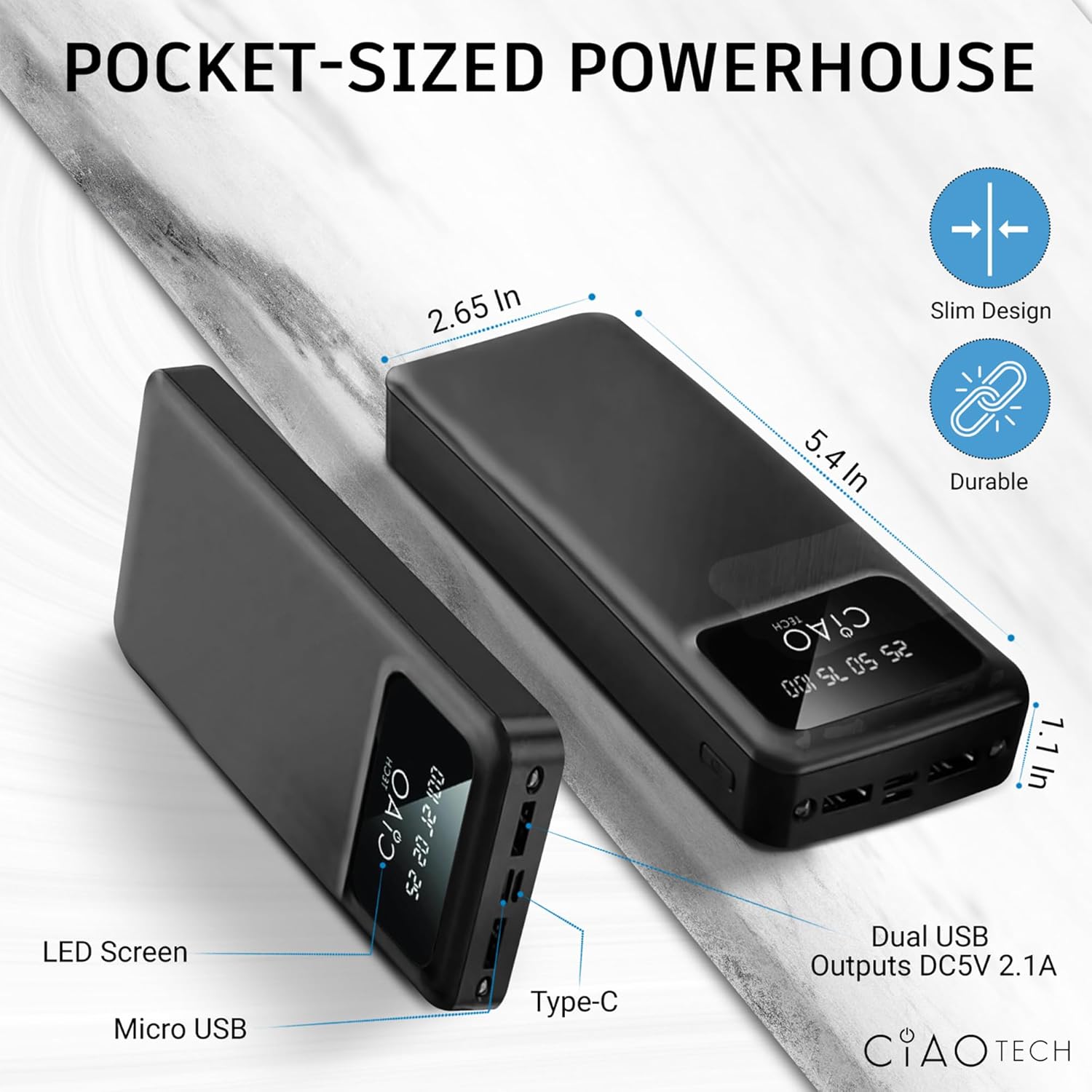
Image: A diagram illustrating the compact dimensions (2.65 in x 5.4 in x 1.1 in) and port locations (Micro USB, Type-C, Dual USB Outputs DC5V 2.1A) of the power bank.
సెటప్
పవర్ బ్యాంక్ యొక్క ప్రారంభ ఛార్జింగ్
Before first use, it is recommended to fully charge your CIAO TECH Portable Charger Power Bank. This ensures optimal performance and battery longevity.
- Connect a compatible USB cable (Type-C or Micro USB) to the corresponding input port on the power bank.
- Plug the other end of the USB cable into a USB wall adapter (not included) or a computer's USB port.
- The LED display will illuminate, showing the charging progress. The numbers (25, 50, 75, 100) will light up sequentially as the power bank charges.
- Once the display shows "100", the power bank is fully charged and ready for use. Disconnect the charging cable.
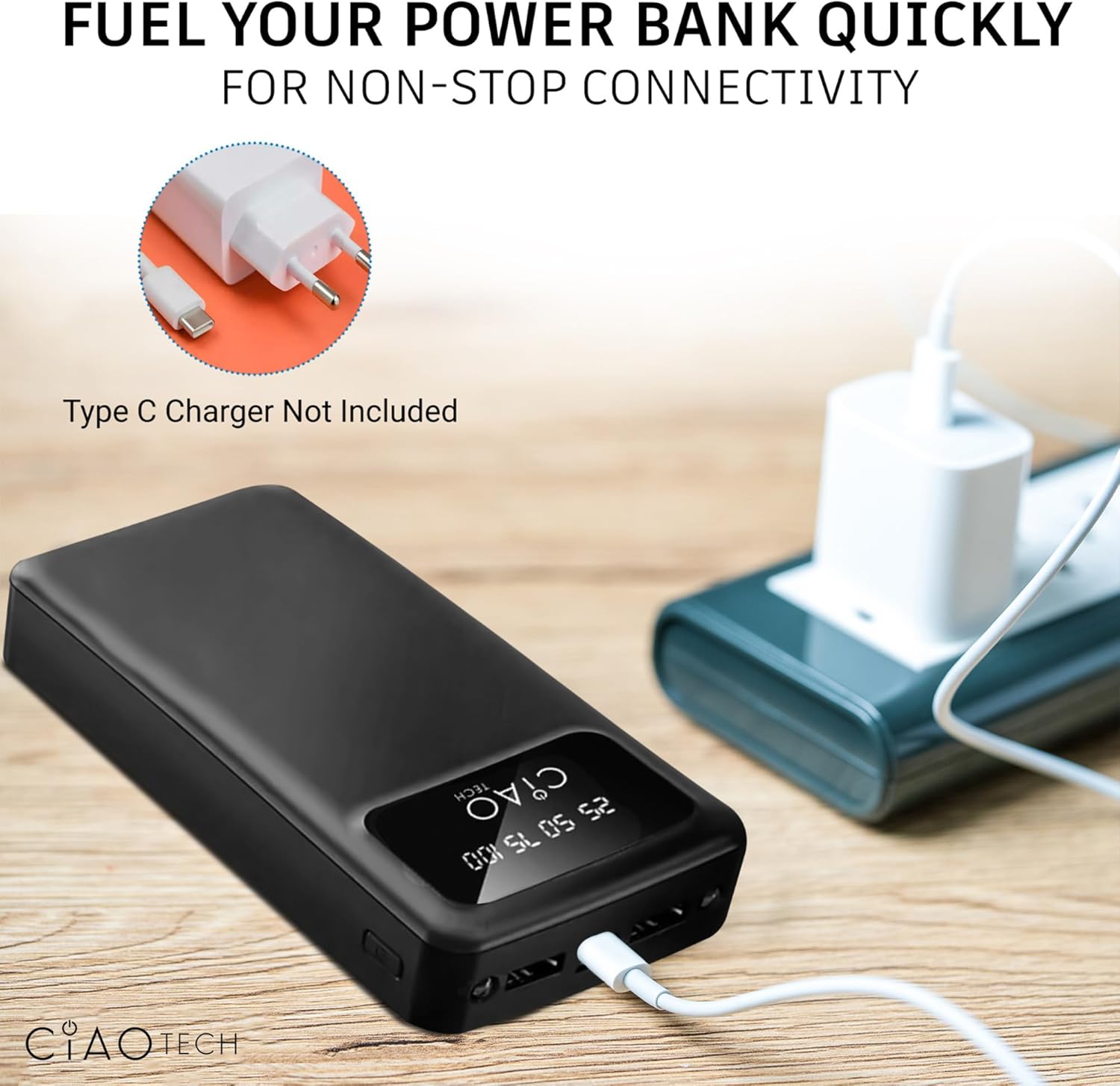
Image: The power bank connected to a wall adapter via a USB cable, illustrating the recharging process. Note: Type-C charger not included.
ఆపరేటింగ్ సూచనలు
మీ పరికరాలను ఛార్జ్ చేస్తోంది
The power bank features dual USB-A output ports for charging your electronic devices.
- Connect your device's USB charging cable to one of the USB-A output ports on the power bank.
- కేబుల్ యొక్క మరొక చివరను మీ పరికరానికి కనెక్ట్ చేయండి.
- The power bank will automatically begin charging your device. The LED display will show the current charge level of the power bank.
- You can charge two devices simultaneously using both USB-A output ports.

Image: A person charging a smartphone with the power bank, demonstrating its portability and "on-the-go" design.
ఫ్లాష్లైట్ ఉపయోగించడం
The power bank includes a built-in utility flashlight.
- To turn on the flashlight, press and hold the power button located on the side of the power bank for approximately 3 seconds.
- ఫ్లాష్లైట్ను ఆపివేయడానికి, పవర్ బటన్ను దాదాపు 3 సెకన్ల పాటు మళ్లీ నొక్కి పట్టుకోండి.
నిర్వహణ
సరైన నిర్వహణ మీ పవర్ బ్యాంక్ జీవితకాలం పొడిగిస్తుంది.
- Keep the power bank away from extreme temperatures (hot or cold) and direct sunlight.
- పవర్ బ్యాంక్ను వదలడం లేదా బలమైన ప్రభావాలకు గురి చేయడం మానుకోండి.
- Do not expose the power bank to water or excessive moisture.
- మెత్తటి, పొడి గుడ్డతో పవర్ బ్యాంక్ శుభ్రం చేయండి. కఠినమైన రసాయనాలు లేదా రాపిడి పదార్థాలను ఉపయోగించవద్దు.
- If storing for an extended period, charge the power bank to approximately 50-75% capacity and recharge every 3-6 months to prevent deep discharge.
ట్రబుల్షూటింగ్
| సమస్య | సాధ్యమైన కారణం | పరిష్కారం |
|---|---|---|
| పవర్ బ్యాంక్ ఛార్జింగ్ లేదు | Cable not properly connected; faulty cable; wall adapter issue; power bank fully discharged. | Ensure cables are securely connected. Try a different charging cable or wall adapter. Allow the power bank to charge for a few minutes, even if the display doesn't immediately light up. |
| పవర్ బ్యాంక్ నుండి పరికరం ఛార్జ్ కావడం లేదు | Power bank is out of charge; device cable is faulty; device is not compatible; power bank is in flashlight mode. | Recharge the power bank. Try a different charging cable. Ensure your device is compatible with standard USB charging. Turn off the flashlight if it is on. |
| ఫ్లాష్లైట్ ఆన్/ఆఫ్ కావడం లేదు | Incorrect button press; power bank is out of charge. | Press and hold the power button for approximately 3 seconds. Recharge the power bank. |
| నెమ్మదిగా ఛార్జింగ్ వేగం | Using a non-fast charging cable/adapter; charging multiple devices; device's charging input limit. | Ensure you are using appropriate cables and adapters. Charging two devices simultaneously may reduce individual charging speeds. |
స్పెసిఫికేషన్లు
| ఫీచర్ | వివరాలు |
|---|---|
| మోడల్ సంఖ్య | CPBTI01-035 |
| బ్యాటరీ కెపాసిటీ | 20000 mAh |
| టైప్-సి ఇన్పుట్ | DC5V 2.0A |
| మైక్రో USB ఇన్పుట్ | DC5V 2.0A |
| USB A అవుట్పుట్ | DC5V 2.1A (గరిష్టంగా) |
| టైప్-సి అవుట్పుట్ | DC5V 2.1A (గరిష్టంగా) |
| ఉత్పత్తి కొలతలు | 2.65 x 5.4 x 1.1 అంగుళాలు |
| వస్తువు బరువు | 13.1 ఔన్సులు |
| రంగు | నలుపు |
| ప్రత్యేక లక్షణాలు | LED Indicator Lights, Utility Flashlight |
వారంటీ మరియు మద్దతు
For information regarding product warranty, please refer to the warranty card included with your purchase or contact the manufacturer directly. Keep your proof of purchase for any warranty claims.
For technical support or further inquiries, please visit the official CIAO TECH website or contact their customer service department. Contact details are typically provided on the product packaging or the manufacturer's webసైట్.


