1. పరిచయం
This manual provides comprehensive instructions for the setup, operation, and maintenance of your SHARP 43GL4260E 4K Ultra HD Google TV. The 43GL4260E is a frameless LED television offering stunning 4K Ultra HD resolution and advanced multimedia capabilities powered by Google TV. Please read this manual thoroughly before using your television to ensure proper functionality and safety.
2. భద్రతా సమాచారం
విద్యుత్ షాక్, అగ్ని ప్రమాదం లేదా టెలివిజన్కు నష్టం జరగకుండా నిరోధించడానికి ఎల్లప్పుడూ క్రింది భద్రతా మార్గదర్శకాలను పాటించండి:
- వర్షం లేదా తేమకు టీవీని బహిర్గతం చేయవద్దు.
- టీవీ తెరవవద్దు casing; అన్ని సర్వీసింగ్లను అర్హత కలిగిన సిబ్బందికి సూచించండి.
- టీవీ చుట్టూ సరైన వెంటిలేషన్ ఉండేలా చూసుకోండి. వెంటిలేషన్ ఓపెనింగ్లను బ్లాక్ చేయవద్దు.
- Place the TV on a stable, level surface or mount it securely to a wall using a VESA-compatible bracket.
- మెరుపు తుఫానుల సమయంలో లేదా ఎక్కువసేపు ఉపయోగించనప్పుడు టీవీని అన్ప్లగ్ చేయండి.
- చిన్న భాగాలు మరియు బ్యాటరీలను పిల్లలకు అందుబాటులో లేకుండా ఉంచండి.
3. ప్యాకేజీ విషయాలు
క్రింద జాబితా చేయబడిన అన్ని వస్తువులు మీ ప్యాకేజీలో చేర్చబడ్డాయని ధృవీకరించండి:
- SHARP 43GL4260E 4K Ultra HD Google TV
- రిమోట్ కంట్రోల్
- 2 x AAA బ్యాటరీలు
- Installation Kit for TV Stand
- త్వరిత గైడ్
4. అసెంబ్లీ మరియు సంస్థాపన
4.1 టీవీ స్టాండ్ అటాచ్ చేయడం
Carefully place the TV screen-down on a soft, clean surface. Attach the provided stand components to the bottom of the TV using the screws from the installation kit. Ensure the stand is securely fastened before placing the TV upright.
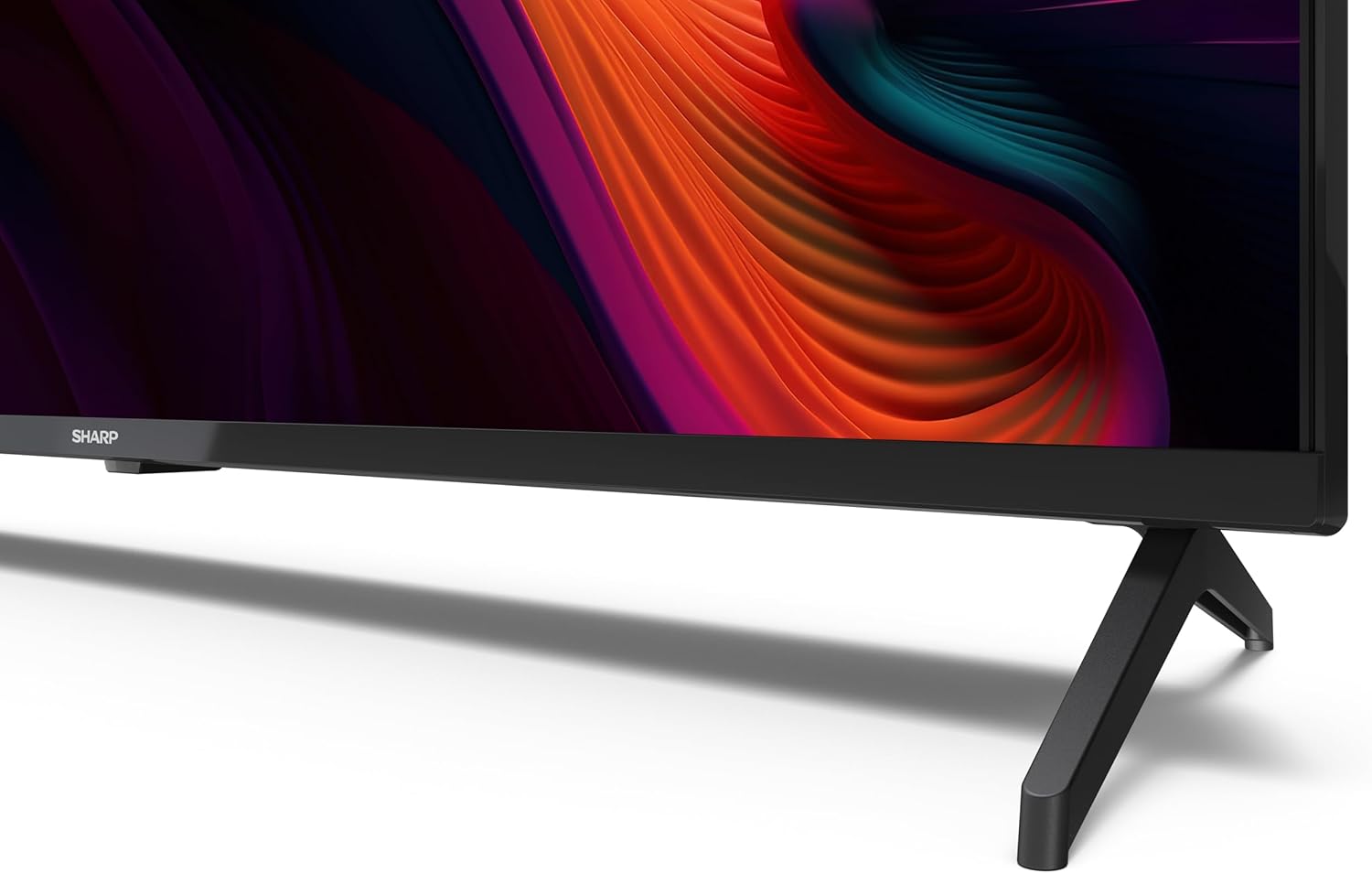
చిత్రం 4.1: క్లోజ్-అప్ view టీవీ స్టాండ్ యొక్క డిజైన్ మరియు అది టెలివిజన్కు ఎలా మద్దతు ఇస్తుందో చూపిస్తుంది.
4.2 వాల్ మౌంటింగ్ (ఐచ్ఛికం)
The SHARP 43GL4260E is compatible with VESA standard 300 x 300 mm wall mounts. Use appropriate screws and follow the instructions provided with your wall mount. Professional installation is recommended for wall mounting.
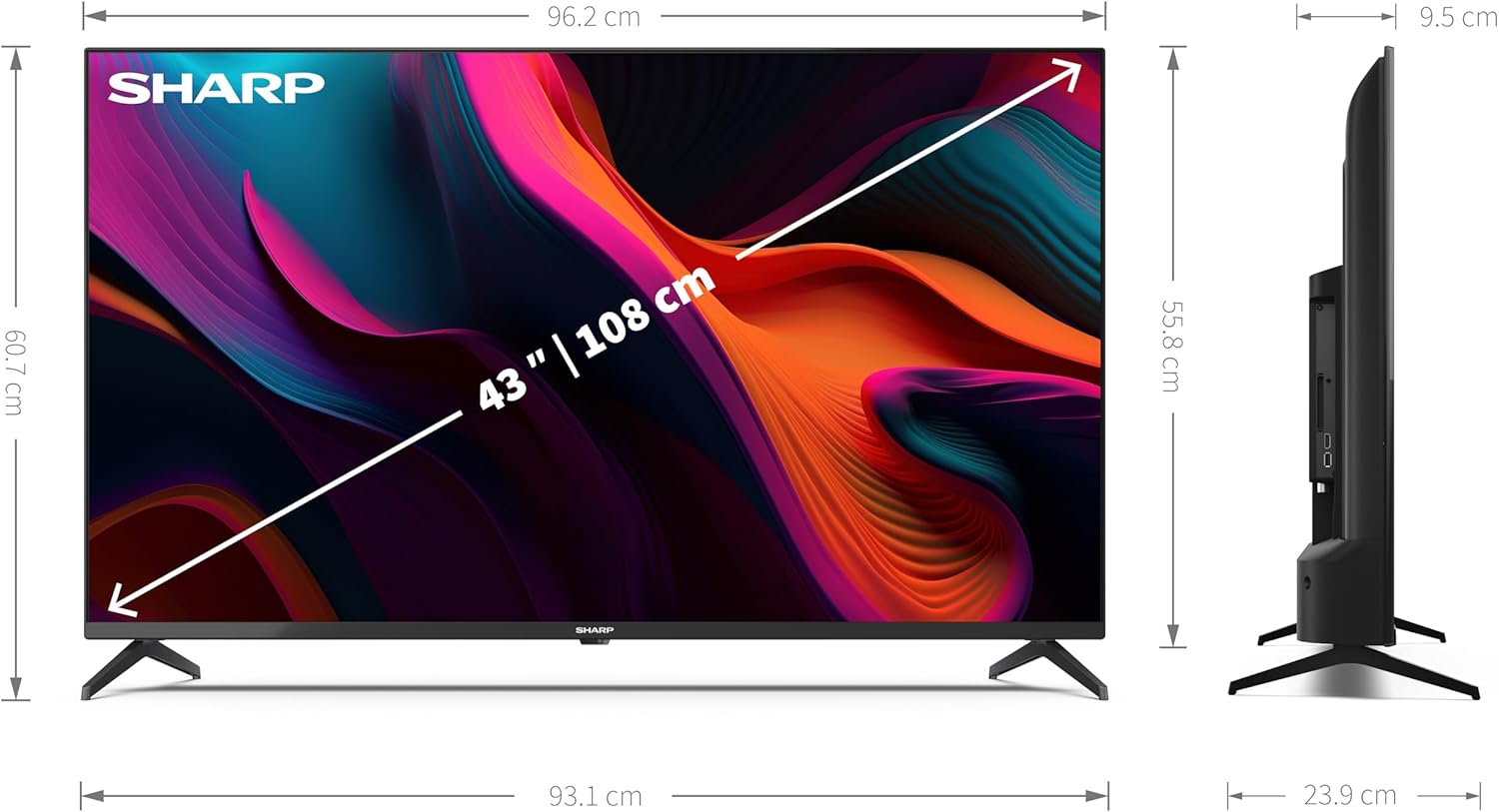
చిత్రం 4.2: Diagram illustrating the dimensions of the SHARP 43GL4260E TV, including screen size and overall measurements.
5. పరికరాలను కనెక్ట్ చేస్తోంది
Your TV offers various connection options for external devices. Refer to the rear panel image for port locations.

చిత్రం 5.1: వెనుక view of the SHARP 43GL4260E TV, showing the various input and output ports.
- HDMI 2.1 (with eARC): Connect up to 4 HDMI devices such as Blu-ray players, game consoles, or set-top boxes. HDMI 1 supports eARC for enhanced audio return channel functionality.
- USB: మీడియాను ప్లే చేయడానికి USB నిల్వ పరికరాలను కనెక్ట్ చేయడానికి రెండు USB పోర్ట్లు అందుబాటులో ఉన్నాయి. files.
- యాంటెన్నా ఇన్పుట్: Connect your terrestrial antenna for DVB-T/T2 reception.
- ఉపగ్రహ ఇన్పుట్: Connect your satellite dish for DVB-S/S2 reception.
- హెడ్ఫోన్ జాక్: ప్రైవేట్ లిజనింగ్ కోసం హెడ్ఫోన్లను కనెక్ట్ చేయండి.
- డిజిటల్ ఆప్టికల్ ఆడియో అవుట్పుట్: Connect to an external audio system for high-quality digital sound.
- Mini Composite / CVBS + Audio Input: పాత అనలాగ్ పరికరాలను కనెక్ట్ చేయడానికి.
- LAN (RJ45): వైర్డు ఇంటర్నెట్ కనెక్షన్ కోసం ఈథర్నెట్ కేబుల్ను కనెక్ట్ చేయండి.
6. ప్రారంభ సెటప్
After connecting all necessary cables and powering on the TV for the first time, the initial setup wizard will guide you through the following steps:
- భాష ఎంపిక: మీకు ఇష్టమైన భాషను ఎంచుకోండి.
- నెట్వర్క్ కనెక్షన్: మీ Wi-Fi నెట్వర్క్కి కనెక్ట్ అవ్వండి లేదా వైర్డు LAN కనెక్షన్ని ఉపయోగించండి.
- Google ఖాతా సైన్-ఇన్: Google TV ఫీచర్లు, యాప్లు మరియు వ్యక్తిగతీకరించిన సిఫార్సులను యాక్సెస్ చేయడానికి మీ Google ఖాతాతో సైన్ ఇన్ చేయండి.
- ఛానల్ స్కాన్: Scan for available terrestrial or satellite channels.
- గోప్యతా సెట్టింగ్లు: మీ గోప్యతా ప్రాధాన్యతలను కాన్ఫిగర్ చేయండి.
7. మీ టీవీని ఆపరేట్ చేయడం
7.1 రిమోట్ కంట్రోల్
Insert the 2 AAA batteries into the remote control. The remote allows you to navigate the Google TV interface, adjust volume, change channels, and access various functions.
7.2 గూగుల్ టీవీ ఇంటర్ఫేస్
The Google TV interface provides a personalized experience with content recommendations, access to streaming apps, and integrated Google Assistant and Chromecast.

చిత్రం 7.1: వివిధ స్ట్రీమింగ్ అప్లికేషన్లు మరియు కంటెంట్ సిఫార్సులను ప్రదర్శించే Google TV ఇంటర్ఫేస్.
- ముందే ఇన్స్టాల్ చేసిన అప్లికేషన్లు: Access popular streaming services like Netflix, YouTube, Google Play Movies & TV, Google Play Store, and Prime Video directly from the home screen.
- Google అసిస్టెంట్: కంటెంట్ కోసం శోధించడానికి, స్మార్ట్ హోమ్ పరికరాలను నియంత్రించడానికి మరియు సమాచారాన్ని పొందడానికి రిమోట్ కంట్రోల్ ద్వారా వాయిస్ ఆదేశాలను ఉపయోగించండి.
- Chromecast అంతర్నిర్మిత: Cast content from your compatible mobile devices directly to the TV.
8. చిత్రం మరియు ధ్వని సెట్టింగ్లు
8.1 చిత్ర నాణ్యత
The TV features Active Motion 1000, HDR10, HLG, and Dolby Vision for enhanced detail and depth of field. You can adjust picture modes (e.g., Standard, Movie, Sport) and fine-tune settings like brightness, contrast, and color saturation in the TV's settings menu.
8.2 సౌండ్ సిస్టమ్
The integrated speaker system includes a front-firing silk tweeter (8 W) and a down-firing woofer (8 W). Dolby Atmos technology provides immersive 3D audio. Sound modes (e.g., Standard, Music, Clear Voice) and equalizer settings can be adjusted in the audio settings menu.
9. నిర్వహణ
మీ టీవీ యొక్క దీర్ఘాయువు మరియు సరైన పనితీరును నిర్ధారించడానికి:
- స్క్రీన్ క్లీనింగ్: స్క్రీన్ను మృదువైన, మెత్తటి బట్టతో సున్నితంగా తుడవండి. మొండి మరకల కోసం, టీవీల కోసం ప్రత్యేకంగా రూపొందించిన స్క్రీన్ క్లీనర్ను ఉపయోగించండి, నేరుగా స్క్రీన్కు కాకుండా వస్త్రానికి వర్తించండి.
- సి ని శుభ్రపరచడంasing: టీవీని తుడవడానికి మృదువైన, పొడి వస్త్రాన్ని ఉపయోగించండి casing. రాపిడి క్లీనర్లు లేదా ద్రావకాలను ఉపయోగించవద్దు.
- వెంటిలేషన్: వెంటిలేషన్ ఓపెనింగ్లను దుమ్ము మరియు అడ్డంకులు లేకుండా ఉంచండి.
10. ట్రబుల్షూటింగ్
మీ టీవీలో సమస్యలు ఎదురైతే, ఈ క్రింది సాధారణ సమస్యలు మరియు పరిష్కారాలను చూడండి:
- శక్తి లేదు: Ensure the power cord is securely plugged into both the TV and a working power outlet. Check the power indicator light.
- చిత్రం/ధ్వని లేదు: సరైన ఇన్పుట్ సోర్స్ ఎంచుకోబడిందని ధృవీకరించండి. అన్ని కేబుల్ కనెక్షన్లను (HDMI, యాంటెన్నా, మొదలైనవి) తనిఖీ చేయండి.
- రిమోట్ కంట్రోల్ పనిచేయదు: బ్యాటరీలను తనిఖీ చేసి, భర్తీ చేయండి. రిమోట్ మరియు టీవీ యొక్క IR సెన్సార్ మధ్య ఎటువంటి అడ్డంకులు లేవని నిర్ధారించుకోండి.
- నెట్వర్క్ కనెక్షన్ సమస్యలు: Restart your router and modem. Re-enter your Wi-Fi password in the TV's network settings. Try a wired LAN connection if Wi-Fi is unstable.
- చిత్ర నాణ్యత సమస్యలు: Adjust picture settings. Ensure the content source is high-quality.
For persistent issues, consult the full user manual (if available) or contact customer support.
11. సాంకేతిక లక్షణాలు
| ఫీచర్ | స్పెసిఫికేషన్ |
|---|---|
| బ్రాండ్ | పదునైన |
| మోడల్ సంఖ్య | 43GL4260E |
| ఆపరేటింగ్ సిస్టమ్ | Google TV |
| స్క్రీన్ పరిమాణం | 43 అంగుళాలు (108 సెం.మీ.) |
| ప్రదర్శన సాంకేతికత | LED |
| రిజల్యూషన్ | 4K అల్ట్రా HD (3840 x 2160 పిక్సెళ్ళు) |
| రిఫ్రెష్ రేట్ | 60 Hz |
| ప్రత్యేక లక్షణాలు | Frameless Design, Flat Screen, Active Motion 1000, HDR10, HLG, Dolby Vision, Google Assistant, Chromecast Built-in |
| కనెక్టివిటీ టెక్నాలజీ | Bluetooth, HDMI, WLAN |
| ఇన్పుట్ పోర్ట్లు | 4 x HDMI 2.1 (1 with eARC), 2 x USB, Antenna, Satellite, Headphone, Digital Optical Audio Out, Mini Composite/CVBS + Audio In, LAN (RJ45) |
| ట్యూనర్ | Triple UHD DVB-T/T2/C/S/S2 (MPEG4 + H.265/HEVC 10-bit) |
| ఆడియో | Speaker system with front-firing silk tweeter (8 W) and down-firing woofer (8 W), Dolby Atmos |
| కారక నిష్పత్తి | 16:9 |
| ఉత్పత్తి కొలతలు (స్టాండ్తో) | 96.2 x 60.7 x 23.9 సెం.మీ (W x H x D) |
| ఉత్పత్తి కొలతలు (స్టాండ్ లేకుండా) | 96.2 x 55.8 x 9.5 సెం.మీ (W x H x D) |
| VESA ప్రమాణం | 300 x 300 మి.మీ |
| రంగు | నలుపు |
| తయారీదారు | షార్ప్ |
| మూలం దేశం | పోలాండ్ |

చిత్రం 11.1: The EU Energy Label for the SHARP 43GL4260E TV, indicating its energy efficiency class.
12. రెగ్యులేటరీ సమాచారం
వివరణాత్మక ఉత్పత్తి సమాచారం మరియు శక్తి సామర్థ్య డేటా కోసం, దయచేసి EPREL డేటాబేస్ను చూడండి:
13. వారంటీ మరియు మద్దతు
For warranty information and customer support, please refer to the documentation included with your product or visit the official Sharp website. Information regarding spare parts availability and guaranteed software updates may vary by region and is subject to manufacturer policies.


