పరిచయం
The CIAO TECH WiFi Extender is designed to enhance your wireless network coverage, eliminating dead zones and providing a strong, consistent signal throughout your home or office. With speeds up to 300Mbps and robust security features, it ensures a seamless online experience for multiple devices.

ముందు view of the CIAO TECH WiFi Extender, showing the WPS button and indicator lights.
ప్యాకేజీ విషయాలు
- 1 x CIAO TECH WiFi Extender
- 1 x ఈథర్నెట్ కేబుల్
- 1 x యూజర్ మాన్యువల్ (ఈ పత్రం)
సెటప్ గైడ్
విధానం 1: WPS బటన్ ద్వారా త్వరిత సెటప్
- ప్లగ్ ఇన్: Plug the WiFi Extender into an electrical outlet near your main router. Wait for the Power indicator light to turn solid.
- రూటర్లో WPSని యాక్టివేట్ చేయండి: Press the WPS button on your main wireless router. Refer to your router's manual for the exact location and procedure.
- ఎక్స్టెండర్లో WPSని యాక్టివేట్ చేయండి: Within 2 minutes of pressing WPS on your router, press the WPS button on the front of the CIAO TECH WiFi Extender.
- కనెక్షన్ కోసం వేచి ఉండండి: The Extender's signal indicator lights will flash and then turn solid when a connection is established. This may take a few moments.
- Relocate (Optional): Once connected, you can unplug the extender and move it to a location halfway between your router and the Wi-Fi dead zone. Ensure the signal indicator lights remain solid, indicating a good connection.
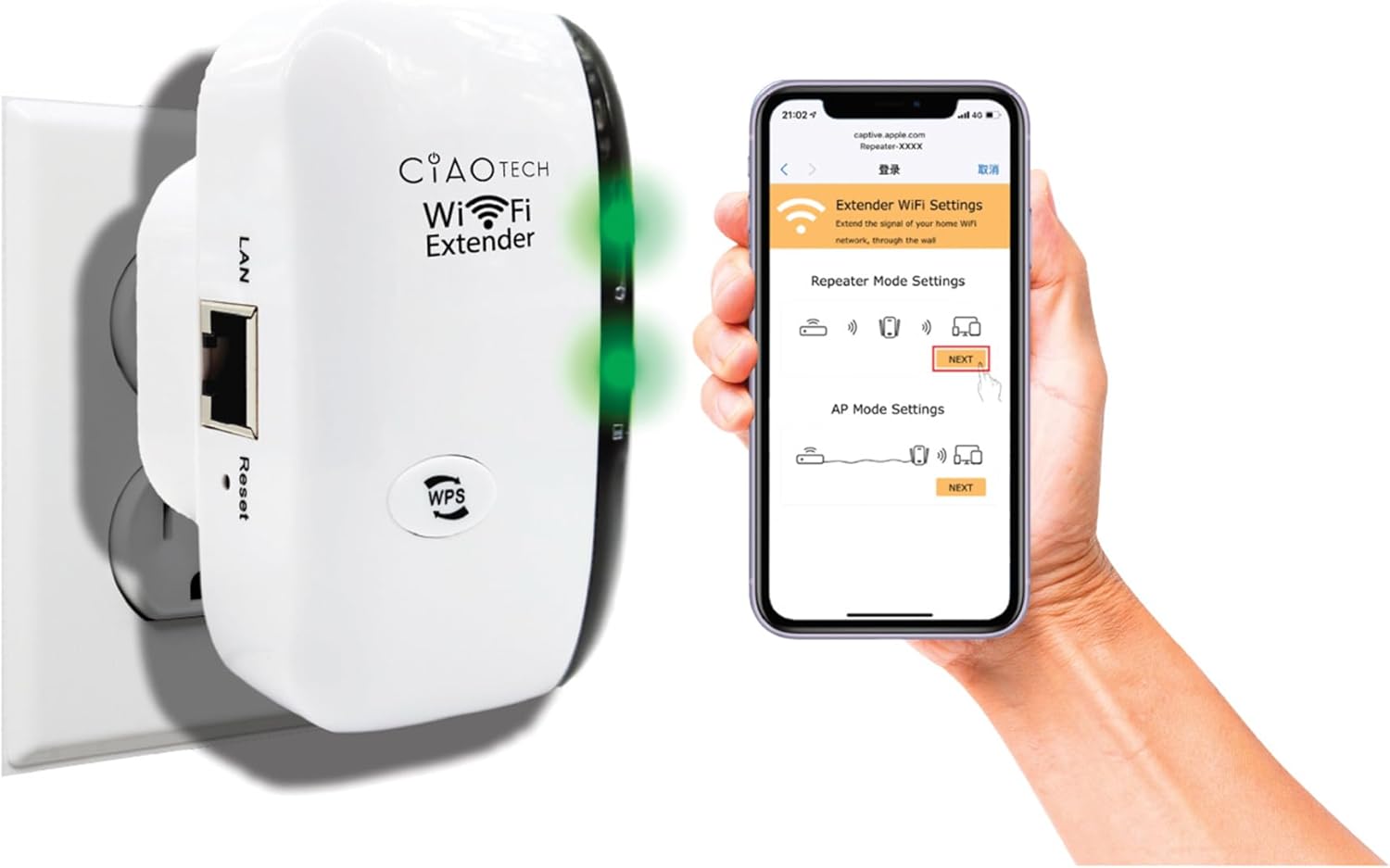
The WiFi Extender plugged into a wall outlet, with a smartphone displaying the extender's setup interface.
Method 2: Setup via Web బ్రౌజర్
- ప్లగ్ ఇన్: Plug the WiFi Extender into an electrical outlet near your main router. Wait for the Power indicator light to turn solid.
- ఎక్స్టెండర్ యొక్క Wi-Fi కి కనెక్ట్ చేయండి: On your computer or mobile device, connect to the Wi-Fi network named "WiFi Repeater-XXXXXX" (where XXXXXX are the last 6 digits of the extender's MAC address, found on the label). There is no password initially.
- యాక్సెస్ సెటప్ పేజీ: తెరవండి a web browser (e.g., Chrome, Firefox, Safari) and enter 192.168.11.1 చిరునామా పట్టీలో.
- లాగిన్: If prompted, the default username and password are "admin" (or refer to the label on the device).
- మోడ్ని ఎంచుకోండి: Choose your desired operating mode (Repeater Mode or AP Mode).
- సెట్టింగ్లను కాన్ఫిగర్ చేయండి:
- రిపీటర్ మోడ్: Select your existing Wi-Fi network from the list, enter its password, and optionally change the extender's SSID.
- AP మోడ్: Connect an Ethernet cable from your router to the extender's LAN port. The extender will create a new Wi-Fi network. Configure the new SSID and password.
- సెట్టింగులను వర్తించు: సెట్టింగ్లను సేవ్ చేసి, ఎక్స్టెండర్ పునఃప్రారంభమయ్యే వరకు వేచి ఉండండి.
- Connect to Extended Network: On your devices, connect to the newly configured extended Wi-Fi network.

వెనుక view of the WiFi Extender, displaying the LAN port and the label with default settings and IP address.
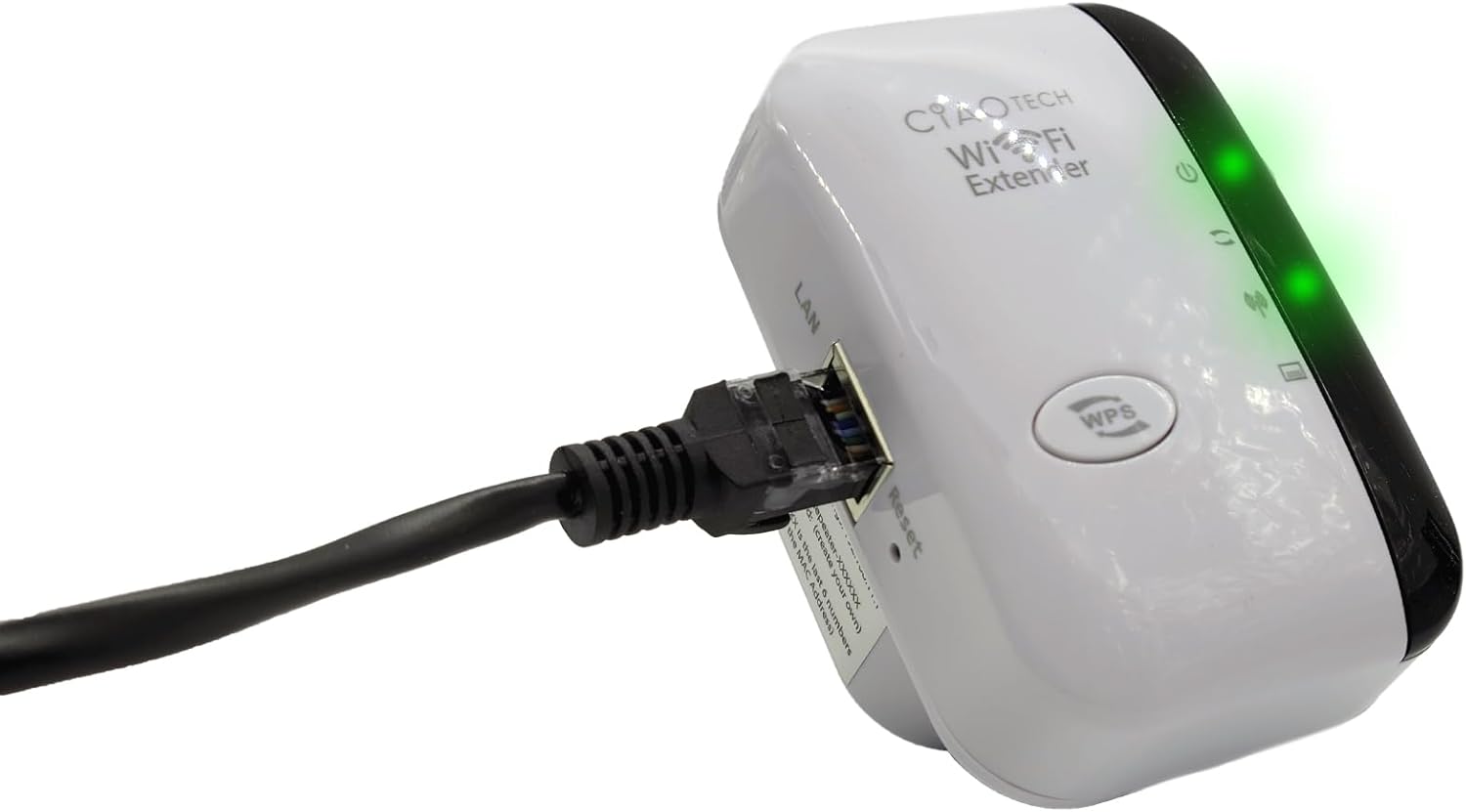
The WiFi Extender with an Ethernet cable connected to its LAN port, indicating a wired connection option.
ఆపరేటింగ్ మోడ్లు
రిపీటర్ మోడ్
In Repeater Mode, the extender wirelessly connects to your existing Wi-Fi network and re-broadcasts it, extending the coverage area. This mode is ideal for eliminating Wi-Fi dead zones and improving signal strength in areas with weak coverage.
AP (యాక్సెస్ పాయింట్) మోడ్
In AP Mode, the extender connects to your router via an Ethernet cable and creates a new wireless network. This mode is suitable for converting a wired network connection into a wireless one, or for creating a separate Wi-Fi network.
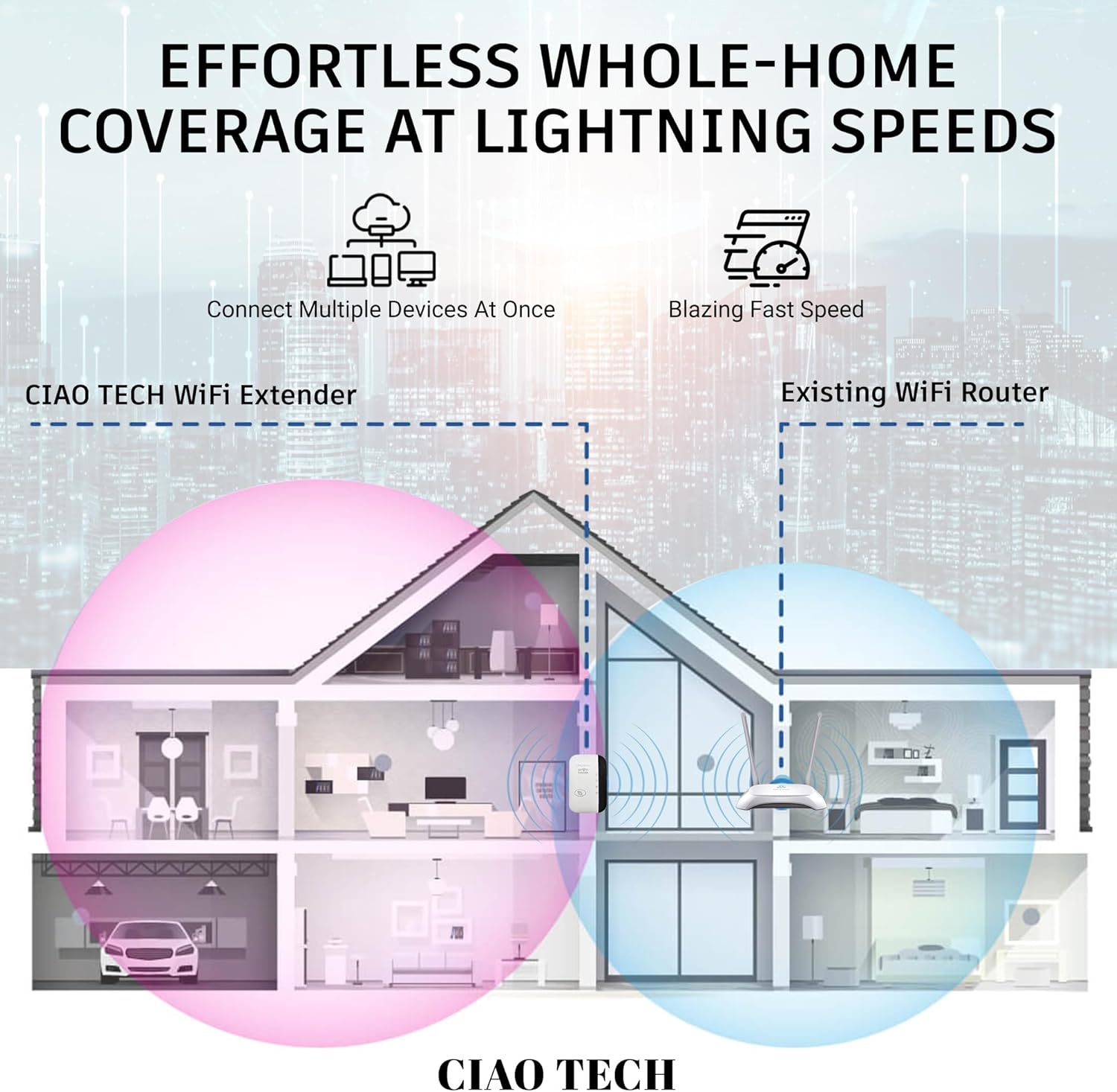
A diagram illustrating how the WiFi Extender provides expanded coverage throughout a home, connecting multiple devices.
నిర్వహణ
- సరైన ప్లేస్మెంట్: Place the extender in a location that is roughly halfway between your main router and the area where you need improved Wi-Fi. Avoid placing it near large metal objects, concrete walls, or other electronic devices that may cause interference.
- శుభ్రముగా ఉంచు: Periodically wipe the device with a soft, dry cloth to remove dust. Do not use liquid cleaners or aerosols.
- ఫర్మ్వేర్ నవీకరణలు: తయారీదారుని తనిఖీ చేయండి website periodically for firmware updates. Keeping the firmware updated can improve performance and security.
- పవర్ సైకిల్: If you experience persistent issues, try power cycling the extender by unplugging it from the outlet for 10 seconds and then plugging it back in.
ట్రబుల్షూటింగ్
- సెటప్ తర్వాత ఇంటర్నెట్ యాక్సెస్ లేదు:
- ఎక్స్టెండర్ మీ ప్రధాన రౌటర్ పరిధిలో ఉందని నిర్ధారించుకోండి.
- Verify that the password entered for your main Wi-Fi network during setup was correct.
- మీ ప్రధాన రౌటర్ మరియు ఎక్స్టెండర్ రెండింటినీ పునఃప్రారంభించి ప్రయత్నించండి.
- If using Repeater Mode, ensure your main router has internet access.
- ఎక్స్టెండర్ నుండి బలహీనమైన సిగ్నల్:
- మీ ప్రధాన రౌటర్కు దగ్గరగా ఎక్స్టెండర్ను మార్చండి.
- Avoid physical obstructions like thick walls or large appliances.
- జోక్యం యొక్క మూలాల కోసం తనిఖీ చేయండి (ఉదా., మైక్రోవేవ్లు, కార్డ్లెస్ ఫోన్లు).
- యాక్సెస్ చేయలేరు Web నిర్వహణ పేజీ (192.168.11.1):
- Ensure your device is connected to the extender's Wi-Fi network (e.g., "WiFi Repeater-XXXXXX").
- మీ బ్రౌజర్ కాష్ మరియు కుక్కీలను క్లియర్ చేయండి లేదా వేరే బ్రౌజర్ను ప్రయత్నించండి.
- మీ కంప్యూటర్లోని ఏదైనా VPN లేదా ఫైర్వాల్ సాఫ్ట్వేర్ను తాత్కాలికంగా నిలిపివేయండి.
- Reset the extender to factory defaults (use a paperclip to press the reset button for 5-10 seconds) and try setup again.
- స్లో స్పీడ్:
- Ensure the extender is placed in an optimal location, not too far from the router and not too far from the devices.
- Check for network congestion or too many devices connected to the extended network.
- Verify your main internet speed.
స్పెసిఫికేషన్లు
| మోడల్ సంఖ్య | OWEWM00-001 |
| వైర్లెస్ స్టాండర్డ్ | 802.11ac |
| డేటా బదిలీ రేటు | 300 Mbps వరకు |
| భద్రతా లక్షణాలు | 64/128/152-bit Encryption |
| ఓడరేవులు | 1 x RJ45 ఈథర్నెట్ పోర్ట్ |
| కొలతలు | 4.61 x 4.45 x 2.72 అంగుళాలు |
| బరువు | 3.84 ఔన్సులు |
వారంటీ మరియు మద్దతు
For warranty information and technical support, please refer to the contact details provided with your purchase or visit the official CIAO TECH webసైట్. వారంటీ క్లెయిమ్ల కోసం మీ కొనుగోలు రసీదుని ఉంచండి.


