1. పరిచయం
This manual provides detailed instructions for the setup, operation, maintenance, and troubleshooting of your Cleer ARC II Open Ear Headphones. Please read this manual thoroughly before using the product to ensure proper function and longevity.
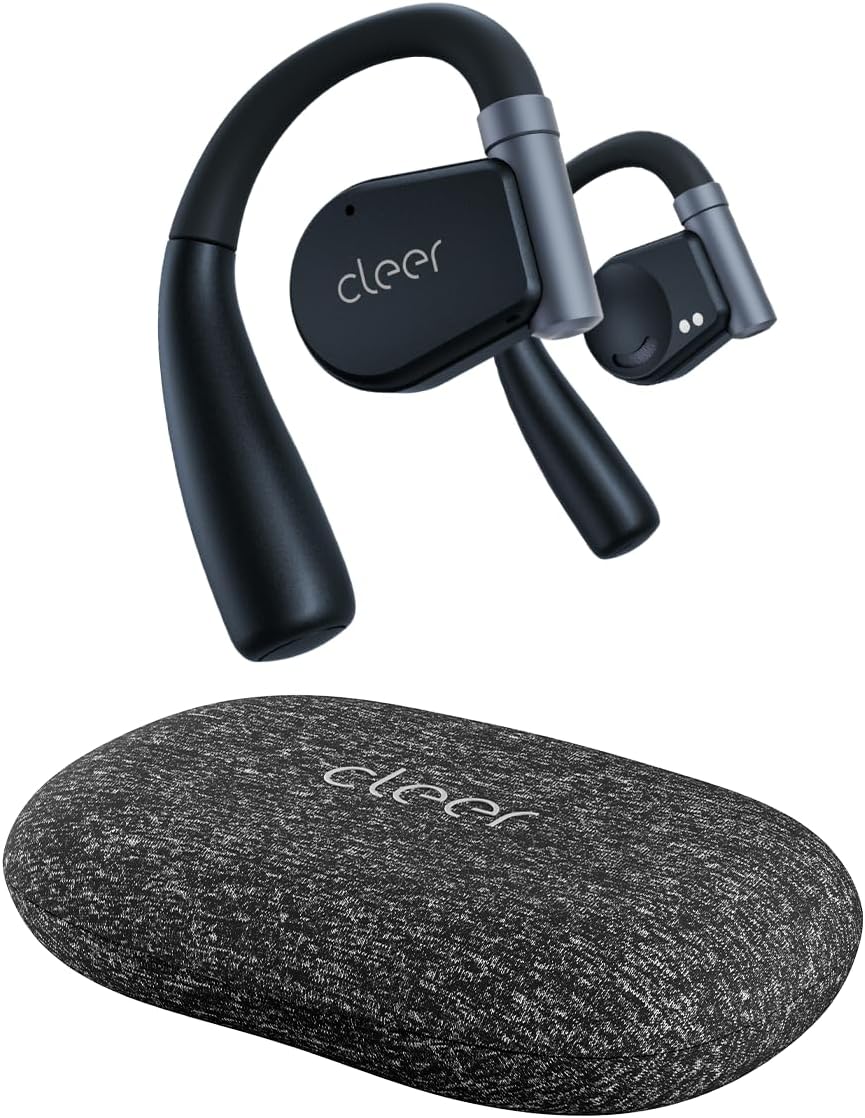
Image: Cleer ARC II Open Ear Headphones and their charging case. The headphones feature an open-ear design with ear hooks, and the case is a compact, textured grey oval.
2. ప్యాకేజీ విషయాలు
ప్యాకేజీలో అన్ని వస్తువులు ఉన్నాయని నిర్ధారించుకోండి:
- Cleer ARC II Open-Ear Headphones
- Charging Case with Built-in Fast Charging
- USB-C నుండి USB-A ఛార్జింగ్ కేబుల్
- వినియోగదారు మాన్యువల్ (ఈ పత్రం)
3. ఉత్పత్తి ముగిసిందిview
The Cleer ARC II headphones are designed for comfort and awareness, featuring an open-ear design that allows you to hear your surroundings while enjoying audio. Key features include:
- ఓపెన్-ఇయర్ డిజైన్: Allows ambient sound awareness.
- ఎర్గోనామిక్ ఫిట్: Ultra-lightweight with flexible ear hooks for secure and comfortable wear.
- బ్లూటూత్ 5.3: స్థిరమైన మరియు సమర్థవంతమైన వైర్లెస్ కనెక్టివిటీ కోసం.
- బహుళ-పాయింట్ కనెక్షన్: Seamlessly switch between two paired devices.
- పొడిగించిన ప్లేటైమ్: Up to 8 hours per charge, with an additional 27 hours from the charging case (total 35 hours).
- IPX5 Sweat Resistance: Suitable for workouts and outdoor activities.
- ప్రీమియం సౌండ్: Equipped with 16.2mm dynamic drivers for clear audio.
- కాల్లను క్లియర్ చేయండి: Dual microphones with cVc (Clear Voice Capture) technology for enhanced voice clarity.
- అనుకూలీకరించదగిన EQ: సౌండ్ ప్రోని సర్దుబాటు చేయండిfiles via the Cleer+ App.
- సహజమైన నియంత్రణలు: Touch controls and optional head motion controls for playback, calls, and volume.

Image: A man wearing the Cleer ARC II headphones, highlighting the open-ear design that allows for environmental awareness.
4. సెటప్ మరియు మొదటి ఉపయోగం
4.1. హెడ్ఫోన్లు మరియు కేస్ను ఛార్జ్ చేయడం
మొదటిసారి ఉపయోగించే ముందు, హెడ్ఫోన్లు మరియు ఛార్జింగ్ కేసును పూర్తిగా ఛార్జ్ చేయండి.
- ఛార్జింగ్ కేసులో రెండు ఇయర్బడ్లను ఉంచండి.
- USB-C ఛార్జింగ్ కేబుల్ను కేస్లోని ఛార్జింగ్ పోర్ట్కు మరియు మరొక చివరను USB పవర్ సోర్స్కి (ఉదా. కంప్యూటర్, వాల్ అడాప్టర్) కనెక్ట్ చేయండి.
- The LED indicators on the case will show charging status. A full charge takes approximately 2 hours.

Image: The Cleer ARC II headphones and charging case, visually representing the total battery life of 35 hours (8 hours from earbuds + 27 hours from case).
4.2. Fitting the Headphones
Proper fit ensures optimal sound and comfort.
- దశ 1: Adjust the ear hook to fit your ear's contour.
- దశ 2: Place the earbud above your ear, ensuring the speaker rests near your ear canal.
- దశ 3: Rotate the earbud backward along the auricle until it sits comfortably and securely in position.
- దశ 4: Verify the correct fitting position for both earbuds.

Image: A four-step diagram illustrating how to correctly adjust and wear the Cleer ARC II open-ear headphones for a secure and comfortable fit.
4.3. బ్లూటూత్ పెయిరింగ్
Pair your Cleer ARC II headphones with your device using one of the following methods:

Image: A diagram detailing three different methods for Bluetooth pairing the Cleer ARC II headphones with a mobile device.
- Option 1 (Initial Pairing):
- Open the charging case for the first time. The LEDs on the earbuds will start flashing red and white, indicating automatic pairing mode.
- On your mobile device, select "Cleer ARC II" from the Bluetooth pairing list.
- Option 2 (Manual Pairing - Earbuds Out of Case):
- If the earbuds are out of the charging case, tap either the left or right earbud 5 times to activate pairing mode.
- On your mobile device, select "Cleer ARC II" from the Bluetooth pairing list.
- Option 3 (Manual Pairing - Earbuds in Case):
- When both earbuds are in the charging case, long-press the Multi-Function Button (MFB) on the case until the LEDs of the earbuds start flashing red and white to signal pairing mode.
- On your mobile device, select "Cleer ARC II" from the Bluetooth pairing list.
4.4. Cleer+ App Installation
For full customization and firmware updates, download the free Cleer+ App from the Apple App Store or Google Play Store.

Image: Screenshots of the Cleer+ App interface, showing options for equalizer adjustments and general control of the Cleer ARC II headphones.
5. ఆపరేటింగ్ సూచనలు
5.1. ఇయర్బడ్ టచ్ నియంత్రణలు
The earbuds feature touch-sensitive areas for controlling playback, calls, and volume. These controls can be customized via the Cleer+ App.

Image: A diagram illustrating the touch control functions on the Cleer ARC II earbuds for managing music playback, calls, and volume adjustments.
| చర్య | Function (Music) | Function (Call) | Function (Volume) |
|---|---|---|---|
| Single tap (x1) | ప్లే/పాజ్ చేయండి | - | - |
| Double tap (x2) | తదుపరి ట్రాక్ | Pick up/Hang up call | Right earbud: Volume up continuously Left earbud: Volume down continuously (hold on 2nd tap) |
| Triple tap (x3) | మునుపటి ట్రాక్ | - | - |
| నొక్కండి మరియు పట్టుకోండి | Trigger default voice assistant | కాల్ తిరస్కరించండి | - |
5.2. Head Motion Control
The ARC II supports head motion controls for music and calls. This function is deactivated by default and can be activated in the Cleer+ App.

Image: A diagram illustrating various head movements and their corresponding control functions for music and calls on the Cleer ARC II headphones.
- Nod (x2): కాల్ తీయండి
- Shake head (x2): Hang up/Reject call
- Turn head left (x1): మునుపటి ట్రాక్
- Turn head right (x1): తదుపరి ట్రాక్
5.3. మల్టీ-పాయింట్ కనెక్షన్
The Cleer ARC II headphones can connect to two Bluetooth devices simultaneously. This allows you to seamlessly switch between audio sources, for example, from your phone to your laptop.
- మొదటి పరికరంతో హెడ్ఫోన్లను జత చేయండి.
- Put the headphones into pairing mode again (refer to Section 4.3).
- రెండవ పరికరంతో హెడ్ఫోన్లను జత చేయండి.
- The headphones will now be connected to both devices. Audio will automatically switch to the device playing content or receiving a call.
6. నిర్వహణ మరియు సంరక్షణ
To ensure the longevity and optimal performance of your Cleer ARC II headphones, follow these maintenance guidelines:
- శుభ్రపరచడం: ఇయర్బడ్లు మరియు ఛార్జింగ్ కేసును మృదువైన, పొడి, మెత్తటి బట్టతో క్రమం తప్పకుండా తుడవండి. రాపిడి పదార్థాలు లేదా కఠినమైన రసాయనాలను ఉపయోగించకుండా ఉండండి.
- చెమట నిరోధకత: While IPX5 rated for sweat and water resistance, avoid submerging the headphones in water. After intense workouts, gently wipe away sweat before placing them back in the charging case.
- నిల్వ: ఉపయోగంలో లేనప్పుడు, హెడ్ఫోన్లను దుమ్ము మరియు నష్టం నుండి రక్షించడానికి వాటి ఛార్జింగ్ కేసులో నిల్వ చేయండి. ప్రత్యక్ష సూర్యకాంతి మరియు తీవ్రమైన ఉష్ణోగ్రతలకు దూరంగా చల్లని, పొడి ప్రదేశంలో నిల్వ చేయండి.
- బ్యాటరీ సంరక్షణ:
- బ్యాటరీని తరచుగా పూర్తిగా డిశ్చార్జ్ చేయడాన్ని నివారించండి.
- Charge the headphones regularly, even if not used for extended periods, to maintain battery health.
- బ్యాటరీని అధిక వేడి లేదా చలికి బహిర్గతం చేయవద్దు.
7. ట్రబుల్షూటింగ్
If you encounter issues with your Cleer ARC II headphones, refer to the following common solutions:
| సమస్య | సాధ్యమైన కారణం | పరిష్కారం |
|---|---|---|
| హెడ్ఫోన్లు జత కావడం లేదు | Not in pairing mode; Bluetooth off on device; previously paired device interfering. |
|
| ధ్వని లేదా తక్కువ వాల్యూమ్ లేదు | Volume too low; headphones not selected as audio output; earbud fit. |
|
| అడపాదడపా కనెక్షన్/ఆడియో డ్రాప్అవుట్లు | పరికరం నుండి దూరం; జోక్యం; తక్కువ బ్యాటరీ. |
|
| ఛార్జింగ్ సమస్యలు | Cable/charger fault; dirty charging contacts; earbuds not seated correctly. |
|
| Head motion control not working | Feature disabled; app not configured. |
|
7.1. ఫ్యాక్టరీ రీసెట్
If problems persist, a factory reset may resolve the issue. Consult the Cleer+ App or the official Cleer support website for specific factory reset instructions for your model.
8. స్పెసిఫికేషన్లు
| ఫీచర్ | వివరాలు |
|---|---|
| మోడల్ పేరు | ARC II |
| కనెక్టివిటీ టెక్నాలజీ | వైర్లెస్ (బ్లూటూత్ 5.3) |
| బ్లూటూత్ రేంజ్ | 10 మీటర్లు |
| ఆడియో డ్రైవర్ రకం | డైనమిక్ డ్రైవర్ |
| ఆడియో డ్రైవర్ పరిమాణం | 16.2 మిల్లీమీటర్లు |
| ఫ్రీక్వెన్సీ రేంజ్ | 20 హెర్ట్జ్ - 20,000 హెర్ట్జ్ |
| ఇంపెడెన్స్ | 16 ఓం |
| బ్యాటరీ లైఫ్ (ఇయర్బడ్స్) | 8 గంటల వరకు |
| బ్యాటరీ లైఫ్ (ఛార్జింగ్ కేస్తో) | మొత్తం 35 గంటల వరకు |
| ఛార్జింగ్ సమయం | సుమారు 2 గంటలు |
| నీటి నిరోధక స్థాయి | IPX5 (చెమట నిరోధకం) |
| వస్తువు బరువు (ఇయర్బడ్స్) | Not specified individually, total item weight 4.8 ounces |
| క్యారీయింగ్ కేస్ వెయిట్ | 136 గ్రాములు |
| నియంత్రణ పద్ధతి | Touch, Head Motion (customizable via app) |
| ప్రత్యేక లక్షణాలు | Integrated Equalizer, Lightweight, Multipoint Pairing, Sweatproof, Volume Control, cVc Microphones |
| చేర్చబడిన భాగాలు | Cleer ARC II Open-Ear Headphones, Charging Case, USB-C to USB-A Charging Cable, User Manual |
9. వారంటీ మరియు మద్దతు
Cleer products are designed and manufactured to the highest quality standards. For detailed warranty information, please refer to the warranty card included with your product or visit the official Cleer webసైట్.
మరింత సహాయం, సాంకేతిక మద్దతు కోసం, లేదా view FAQs, please visit the official Cleer store or support page:


