1. పరిచయం
ధన్యవాదాలు, ధన్యవాదాలు.asing the amazon basics 90W RMS 2.1 Channel Soundbar with Wired Subwoofer. This manual provides essential information for setting up, operating, and maintaining your new audio system. Please read it thoroughly before use and retain it for future reference.
2. భద్రతా సమాచారం
- యూనిట్ను వర్షం, తేమ లేదా విపరీతమైన ఉష్ణోగ్రతలకు గురిచేయవద్దు.
- సౌండ్బార్ మరియు సబ్ వూఫర్ చుట్టూ సరైన వెంటిలేషన్ ఉండేలా చూసుకోండి.
- ఏ వెంటిలేషన్ ఓపెనింగ్లను నిరోధించవద్దు.
- యూనిట్తో సరఫరా చేయబడిన పవర్ అడాప్టర్ను మాత్రమే ఉపయోగించండి.
- సి ని తెరవవద్దుasing; అన్ని సర్వీసింగ్లను అర్హత కలిగిన సిబ్బందికి సూచించండి.
- బలమైన అయస్కాంత క్షేత్రాల నుండి ఉత్పత్తిని దూరంగా ఉంచండి.
- పొడి గుడ్డతో మాత్రమే శుభ్రం చేయండి.
3. ప్యాకేజీ విషయాలు
ప్యాకేజీలో అన్ని అంశాలు ఉన్నాయని నిర్ధారించుకోండి:
- amazon basics Soundbar
- వైర్డు సబ్ వూఫర్
- రిమోట్ కంట్రోల్
- వినియోగదారు మాన్యువల్ (ఈ పత్రం)
- వేరు చేయగలిగిన పవర్ కేబుల్

Image: The soundbar, wired subwoofer, and remote control included in the package.
4. ఉత్పత్తి లక్షణాలు
- 90W RMS Power: శక్తివంతమైన మరియు స్పష్టమైన ఆడియోను అందిస్తుంది.
- 2.1 ఛానల్ సిస్టమ్: Soundbar with a dedicated wired subwoofer for enhanced bass.
- బహుళ కనెక్టివిటీ ఎంపికలు: Bluetooth v5.3, HDMI (ARC), Optical, AUX, and USB.
- రిమోట్ కంట్రోల్: అనుకూలమైన ఆపరేషన్ కోసం పూర్తి-ఫంక్షన్ రిమోట్.
- స్లిమ్ మరియు తేలికైన డిజైన్: Space-saving and easy to integrate into any setup.
- బహుళ EQ మోడ్లు: ఆప్టిమైజ్ చేసిన సౌండ్ ప్రోfiles for Music, Movies, and News.

Image: Graphic highlighting the 90W RMS power for an immersive sound experience.
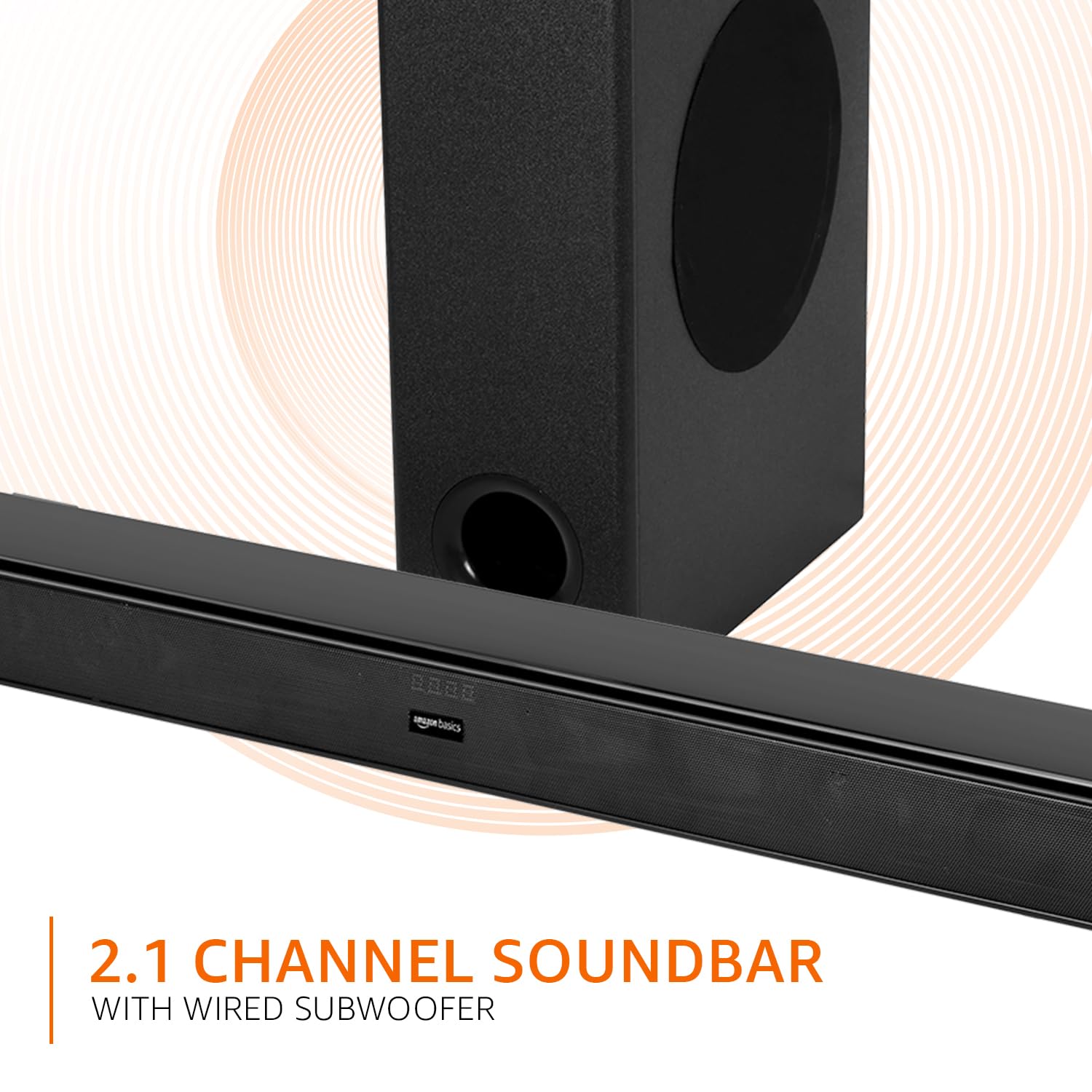
Image: Graphic illustrating the 2.1 channel soundbar system with a wired subwoofer.

చిత్రం: క్లోజప్ view of the soundbar, emphasizing its slim and space-saving design.
5. సెటప్ గైడ్
5.1 ప్లేస్మెంట్
- సౌండ్ బార్: Place the soundbar on a stable, flat surface directly in front of your TV, or mount it on the wall below your TV. Ensure it is not obstructing the TV's remote sensor.
- subwoofer: Position the wired subwoofer on the floor near the soundbar. For optimal bass, experiment with different locations in the room.
5.2 కనెక్షన్లు
Before making any connections, ensure both the soundbar and your audio source (TV, PC, etc.) are powered off.
- Wired Subwoofer Connection: Connect the subwoofer cable from the subwoofer to the dedicated subwoofer output port on the soundbar.
- ఆడియో ఇన్పుట్: మీ ఆడియో సోర్స్ను కనెక్ట్ చేయడానికి కింది పద్ధతుల్లో ఒకదాన్ని ఎంచుకోండి:
- HDMI (ARC): Connect an HDMI cable from the HDMI ARC port on the soundbar to the HDMI ARC port on your TV. This allows audio to be sent from the TV to the soundbar and often enables TV remote control of the soundbar volume.
- ఆప్టికల్: Connect an optical cable from the OPTICAL port on the soundbar to the optical output port on your TV or other audio device.
- AUX: Connect a 3.5mm audio cable from the AUX port on the soundbar to the headphone jack or audio output port on your device.
- USB: Insert a USB drive into the USB port on the soundbar for direct audio playback.
- పవర్ కనెక్షన్: Connect the detachable power cable to the soundbar's power input, then plug it into a wall outlet.

Image: An illustration showing the soundbar and subwoofer positioned in front of a television, demonstrating a typical setup.
6. ఆపరేటింగ్ సూచనలు
6.1 పవర్ ఆన్/ఆఫ్
నొక్కండి శక్తి యూనిట్ను ఆన్ లేదా ఆఫ్ చేయడానికి సౌండ్బార్ లేదా రిమోట్ కంట్రోల్లోని బటన్.
6.2 ఇన్పుట్ ఎంపిక
నొక్కండి ఇన్పుట్ button on the soundbar or the remote control repeatedly to cycle through available input sources: HDMI (ARC), Optical, AUX, USB, and Bluetooth.
6.3 వాల్యూమ్ నియంత్రణ
ఉపయోగించండి వాల్యూమ్ + మరియు వాల్యూమ్ - మాస్టర్ వాల్యూమ్ను సర్దుబాటు చేయడానికి సౌండ్బార్ లేదా రిమోట్ కంట్రోల్లోని బటన్లను నొక్కండి.
6.4 ఈక్వలైజర్ (EQ) మోడ్లు
నొక్కండి వార్తలు, సినిమా, లేదా సంగీతం buttons on the remote control to select the desired sound mode. Each mode optimizes audio for specific content.

Image: Graphic showing the soundbar and subwoofer with text indicating 'Multiple EQ Modes: Music, Movies & News'.
6.5 బ్లూటూత్ జత చేయడం
- Turn on the soundbar and select the Bluetooth input mode. The LED indicator will flash, indicating pairing mode.
- మీ మొబైల్ పరికరంలో (స్మార్ట్ఫోన్, టాబ్లెట్, మొదలైనవి) బ్లూటూత్ను ప్రారంభించండి.
- కోసం వెతకండి "amazon basics" in your device's Bluetooth list and select it to pair.
- Once paired, the LED indicator on the soundbar will stop flashing and remain solid.
7. కనెక్టివిటీ ఎంపికలు
The soundbar offers various ways to connect to your audio sources:
- బ్లూటూత్ v5.3: For wireless audio streaming from compatible devices within a 10-meter range.
- HDMI (ARC): Audio Return Channel for simplified connection with ARC-enabled TVs.
- ఆప్టికల్: Digital audio input for high-quality sound from TVs, gaming consoles, etc.
- AUX: Analog audio input for connecting devices with a 3.5mm audio output.
- USB: ఆడియో ప్లే చేయడానికి fileUSB నిల్వ పరికరం నుండి నేరుగా.

చిత్రం: వివరణాత్మక view of the soundbar's rear panel, highlighting the HDMI (ARC), USB, AUX, and Optical input ports.
8. రిమోట్ కంట్రోల్ విధులు
The included remote control provides full command over your soundbar. Ensure batteries are correctly inserted.

Image: A close-up of the remote control, showing all buttons and their labels.
| బటన్ | ఫంక్షన్ |
|---|---|
| శక్తి | సౌండ్బార్ను ఆన్ లేదా ఆఫ్ చేస్తుంది. |
| మ్యూట్ చేయండి | ధ్వనిని మ్యూట్ చేస్తుంది లేదా అన్మ్యూట్ చేస్తుంది. |
| Input (H-ARC, OPTICAL, BT, AUX, USB) | ఆడియో ఇన్పుట్ మూలాన్ని ఎంచుకుంటుంది. |
| వాల్యూమ్ + / - | మాస్టర్ వాల్యూమ్ స్థాయిని సర్దుబాటు చేస్తుంది. |
| మునుపటి / తదుపరి | Skips to the previous or next track (USB/Bluetooth mode). |
| ప్లే / పాజ్ చేయండి | Plays or pauses audio playback (USB/Bluetooth mode). |
| వార్తలు | Activates News EQ mode. |
| సినిమా | Activates Movie EQ mode. |
| సంగీతం | Activates Music EQ mode. |
9. నిర్వహణ
- శుభ్రపరచడం: Wipe the surfaces of the soundbar and subwoofer with a soft, dry cloth. Do not use liquid cleaners or aerosols.
- నిల్వ: యూనిట్ను ఎక్కువ కాలం నిల్వ ఉంచినట్లయితే, దానిని పవర్ అవుట్లెట్ నుండి డిస్కనెక్ట్ చేసి, చల్లని, పొడి ప్రదేశంలో నిల్వ చేయండి.
- వెంటిలేషన్: వెంటిలేషన్ ఓపెనింగ్లు దుమ్ము లేదా చెత్తతో మూసుకుపోకుండా చూసుకోండి.
10. ట్రబుల్షూటింగ్
| సమస్య | సాధ్యమైన పరిష్కారం |
|---|---|
| శక్తి లేదు | Check if the power cable is securely connected to the soundbar and the wall outlet. Ensure the outlet is functional. |
| శబ్దం లేదు | Verify the correct input source is selected. Check volume levels on both the soundbar and the connected device. Ensure cables are properly connected. If using HDMI ARC, confirm ARC is enabled on your TV. |
| రిమోట్ కంట్రోల్ పనిచేయడం లేదు | Check and replace batteries. Ensure there are no obstructions between the remote and the soundbar's sensor. |
| బ్లూటూత్ జత చేయడంలో సమస్యలు | Ensure the soundbar is in Bluetooth pairing mode. Disable and re-enable Bluetooth on your device. Move your device closer to the soundbar. |
| వక్రీకరించిన ధ్వని | Reduce the volume. Check audio source quality. Ensure cables are not damaged. |
11. స్పెసిఫికేషన్లు
| ఫీచర్ | స్పెసిఫికేషన్ |
|---|---|
| మోడల్ పేరు | AB-SBW-090 |
| స్పీకర్ రకం | వైర్డ్ సబ్ వూఫర్తో సౌండ్బార్ |
| మొత్తం అవుట్పుట్ పవర్ | 90W RMS |
| ఛానెల్లు | 2.1 |
| కనెక్టివిటీ | Bluetooth v5.3, HDMI (ARC), Optical, AUX, USB |
| బ్లూటూత్ రేంజ్ | 10 Metres (approx. 33 feet) |
| సబ్ వూఫర్ వ్యాసం | 5.25 అంగుళాలు |
| ఉత్పత్తి కొలతలు (సౌండ్బార్) | 7.3D x 82W x 6.8H సెంటీమీటర్లు |
| వస్తువు బరువు | 4.9 కిలోలు |
| శక్తి మూలం | కార్డెడ్ ఎలక్ట్రిక్ |
| సిగ్నల్-టు-శబ్ద నిష్పత్తి | 70 డిబి |
| ఇంపెడెన్స్ | 4 ఓం |
| మెటీరియల్ | ప్లాస్టిక్ |
12. వారంటీ మరియు మద్దతు
This amazon basics soundbar comes with a 1-సంవత్సరం పరిమిత వారంటీ from the date of purchase. This warranty covers manufacturing defects and workmanship under normal use. It does not cover damage caused by misuse, accidents, unauthorized modifications, or external causes.
For warranty claims, technical support, or service inquiries, please contact amazon basics customer support through your purchase platform or visit the official amazon basics webసైట్.
మరింత సమాచారం కోసం, సందర్శించండి: amazon basics Store


