1. పరిచయం
This manual provides essential instructions for the safe and effective use of your Amazon Basics Smart LED Light Strip. This smart light strip offers customizable RGB and tunable white lighting, controllable exclusively via Amazon Alexa and a 2.4 GHz Wi-Fi network. No additional hub is required for operation.

Image 1.1: Amazon Basics Smart LED Light Strip product packaging and coiled light strip.
2. ఏమి చేర్చబడింది
ప్యాకేజీలో అన్ని భాగాలు ఉన్నాయని నిర్ధారించుకోండి:
- 1 x Smart Light Strip (16.4ft / 5m)
- 1 x Smart Light Strip Controller
- 1 x పవర్ అడాప్టర్

Image 2.1: All included components of the Smart LED Light Strip.
3. భద్రతా సమాచారం
- ఇండోర్ ఉపయోగం మాత్రమే: ఈ ఉత్పత్తి ఇండోర్ ఉపయోగం కోసం రూపొందించబడింది.
- శక్తి మూలం: Use only the provided AC/DC power adapter.
- అంటుకునే అప్లికేషన్: The 3M adhesive backing is not suitable for rough surfaces such as cement or brick walls. Ensure the installation surface is smooth, clean, and free of oil stains or dust before application.
- సురక్షిత సంస్థాపన: After installing the light strip, firmly press along its entire length to ensure a secure bond.
- వేడెక్కడం నివారణ: Install strips straight with no bends or coils. Do not operate the light strip while it is still coiled or uninstalled to avoid overheating.
- అస్పష్టత: The light strip is only dimmable via Alexa. Do not connect it to a physical dimmer switch.
- కట్టింగ్: The light strip can be cut to your desired length at designated cut marks. Ensure the power is disconnected before cutting.
- Wi-Fi అనుకూలత: This device requires a 2.4 GHz Wi-Fi network. It is not compatible with 5 GHz networks.
- స్మార్ట్ హోమ్ అనుకూలత: This product works exclusively with Alexa. It is not compatible with Google Assistant, Apple HomeKit, or Smart Things.
4. సెటప్
4.1 భౌతిక సంస్థాపన
- ఉపరితలాన్ని సిద్ధం చేయండి: Choose a clean, smooth, and dry surface for installation. Wipe the surface with a clean cloth to remove any dust or oil.
- కొలత మరియు కట్ (ఐచ్ఛికం): If a shorter length is desired, carefully cut the light strip at the designated cut marks. Ensure the power is disconnected before cutting.
- లైట్ స్ట్రిప్ను అటాచ్ చేయండి: Peel off the protective backing from the 3M adhesive. Carefully press the light strip onto the prepared surface, ensuring it is straight and free of bends or coils. Apply firm pressure along the entire length for a secure bond.
- భాగాలను కనెక్ట్ చేయండి: Connect the light strip to the Smart Light Strip Controller, and then connect the power adapter to the controller.
- పవర్ ఆన్: Plug the power adapter into a standard electrical outlet. The light strip should illuminate.
4.2 Connecting to Alexa
The Amazon Basics Smart LED Light Strip is designed for simple setup with the Alexa app.
- అలెక్సా యాప్ను డౌన్లోడ్ చేసుకోండి: Ensure you have the latest version of the Amazon Alexa app installed on your smartphone or tablet.
- Enable 2.4 GHz Wi-Fi: Confirm your mobile device is connected to a 2.4 GHz Wi-Fi network. The light strip does not support 5 GHz networks.
- Automatic Discovery: If you selected "Link device to your Amazon account" at checkout, the device may automatically appear in your Alexa app once powered on.
- మాన్యువల్ ఆవిష్కరణ: If not automatically discovered, open the Alexa app. Navigate to the "Devices" tab, tap the "+" icon, and select "Add Device." Choose "Light" and then "Amazon Basics." Follow the on-screen instructions to complete the setup. This typically involves scanning a QR code on the device or packaging.
- పరికర నామకరణం: Once connected, you can rename your light strip (e.g., "Living Room Lights," "Bedroom Strip") for easier voice control.
5. ఆపరేటింగ్ సూచనలు
5.1 అలెక్సాతో వాయిస్ కంట్రోల్
Once connected to Alexa, you can control your light strip using voice commands through any Alexa-enabled device.
- "అలెక్సా, [పరికర పేరు] ఆన్ చేయండి."
- "అలెక్సా, [పరికర పేరు] ని ఆపివేయండి."
- "Alexa, set [Device Name] to blue." (Choose from 16 preset colors)
- "Alexa, change [Device Name] to warm white."
- "అలెక్సా, [పరికర పేరు] ని 50% కి తగ్గించండి."
- "Alexa, brighten [Device Name]."

Image 5.1: Voice control example in a living room setting.
5.2 Alexa App Control
The Alexa app provides comprehensive control over your light strip, even when you are away from home.
- ఆన్/ఆఫ్: Toggle the light strip on or off from the device control screen.
- రంగు ఎంపిక: Choose from 16 preset color selections and 11 preset modes to customize the ambiance.
- ట్యూనబుల్ వైట్: తెల్లని కాంతిని వెచ్చని నుండి చల్లని టోన్లకు సర్దుబాటు చేయండి.
- ప్రకాశం సర్దుబాటు: Slide to adjust the brightness level.

Image 5.2: Controlling the light strip remotely using the Alexa app.
5.3 Custom Routines and Timers
Create custom routines within the Alexa app to automate your lighting based on schedules or events.
- Schedule Lights: Set lights to turn on or off automatically at specific times, such as sunrise or sunset.
- రంగులు మార్చండి: Program the light strip to change colors for different occasions or moods.
- అవే మోడ్: Schedule lights to turn on and off to simulate occupancy when you are away.
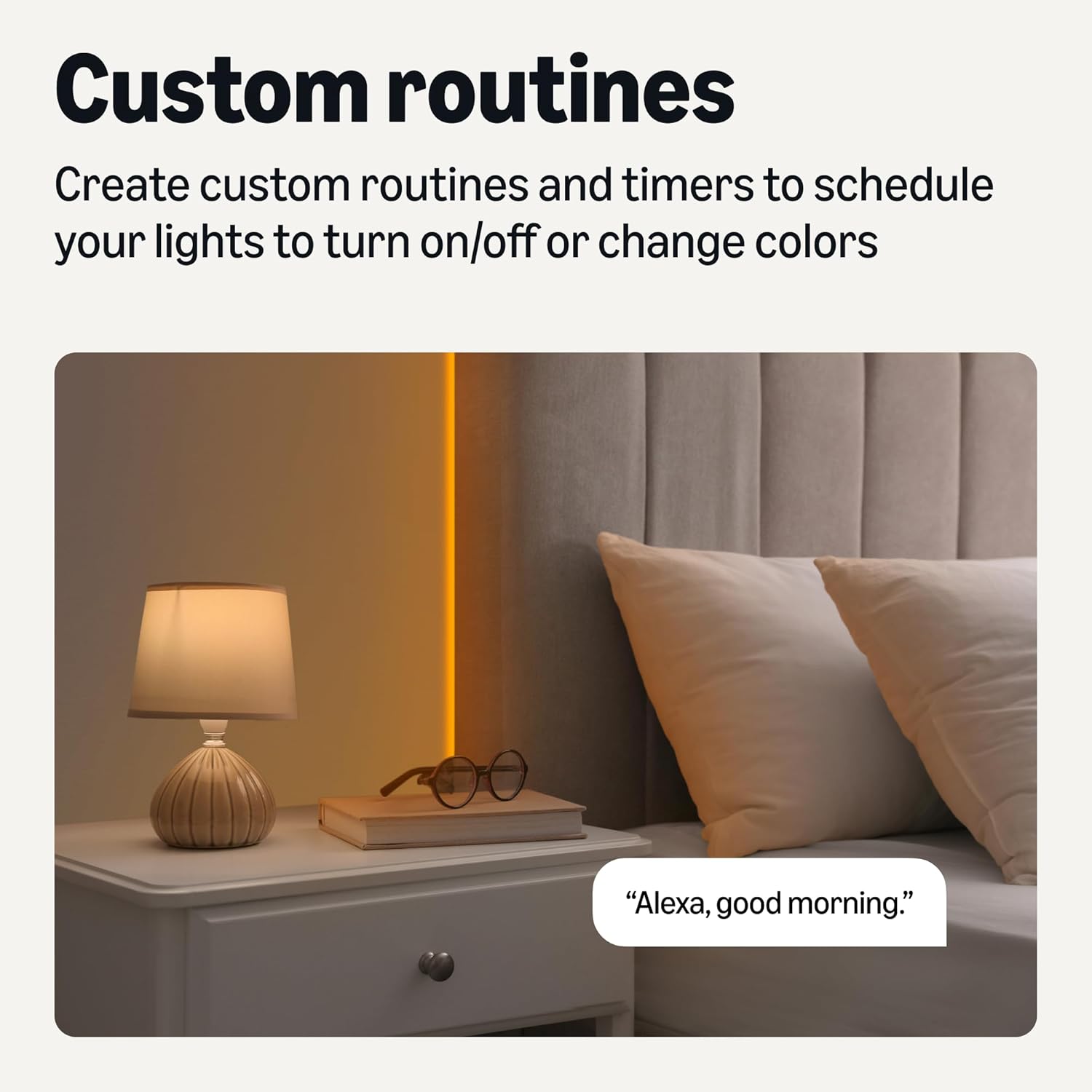
చిత్రం 5.3: ఉదాample of a custom routine for morning lighting.
5.4 సమూహ నియంత్రణ
Organize multiple smart lights into groups within the Alexa app for simultaneous control.
- Room Grouping: Combine all lights in a room (e.g., "Bedroom") to control them with a single command.
- Whole Home Control: Create a group for all lights in your home.
- Example కమాండ్: "Alexa, turn off the bedroom lights."

చిత్రం 5.4: ఉదాample of grouped lighting in a home setting.
6. నిర్వహణ
The Amazon Basics Smart LED Light Strip features a protective PU coating, providing IP44 rated resistance to moisture and dust, making it suitable for environments like kitchens.
- శుభ్రపరచడం: To clean the light strip, ensure it is powered off and unplugged. Gently wipe the surface with a soft, dry, or slightly damp వస్త్రం. కఠినమైన రసాయనాలు లేదా రాపిడి క్లీనర్లను ఉపయోగించవద్దు.
- నిల్వ: If storing the light strip, ensure it is clean and dry. Coil it loosely to prevent damage to the strip or wiring.
- మన్నిక: The LED strip light is designed for durability and longevity. Avoid excessive bending or sharp folds that could damage the internal components.
7. ట్రబుల్షూటింగ్
| సమస్య | సాధ్యమైన కారణం | పరిష్కారం |
|---|---|---|
| లైట్ స్ట్రిప్ ఆన్ అవ్వదు. | విద్యుత్ లేదు, కనెక్షన్ లేదు, లేదా తప్పు అవుట్లెట్ ఉంది. | Ensure the power adapter is securely plugged into a working outlet. Check all connections between the strip, controller, and adapter. |
| Alexaకి కనెక్ట్ చేయడం సాధ్యపడదు. | Incorrect Wi-Fi band, weak signal, or app issue. | Verify your Wi-Fi network is 2.4 GHz. Move the light strip closer to your Wi-Fi router. Restart the Alexa app and try the setup process again. Ensure your Alexa app is updated. |
| Light strip is not responding to voice commands. | Alexa device not connected, incorrect device name, or network issue. | Confirm your Alexa-enabled device is online. Check the device name in the Alexa app. Ensure the light strip is connected to Wi-Fi. |
| అంటుకునే పదార్థం పట్టుకోదు. | Surface not clean or suitable. | Ensure the surface is smooth, clean, and dry before application. For rough surfaces, consider alternative mounting solutions (not included). |
| లైట్లు మసకగా లేదా మినుకుమినుకుమంటున్నాయి. | Power supply issue, strip coiled during operation, or physical dimmer connected. | Ensure the strip is fully uncoiled and installed straight. Do not connect to a physical dimmer. Check power connections. |
| రంగులు తప్పుగా లేదా అస్థిరంగా ఉన్నాయి. | Software glitch or specific mode selected. | Try resetting the light strip by unplugging it for 10 seconds and plugging it back in. Check the Alexa app for selected color or mode settings. |
8. స్పెసిఫికేషన్లు
| ఫీచర్ | స్పెసిఫికేషన్ |
|---|---|
| మోడల్ సంఖ్య | DJ-05-24-RGBW-US |
| పొడవు | 16.4 అడుగులు (5 మీటర్లు) |
| కాంతి రకం | స్మార్ట్ LED స్ట్రిప్ |
| లేత రంగు | RGB + Tunable White (Multicolor) |
| కనెక్టివిటీ | 2.4 GHz వై-ఫై (IEEE 802.11 b/g/n) |
| నియంత్రణ పద్ధతి | Voice (Alexa), Alexa App |
| శక్తి మూలం | AC/DC |
| వాల్యూమ్tage | 110 వోల్ట్లు |
| వాట్tage | 16 వాట్స్ |
| కాంతి వనరుల సంఖ్య | 150 |
| ఇండోర్/అవుట్డోర్ వినియోగం | ఇండోర్ |
| మెటీరియల్ | ప్లాస్టిక్ |
| వస్తువు బరువు | 0.69 పౌండ్లు (11 ఔన్సులు) |
| ఉత్పత్తి కొలతలు (L x W x H) | 16.4 x 0.39 x 0.11 అంగుళాలు |
| UPC | 840324414769 |
9. వారంటీ మరియు మద్దతు
This Amazon Basics Smart LED Light Strip comes with a 1-సంవత్సరం పరిమిత వారంటీ.
For warranty claims, technical support, or further assistance, please refer to the Amazon Basics support resources available through your Amazon account or visit the official Amazon Basics webసైట్.


