DOYO Wireless PC Gaming Controller KT711W User Manual
Model: KT711W | Brand: DOYO
1. పరిచయం
This manual provides instructions for the setup, operation, maintenance, and troubleshooting of your DOYO Wireless PC Gaming Controller, model KT711W. This controller is designed to enhance your gaming experience on various platforms with its 2.4G wireless connectivity and dual vibration feedback.
2. ప్యాకేజీ విషయాలు
దయచేసి మీ ప్యాకేజీలో అన్ని అంశాలు ఉన్నాయని ధృవీకరించండి:
- DOYO Wireless PC Gaming Controller (KT711W)
- 2.4G USB Wireless Receiver
- వినియోగదారు మాన్యువల్ (ఈ పత్రం)
గమనిక: AAA బ్యాటరీలు చేర్చబడలేదు మరియు విడిగా కొనుగోలు చేయాలి.
3. కంట్రోలర్ లేఅవుట్
Familiarize yourself with the buttons and features of your DOYO controller:

చిత్రం: ముందు భాగం view of the DOYO Wireless PC Gaming Controller, showing the D-pad, left and right analog sticks, action buttons (A, B, X, Y), SELECT, MODE, and START buttons.
- డి-ప్యాడ్: దిశాత్మక ఇన్పుట్.
- ఎడమ అనలాగ్ స్టిక్: ప్రాథమిక కదలిక నియంత్రణ.
- కుడి అనలాగ్ స్టిక్: Camera or secondary movement control.
- యాక్షన్ బటన్లు (A, B, X, Y): ఆట-నిర్దిష్ట చర్యలు.
- ఎంపిక బటన్: Typically used for menu navigation or secondary functions.
- START బటన్: Typically used for pausing or starting games.
- మోడ్ బటన్: Used for power control and switching controller modes.
- భుజం బటన్లు (L1, R1) మరియు ట్రిగ్గర్లు (L2, R2): Located on the top of the controller for additional in-game actions.
4. సెటప్
4.1. నియంత్రికకు శక్తినివ్వడం
- నియంత్రిక వెనుక భాగంలో బ్యాటరీ కంపార్ట్మెంట్ను గుర్తించండి.
- బ్యాటరీ కవర్ తెరవండి.
- మూడు (3) AAA బ్యాటరీలను చొప్పించండి, సరైన ధ్రువణతను (+/-) నిర్ధారించుకోండి.
- బ్యాటరీ కవర్ను సురక్షితంగా మూసివేయండి.
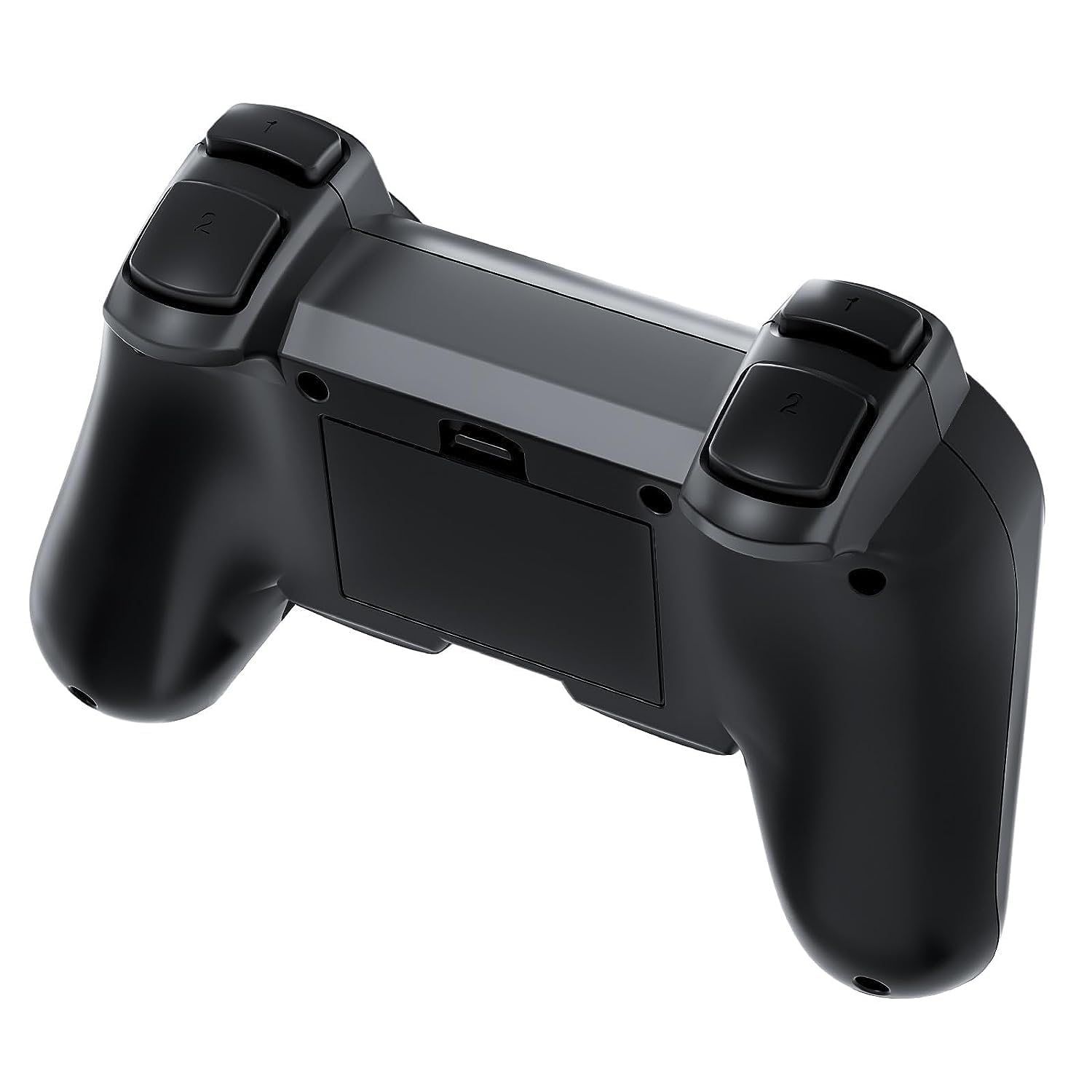
చిత్రం: వెనుక view of the DOYO controller with the battery compartment open, showing where to insert AAA batteries.
4.2 PCకి కనెక్ట్ చేస్తోంది
- Plug the 2.4G USB Wireless Receiver into an available USB port on your PC.
- The PC will automatically detect and install the necessary drivers. This may take a few moments.
- నొక్కండి మోడ్ button on the controller to turn it on. The indicator light will illuminate.
- The controller will automatically pair with the USB receiver. Once connected, the indicator light will stabilize.
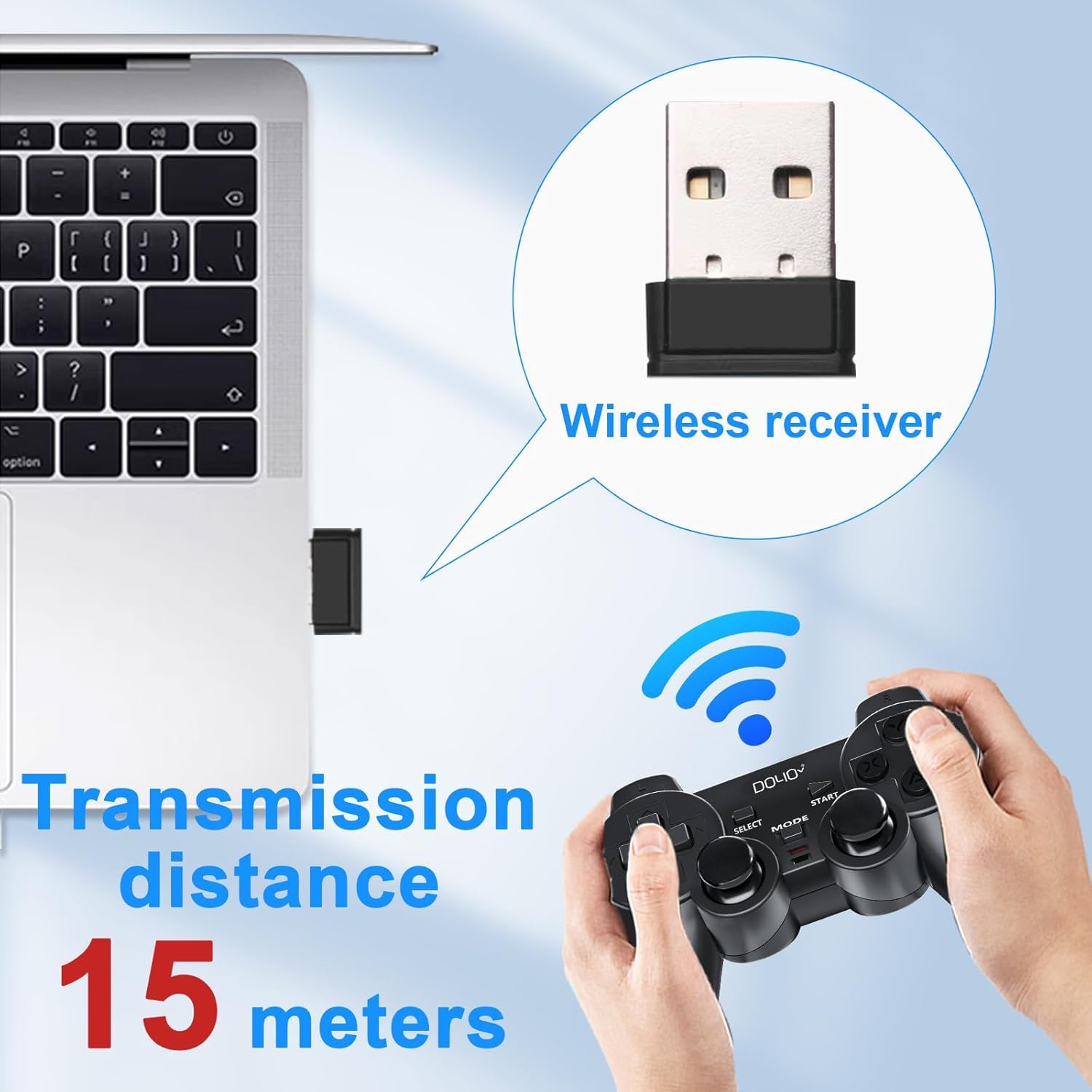
Image: A USB wireless receiver inserted into a laptop, illustrating the connection method for the DOYO controller. The image also indicates a transmission distance of 15 meters.
4.3. Switching Controller Modes
The controller supports different modes for compatibility with various games and systems. To switch between modes (e.g., Xinput/DirectInput for PC, or other platform modes), press and hold the మోడ్ button for approximately 3-5 seconds until the indicator light changes, signifying a mode switch.

చిత్రం: క్లోజప్ view of the central buttons on the DOYO controller, highlighting the SELECT, MODE, and START buttons.
5. ఆపరేటింగ్ సూచనలు
5.1. ప్రాథమిక ఆపరేషన్
Once connected, the controller functions as a standard gamepad. Refer to your game's control settings for specific button assignments. The high-precision joysticks offer accurate 360-degree positioning for responsive control.

చిత్రం: వివరణాత్మక view of an analog joystick on the DOYO controller, emphasizing its 360-degree accurate positioning.
5.2. Dual Vibration Function
The controller features dual vibration motors that provide tactile feedback during gameplay, enhancing immersion. This function is automatically enabled in compatible games.

Image: The DOYO controller with visual effects representing dual vibration feedback, indicating an immersive gaming experience.
5.3. ప్లాట్ఫామ్ అనుకూలత
The DOYO Wireless PC Gaming Controller is compatible with a range of operating systems and gaming platforms:
- PC: విండోస్ XP, విండోస్ 7, విండోస్ 8, విండోస్ 10, విండోస్ 11
- గేమింగ్ కన్సోల్లు: Steam (Xinput), PlayStation 3 (PS3)
- మొబైల్: Android పరికరాలు
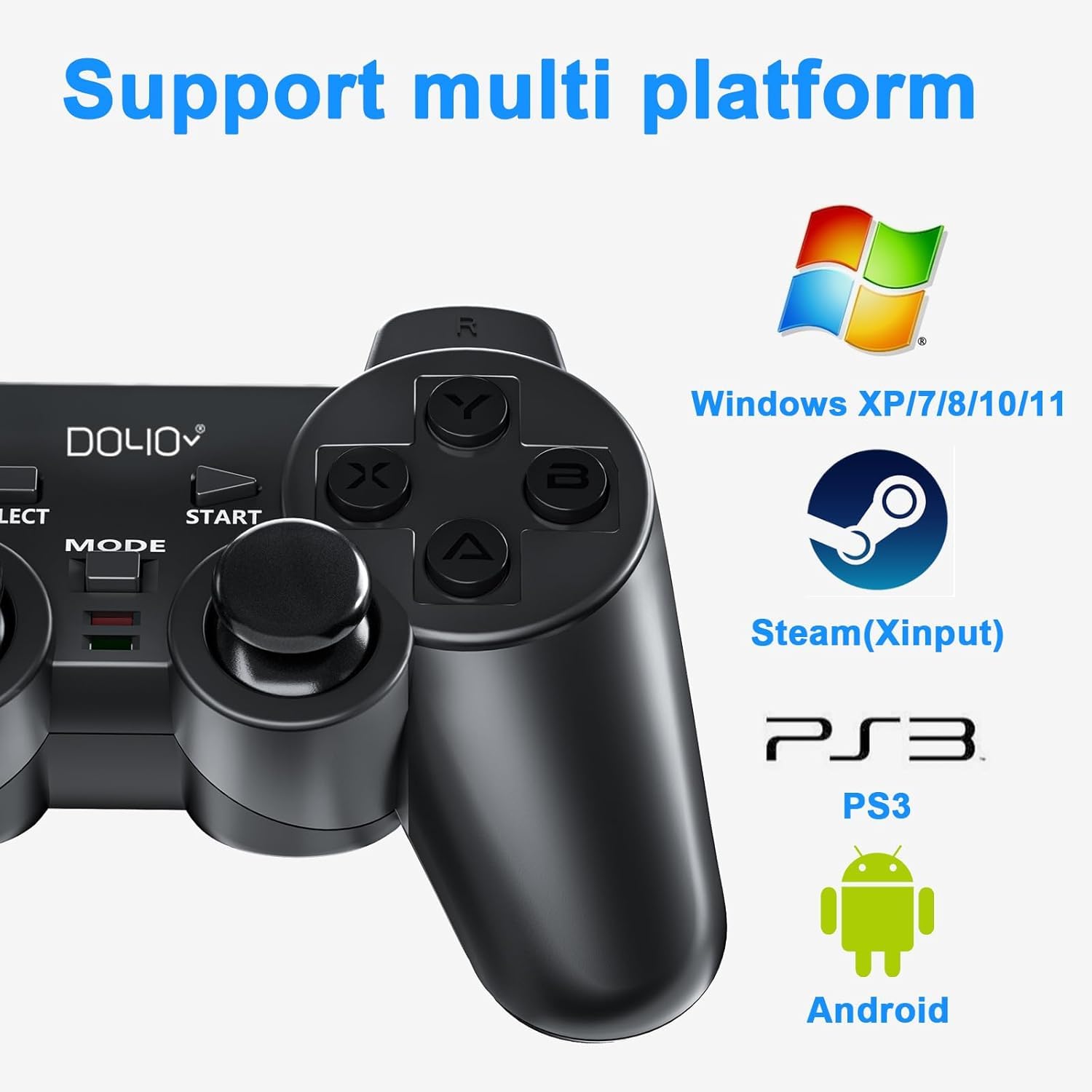
Image: The DOYO controller displayed alongside logos for Windows, Steam, PS3, and Android, illustrating its multi-platform compatibility.
6. నిర్వహణ
- శుభ్రపరచడం: కంట్రోలర్ను శుభ్రం చేయడానికి మృదువైన, పొడి వస్త్రాన్ని ఉపయోగించండి. కఠినమైన రసాయనాలు లేదా రాపిడి పదార్థాలను ఉపయోగించకుండా ఉండండి.
- నిల్వ: నియంత్రికను ప్రత్యక్ష సూర్యకాంతి మరియు తీవ్రమైన ఉష్ణోగ్రతలకు దూరంగా చల్లని, పొడి ప్రదేశంలో నిల్వ చేయండి.
- బ్యాటరీ సంరక్షణ: Remove batteries if the controller will not be used for an extended period to prevent leakage. Replace all three AAA batteries simultaneously when needed.
7. ట్రబుల్షూటింగ్
- కంట్రోలర్ కనెక్ట్ కావడం లేదు:
- USB రిసీవర్ పనిచేసే USB పోర్ట్కి సురక్షితంగా ప్లగ్ చేయబడిందని నిర్ధారించుకోండి.
- Verify that the controller has fresh batteries and is powered on.
- USB రిసీవర్ని వేరే USB పోర్ట్కి ప్లగ్ చేసి ప్రయత్నించండి.
- మీ PCని పునఃప్రారంభించండి.
- Controller not responding in-game:
- Check if the controller is in the correct mode for your game (e.g., Xinput for many modern PC games). Press and hold the MODE button to cycle modes.
- Ensure the game supports gamepad input.
- Check the game's control settings to ensure the controller is detected and configured.
- వైబ్రేషన్ పనిచేయడం లేదు:
- Confirm that the game supports vibration feedback.
- వైబ్రేషన్ ప్రారంభించబడిందని నిర్ధారించుకోవడానికి గేమ్లోని సెట్టింగ్లను తనిఖీ చేయండి.
- Controller turns off too quickly:
- The controller has an automatic sleep function to conserve battery. If it's turning off unexpectedly during use, ensure batteries are not low.
- After powering off manually, the indicator light may remain on for several minutes before fully shutting down. This is normal behavior.
- D-Pad or analog sticks feel unresponsive:
- Ensure the controller is clean and free of debris around the buttons and sticks.
- సమస్యలు కొనసాగితే, కస్టమర్ సపోర్ట్ని సంప్రదించండి.
8. స్పెసిఫికేషన్లు
- మోడల్ సంఖ్య: KT711W
- కనెక్టివిటీ: 2.4G వైర్లెస్
- అనుకూలత: Windows XP/7/8/10/11, Steam, PS3, Android
- బటన్లు: 12 function keys, D-Pad, 2 Analog Sticks
- అభిప్రాయం: ద్వంద్వ వైబ్రేషన్
- శక్తి మూలం: 3 x AAA బ్యాటరీలు (చేర్చబడలేదు)
- కొలతలు: 6.54 x 4.06 x 2.6 అంగుళాలు (సుమారు 16.6 x 10.3 x 6.6 సెం.మీ)
- బరువు: 8.47 ఔన్సులు (సుమారు 240 గ్రాములు)

Image: The DOYO controller shown with its approximate dimensions: 15.3mm length, 9mm height, and 6mm thickness.
9. వారంటీ మరియు మద్దతు
DOYO offers a 30-day money-back guarantee and a 90-day replacement warranty for this product. If you encounter any issues or require assistance with settings, please contact DOYO customer support for detailed guidance.


