పరిచయం
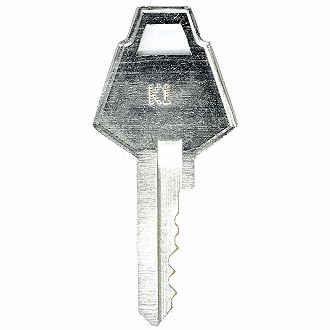
This manual provides essential instructions for the proper identification and use of your EasyKeys XL Locks K788 Toolbox Replacement Key. This key is specifically designed for XL Locks Key Series K1-K1000, commonly found in toolboxes and mailboxes.
Key Identification and Setup
Before using your replacement key, it is crucial to verify that the lock code on your existing key or lock matches the K788 code. Lock codes are manufacturer-specific, and even similar-looking codes may vary by brand.
మూర్తి 1: This diagram illustrates common locations to find your lock code. Look for the code on the key itself (e.g., FR322), on the face of the lock cylinder (e.g., FR322), on a label inside or behind the lock mechanism (e.g., CODE: G38), or on a label affixed to the cabinet or door near the lock (e.g., HF321).
Steps for Verification:
- Locate the Lock Code: Examine your original key, the lock face, or any labels associated with the lock for a code. This code is typically stamped లేదా ప్రింటెడ్.
- Match the Code: Ensure the code found matches "K788". This key is compatible with XL Locks.
- Manufacturer Compatibility: Confirm that your lock is manufactured by XL Locks. This key is specifically cut for XL Locks systems.
ఆపరేటింగ్ సూచనలు
To operate your lock with the K788 replacement key, follow these steps:
- Insert the Key: Gently insert the K788 key into the lock's keyway. Do not force the key.
- Turn to Unlock/Lock: Turn the key clockwise or counter-clockwise, depending on the lock mechanism, to engage or disengage the locking bolt.
- Remove the Key: Once the lock is in the desired position (locked or unlocked), return the key to its original insertion position and gently remove it.
గమనిక: If the key does not turn smoothly, do not apply excessive force. Refer to the Troubleshooting section.
నిర్వహణ
Proper maintenance ensures the longevity and smooth operation of your key and lock.
- శుభ్రముగా ఉంచు: Keep the key clean and free from dirt, dust, or debris. Wipe with a soft, dry cloth if necessary.
- వంగడం మానుకోండి: Do not bend or apply excessive pressure to the key, as this can damage its structure and render it unusable.
- నిల్వ: నష్టం లేదా నష్టాన్ని నివారించడానికి కీని సురక్షితమైన స్థలంలో భద్రపరచండి.
- Lubrication (Lock): If the lock mechanism becomes stiff, a small amount of graphite-based lubricant can be applied to the lock's keyway. Avoid oil-based lubricants as they can attract dust.
ట్రబుల్షూటింగ్
If you encounter issues with your replacement key, consider the following:
- కీ పూర్తిగా చొప్పించబడలేదు:
- Check for obstructions in the keyway.
- Ensure the key is oriented correctly.
- Verify the key code (K788) matches your lock.
- Key Turns But Lock Does Not Operate:
- The lock mechanism may be damaged or jammed. Consult a locksmith if the issue persists.
- Key Is Stiff or Hard to Turn:
- Apply a small amount of graphite lubricant to the lock's keyway.
- Ensure the key is clean.
స్పెసిఫికేషన్లు
| ఫీచర్ | వివరాలు |
|---|---|
| బ్రాండ్ | EasyKeys |
| మోడల్ పేరు | K788 |
| Compatible Manufacturer | XL Locks |
| లాక్ రకం | కెమెరా |
| మెటీరియల్ | ఇత్తడి |
| ప్రత్యేక లక్షణాలు | Custom Cut Key, Durable |
| అంశం కొలతలు (L x W x H) | 0.5 x 0.5 x 1 అంగుళాలు |
| వస్తువు బరువు | 0.25 పౌండ్లు (సుమారు 4 ఔన్సులు) |
వారంటీ మరియు మద్దతు
This EasyKeys product is manufactured to high standards. For any issues or inquiries, please contact EasyKeys customer support. Please retain your purchase receipt for any potential warranty claims. A 30-day return policy is typically offered for this product.
మరింత సహాయం కోసం, సందర్శించండి EasyKeys Store.
