1. పరిచయం
This manual provides essential information for the proper identification, use, and maintenance of your EasyKeys replacement key for CompX National A0943 series locks. This key is designed for file cabinets, desks, and cubicles utilizing the specified lock series.
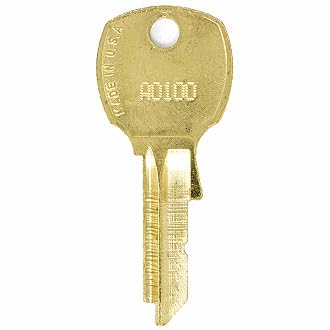
Image 1: EasyKeys replacement key for CompX National A0943. This image shows the brass key with its distinct cut pattern.
2. Key Identification and Ordering (Setup)
To ensure you order and receive the correct replacement key, it is crucial to accurately identify your lock code. The EasyKeys replacement key is specifically cut for CompX National A0943 locks. This key is cut on an NA14 D4291 key blank.
Finding Your Lock Code
Your lock code is a unique identifier that determines the correct key cut. It can typically be found in one of the following locations:
- On the Original Key: If you have an existing key, the code (e.g., FR322) is often stamped directly on the key blade or head.
- On the Lock Face: The code (e.g., FR322) may be engraved or printed on the visible face of the lock cylinder itself.
- On a Label Inside/Behind the Lock: For some locks, the code (e.g., G38) is located on a sticker or label affixed to the lock mechanism, often visible when a drawer or door is open.
- On the Cabinet/Door Label: The lock code (e.g., HF321) might be found on a label inside the cabinet, on the back of the door, or within the furniture's documentation.
ముఖ్యమైన గమనికలు:
• Order by Manufacturer: Lock codes are manufacturer-specific. An 'A0943' from one manufacturer may not be the same as an 'A0943' from another. Ensure your lock is a CompX National A0943.
• Key Cuts Differ: Even if codes appear similar, the actual key cuts vary significantly by brand and series. Always verify the manufacturer and specific lock series.
అనుకూలత
This replacement key is compatible with CompX National A0943 series locks and the following manufacturers:
- Corry Jamestown
- Steel-Age
- Brown-Morris
3. ఆపరేటింగ్ సూచనలు
Using your EasyKeys replacement key is straightforward:
- Insert the Key: Gently insert the key into the lock cylinder with the teeth facing the correct direction. Do not force the key.
- Turn to Unlock/Lock: Turn the key clockwise or counter-clockwise (depending on the lock mechanism) to engage or disengage the lock.
- Remove the Key: Once the lock is engaged or disengaged, return the key to its original insertion position and gently pull it out.
If the key does not turn smoothly, do not apply excessive force. Refer to the Troubleshooting section.
4. నిర్వహణ
Proper care will extend the life of your key and ensure reliable operation:
- శుభ్రముగా ఉంచు: Periodically wipe the key with a dry cloth to remove dirt or debris. Avoid using harsh chemicals.
- వంగడం మానుకోండి: Do not use the key for purposes other than operating the lock, and avoid applying excessive pressure that could bend or damage it.
- సురక్షితంగా నిల్వ చేయండి: Store the key in a secure location where it is protected from loss or damage.
5. ట్రబుల్షూటింగ్
If you encounter issues with your replacement key, consider the following:
- కీ పూర్తిగా చొప్పించబడలేదు: Check for obstructions in the lock cylinder. Ensure the key is oriented correctly.
- Key Does Not Turn: Verify that the lock code on your key matches the lock. Ensure the lock mechanism is not jammed or damaged. Do not force the key, as this can cause damage to both the key and the lock.
- కీ వదులుగా లేదా వణుకుతున్నట్లు అనిపిస్తుంది: This may indicate wear on the lock cylinder or an incorrect key cut. Double-check your lock code and manufacturer.
If problems persist, contact EasyKeys customer support for assistance.
6. స్పెసిఫికేషన్లు
| ఫీచర్ | వివరాలు |
|---|---|
| బ్రాండ్ | EasyKeys |
| మోడల్ పేరు | A0943 |
| తయారీదారు | CompX National |
| లాక్ రకం | కెమెరా |
| మెటీరియల్ | ఇత్తడి |
| అంశం కొలతలు (L x W x H) | 0.5 x 0.5 x 1 అంగుళాలు |
| వస్తువు బరువు | 0.25 పౌండ్లు (సుమారు 4 ఔన్సులు) |
| చేర్చబడిన భాగాలు | 1 కీ |
| ప్రత్యేక లక్షణాలు | Adjustable Fit, Custom Cut Key, Durable |
| Key Blank Type | NA14 D4291 |
7. కస్టమర్ మద్దతు
For further assistance, questions, or to report any issues with your EasyKeys replacement key, please contact EasyKeys customer support. Refer to your purchase documentation or the EasyKeys webసంప్రదింపు సమాచారం కోసం సైట్.
వారంటీ సమాచారం: Specific warranty details are typically provided at the time of purchase. Please retain your proof of purchase for any warranty claims.