1. పరిచయం
Thank you for choosing the COOLCRAZY N7 4K Dash Cam. This manual provides detailed instructions for setting up, operating, and maintaining your dash cam to ensure optimal performance and safety on the road. Please read this manual thoroughly before use and keep it for future reference.
The COOLCRAZY N7 is designed to capture high-quality video footage of your journeys, offering features such as stunning 4K resolution, a wide 170-degree viewing angle, built-in GPS for accurate location and speed tracking, and Wi-Fi connectivity for easy access via a mobile app. Its advanced night vision and Wide Dynamic Range (WDR) technology ensure clear recordings even in challenging light conditions. With essential safety features like G-sensor activated accident lock and 24-hour parking monitoring, the N7 provides reliable evidence and peace of mind.
2. పెట్టెలో ఏముంది
దయచేసి మీ ప్యాకేజీలో అన్ని అంశాలు ఉన్నాయని ధృవీకరించండి:
- 1 x COOLCRAZY N7 4K Dash Cam
- 1 x కార్ ఛార్జర్
- 1 x 32GB TF కార్డ్
- 1 x టైప్-సి పవర్ కేబుల్
- 1 x వినియోగదారు మాన్యువల్
- 1 x ఇన్స్టాలేషన్ గైడ్
- 2 x 3M Adhesive Pads
- 3 x Electrostatic Stickers
- 1 x Easy Pry Tool
- 1 x Glasses Cloth

Image: All components included in the COOLCRAZY N7 4K Dash Cam package, neatly laid out.
3. ఉత్పత్తి ముగిసిందిview
The COOLCRAZY N7 Dash Cam features a compact design with a 3.2-inch IPS screen, providing a clear display for live view and playback. It is equipped with a high-performance image sensor and a 170-degree wide-angle lens to capture comprehensive road coverage.
ముఖ్య లక్షణాలు:
- 4K UHD రికార్డింగ్: Captures video in stunning 3840x2160P resolution at 30fps, providing exceptional clarity for license plates and road details.
- 170° వైడ్ యాంగిల్ లెన్స్: విస్తృతమైన రంగాన్ని అందిస్తుంది view, minimizing blind spots and capturing more of the road.
- సూపర్ నైట్ విజన్ & WDR: Equipped with an F2.0 aperture and 4-layer lens, along with Wide Dynamic Range technology, for clear recordings in low-light conditions and balanced exposure.
- అంతర్నిర్మిత WiFi & యాప్ నియంత్రణ: Allows seamless connection to your smartphone via the dedicated app for live viewడౌన్లోడ్, వీడియో డౌన్లోడ్ మరియు సెట్టింగ్ల సర్దుబాటు.
- అంతర్నిర్మిత GPS: Records precise driving routes, locations, and real-time speed, which can be viewed on the LCD or via the app.
- G-Sensor (Accident Lock): Automatically detects sudden shakes or collisions and locks the current video segment to prevent overwriting.
- లూప్ రికార్డింగ్: Continuously records, automatically overwriting the oldest fileమెమరీ కార్డ్ నిండినప్పుడు s.
- 24-గంటల పార్కింగ్ మానిటర్: Provides continuous surveillance when your vehicle is parked (requires optional hardwire kit, ASIN: B0CJY9NB6Q).

Image: Comparison showing the superior clarity of 4K Ultra HD recording, highlighting details like license plates.

Image: Illustration of the dash cam's night vision capabilities, showing clear capture of vehicles and surroundings in low light.

Image: Diagram illustrating the 170-degree wide-angle coverage, showing how it captures both sides of the car's front.
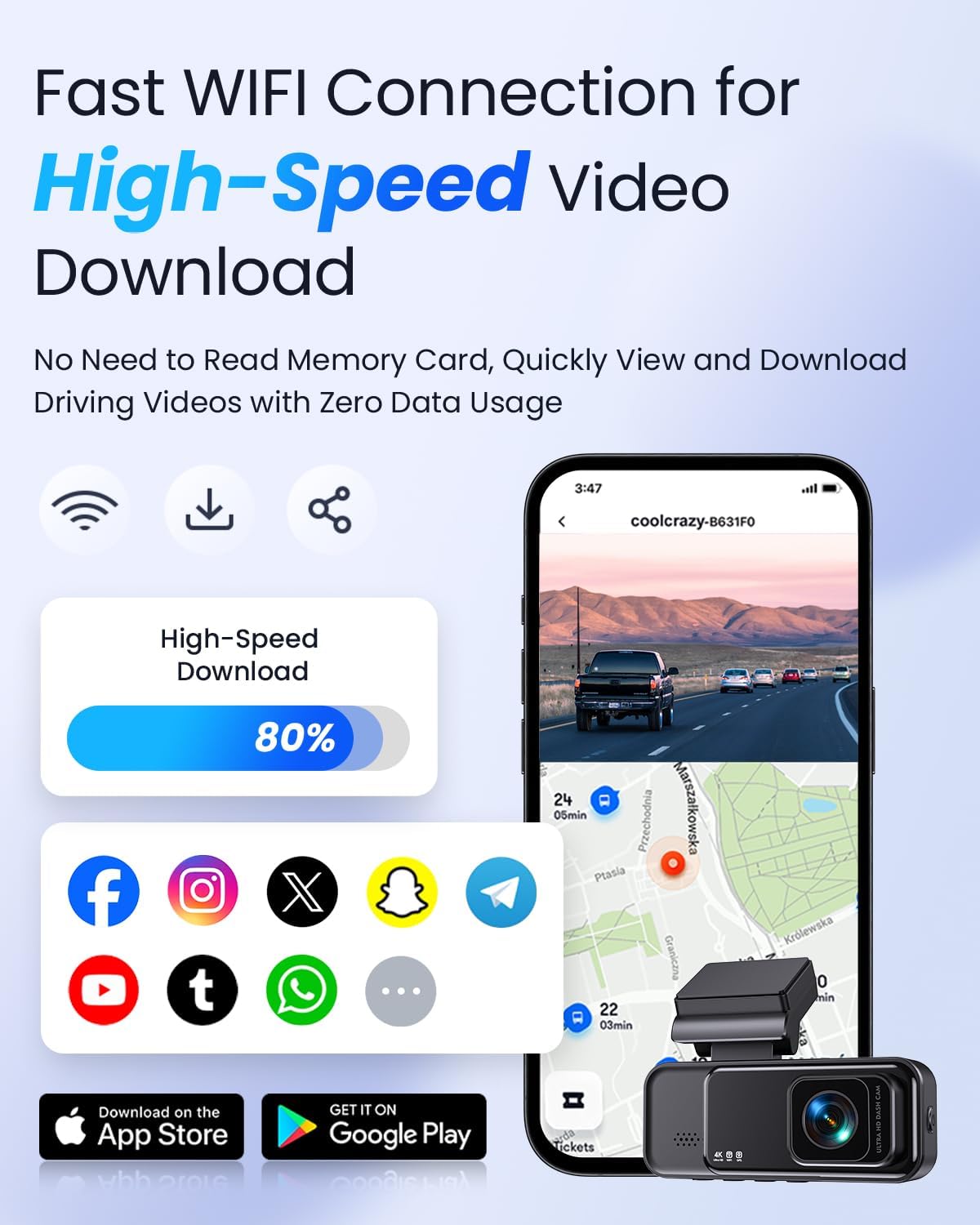
Image: Visual representation of the dash cam's compact size, adjustable bracket, and hidden installation behind the rearview అద్దం.
4. సెటప్ మరియు ఇన్స్టాలేషన్
Follow these steps to properly install your COOLCRAZY N7 Dash Cam:
- మైక్రో SD కార్డ్ని సిద్ధం చేయండి: Insert the provided 32GB TF card (or another U3 Class 10 Micro SD Card, up to 128GB, not included) into the dash cam's SD card slot. Ensure it is inserted correctly until it clicks into place.
- మౌంటు స్థానాన్ని ఎంచుకోండి: మీ విండ్షీల్డ్పై మీకు ఆటంకం కలిగించని ప్రదేశాన్ని ఎంచుకోండి view, typically behind the rearview mirror. Clean the area thoroughly with the provided glasses cloth.
- ఎలక్ట్రోస్టాటిక్ స్టిక్కర్ను వర్తించండి: Peel off the backing from one of the electrostatic stickers and apply it to the chosen area on the windshield. This helps in easy removal and re-positioning without leaving residue.
- Attach 3M Adhesive Pad: Peel off the protective film from one side of the 3M adhesive pad and stick it firmly onto the dash cam's mounting bracket.
- డాష్ కామ్ను మౌంట్ చేయండి: Peel off the remaining protective film from the 3M adhesive pad and firmly press the dash cam (with its bracket) onto the electrostatic sticker on your windshield. Hold for at least 30 seconds to ensure a strong bond. The bracket allows for a 75° flexible rotation angle for optimal camera positioning.
- పవర్ కనెక్ట్ చేయండి: Connect the Type-C power cable to the dash cam's Type-C port. Route the cable neatly along the windshield edge and down to your car's cigarette lighter socket. Use the easy pry tool to tuck the cable under trim panels for a clean installation.
- Plug in Car Charger: Plug the car charger into your vehicle's cigarette lighter socket. The dash cam will automatically power on and begin recording when your vehicle starts.
For detailed visual instructions, please refer to the included Installation Guide.
5. ఆపరేటింగ్ సూచనలు
పవర్ ఆన్/ఆఫ్
- స్వయంచాలక: The dash cam will automatically power on and start recording when connected to your car's power supply and the vehicle ignition is turned on. It will power off automatically when the ignition is turned off.
- మాన్యువల్: To manually power on/off, press and hold the Power button on the dash cam.
వీడియో రికార్డింగ్
- లూప్ రికార్డింగ్: డాష్ క్యామ్ వీడియోను నిరంతర లూప్లలో రికార్డ్ చేస్తుంది (ఉదా., 1, 3, లేదా 5-నిమిషాల విభాగాలు). మెమరీ కార్డ్ నిండినప్పుడు, పాతది అన్లాక్ చేయబడుతుంది. files will be automatically overwritten by new recordings.
- అత్యవసర రికార్డింగ్ (G-సెన్సార్): The built-in G-sensor detects sudden impacts or rapid acceleration/deceleration. When triggered, it automatically locks the current video segment, preventing it from being overwritten by loop recording. The sensitivity of the G-sensor can be adjusted (High, Medium, Low) in the settings.

Image: Visual explanation of the G-sensor function, showing how it locks important video data during collisions or vibrations.
GPS ట్రాకింగ్
The integrated GPS module records your driving trajectory, location, and speed. This data is embedded in the video fileలు మరియు కావచ్చు viewed on the dash cam's screen or through the mobile application.

Image: Illustration showing how the built-in GPS records driving trajectory, location, and speed, displayed on a map interface.
24-Hour Parking Monitoring
To enable 24-hour parking monitoring, an additional hardwire kit is required (ASIN: B0CJY9NB6Q). Once installed, the dash cam can monitor your vehicle even when parked. It supports time-lapse recording at a low frame rate (1/2/3 fps) to save storage space and capture events efficiently.

Image: Depiction of the 24-hour parking monitoring feature, showing a car protected by continuous surveillance.
6. App Control (Wi-Fi Connectivity)
The COOLCRAZY N7 features built-in 2.4G Wi-Fi, allowing you to connect your dash cam to your smartphone via the dedicated app (compatible with Android & iOS). This enables convenient access to your recordings and settings.
కనెక్ట్ చేయడానికి దశలు:
- అనువర్తనాన్ని డౌన్లోడ్ చేయండి: కోసం వెతకండి the official COOLCRAZY dash cam app on the App Store (iOS) or Google Play Store (Android) and install it on your smartphone.
- డాష్ కామ్లో Wi-Fi ని ప్రారంభించండి: Turn on the dash cam. Navigate to the Wi-Fi settings on the dash cam's menu and enable Wi-Fi.
- Wi-Fi నెట్వర్క్కి కనెక్ట్ చేయండి: On your smartphone, go to Wi-Fi settings and connect to the dash cam's Wi-Fi network (SSID usually starts with "COOLCRAZY" or similar, password typically provided on the dash cam screen or manual).
- యాప్ను తెరవండి: Launch the COOLCRAZY app on your smartphone. The app should automatically detect and connect to your dash cam.
యాప్ విధులు:
- ప్రత్యక్షం View: See what your dash cam is recording in real-time.
- ప్లేబ్యాక్: రికార్డ్ చేసిన వీడియోలను నేరుగా మీ ఫోన్లో బ్రౌజ్ చేయండి మరియు ప్లే బ్యాక్ చేయండి.
- డౌన్లోడ్: వీడియోను డౌన్లోడ్ చేయండి files directly to your smartphone's gallery without needing to remove the SD card.
- సెట్టింగ్లు: Adjust dash cam settings such as video resolution (4K/2K), G-sensor sensitivity, loop recording duration, and more.
- భాగస్వామ్యం: Easily share travel scenery and highlight moments to your social media platforms.

Image: A smartphone screen displaying the dash cam's live view and map, illustrating the fast Wi-Fi connection and video download capabilities.
7. నిర్వహణ
- SD కార్డ్ ఫార్మాటింగ్: It is recommended to format the Micro SD card regularly (e.g., once a month) to ensure optimal performance and prevent data corruption. This can usually be done through the dash cam's settings menu or via the mobile app. Formatting will erase all data on the card, so back up any important fileమొదటిది.
- లెన్స్ శుభ్రపరచడం: Use the provided glasses cloth or a soft, lint-free cloth to gently wipe the camera lens. Avoid using abrasive cleaners or solvents that could damage the lens coating.
- స్క్రీన్ క్లీనింగ్: Wipe the IPS screen with a soft, dry cloth. If necessary, slightly dampen the cloth with water, but avoid spraying liquid directly onto the screen.
- ఆపరేటింగ్ ఉష్ణోగ్రత: The dash cam is designed to withstand extreme temperatures, functioning normally between -4°F (-20°C) and 158°F (70°C). However, prolonged exposure to direct sunlight in extreme heat can affect its lifespan.

Image: Visual representation of the dash cam's durability, showing its ability to withstand extreme cold (-4°F) and heat (158°F).
8. ట్రబుల్షూటింగ్
If you encounter issues with your COOLCRAZY N7 Dash Cam, please refer to the following common problems and solutions:
| సమస్య | సాధ్యమైన కారణం | పరిష్కారం |
|---|---|---|
| డాష్ కామ్ పవర్ ఆన్ అవ్వదు. | No power supply; faulty car charger/cable; loose connection. | Check car charger connection and vehicle's cigarette lighter socket. Ensure cable is securely connected to dash cam. Try a different power source if available. |
| Dash cam stops recording or freezes. | SD card error/full; incompatible SD card; firmware issue. | Format the SD card. Ensure you are using a U3 Class 10 Micro SD card. Update firmware if available. Reset the device using the hidden reset button. |
| Wi-Fi కనెక్షన్ సమస్యలు. | Incorrect password; Wi-Fi not enabled on dash cam; app issues. | Verify Wi-Fi password. Ensure Wi-Fi is enabled on the dash cam. Restart both dash cam and smartphone. Reinstall the app. |
| పేలవమైన వీడియో నాణ్యత. | Dirty lens; protective film on lens; incorrect resolution settings. | Clean the lens. Remove any protective film from the lens. Check video resolution settings (ensure 4K is selected if desired). |
| G-sensor too sensitive/not sensitive enough. | G-sensor sensitivity setting. | Adjust G-sensor sensitivity in the dash cam's settings menu (High, Medium, Low). |
If the problem persists after trying these solutions, please contact COOLCRAZY customer support for further assistance.
9. స్పెసిఫికేషన్లు
| ఫీచర్ | వివరాలు |
|---|---|
| మోడల్ పేరు | 4K Wifi Dash Cam (N7) |
| వీడియో క్యాప్చర్ రిజల్యూషన్ | 4 కె (3840x2160 పి) |
| స్క్రీన్ పరిమాణం | 3.2" IPS స్క్రీన్ |
| వైడ్ యాంగిల్ | 170° ముందు |
| కనెక్టివిటీ టెక్నాలజీ | Wi-Fi (2.4G) |
| GPS | Built-in GPS Enabled |
| ప్రత్యేక లక్షణాలు | Time-lapse Monitoring, 24H Parking Monitor (Hardwire Kit Needed), G-Sensor, Loop Recording, Super Night Vision, HDR, WDR, Accident Lock |
| మద్దతు ఉన్న SD కార్డ్ | U3 Class 10 Micro SD Card, up to 128GB (32GB included) |
| మౌంటు రకం | విండ్షీల్డ్ మౌంట్ |
| ఉత్పత్తి కొలతలు | 3.3 x 1.3 x 1.3 అంగుళాలు |
| వస్తువు బరువు | 14.4 ఔన్సులు |
10. వారంటీ మరియు మద్దతు
వారంటీ సమాచారం
The COOLCRAZY N7 4K Dash Cam comes with a 12-Month Reliable Warranty from the date of purchase. This warranty covers manufacturing defects and ensures the product's quality and performance under normal use. Please retain your proof of purchase for warranty claims.
కస్టమర్ మద్దతు
For any questions, technical assistance, or warranty inquiries, please do not hesitate to contact our customer support team. We offer 24/7 quick response to ensure your issues are resolved promptly.
ఇమెయిల్: help@coolcrazycam.com
Please provide your product model (N7) and a detailed description of your issue when contacting support to help us assist you more efficiently.


