పరిచయం
The ToughTested MOAB 65 is a high-capacity, rugged portable charger designed to provide reliable power for laptops, smartphones, and other USB-powered devices. With its 40,000mAh battery and advanced fast-charging capabilities, it is an ideal companion for outdoor adventures, remote work, and extended travel. This manual provides essential information for the safe and efficient use of your MOAB 65 portable charger.
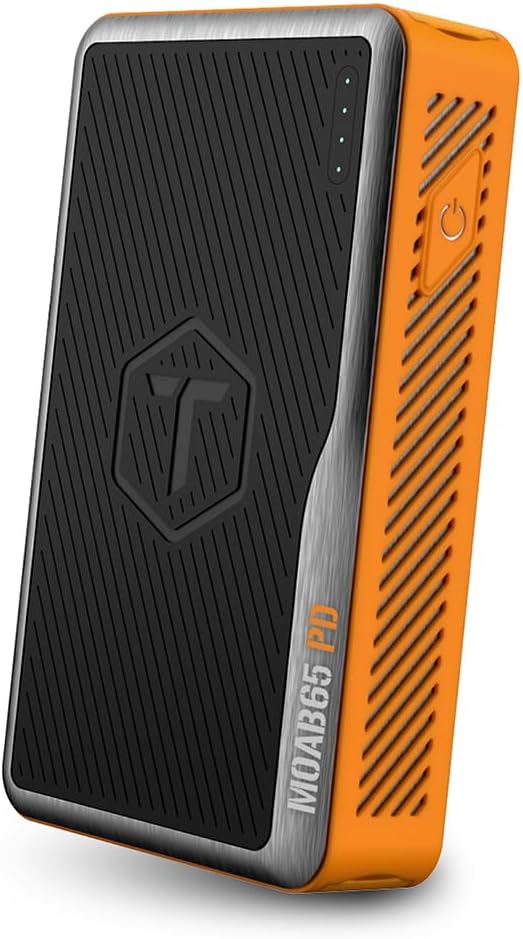
Image: The ToughTested MOAB 65 Portable Charger, showcasing its rugged design and power indicator lights.
భద్రతా సమాచారం
గాయం లేదా నష్టాన్ని నివారించడానికి ఈ ఉత్పత్తిని ఉపయోగించే ముందు దయచేసి అన్ని భద్రతా హెచ్చరికలు మరియు సూచనలను చదవండి.
- Do not expose the power bank to extreme temperatures (above 60°C/140°F or below -10°C/14°F).
- Do not disassemble, modify, or attempt to repair the device. This will void the warranty and may cause harm.
- Keep away from water and liquids. While the MOAB 65 is IP64 rated for dust and water resistance, it is not designed for submersion.
- పరికరాన్ని పడవేయడం లేదా తీవ్రమైన ప్రభావాలకు గురిచేయడం మానుకోండి.
- ధృవీకరించబడిన ఛార్జింగ్ కేబుల్స్ మరియు అడాప్టర్లను మాత్రమే ఉపయోగించండి.
- పిల్లలకు దూరంగా ఉంచండి.
- Dispose of the power bank responsibly according to local regulations. Do not dispose of in household waste.
ప్యాకేజీ విషయాలు
మీ ప్యాకేజీలో అన్ని అంశాలు ఉన్నాయని ధృవీకరించండి:
- ToughTested MOAB 65 Portable Charger
- Heavy-duty USB-C to USB-C Power Delivery PET Cable
- వినియోగదారు మాన్యువల్ (ఈ పత్రం)
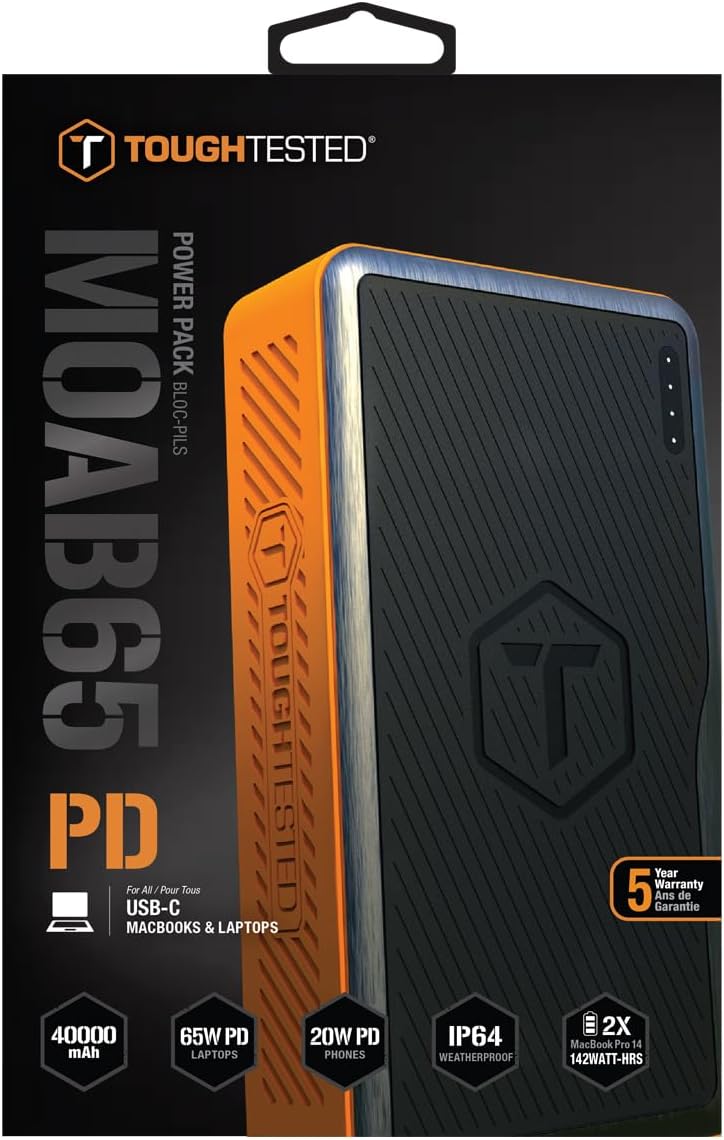
Image: The included heavy-duty USB-C to USB-C Power Delivery PET cable.
ఉత్పత్తి ముగిసిందిview
Familiarize yourself with the components of your MOAB 65 portable charger.
| భాగం | వివరణ |
|---|---|
| పవర్ బటన్ | పవర్ బ్యాంక్ను యాక్టివేట్ చేసి బ్యాటరీ స్థాయిని తనిఖీ చేస్తుంది. |
| LED పవర్ ఇండికేటర్లు | Displays the remaining battery capacity. |
| USB-C PD (Input/Output) Port | 65W Power Delivery for charging laptops and rapid charging of the power bank itself. |
| USB-C PD (Output) Port | 20W Power Delivery for fast charging smartphones and other compatible devices. |
| USB-A QC 3.0 పోర్ట్ | Quick Charge 3.0 output for fast charging non-Type C devices. |
| Sealed Port Covers | Protects ports from dust and water, maintaining IP64 rating. |

చిత్రం: వైపు view of the MOAB 65 showing the USB-A and USB-C output ports with their protective covers.
సెటప్
Charging the MOAB 65 Portable Charger
Before first use, fully charge your MOAB 65. It is recommended to use a 65W USB-C PD wall charger (not included) for the fastest charging time.
- Open the sealed port cover for the USB-C PD (Input/Output) port.
- Connect the included USB-C to USB-C cable to the USB-C PD (Input/Output) port on the MOAB 65.
- Connect the other end of the cable to a compatible USB-C PD wall charger.
- The LED power indicators will illuminate and blink to show charging progress. All four LEDs will be solid when fully charged.
A full charge can take several hours depending on the power of your wall charger.
ఆపరేటింగ్ సూచనలు
బ్యాటరీ స్థాయిని తనిఖీ చేస్తోంది
Press the power button once to check the remaining battery capacity. The LED indicators will light up:
- 4 LEDలు: 75-100%
- 3 LEDలు: 50-75%
- 2 LEDలు: 25-50%
- 1 LED: 0-25% (Recharge soon)
ఛార్జింగ్ పరికరాలు
The MOAB 65 features multiple output ports for versatile charging.
- For Laptops (USB-C PD 65W):
Open the sealed port cover for the USB-C PD (Input/Output) port. Connect your laptop's USB-C charging cable to this port and to your laptop. The MOAB 65 will automatically begin charging.

Image: The MOAB 65 connected to a laptop via its USB-C PD port, demonstrating laptop charging capability.

Image: Visual representation highlighting the 65W USB-C Power Delivery input/output for laptops.
- For Smartphones & Tablets (USB-C PD 20W or USB-A QC 3.0):
Open the sealed port cover for the desired output port (USB-C or USB-A). Connect your device's charging cable to the MOAB 65 and to your device. The Instasense Processor will automatically detect your device and deliver optimal charging power.
Image: Close-up of the MOAB 65's output ports, including the 20W USB-C PD and QC3 USB-A, designed for fast phone charging.
- ఏకకాలంలో ఛార్జింగ్:
You can charge multiple devices simultaneously using the available output ports. The MOAB 65 will intelligently distribute power.

Image: Two MOAB 65 units shown side-by-side, illustrating the capability to fast charge laptops and phones concurrently.
Note: For optimal fast charging, ensure your device and cable support Power Delivery (PD) or Quick Charge (QC) technology.
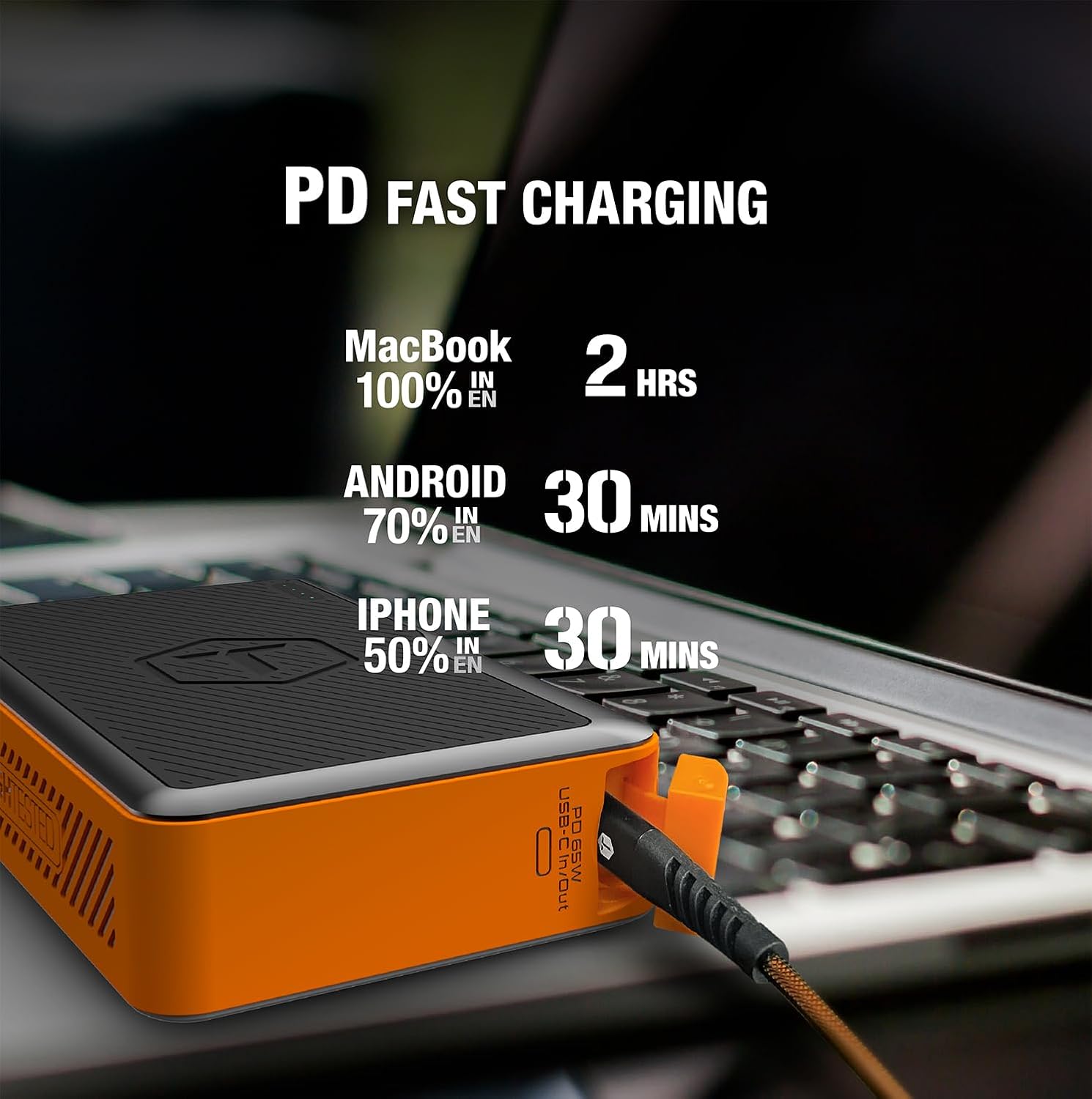
Image: Infographic detailing fast charging times for various devices: MacBook 100% in 2 hours, Android 70% in 30 minutes, iPhone 50% in 30 minutes.
నిర్వహణ
- శుభ్రపరచడం: Wipe the exterior with a soft, dry cloth. Do not use harsh chemicals or abrasive materials. Ensure port covers are closed before cleaning.
- నిల్వ: పవర్ బ్యాంక్ను చల్లని, పొడి ప్రదేశంలో ప్రత్యక్ష సూర్యకాంతి మరియు తీవ్రమైన ఉష్ణోగ్రతలకు దూరంగా నిల్వ చేయండి. దీర్ఘకాలిక నిల్వ కోసం, బ్యాటరీ ఆరోగ్యాన్ని కాపాడుకోవడానికి ప్రతి 3-6 నెలలకు ఒకసారి పవర్ బ్యాంక్ను 50-75% వరకు ఛార్జ్ చేయండి.
- పోర్ట్ కవర్లు: Always ensure the sealed port covers are securely closed when not in use, especially in dusty or wet environments, to maintain the IP64 rating.

Image: The MOAB 65 with water droplets on its surface, illustrating its IP64 weatherproof and dustproof capabilities.
ట్రబుల్షూటింగ్
| సమస్య | సాధ్యమైన కారణం | పరిష్కారం |
|---|---|---|
| పవర్ బ్యాంక్ ఛార్జింగ్ లేదు | కేబుల్ లేదా అడాప్టర్ సమస్య; పవర్ బ్యాంక్ పూర్తిగా డిస్చార్జ్ చేయబడింది; పోర్ట్ తప్పుగా ఉంది. | Try a different USB-C cable and wall adapter. Ensure the adapter is powerful enough (e.g., 65W PD). Allow a few minutes for a deeply discharged unit to respond. |
| పవర్ బ్యాంక్ నుండి పరికరం ఛార్జ్ కావడం లేదు | Power bank low on charge; incorrect cable; device not compatible; power bank in standby. | Check power bank battery level. Ensure cable is securely connected and functional. Try a different port. Press the power button to activate output. |
| నెమ్మదిగా ఛార్జింగ్ అవుతోంది | Cable not supporting fast charge; device not supporting fast charge; multiple devices connected. | Use a certified PD/QC compatible cable. Ensure your device supports fast charging. Disconnect other devices if faster charging is needed for one specific device. |
| LED సూచికలు పని చేయడం లేదు | Minor software glitch; internal issue. | Try fully discharging and then recharging the power bank. If the issue persists, contact customer support. |
స్పెసిఫికేషన్లు
| ఫీచర్ | వివరాలు |
|---|---|
| మోడల్ | MOAB 65 |
| బ్యాటరీ కెపాసిటీ | 40,000mAh (142Wh) |
| USB-C PD (Input/Output) | 65W పవర్ డెలివరీ |
| USB-C PD (Output) | 20W పవర్ డెలివరీ |
| USB-A (అవుట్పుట్) | త్వరిత ఛార్జ్ 3.0 |
| కొలతలు | 7 x 4 x 1.5 అంగుళాలు |
| బరువు | 1.8 పౌండ్లు |
| IP రేటింగ్ | IP64 (Dustproof & Water Resistant) |
| బ్యాటరీ రకం | లిథియం అయాన్ |
| రంగు | నలుపు / నారింజ |
వారంటీ మరియు మద్దతు
The ToughTested MOAB 65 Portable Charger comes with a 5 సంవత్సరాల వారంటీ, ensuring reliability and peace of mind. This warranty covers defects in materials and workmanship under normal use.
For warranty claims, technical support, or any questions regarding your MOAB 65, please contact ToughTested customer service:
- Webసైట్: Visit the official ToughTested webమద్దతు వనరులు మరియు సంప్రదింపు సమాచారం కోసం సైట్. www.toughtested.com
- ఇమెయిల్: Refer to the ToughTested webఅత్యంత ప్రస్తుత మద్దతు ఇమెయిల్ చిరునామా కోసం సైట్.
- ఫోన్: Refer to the ToughTested webఅత్యంత తాజా మద్దతు ఫోన్ నంబర్ కోసం సైట్.
Please have your product model (MOAB 65) and proof of purchase ready when contacting support.

Image: ToughTested "Built for Every Adventure" logo, emphasizing the brand's commitment to durability.


