1. పరిచయం
Thank you for choosing the Xanlite LPM38ND LED Table Lamp. ఈ మాన్యువల్ మీ కొత్త కంప్యూటర్ యొక్క సురక్షితమైన మరియు సమర్థవంతమైన ఉపయోగం కోసం అవసరమైన సమాచారాన్ని అందిస్తుంది.amp. దయచేసి ఈ సూచనలను ఉపయోగించే ముందు జాగ్రత్తగా చదవండి మరియు భవిష్యత్తు సూచన కోసం వాటిని ఉంచండి.
The Xanlite LPM38ND is a modern, rechargeable LED table lamp designed for indoor use. It features adjustable brightness (dimmable) and color temperature (CCT) to suit various lighting needs, from warm ambient light to cool task lighting.
2. ఉత్పత్తి లక్షణాలు
- ఆధునిక డిజైన్: Black metal finish, 38 cm height, suitable for various interior settings.
- USB రీఛార్జిబుల్: Convenient charging via a standard USB connection, offering portability and flexible placement.
- 250 ల్యూమెన్స్ అవుట్పుట్: Provides moderate brightness suitable for ambient lighting or reading.
- డిమ్మబుల్ ఫంక్షన్: Allows adjustment of light intensity to match your preferences and needs.
- Adjustable Color Temperature (CCT): Offers a range from 3000K (Warm White) to 4000K (Cool White).
- 3000K వెచ్చని తెలుపు: Creates a cozy and relaxing atmosphere, ideal for living rooms and bedrooms.
- 4000K కూల్ వైట్: Provides brighter, more energizing light, perfect for workspaces or areas requiring good visibility.
3. ప్యాకేజీ విషయాలు
దయచేసి ఈ క్రింది అంశాల కోసం ప్యాకేజీని తనిఖీ చేయండి:
- Xanlite LPM38ND LED టేబుల్ Lamp
- USB ఛార్జింగ్ కేబుల్
- వినియోగదారు మాన్యువల్ (ఈ పత్రం)
If any components are missing or damaged, please contact customer support.
4. సెటప్
-
4.1 అన్ప్యాకింగ్
ప్యాకేజింగ్ నుండి అన్ని భాగాలను జాగ్రత్తగా తొలగించండి. భవిష్యత్తులో నిల్వ లేదా రవాణా కోసం ప్యాకేజింగ్ను ఉంచండి.
-
4.2 ప్లేస్మెంట్
ఎల్ ఉంచండిamp on a stable, flat surface. Ensure it is not near heat sources, direct sunlight, or in excessively humid environments. The lamp ఇండోర్ ఉపయోగం కోసం మాత్రమే రూపొందించబడింది.
-
4.3 ప్రారంభ ఛార్జింగ్
మొదటిసారి ఉపయోగించే ముందు, l ని పూర్తిగా ఛార్జ్ చేయండిamp. Connect the provided USB charging cable to the lamp's USB port and plug the other end into a standard USB power adapter (not included) or a computer USB port. The charging indicator light (if present) will show the charging status. A full charge typically takes several hours.
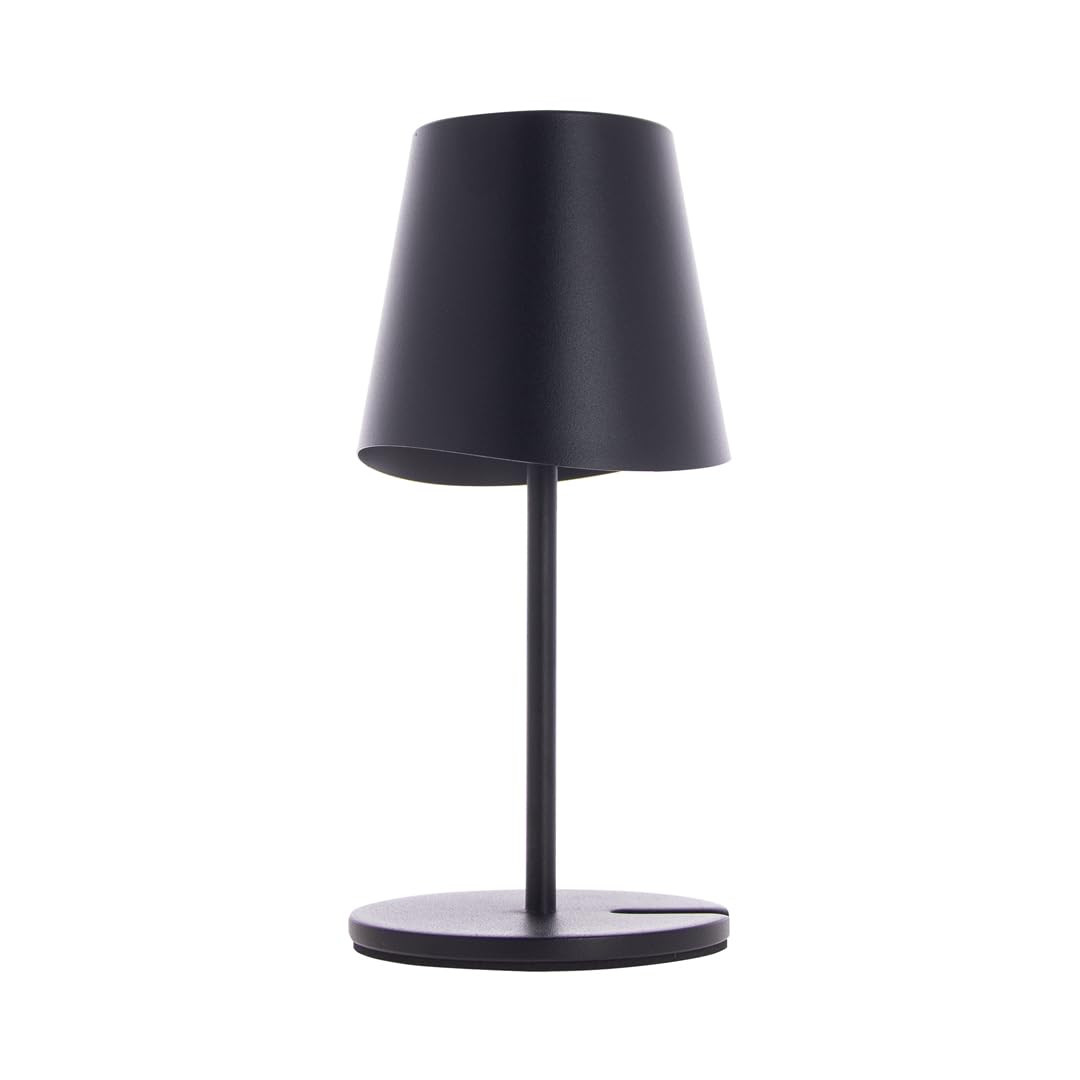
Image: The Xanlite LPM38ND LED Table Lamp, a black metal lamp with a circular base and adjustable head, shown connected to a USB charging cable. The lamp is approximately 38 cm tall.
5. ఆపరేటింగ్ సూచనలు
ది ఎల్amp is operated via a push-button switch, typically located on the base or stem of the lamp.
-
5.1 పవర్ ఆన్/ఆఫ్
lని తిప్పడానికి పవర్ బటన్ను ఒకసారి నొక్కండిamp on. Press it again to turn the lamp ఆఫ్.
-
5.2 ప్రకాశాన్ని సర్దుబాటు చేయడం (డిమ్మింగ్)
ఎప్పుడు ఎల్amp is on, press and hold the power button to adjust the brightness. The light intensity will gradually increase or decrease. Release the button when the desired brightness is reached.
-
5.3 Changing Color Temperature (CCT)
ఎల్ తోamp on, quickly double-press the power button to cycle through the available color temperatures: 3000K (Warm White) and 4000K (Cool White). The lamp will switch to the next color temperature with each double-press.
6. నిర్వహణ
- శుభ్రపరచడం: l ను డిస్కనెక్ట్ చేయండిamp from any power source before cleaning. Use a soft, dry cloth to wipe the lampఉపరితలం. రాపిడి క్లీనర్లు, ద్రావకాలు లేదా కఠినమైన రసాయనాలను ఉపయోగించవద్దు, ఎందుకంటే ఇవి ముగింపును దెబ్బతీస్తాయి.
- నిల్వ: l నిల్వ చేస్తేamp ఎక్కువ కాలం పాటు, అది పూర్తిగా ఛార్జ్ అయ్యేలా చూసుకోండి మరియు చల్లని, పొడి ప్రదేశంలో నిల్వ చేయండి. l ని రీఛార్జ్ చేయండి.amp బ్యాటరీ ఆరోగ్యాన్ని కాపాడుకోవడానికి ప్రతి 3-6 నెలలకు ఒకసారి.
- బ్యాటరీ సంరక్షణ: The integrated battery is not user-replaceable. Avoid exposing the lamp తీవ్ర ఉష్ణోగ్రతలకు.
7. ట్రబుల్షూటింగ్
| సమస్య | సాధ్యమైన కారణం | పరిష్కారం |
|---|---|---|
| Lamp ఆన్ చేయదు. | బ్యాటరీ క్షీణించింది. | l ను కనెక్ట్ చేయండిamp to a USB power source and charge it fully. |
| Lamp వసూలు చేయదు. | USB cable or power adapter is faulty; connection is loose. | Ensure the USB cable is securely connected. Try a different USB cable or power adapter. |
| ప్రకాశం లేదా రంగు ఉష్ణోగ్రత సర్దుబాటు చేయబడదు. | సరికాని ఆపరేషన్. | Refer to Section 5.2 and 5.3 for correct adjustment procedures. Ensure the lamp ఆన్లో ఉంది. |
| కాంతి మిణుకుమిణుకుమంటుంది లేదా అస్థిరంగా ఉంటుంది. | Low battery; faulty internal component. | l ను ఛార్జ్ చేయండిamp పూర్తిగా. ఛార్జింగ్ తర్వాత సమస్య కొనసాగితే, కస్టమర్ సపోర్ట్ను సంప్రదించండి. |
If you encounter problems not listed here or if the suggested solutions do not resolve the issue, please contact Xanlite customer support.
8. స్పెసిఫికేషన్లు
| ఫీచర్ | స్పెసిఫికేషన్ |
|---|---|
| బ్రాండ్ | క్సాన్లైట్ |
| మోడల్ సంఖ్య | LPM38ND |
| కొలతలు (L x W x H) | 10.7 x 11 x 37 సెం.మీ |
| బరువు | 800 గ్రా |
| మెటీరియల్ | మెటల్ |
| రంగు | Black (Product description mentions 'Multicolor' but main title and image suggest black) |
| కాంతి మూలం | ఇంటిగ్రేటెడ్ LED |
| ప్రకాశించే ఫ్లక్స్ | 250 ల్యూమన్లు |
| రంగు ఉష్ణోగ్రత (CCT) | 3000K (Warm White) - 4000K (Cool White) |
| వాల్యూమ్tage | 5 వోల్ట్లు (DC) |
| శక్తి మూలం | USB రీఛార్జిబుల్ |
| స్విచ్ రకం | పుష్-బటన్ |
| ప్రత్యేక లక్షణాలు | మసకబారిన, పునర్వినియోగపరచదగినది |
9. భద్రతా సమాచారం
- ఈ ఎల్amp is for indoor use only. Do not expose to rain or moisture.
- Do not disassemble, modify, or attempt to repair the lamp yourself. This may void the warranty and pose a safety risk.
- ఎల్ ఉంచండిamp పిల్లలు మరియు పెంపుడు జంతువుల నుండి దూరంగా.
- LED లైట్ సోర్స్లోకి ఎక్కువసేపు నేరుగా చూడటం మానుకోండి, ఎందుకంటే ఇది కంటికి ఒత్తిడిని కలిగిస్తుంది.
- ఛార్జింగ్ కోసం అందించిన USB కేబుల్ లేదా సర్టిఫైడ్ దానికి సమానమైన దాన్ని మాత్రమే ఉపయోగించండి.
- l ను బహిర్గతం చేయవద్దుamp to extreme temperatures, open flames, or direct sunlight.
- l ని నిర్ధారించుకోండిamp is placed on a stable surface to prevent it from falling.
10. పారవేయడం సమాచారం
This product contains an integrated rechargeable battery and electronic components. Do not dispose of the product with general household waste. Please follow local regulations for the separate collection of electronic products and batteries. Proper disposal helps prevent potential negative consequences for the environment and human health.
11. వారంటీ మరియు మద్దతు
Information regarding warranty terms and conditions is typically provided at the point of purchase or on the manufacturer's official website. For technical support, troubleshooting assistance, or warranty claims, please refer to the contact information provided by your retailer or the Xanlite official support channels.


